Skip to content
Truehost Logo
Websites
Truehost.com Truehost Cloud Truehost Kenya Truehost Nigeria Truehost South Africa Truehost India Truehost UK Truehost Canada
Contact us
Policies
Data Privacy Policy Domain Name and Services Dispute Resolution Policy Abuse Policy File Migration Policy
Coupons

client area

8
  • How to create add funds invoice from truehost client area.
  • How To Move A Website From One Truehost Account To Another Truehost Account
  • How to Power OFF, Powe ON and Reboot a VPS from client area.
  • How to Acess your Virtualizor Account from Truehost Client area
  • How to change VPS Password from Truehost Client Area
  • How to Access VPS via VNC from Truehost Client Area
  • How to set a VPS to rescure mode from Truehost Client area
  • How to Re-install a Tcloud VPS Operating System (OS) from Truehost Client Area

Managed Applications

2
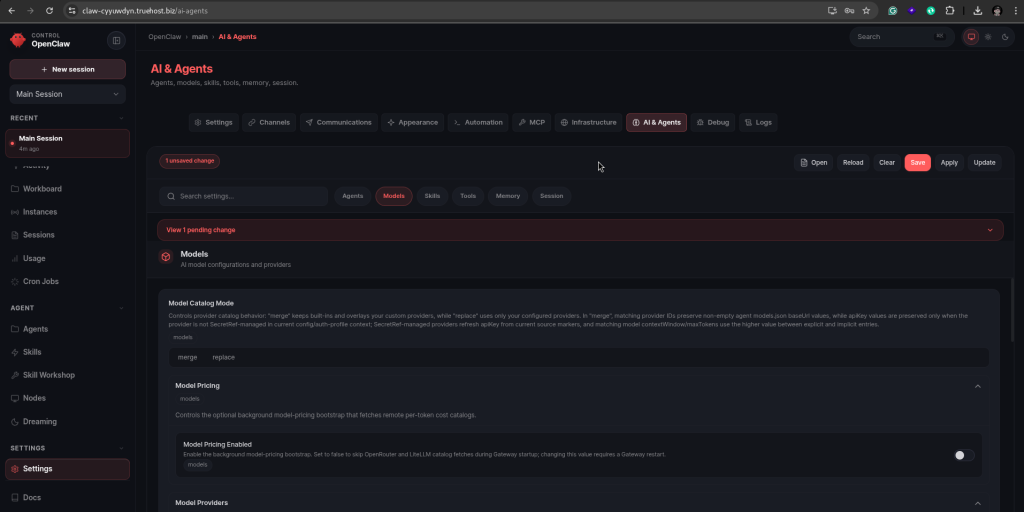
  • OpenClaw Hosting Walkthrough
  • Working with Managed VPN

Cloud

4
  • How to Enable Ports, Whitelist, and Blacklist IPs in CSF Firewall (ConfigServer Security & Firewall)
  • How to set up Hostname SSL on CWP
  • How to import/export a MariaDB/MySQL database on Cyberpanel
  • How to resize a VPS Disk space

Cloud servers in Kenya

224
  • How to Install and Configure ModSecurity in WHM
  • How to Configure Hostname and Default Nameservers in WHM
  • How to Migrate cPanel Accounts Between cPanel Servers Using WHM
  • How to install a PHP extension in WHM
  • How to remove a DNS zone from WHM
  • How to Suspend / Unsuspend cPanel Accounts Within WHM
  • How to Assign A dedicated IP to a Cpanel Account on WHM
  • How to Add an IP Adress to a Cpanel Server From WHM
  • How to Set Up A DNS Clusters in WHM
  • How to Set Document Root outside public_html for Addon Domain OR Sub Domain
  • How to Create a Backup Job in WHM With Jetbackup
  • How to Add A backup Destination in Jetbackup on A cPnel Server
  • How to Migrate Email Accounts Between cPanel Servers
  • How to enable Shell Access for a Cpanerl Accout
  • How to Automate Updates for cPanel and System Software via WHM
  • How to Schedule cPanel Backups in WHM
  • How to Enable Two-Factor Authentication for WHM Access
  • How to Set Up Custom Branding for Reseller Accounts in WHM
  • How to change cPanel Account Ownership from WHM
  • How to Use MultiPHP in WHM to Change your Server’s PHP Version
  • How to Convert an existing account to Reseller Accounts in WHM
  • How to create and Managing Reseller Accounts in WHM
  • How to Create a cPanel account within WHM
  • How to Add a Remote MySQL Access Host in Webuzo
  • How to Configure Apache as a Reverse Proxy with mod_proxy
  • How to Set Up a Reverse Proxy with Nginx on AlmaLinux 9
  • How to Install and Configure NGINX on CWP
  • How to Monitor Server Health with Nagios
  • How to Forward Ports With Iptables On A Linux Server
  • How to Configure and Manage MySQL Databases in Webuzo
  • How to Whitelist an IP with CSF
  • How To Open Ports On Ubuntu
  • How to Transfer files from a Linux Server to Windows Server using WinSCP
  • How to Configure Firewalld for Enhanced Server Security
  • How to Create a Container in Proxmox
  • How to Backup and Restore Virtual Machines (VMs) in Proxmox
  • How to Create Virtual Machines in Proxmox
  • How to Install and Use Proxmox for Virtualization
  • How to Create & Manage FTP in Webuzo With Enduser Access
  • How to Change File Permissions in Webuzo File Manager
  • How to Install and Configure HAProxy for Load Balancing on Almalinux
  • How to Update a CyberPanel Server
  • How to Create Additional admin User Accounts in CyberPanel
  • How to Disable Two-Factor Authentication in CyberPanel
  • How to Enable Two-Factor Authentication in CyberPanel
  • Implementing Firewall and Security Measures in CyberPanel
  • How to Install WordPress on Webuzo
  • How to Change the PHP Version in the Webuzo Panel
  • How to Install an SSL Certificate in Webuzo
  • How to Create a Self-signed SSL Certificate in Webuzo
  • How to Generate a Certificate Signing Request (CSR) on Webuzo
  • How to Add Subdomain in Webuzo With Enduser Access
  • How to Add a Domain in Webuzo With Enduser Access
  • How to Enable/Disable ModSecurity in Webuzo
  • How to Add Domain and Nameservers in Webuzo For Root Users
  • How to Add Domain Alias in Webuzo With Enduser Access
  • How to Add or Edit DNS Records in Webuzo Panel
  • How To Change The Root Password Of Webuzo Control Panel
  • How to Delete Email Accounts in Webuzo Panel
  • How to Add an Email Account in the Webuzo Panel
  • How to Access Admin Panel in Webuzo
  • How to add a User on Webuzo Admin Panel
  • How to Access User Panel in Webuzo
  • How to Access VNC using Remmina
  • How to Schedule Backups: Local or SFTP on Cyberpanel
  • How to Delete Backup Destinations on Cyberpanel
  • How to Check for installed PHP extensions via ssh on a VPS server
  • How to Add Destination for Scheduled Local/SFTP Remote Backups on Cyberpanel
  • How to Create and Restore CyberPanel Backups
  • How to Set Up Nameservers in Control Web Panel
  • How to check resources usage in DirectAdmin
  • How to generate CSR for SSL in DirectAdmin
  • How to install an SSL Certificate on DirectAdmin
  • How to Increase File Upload Limit in DirectAdmin
  • How to manage user packages in DirectAdmin
  • How to disable/enable php_functions on DirectAdmin
  • How to change the PHP version in DirectAdmin
  • How to create autoresponder in DirectAdmin
  • How to create an FTP account in DirectAdmin
  • How to create a MySQL Database in DirectAdmin
  • How to Suspend/Unsuspend domains in DirectAdmin
  • How to create a subdomain in DirectAdmin
  • How to check the website statistics in DirectAdmin
  • How to add a custom suspension message in DirectAdmin
  • How to change Email Account Password in DirectAdmin
  • How to Create an Email Account in DirectAdmin
  • How to set up Cron Jobs in DirectAdmin
  • How to create a backup in DirectAdmin
  • How to Add and Manage DNS Records in DirectAdmin
  • How to change MX Records in DirectAdmin
  • How to Set Up Website Redirection Rules in DirectAdmin
  • How to Create/Restore an Admin Backup with DirectAdmin
  • How to Create Additional Administrator User In DirectAdmin
  • How to set Up Reseller Accounts in DirectAdmin
  • Installing DirectAdmin on a Cloud Server: Step-by-Step Guide
  • Setting Up and Managing Reseller Accounts in CWP
  • How to copy files from a Windows Server to Linux Server using rSync
  • How to Transfer files from a Windows Server to Linux Server using Command Line (CMD)
  • How to Transfer files from a Windows Server to Linux Server using WinSCP
  • How to Remotely Access Windows Server (RDP) from Linux using Command Line/terminal
  • How to Remotely Access Windows Server (RDP) from Linux using Remmina
  • Understanding how to use the wall command in Linux
  • How to Schedule Server Downtime Notifications with Wall Command
  • Introduction to Linux File System Structure: What Every User Should Know
  • Setting Up and Using Swap Space on Linux Servers
  • How to Use SCP for Secure File Transfers Between Linux Servers
  • How to Compress and Decompress Files Using tar and gzip
  • How to Set Up Syslog for Centralized Logging
  • Installing and Configuring Kubernetes on a Linux Server
  • How to Install and Configure Nginx as a Web Server
  • Installing and Using Docker on a Linux Server
  • Setting Up a LAMP Stack (Linux, Apache, MySQL, PHP) on Almalinux
  • How to Set Up Samba for File Sharing on Linux Servers
  • How to Set Up Network File System (NFS) on a Linux Server
  • How to Configure a Load Balancer on Nginx
  • How to Install and Configure Apache Tomcat on Linux – Almalinux
  • Setting Up a LAMP Stack (Linux, Apache, MySQL, PHP) on Ubuntu
  • Setting Up a LEMP Stack (Linux, Nginx, MySQL, PHP) on Almalinux
  • Automating Server Backups Using rsync and cron
  • How to Optimize Linux Server Swap Usage
  • Using Memcached for Database Performance Optimization
  • How to Use SSH Tunneling for Secure Remote Access
  • How to Install and Configure Redis on Linux Servers
  • How to Secure MySQL/MariaDB with SSL Encryption
  • Optimizing MySQL Performance with Tuning Tools
  • How to Set Up and Use an SSH Jumphost.
  • How to Use Prometheus and Grafana for Server Monitoring
  • Installing and Configuring ELK Stack (Elasticsearch, Logstash, Kibana)
  • How to Set Up a Git Server on Linux
  • How to Install and Configure OpenVPN on a Linux Server
  • How to Install and Configure Apache Tomcat on Linux – Ubuntu
  • Setting Up a LEMP Stack (Linux, Nginx, MySQL, PHP) on Ubuntu 22.04
  • How to Use Fail2Ban to Protect Apache and Nginx from Brute-Force Attacks
  • How to Find Large Files and Directories on a Linux Server
  • How to Configure Apache Redirects with .htaccess Files
  • How to Restrict SSH Access to Specific IPs Using hosts.allow and hosts.deny
  • How to Install ClamAV for Malware Scanning on Ubuntu
  • How to Install ClamAV for Malware Scanning on Amlalinux
  • How to Identify and Kill a Running Process in Linux
  • How to Monitor CPU and Memory Usage in Linux
  • How to Check Disk Usage with df and du Commands
  • Getting Started with Linux Aliases: Simplify Your Commands
  • Understanding and Managing System Logs in Linux
  • Managing Users and Groups on a Linux Server: Best Practices
  • Introduction to Linux Package Managers: Apt vs. Yum
  • How to Set Up a Basic Firewall with Uncomplicated Firewall (UFW)
  • Top 10 Essential Linux Commands for Server Management
  • Understanding Linux File Permissions: What Every Administrator Should Know
  • Setting Up Your First Linux Server: A Step-by-Step Guide
  • Configuring DKIM and SPF for Email Security
  • How to Configure SMTP Relays on a Linux Server
  • How to Configure a Mail Server with Dovecot and Postfix on Almalinux
  • How To Install MariaDB on Ubuntu 22.04
  • How to adjust max_vars_input on CWP
  • How to adjust max_vars_input on Plesk Windows
  • How to manually install moodle on plesk windows
  • How to change System PHP in Plesk Windows
  • How to Install and enable PHP handles on Plesk – Windows
  • How to change PHP version / handler for a single domain Plesk – Windows/Linux
  • How to Back Up MySQL Databases Automatically with Cron
  • How to Set Up Postfix as a Mail Server on Ubuntu
  • Why You May Not Want To Run Your Own Mail Server
  • First Server Setup with Ubuntu
  • What is an Intrusion Detection System (IDS)?
  • Practices for Server Security Hardening
  • How to install Softaculous On Control Web Panel (CWP)
  • How to Install Moodle Manually on Your Server (CWP, Cyberpanel)
  • How to Secure a Linux Server with Fail2Ban
  • Fail2Ban Configuration Documentation: jail.local and fail2ban.local
  • How to Power OFF, Powe ON and Reboot a VPS from client area.
  • How to Acess your Virtualizor Account from Truehost Client area
  • How to set a VPS to rescure mode from Truehost Client area
  • How to Access VPS via VNC from Truehost Client Area
  • How to change VPS Password from Truehost Client Area
  • How to Re-install a Tcloud VPS Operating System (OS) from Truehost Client Area
  • How to disable Two-Factor Authentication (2FA) on Cyberpanel login.
  • How to Disable InnoDB in MariaDB
  • How to Disable InnoDB in MySQL
  • How To Configure the Apache Web Server on an Almalinux
  • How to Install MariaDB on Almalinux 9
  • How to prevent frequent SSH and SCP disconnect
  • How to Install MariaDB on Almalinux 8
  • How to Install phpMyAdmin client on Almalinux 9
  • How to Install phpMyAdmin client on Almalinux 8
  • How to Change the Time Zone on Ubuntu Server
  • How To Configure the Apache Web Server on an Ubuntu/Debian
  • Wget Command Examples to Download Files in Linux
  • How to Check Bandwidth Usage from WHM Panel
  • How to Configure SSH Key for a User
  • How to disable root ssh with password but enable via ssh keys
  • How to change SSH port to a custom port
  • How to Run Sudo Commands Without Password
  • How to create a sudo user on your server
  • How to manually deploy WordPress on Control Web Panel (CWP) User Panel
  • How to manually deploy WordPress on Control Web Panel(CWP) Admin Panel
  • How to disable root ssh completely
  • How to import/export a database on Control Web Panel (CWP)
  • How to create a database in Control Web Panel (CWP)
  • How to Create a Hosting Package on CentOS Web Panel(CWP)
  • How to adjust PHP INI settings on CentOS Web Panel (CWP)
  • How to change the PHP version in Control Web Panel (CWP)
  • How to Install and Enable CSF Firewall on CentOS Web Panel (CWP)
  • How to Manage Existing Emails on CentOS Web Panel (CWP)
  • How to Create Email Accounts on CentOS Web Panel (CWP)
  • How to Create an Addon Domain/Subdomain on a CWP cPanel
  • How to Configure CWP server for Email use
  • How to change a CWP user account password
  • How to Create a User Account (Domain Account) on CWP (CentOS Web Panel)
  • How to Access CWP (Main WHM Panel)
  • How to Access CWP (User’s cPanel)
  • How to set up Hostname SSL on CWP
  • How to change SSH passwords for root and non-root user
  • How to set up a hostname SSL On Cyberpanel
  • How to import/export a MariaDB/MySQL database on Cyberpanel
  • How to Create and Manage Databases on Cyberpanel
  • How to Install CyberPanel – Ubuntu and Almalinux
  • How to adjust PHP INI settings on Cyberpanel (e.g., Upload Limit, post_max_size, display_errors)
  • How to properly Install Control Web Panel(CWP) on Almalinux/CentOS
  • How to Manage Existing Email Accounts on Cyberpanel
  • How to Create and Access Email Accounts on CyberPanel
  • How to Configure Cyberpanel server for Email use
  • How to create a domain and subdomain on Cyberpanel
  • How to Access A Server via SSH/Terminal

Cloudflare

7
  • How to Point Custom Domain to Blogger using Cloudflare DNS?
  • How to Change A record for your domain at Cloudflare
  • How to Update MX records at Cloudflare
  • How to Remove Cloudflare Proxy
  • How to Add a Domain to Cloudflare
  • Activating CloudFlare
  • Configuring CloudFlare

Cpanel

36
  • How to deploy website on cPanel using git version control
  • How to Connect Your Webmail to thunderbird
  • Deploy Websites with Git on cPanel: A Step-by-Step Guide
  • How to Create a Staging Site for WordPress on cPanel
  • How to clone WordPress on cPanel
  • How to enable wordpress security features using softaculous
  • How to deploy Nextjs on cPanel
  • Understanding Resource Usage on Shared Hosting
  • How to Deploy a React App on cPanel: A Step-by-Step Guide
  • ERROR LOADING DATAChild failed to make LIVEAPI connection to cPanel
  • How to Convert an existing account to Reseller Accounts in WHM
  • How to resolve the domain already exists error when adding addon domain
  • How to install free SSL on cPanel using AUTO SSL
  • How to change SSH passwords for root and non-root user
  • How To create a subdomain on Jupiter theme Cpanel
  • [OUTDATED] How To Create a Subdomain in cPanel
  • How to manually Transfer and Restore a Cpanel account using Jetbackup
  • How to restore emails from Jetbackup5
  • How to view cPanel Error logs
  • How to kill Python or Nodejs processes on cpanel
  • How to resolve error 403 on cPanel
  • How to enable 2FA on cPanel
  • How to resolve “Missing temporary folder” for websites on cPanel server.
  • How to Restore Specific Files in cPanel Using Jetbackup5
  • How to Restore Specific Files in cPanel Using Jetbackup5
  • How to force https redirect on your domain
  • Enabling GZIP Compression on Cpanel Websites
  • [Resolved]. How to fix or address Request Timeout Error on cpanel
  • How To Install A Premium SSL Certificate in Cpanel
  • How to fix AWStats not Updating
  • How to Upload A Website To The Cpanel
  • How to back up website from cpanel
  • How to easily build your website on Truehost cpanel
  • How To Install Your Ssl Certificate On Truehost Cpanel
  • How to increase the upload size for wordpress

Jetbackup 5

2
  • How to manually Transfer and Restore a Cpanel account using Jetbackup
  • How to Restore Specific Files in cPanel Using Jetbackup5

dedicated servers

218
  • How to Install and Configure ModSecurity in WHM
  • How to Configure Hostname and Default Nameservers in WHM
  • How to Migrate cPanel Accounts Between cPanel Servers Using WHM
  • How to install a PHP extension in WHM
  • How to remove a DNS zone from WHM
  • How to Suspend / Unsuspend cPanel Accounts Within WHM
  • How to Assign A dedicated IP to a Cpanel Account on WHM
  • How to Add an IP Adress to a Cpanel Server From WHM
  • How to Set Up A DNS Clusters in WHM
  • How to Set Document Root outside public_html for Addon Domain OR Sub Domain
  • How to Create a Backup Job in WHM With Jetbackup
  • How to Add A backup Destination in Jetbackup on A cPnel Server
  • How to Migrate Email Accounts Between cPanel Servers
  • How to enable Shell Access for a Cpanerl Accout
  • How to Automate Updates for cPanel and System Software via WHM
  • How to Schedule cPanel Backups in WHM
  • How to Enable Two-Factor Authentication for WHM Access
  • How to Set Up Custom Branding for Reseller Accounts in WHM
  • How to change cPanel Account Ownership from WHM
  • How to Use MultiPHP in WHM to Change your Server’s PHP Version
  • How to Convert an existing account to Reseller Accounts in WHM
  • How to create and Managing Reseller Accounts in WHM
  • How to Create a cPanel account within WHM
  • How to Add a Remote MySQL Access Host in Webuzo
  • How to Configure Apache as a Reverse Proxy with mod_proxy
  • How to Set Up a Reverse Proxy with Nginx on AlmaLinux 9
  • How to Install and Configure NGINX on CWP
  • How to Monitor Server Health with Nagios
  • How to Forward Ports With Iptables On A Linux Server
  • How to Configure and Manage MySQL Databases in Webuzo
  • How to Whitelist an IP with CSF
  • How To Open Ports On Ubuntu
  • How to Transfer files from a Linux Server to Windows Server using WinSCP
  • How to Configure Firewalld for Enhanced Server Security
  • How to Create a Container in Proxmox
  • How to Backup and Restore Virtual Machines (VMs) in Proxmox
  • How to Create Virtual Machines in Proxmox
  • How to Install and Use Proxmox for Virtualization
  • How to Create & Manage FTP in Webuzo With Enduser Access
  • How to Change File Permissions in Webuzo File Manager
  • How to Install and Configure HAProxy for Load Balancing on Almalinux
  • How to Update a CyberPanel Server
  • How to Create Additional admin User Accounts in CyberPanel
  • How to Disable Two-Factor Authentication in CyberPanel
  • How to Enable Two-Factor Authentication in CyberPanel
  • Implementing Firewall and Security Measures in CyberPanel
  • How to Install WordPress on Webuzo
  • How to Change the PHP Version in the Webuzo Panel
  • How to Install an SSL Certificate in Webuzo
  • How to Create a Self-signed SSL Certificate in Webuzo
  • How to Generate a Certificate Signing Request (CSR) on Webuzo
  • How to Add Subdomain in Webuzo With Enduser Access
  • How to Add a Domain in Webuzo With Enduser Access
  • How to Enable/Disable ModSecurity in Webuzo
  • How to Add Domain and Nameservers in Webuzo For Root Users
  • How to Add Domain Alias in Webuzo With Enduser Access
  • How to Add or Edit DNS Records in Webuzo Panel
  • How To Change The Root Password Of Webuzo Control Panel
  • How to Delete Email Accounts in Webuzo Panel
  • How to Add an Email Account in the Webuzo Panel
  • How to Access Admin Panel in Webuzo
  • How to add a User on Webuzo Admin Panel
  • How to Access User Panel in Webuzo
  • How to Access VNC using Remmina
  • How to Schedule Backups: Local or SFTP on Cyberpanel
  • How to Delete Backup Destinations on Cyberpanel
  • How to Check for installed PHP extensions via ssh on a VPS server
  • How to Add Destination for Scheduled Local/SFTP Remote Backups on Cyberpanel
  • How to Create and Restore CyberPanel Backups
  • How to Set Up Nameservers in Control Web Panel
  • How to check resources usage in DirectAdmin
  • How to generate CSR for SSL in DirectAdmin
  • How to install an SSL Certificate on DirectAdmin
  • How to Increase File Upload Limit in DirectAdmin
  • How to manage user packages in DirectAdmin
  • How to disable/enable php_functions on DirectAdmin
  • How to change the PHP version in DirectAdmin
  • How to create autoresponder in DirectAdmin
  • How to create an FTP account in DirectAdmin
  • How to create a MySQL Database in DirectAdmin
  • How to Suspend/Unsuspend domains in DirectAdmin
  • How to create a subdomain in DirectAdmin
  • How to check the website statistics in DirectAdmin
  • How to add a custom suspension message in DirectAdmin
  • How to change Email Account Password in DirectAdmin
  • How to Create an Email Account in DirectAdmin
  • How to set up Cron Jobs in DirectAdmin
  • How to create a backup in DirectAdmin
  • How to Add and Manage DNS Records in DirectAdmin
  • How to change MX Records in DirectAdmin
  • How to Set Up Website Redirection Rules in DirectAdmin
  • How to Create/Restore an Admin Backup with DirectAdmin
  • How to Create Additional Administrator User In DirectAdmin
  • How to set Up Reseller Accounts in DirectAdmin
  • Installing DirectAdmin on a Cloud Server: Step-by-Step Guide
  • Setting Up and Managing Reseller Accounts in CWP
  • How to copy files from a Windows Server to Linux Server using rSync
  • How to Transfer files from a Windows Server to Linux Server using Command Line (CMD)
  • How to Transfer files from a Windows Server to Linux Server using WinSCP
  • How to Remotely Access Windows Server (RDP) from Linux using Command Line/terminal
  • How to Remotely Access Windows Server (RDP) from Linux using Remmina
  • Understanding how to use the wall command in Linux
  • How to Schedule Server Downtime Notifications with Wall Command
  • Introduction to Linux File System Structure: What Every User Should Know
  • Setting Up and Using Swap Space on Linux Servers
  • How to Use SCP for Secure File Transfers Between Linux Servers
  • How to Compress and Decompress Files Using tar and gzip
  • How to Set Up Syslog for Centralized Logging
  • Installing and Configuring Kubernetes on a Linux Server
  • How to Install and Configure Nginx as a Web Server
  • Installing and Using Docker on a Linux Server
  • Setting Up a LAMP Stack (Linux, Apache, MySQL, PHP) on Almalinux
  • How to Set Up Samba for File Sharing on Linux Servers
  • How to Set Up Network File System (NFS) on a Linux Server
  • How to Configure a Load Balancer on Nginx
  • How to Install and Configure Apache Tomcat on Linux – Almalinux
  • Setting Up a LAMP Stack (Linux, Apache, MySQL, PHP) on Ubuntu
  • Setting Up a LEMP Stack (Linux, Nginx, MySQL, PHP) on Almalinux
  • Automating Server Backups Using rsync and cron
  • How to Optimize Linux Server Swap Usage
  • Using Memcached for Database Performance Optimization
  • How to Use SSH Tunneling for Secure Remote Access
  • How to Install and Configure Redis on Linux Servers
  • How to Secure MySQL/MariaDB with SSL Encryption
  • Optimizing MySQL Performance with Tuning Tools
  • How to Set Up and Use an SSH Jumphost.
  • How to Use Prometheus and Grafana for Server Monitoring
  • Installing and Configuring ELK Stack (Elasticsearch, Logstash, Kibana)
  • How to Set Up a Git Server on Linux
  • How to Install and Configure OpenVPN on a Linux Server
  • How to Install and Configure Apache Tomcat on Linux – Ubuntu
  • Setting Up a LEMP Stack (Linux, Nginx, MySQL, PHP) on Ubuntu 22.04
  • How to Use Fail2Ban to Protect Apache and Nginx from Brute-Force Attacks
  • How to Find Large Files and Directories on a Linux Server
  • How to Configure Apache Redirects with .htaccess Files
  • How to Restrict SSH Access to Specific IPs Using hosts.allow and hosts.deny
  • How to Install ClamAV for Malware Scanning on Ubuntu
  • How to Install ClamAV for Malware Scanning on Amlalinux
  • How to Identify and Kill a Running Process in Linux
  • How to Monitor CPU and Memory Usage in Linux
  • How to Check Disk Usage with df and du Commands
  • Getting Started with Linux Aliases: Simplify Your Commands
  • Understanding and Managing System Logs in Linux
  • Managing Users and Groups on a Linux Server: Best Practices
  • Introduction to Linux Package Managers: Apt vs. Yum
  • How to Set Up a Basic Firewall with Uncomplicated Firewall (UFW)
  • Top 10 Essential Linux Commands for Server Management
  • Understanding Linux File Permissions: What Every Administrator Should Know
  • Setting Up Your First Linux Server: A Step-by-Step Guide
  • Configuring DKIM and SPF for Email Security
  • How to Configure SMTP Relays on a Linux Server
  • How to Configure a Mail Server with Dovecot and Postfix on Almalinux
  • How To Install MariaDB on Ubuntu 22.04
  • How to adjust max_vars_input on CWP
  • How to adjust max_vars_input on Plesk Windows
  • How to manually install moodle on plesk windows
  • How to change System PHP in Plesk Windows
  • How to Install and enable PHP handles on Plesk – Windows
  • How to change PHP version / handler for a single domain Plesk – Windows/Linux
  • How to Back Up MySQL Databases Automatically with Cron
  • How to Set Up Postfix as a Mail Server on Ubuntu
  • Why You May Not Want To Run Your Own Mail Server
  • First Server Setup with Ubuntu
  • What is an Intrusion Detection System (IDS)?
  • Practices for Server Security Hardening
  • How to install Softaculous On Control Web Panel (CWP)
  • How to Install Moodle Manually on Your Server (CWP, Cyberpanel)
  • How to Secure a Linux Server with Fail2Ban
  • Fail2Ban Configuration Documentation: jail.local and fail2ban.local
  • How to change VPS Password from Truehost Client Area
  • How to disable Two-Factor Authentication (2FA) on Cyberpanel login.
  • How to Disable InnoDB in MariaDB
  • How to Disable InnoDB in MySQL
  • How To Configure the Apache Web Server on an Almalinux
  • How to Install MariaDB on Almalinux 9
  • How to prevent frequent SSH and SCP disconnect
  • How to Install MariaDB on Almalinux 8
  • How to Install phpMyAdmin client on Almalinux 9
  • How to Install phpMyAdmin client on Almalinux 8
  • How to Change the Time Zone on Ubuntu Server
  • How To Configure the Apache Web Server on an Ubuntu/Debian
  • Wget Command Examples to Download Files in Linux
  • How to Check Bandwidth Usage from WHM Panel
  • How to Configure SSH Key for a User
  • How to disable root ssh with password but enable via ssh keys
  • How to change SSH port to a custom port
  • How to Run Sudo Commands Without Password
  • How to create a sudo user on your server
  • How to manually deploy WordPress on Control Web Panel (CWP) User Panel
  • How to manually deploy WordPress on Control Web Panel(CWP) Admin Panel
  • How to disable root ssh completely
  • How to import/export a database on Control Web Panel (CWP)
  • How to create a database in Control Web Panel (CWP)
  • How to Create a Hosting Package on CentOS Web Panel(CWP)
  • How to adjust PHP INI settings on CentOS Web Panel (CWP)
  • How to change the PHP version in Control Web Panel (CWP)
  • How to Install and Enable CSF Firewall on CentOS Web Panel (CWP)
  • How to Manage Existing Emails on CentOS Web Panel (CWP)
  • How to Create Email Accounts on CentOS Web Panel (CWP)
  • How to Create an Addon Domain/Subdomain on a CWP cPanel
  • How to Configure CWP server for Email use
  • How to change a CWP user account password
  • How to Create a User Account (Domain Account) on CWP (CentOS Web Panel)
  • How to Access CWP (Main WHM Panel)
  • How to Access CWP (User’s cPanel)
  • How to set up Hostname SSL on CWP
  • How to change SSH passwords for root and non-root user
  • How to manually deploy WordPress on Cyberpanel
  • How to set up a hostname SSL On Cyberpanel
  • How to import/export a MariaDB/MySQL database on Cyberpanel
  • How to Install CyberPanel – Ubuntu and Almalinux
  • How to adjust PHP INI settings on Cyberpanel (e.g., Upload Limit, post_max_size, display_errors)
  • How to properly Install Control Web Panel(CWP) on Almalinux/CentOS
  • How to Manage Existing Email Accounts on Cyberpanel
  • How to Create and Access Email Accounts on CyberPanel
  • How to Configure Cyberpanel server for Email use
  • How to create a domain and subdomain on Cyberpanel
  • How to Access A Server via SSH/Terminal

Domains

454
  • How to add google text verification code on cPanel and Olitt
  • How to resolve “An issue was encountered while updating the domain nameservers”
  • CO.UK and .UK domain transfers
  • How to Assign domains to Reseller
  • How to activate Truehost Domain reseller API module
  • The Truehost Domain Reseller API Documentation
  • How to Create a User Account (Domain Account) on CWP (CentOS Web Panel)
  • How to register a domain name at in Kenya.
  • How to connect your domain to shopify from olitt.
  • How To Connect Your Olitt Site To A Domain.
  • How to Lock or Unlock a domain name
  • How To Renew Your Domain In Truehost

Emails

77
  • How to Install Roundcube On CyberPanel
  • How to Connect Your Webmail to thunderbird
  • Configuring DKIM and SPF for Email Security
  • How to Configure SMTP Relays on a Linux Server
  • How To Send Mass Mail At Truehost Cloud
  • How to Set Up Postfix as a Mail Server on Ubuntu
  • Why You May Not Want To Run Your Own Mail Server
  • How to Manage Existing Emails on CentOS Web Panel (CWP)
  • How to Create Email Accounts on CentOS Web Panel (CWP)
  • How to Configure CWP server for Email use
  • How to Manage Existing Email Accounts on Cyberpanel
  • How to Create and Access Email Accounts on CyberPanel
  • How to Configure Cyberpanel server for Email use
  • How to Repair a misconfigured Outlook Account.
  • How to set a recovery email address in Cloudoon Mail
  • How to create no-reply emails on the Cpanel
  • A Fix for Joomla 3 Not Sending Emails
  • How To Check Email Headers For cPanel Emails
  • How To Check Email Headers For Truehost Business Email
  • Truehost Business Email Limitations
  • How To Create A Forwarder In Truehost Business Email
  • How To Set Up Email Aliases In Truehost Business Email
  • What Are The Official Truehost Email Addresses
  • How To Migrate Emails From Gmail To Truehost Business Email
  • How To Check Which Email Is Spamming From My Account
  • Emails and Messages After .com Domain Registration
  • How to Migrate Emails from cPanel to Cloudoon Mail
  • How to Automatically Configure Your Email on Outlook.
  • How to Configure Cloudoon Mail to Gmail
  • Private Email Server
  • How To Configure Emails On Phone Or Tablet
  • How to review emails sent to you in the client area.
  • How To Configure Emails On Your Iphone
  • How to set up an email account on Cpanel
  • Accessing your email
  • Configuring Webmail with Gmail

Hosting

3
  • How to Identify a Website Framework by Looking at Its File Structure

MySQL

9
  • How to fix Access denied for user ‘root’@’localhost’ error
  • Subprocess exited with error when installing mysqlclient.
  • How To Install MariaDB on Ubuntu 22.04
  • How to Back Up MySQL Databases Automatically with Cron
  • How to Install phpMyAdmin client on Almalinux 9
  • How to import/export a database on Control Web Panel (CWP)
  • How to create a database in Control Web Panel (CWP)
  • How to import/export a MariaDB/MySQL database on Cyberpanel
  • How to Create and Manage Databases on Cyberpanel

Plesk

23
  • How to deploy website using Plesk git version control
  • How to deploy laravel on Plesk
  • How to change a database user password in Plesk
  • What Versions of .NET does Truehost Support?
  • How to enable dotNET Core Error logging Plesk
  • How to create domain redirects on Plesk
  • How to Create and Restore backups on Plesk
  • How to adjust max_vars_input on Plesk Windows
  • How to manually install moodle on plesk windows
  • How to change System PHP in Plesk Windows
  • How to Install and enable PHP handles on Plesk – Windows
  • How to change PHP version / handler for a single domain Plesk – Windows/Linux
  • How to deploy Node.js app on Plesk Windows
  • How to connect remotely to MSSQL database using DBeaver.
  • How to connect to MSSQL database using Microsoft SQL Server Management Studio (SSMS)
  • How to install FREE SSL on Plesk
  • How to upload a dotnet website on Plesk – Windows server
  • Overview of the Plesk control panel
  • How to add a DMARC record in Plesk
  • How to install wordpress on a subdomain on Plesk.
  • How to create a sub-domain on Plesk
  • HOW TO CHANGE THE IDLE TIMEOUT OF A IIS APPLICATION POOL ON PLESK.
  • How to install Lets Encrypt in Plesk

Security

13
  • How to Install and Configure ModSecurity in WHM
  • How To Open Ports On Ubuntu
  • How to Disable Two-Factor Authentication in CyberPanel
  • How to Enable Two-Factor Authentication in CyberPanel
  • How to Install an SSL Certificate in Webuzo
  • How to Create a Self-signed SSL Certificate in Webuzo
  • How to Generate a Certificate Signing Request (CSR) on Webuzo
  • How to Enable/Disable ModSecurity in Webuzo
  • How to Delete Email Accounts in Webuzo Panel
  • How to Configure a Mail Server with Dovecot and Postfix on Almalinux
  • What is an Intrusion Detection System (IDS)?
  • Practices for Server Security Hardening
  • How to Install and Enable CSF Firewall on CentOS Web Panel (CWP)

SEO

1

SSL

37
  • How to Install an SSL Certificate in Webuzo
  • How to Create a Self-signed SSL Certificate in Webuzo
  • How to Generate a Certificate Signing Request (CSR) on Webuzo
  • How to set up Hostname SSL on CWP
  • How to set up a hostname SSL On Cyberpanel
  • What to do if your website still shows insecure after SSL Installation
  • SSL Certificate installation procedure
  • How to install Let’s Encrypt in your Truehost cPanel
  • How to install Let’s Encrypt SSL on PLESK or Windows Hosting
  • How to install a wildcard SSL Oon CPANEL
  • How To Install A Premium SSL Certificate in Cpanel
  • How to install Lets Encrypt in Plesk
  • Can I buy SSL Certificate from you?
  • How To Install Your Ssl Certificate On Truehost Cpanel

WordPress

150
  • How to Create a Staging Site for WordPress on cPanel
  • How to clone WordPress on cPanel
  • How to enable wordpress security features using softaculous
  • How-to-fix-woocommerce-checkout-error
  • How to install wordpress on Fastpanel
  • How to enable Ajax on WooCommerce
  • How to check WooCommerce Error logs
  • How to manually reset admin password for wordpress dashboard in cyberpanel
  • How to manually deploy WordPress on Cyberpanel
  • How to fix Missing Add new Plugin button – WordPress
  • How To Point A Domain To Google Sites
  • How To Clear Litespeed Cache
  • My Website Shows OLITT Landing Page; What Do I Do Next?
  • How To Resolve ‘Your Website Redirected Too Many Times’ SSL Error
  • How To Secure Webmail Link In Windows Plesk Hosting
  • How To Set Up LEMP Stack On Ubuntu 20.04
  • How To Know If My VPS Has Been Hacked
  • How to resolve upload error in CyberPanel
  • How to Start MySQL While in Rescue Mode
  • How To Enable ‘allow_url_fopen()’ For PHP In cPanel
  • How To Force HTTP to HTTPS redirect In CodeIgniter
  • How To Enable allow_url_fopen() For PHP In Cyberpanel
  • Enhancing Security: A Guide To Add SSH Keys to GitHub/GitLab
  • How To Force HTTP To HTTPS Redirect In Prestashop
  • Unlocking Ecommerce Success: A Comprehensive Guide to Getting Started with Our Ecommerce Package
  • How to Create a Website on CloudPanel
  • Choose the Appropriate Backup Restoration Method
  • How to remove “site not secure” when using Elementor
  • Cpanel versus Plesk
  • What to do if your website still shows insecure after SSL Installation
  • Add-ons in the Truehost cPanel
  • Website hacking
  • WORDPRESS NOT DIRECTING PROPERLY
  • How to configure WordPress to use SMTP to send emails
  • How To Install WordPress Using Softaculous
  • Changing the WordPress auto-save interval
  • how to manually install WordPress Themes in Truehost account
  • Updating WordPress
  • How To resest The Administrator Password in WordPress
  • How to fix broken image links in wordpress
  • WordPress plugins
  • Dissapearing WordPress PLugins
  • How To Install and configure Google XML sitemaps in WordPress
  • Debugging In WordPress
  • Configuring Cron jobs For wordpress
  • Configuring date and time settings in WordPress
  • Why add CAPTCHA Protection to Your WordPress
  • Administering WordPress through a Command line Interface
  • How To install and Configure Postie email In WordPress
  • Password protected Pages in WordPress
  • Configuring The wordpress Permalink Structure
  • Migrating an Existing WordPress Site To Truehost
  • Changing The WordPress language
  • Enabling and Customizing Maintenance mode in WordPress
  • ‘Schedule Maintenance’ Message in WordPress
  • Optimizing WordPress Trash Settings
  • Adding External RSS Feeds To Your WordPress Site
  • How To Enable Pingbacks and Trackbacks in WordPress
  • Installing and Configuring The Disqus Comment System Plugin in WordPress
  • Changing a wordPress Account Username
  • Troubleshooting Blank Pages in WordPress
  • Optimizing WordPress with W3 Total Cache and Gtmetrix
  • Ways To Enhance WordPress Security
  • Disabling plugins in WordPress
  • Updating WordPress Database Configuration Settings
  • How To Determine The WordPress Version
  • How To install WordPress Using Softaculous
  • Managing WordPress Comments
  • How to Install WordPress on add on Domain
  • How To Create a Contact Form In WordPress
  • How To login To WordPress Dashboard in Truehost
  • How to move your wordpress blog to a hosting plan
  • How to Correct the HTTP Upload Error in WordPress
  • How to use Content Delivery Networks in WordPress.
  • How to move a site from Joomla to WordPress
  • How to configure dates and time zones in wordpress.
  • How to add captcha protection in WordPress
  • How to Enable and Disable ping-back and trackback in WordPress.
  • How to change WordPress users account Username
  • How to Disable Automatic WordPress cron Job
  • Configuring a custom Cron job in WordPress Using the Cpanel
  • Configuring a custom Cron job in WordPress Using Command line.
  • How to schedule publishing in WordPress posts.
  • How to change WordPress language
  • How to change WordPress language using a Plugin
  • How to Configure WordPress to Use Temporary URL
  • How to restore original WordPress URL
  • How to install WordPress in Plesk
  • Remove https redirection from your WordPress website
  • Vulnerability types with WordPress plugins
  • How to speed up your wordpress site
  • How to create sitemap in WordPress
  • Adjusting the PHP Memory Limit for WordPress
  • How to move WordPress from one URL to another URL
  • Sitemap in WordPress
  • How to Fix “Are You Sure You Want to Do This” Error in WordPress
  • How to reset your WordPress admin password
  • How To Secure A WordPress Site
  • How to Fix “Missing a Temporary Folder” Error in WordPress
  • How to Move Your Blog from WordPress.com to Truehost
  • How To Fix Broken Permalinks In WordPress (404 Error – Page Not Found)
  • How To Move Your Blog From Blogger To WordPress
  • How to move WordPress installation from a folder to public_html
  • How to remove a WordPress installation.
  • How to create multiple admin users in WordPress
  • How to secure WordPress with .htaccess file
  • How to Install WordPress using SSH in Cpanel.
  • How to deactivate WordPress plugins from the cPanel
  • How to Upload a WordPress website to Plesk
  • How to Login to WordPress Dashboard using Softaculous
  • HOW TO CHANGE YOUR WORDPRESS WP-ADMIN PASSWORD USING SOFTACULOUS
  • How to activate a theme in WordPress
  • How to Install WordPress on LAMPP
  • How to Install WordPress on CWP
  • How to Install WordPress on Plesk (Windows)
  • How to Configure WordPress SMTP using WP Mail SMTP
  • How to migrate a WordPress website from Cpanel to cyber panel
  • How To Access the WordPress Dashboard
  • How to Disable a Plugin in WordPress from File Manager
  • How to Upload a WordPress Theme/Plugin using File Manager
  • How to Backup a WordPress Site in cPanel
  • How To Update Your WordPress Installation
  • How to connect Google Analytics with your WordPress website
  • How to set yo Easy WP SMTP plugin in WordPress
  • How To Know If My WordPress Website Is Compromised
  • How To Install WordPress Manually
  • How to upload a WordPress themes/plugins using FileZilla (ftp)
  • How To Remove The Address Footer In WordPress
  • How To Fix Error 403 Forbidden Error On WordPress
  • How To Identify Overload Causes On WordPress Websites
  • How To Force HTTP To HTTPS Redirect On WordPress
  • 7 Best Practices To Secure The WordPress Admin Dashboard
  • How to change WordPress URL using a plugin
  • How To Update Your WordPress Password Using WP-CLI
  • How To Change WordPress Theme Via PhpMyAdmin
  • How To Create A WordPress Staging Environment Using Softaculous
  • Create a WordPress site on CloudPanel.
  • Manage WordPress Database on CloudPanel
  • How to Migrate WordPress site from cPanel to E-commerce Lite Hosting
  • How to Install WordPress on CyberPanel
  • How to increase the upload size for wordpress
  • Troubleshooting wordpress error in CPANEL:
  • How to remove the branding on wordpress footer
  • Locked out of WordPress – Here’s the Fix
  • How to Correct the HTTP Upload Error in WordPress
  • How to Clean Up a WordPress Website
  • How to login to word press via softaculous
  • How to Import WordPress installation to softaculous
  • How To Install WordPress Locally And On Cpanel Online

Cpanel

38
  • How to deploy website on cPanel using git version control
  • How to Connect Your Webmail to thunderbird
  • Deploy Websites with Git on cPanel: A Step-by-Step Guide
  • How to Create a Staging Site for WordPress on cPanel
  • How to clone WordPress on cPanel
  • How to enable wordpress security features using softaculous
  • How to deploy Nextjs on cPanel
  • Understanding Resource Usage on Shared Hosting
  • How to Deploy a React App on cPanel: A Step-by-Step Guide
  • How to push changes to your code on cpanel using github actions and FTP.
  • How to Increase Python App Max Children Limit on cPanel
  • How to configure SMTP on Sitepad.
  • ERROR LOADING DATAChild failed to make LIVEAPI connection to cPanel
  • How to Install and Configure ModSecurity in WHM
  • How to Configure Hostname and Default Nameservers in WHM
  • How to Migrate cPanel Accounts Between cPanel Servers Using WHM
  • How to install a PHP extension in WHM
  • How to remove a DNS zone from WHM
  • How to Suspend / Unsuspend cPanel Accounts Within WHM
  • How to Assign A dedicated IP to a Cpanel Account on WHM
  • How to Add an IP Adress to a Cpanel Server From WHM
  • How to Set Up A DNS Clusters in WHM
  • How to Set Document Root outside public_html for Addon Domain OR Sub Domain
  • How to Create a Backup Job in WHM With Jetbackup
  • How to Add A backup Destination in Jetbackup on A cPnel Server
  • How to enable Shell Access for a Cpanerl Accout
  • How to Automate Updates for cPanel and System Software via WHM
  • How to Schedule cPanel Backups in WHM
  • How to Convert an existing account to Reseller Accounts in WHM
  • How to Check for installed PHP extensions via ssh on a VPS server
  • Composer detected issues in your platform
  • Failed building wheel for mysqlclient on cPanel
  • How to resolve the domain already exists error when adding addon domain
  • How to install free SSL on cPanel using AUTO SSL
  • How to Access CWP (User’s cPanel)
  • How to change SSH passwords for root and non-root user
  • How to fix TOO_MANY_REDIRECTS error
  • cPanel overview at truehost

Servers

237
  • How to deploy website using git on a VPS server.
  • How to Set Up a Website on a VPS with Nginx
  • How to resolve Remote Desktop License Servers Error.
  • How to set up Two Step Authentication in DirectAdmin
  • How to Install and Configure ModSecurity in WHM
  • How to Configure Hostname and Default Nameservers in WHM
  • How to Migrate cPanel Accounts Between cPanel Servers Using WHM
  • How to install a PHP extension in WHM
  • How to remove a DNS zone from WHM
  • How to Suspend / Unsuspend cPanel Accounts Within WHM
  • How to Assign A dedicated IP to a Cpanel Account on WHM
  • How to Add an IP Adress to a Cpanel Server From WHM
  • How to Set Up A DNS Clusters in WHM
  • How to Set Document Root outside public_html for Addon Domain OR Sub Domain
  • How to Create a Backup Job in WHM With Jetbackup
  • How to Add A backup Destination in Jetbackup on A cPnel Server
  • How to Migrate Email Accounts Between cPanel Servers
  • How to enable Shell Access for a Cpanerl Accout
  • How to Automate Updates for cPanel and System Software via WHM
  • How to Schedule cPanel Backups in WHM
  • How to Enable Two-Factor Authentication for WHM Access
  • How to Set Up Custom Branding for Reseller Accounts in WHM
  • How to change cPanel Account Ownership from WHM
  • How to Use MultiPHP in WHM to Change your Server’s PHP Version
  • How to Convert an existing account to Reseller Accounts in WHM
  • How to create and Managing Reseller Accounts in WHM
  • How to Create a cPanel account within WHM
  • How to Add a Remote MySQL Access Host in Webuzo
  • How to Configure Apache as a Reverse Proxy with mod_proxy
  • How to Set Up a Reverse Proxy with Nginx on AlmaLinux 9
  • How to fix Access denied for user ‘root’@’localhost’ error
  • How to Install and Configure NGINX on CWP
  • How to Monitor Server Health with Nagios
  • How to Forward Ports With Iptables On A Linux Server
  • How to Configure and Manage MySQL Databases in Webuzo
  • How to Whitelist an IP with CSF
  • How To Open Ports On Ubuntu
  • How to Transfer files from a Linux Server to Windows Server using WinSCP
  • How to Configure Firewalld for Enhanced Server Security
  • How to Create a Container in Proxmox
  • How to Backup and Restore Virtual Machines (VMs) in Proxmox
  • How to Create Virtual Machines in Proxmox
  • How to Install and Use Proxmox for Virtualization
  • How to Create & Manage FTP in Webuzo With Enduser Access
  • How to Change File Permissions in Webuzo File Manager
  • How to Install and Configure HAProxy for Load Balancing on Almalinux
  • How to Update a CyberPanel Server
  • How to Create Additional admin User Accounts in CyberPanel
  • How to Disable Two-Factor Authentication in CyberPanel
  • How to Enable Two-Factor Authentication in CyberPanel
  • Implementing Firewall and Security Measures in CyberPanel
  • How to Install WordPress on Webuzo
  • How to Change the PHP Version in the Webuzo Panel
  • How to Install an SSL Certificate in Webuzo
  • How to Create a Self-signed SSL Certificate in Webuzo
  • How to Generate a Certificate Signing Request (CSR) on Webuzo
  • Subprocess exited with error when installing mysqlclient.
  • How to Add Subdomain in Webuzo With Enduser Access
  • How to Add a Domain in Webuzo With Enduser Access
  • How to Enable/Disable ModSecurity in Webuzo
  • How to Add Domain and Nameservers in Webuzo For Root Users
  • How to Add Domain Alias in Webuzo With Enduser Access
  • How to Add or Edit DNS Records in Webuzo Panel
  • How To Change The Root Password Of Webuzo Control Panel
  • How to Delete Email Accounts in Webuzo Panel
  • How to Add an Email Account in the Webuzo Panel
  • How to Access Admin Panel in Webuzo
  • How to add a User on Webuzo Admin Panel
  • How to Access User Panel in Webuzo
  • How to Access VNC using Remmina
  • How to Schedule Backups: Local or SFTP on Cyberpanel
  • How to Delete Backup Destinations on Cyberpanel
  • How to Check for installed PHP extensions via ssh on a VPS server
  • How to Add Destination for Scheduled Local/SFTP Remote Backups on Cyberpanel
  • How to Create and Restore CyberPanel Backups
  • How to Set Up Nameservers in Control Web Panel
  • How to check resources usage in DirectAdmin
  • How to generate CSR for SSL in DirectAdmin
  • How to install an SSL Certificate on DirectAdmin
  • How to Increase File Upload Limit in DirectAdmin
  • How to manage user packages in DirectAdmin
  • How to disable/enable php_functions on DirectAdmin
  • How to change the PHP version in DirectAdmin
  • How to create autoresponder in DirectAdmin
  • How to create an FTP account in DirectAdmin
  • How to create a MySQL Database in DirectAdmin
  • How to Suspend/Unsuspend domains in DirectAdmin
  • How to create a subdomain in DirectAdmin
  • How to check the website statistics in DirectAdmin
  • How to add a custom suspension message in DirectAdmin
  • How to change Email Account Password in DirectAdmin
  • How to Create an Email Account in DirectAdmin
  • How to set up Cron Jobs in DirectAdmin
  • How to create a backup in DirectAdmin
  • How to Add and Manage DNS Records in DirectAdmin
  • How to change MX Records in DirectAdmin
  • How to Set Up Website Redirection Rules in DirectAdmin
  • How to Create/Restore an Admin Backup with DirectAdmin
  • How to Create Additional Administrator User In DirectAdmin
  • How to set Up Reseller Accounts in DirectAdmin
  • Installing DirectAdmin on a Cloud Server: Step-by-Step Guide
  • Setting Up and Managing Reseller Accounts in CWP
  • How to copy files from a Windows Server to Linux Server using rSync
  • How to Transfer files from a Windows Server to Linux Server using Command Line (CMD)
  • How to Transfer files from a Windows Server to Linux Server using WinSCP
  • How to Remotely Access Windows Server (RDP) from Linux using Command Line/terminal
  • How to Remotely Access Windows Server (RDP) from Linux using Remmina
  • Understanding how to use the wall command in Linux
  • How to Schedule Server Downtime Notifications with Wall Command
  • Introduction to Linux File System Structure: What Every User Should Know
  • Setting Up and Using Swap Space on Linux Servers
  • How to Use SCP for Secure File Transfers Between Linux Servers
  • How to Compress and Decompress Files Using tar and gzip
  • How to Set Up Syslog for Centralized Logging
  • Installing and Configuring Kubernetes on a Linux Server
  • How to Install and Configure Nginx as a Web Server
  • Installing and Using Docker on a Linux Server
  • Setting Up a LAMP Stack (Linux, Apache, MySQL, PHP) on Almalinux
  • How to Set Up Samba for File Sharing on Linux Servers
  • How to Set Up Network File System (NFS) on a Linux Server
  • How to Configure a Load Balancer on Nginx
  • How to Install and Configure Apache Tomcat on Linux – Almalinux
  • Setting Up a LAMP Stack (Linux, Apache, MySQL, PHP) on Ubuntu
  • Setting Up a LEMP Stack (Linux, Nginx, MySQL, PHP) on Almalinux
  • Automating Server Backups Using rsync and cron
  • How to Optimize Linux Server Swap Usage
  • Using Memcached for Database Performance Optimization
  • How to Use SSH Tunneling for Secure Remote Access
  • How to Install and Configure Redis on Linux Servers
  • How to Secure MySQL/MariaDB with SSL Encryption
  • Optimizing MySQL Performance with Tuning Tools
  • How to Set Up and Use an SSH Jumphost.
  • How to Use Prometheus and Grafana for Server Monitoring
  • Installing and Configuring ELK Stack (Elasticsearch, Logstash, Kibana)
  • How to Set Up a Git Server on Linux
  • How to Install and Configure OpenVPN on a Linux Server
  • How to Install and Configure Apache Tomcat on Linux – Ubuntu
  • Setting Up a LEMP Stack (Linux, Nginx, MySQL, PHP) on Ubuntu 22.04
  • How to Use Fail2Ban to Protect Apache and Nginx from Brute-Force Attacks
  • How to Find Large Files and Directories on a Linux Server
  • How to Configure Apache Redirects with .htaccess Files
  • How to Restrict SSH Access to Specific IPs Using hosts.allow and hosts.deny
  • How to Install ClamAV for Malware Scanning on Ubuntu
  • How to Install ClamAV for Malware Scanning on Amlalinux
  • How to Identify and Kill a Running Process in Linux
  • How to Monitor CPU and Memory Usage in Linux
  • How to Check Disk Usage with df and du Commands
  • Getting Started with Linux Aliases: Simplify Your Commands
  • Understanding and Managing System Logs in Linux
  • Managing Users and Groups on a Linux Server: Best Practices
  • Introduction to Linux Package Managers: Apt vs. Yum
  • How to Set Up a Basic Firewall with Uncomplicated Firewall (UFW)
  • Top 10 Essential Linux Commands for Server Management
  • Understanding Linux File Permissions: What Every Administrator Should Know
  • Setting Up Your First Linux Server: A Step-by-Step Guide
  • Configuring DKIM and SPF for Email Security
  • How to Configure SMTP Relays on a Linux Server
  • How to Configure a Mail Server with Dovecot and Postfix on Almalinux
  • How To Install MariaDB on Ubuntu 22.04
  • How to adjust max_vars_input on CWP
  • How to adjust max_vars_input on Plesk Windows
  • How to manually install moodle on plesk windows
  • How to change System PHP in Plesk Windows
  • How to change PHP version / handler for a single domain Plesk – Windows/Linux
  • How to Back Up MySQL Databases Automatically with Cron
  • How to Set Up Postfix as a Mail Server on Ubuntu
  • Why You May Not Want To Run Your Own Mail Server
  • First Server Setup with Ubuntu
  • How to Install CWP on CentOS Linux 8/Alma Linux 8
  • Truehost VPS Test IP Addresses
  • What is an Intrusion Detection System (IDS)?
  • Practices for Server Security Hardening
  • How to install Softaculous On Control Web Panel (CWP)
  • How to Install Moodle Manually on Your Server (CWP, Cyberpanel)
  • How to Secure a Linux Server with Fail2Ban
  • Fail2Ban Configuration Documentation: jail.local and fail2ban.local
  • How to Power OFF, Powe ON and Reboot a VPS from client area.
  • How to Acess your Virtualizor Account from Truehost Client area
  • How to set a VPS to rescure mode from Truehost Client area
  • How to Access VPS via VNC from Truehost Client Area
  • How to change VPS Password from Truehost Client Area
  • How to Re-install a Tcloud VPS Operating System (OS) from Truehost Client Area
  • How to disable Two-Factor Authentication (2FA) on Cyberpanel login.
  • How to Disable InnoDB in MariaDB
  • How to Disable InnoDB in MySQL
  • How To Configure the Apache Web Server on an Almalinux
  • How to Install MariaDB on Almalinux 9
  • How to prevent frequent SSH and SCP disconnect
  • How To Host A nodejs Application On Ubuntu 20.04
  • How to enable OpenSSH Client on Windows
  • How to resolve Warning Remote host Identification has changed on Windows powershell
  • How to use Termius for SSH access on Windows/Linux
  • How to Install MariaDB on Almalinux 8
  • How to Install phpMyAdmin client on Almalinux 9
  • How to Install phpMyAdmin client on Almalinux 8
  • How to Change the Time Zone on Ubuntu Server
  • How To Configure the Apache Web Server on an Ubuntu/Debian
  • Wget Command Examples to Download Files in Linux
  • How to Check Bandwidth Usage from WHM Panel
  • How to Configure SSH Key for a User
  • How to disable root ssh with password but enable via ssh keys
  • How to change SSH port to a custom port
  • How to Run Sudo Commands Without Password
  • How to create a sudo user on your server
  • How to manually deploy WordPress on Control Web Panel (CWP) User Panel
  • How to manually deploy WordPress on Control Web Panel(CWP) Admin Panel
  • How to disable root ssh completely
  • How to import/export a database on Control Web Panel (CWP)
  • How to create a database in Control Web Panel (CWP)
  • How to Create a Hosting Package on CentOS Web Panel(CWP)
  • How to adjust PHP INI settings on CentOS Web Panel (CWP)
  • How to change the PHP version in Control Web Panel (CWP)
  • How to Install and Enable CSF Firewall on CentOS Web Panel (CWP)
  • How to Manage Existing Emails on CentOS Web Panel (CWP)
  • How to Create Email Accounts on CentOS Web Panel (CWP)
  • How to Create an Addon Domain/Subdomain on a CWP cPanel
  • How to Configure CWP server for Email use
  • How to change a CWP user account password
  • How to Create a User Account (Domain Account) on CWP (CentOS Web Panel)
  • How to Access CWP (Main WHM Panel)
  • How to change SSH passwords for root and non-root user
  • How to manually deploy WordPress on Cyberpanel
  • How to set up a hostname SSL On Cyberpanel
  • How to Create and Manage Databases on Cyberpanel
  • How to properly Install Control Web Panel(CWP) on Almalinux/CentOS
  • How to Manage Existing Email Accounts on Cyberpanel
  • How to Create and Access Email Accounts on CyberPanel
  • How to Configure Cyberpanel server for Email use
  • How to create a domain and subdomain on Cyberpanel
  • How to Access Cyberpanel
  • How to Access A Server via SSH/Terminal
  • How to reset Cyberpanel password via Terminal/SSH
  • Overview of Truehost Virtualizor for VPS.
  • How to resolve – Can’t connect to local server through socket ‘/run/mysqld/mysqld.sock’ (2)
  • How to install cpanel/WHM on a VPS
  • Control panels supported for VPS and Dedicated Servers.
  • How to Activate and use rescue mode on a VPS

remote access

8
  • How to Transfer files from a Linux Server to Windows Server using WinSCP
  • How to Access VNC using Remmina
  • How to copy files from a Windows Server to Linux Server using rSync
  • How to Transfer files from a Windows Server to Linux Server using Command Line (CMD)
  • How to Transfer files from a Windows Server to Linux Server using WinSCP
  • How to Remotely Access Windows Server (RDP) from Linux using Command Line/terminal
  • How to Remotely Access Windows Server (RDP) from Linux using Remmina
  • How to Access A Server via SSH/Terminal

VPS-Servers

215
  • How to deploy website using git on a VPS server.
  • How to Set Up a Website on a VPS with Nginx
  • How to Install and Configure ModSecurity in WHM
  • How to Configure Hostname and Default Nameservers in WHM
  • How to Migrate cPanel Accounts Between cPanel Servers Using WHM
  • How to install a PHP extension in WHM
  • How to remove a DNS zone from WHM
  • How to Suspend / Unsuspend cPanel Accounts Within WHM
  • How to Assign A dedicated IP to a Cpanel Account on WHM
  • How to Add an IP Adress to a Cpanel Server From WHM
  • How to Set Up A DNS Clusters in WHM
  • How to Set Document Root outside public_html for Addon Domain OR Sub Domain
  • How to Create a Backup Job in WHM With Jetbackup
  • How to Add A backup Destination in Jetbackup on A cPnel Server
  • How to Migrate Email Accounts Between cPanel Servers
  • How to enable Shell Access for a Cpanerl Accout
  • How to Automate Updates for cPanel and System Software via WHM
  • How to Schedule cPanel Backups in WHM
  • How to Enable Two-Factor Authentication for WHM Access
  • How to Set Up Custom Branding for Reseller Accounts in WHM
  • How to change cPanel Account Ownership from WHM
  • How to Use MultiPHP in WHM to Change your Server’s PHP Version
  • How to Convert an existing account to Reseller Accounts in WHM
  • How to create and Managing Reseller Accounts in WHM
  • How to Create a cPanel account within WHM
  • How to Add a Remote MySQL Access Host in Webuzo
  • How to Configure Apache as a Reverse Proxy with mod_proxy
  • How to Set Up a Reverse Proxy with Nginx on AlmaLinux 9
  • How to Install and Configure NGINX on CWP
  • How to Monitor Server Health with Nagios
  • How to Forward Ports With Iptables On A Linux Server
  • How to Configure and Manage MySQL Databases in Webuzo
  • How to Whitelist an IP with CSF
  • How To Open Ports On Ubuntu
  • How to Transfer files from a Linux Server to Windows Server using WinSCP
  • How to Configure Firewalld for Enhanced Server Security
  • How to Create a Container in Proxmox
  • How to Backup and Restore Virtual Machines (VMs) in Proxmox
  • How to Create Virtual Machines in Proxmox
  • How to Install and Use Proxmox for Virtualization
  • How to Create & Manage FTP in Webuzo With Enduser Access
  • How to Change File Permissions in Webuzo File Manager
  • How to Install and Configure HAProxy for Load Balancing on Almalinux
  • How to Update a CyberPanel Server
  • How to Create Additional admin User Accounts in CyberPanel
  • How to Disable Two-Factor Authentication in CyberPanel
  • How to Enable Two-Factor Authentication in CyberPanel
  • Implementing Firewall and Security Measures in CyberPanel
  • How to Install WordPress on Webuzo
  • How to Change the PHP Version in the Webuzo Panel
  • How to Install an SSL Certificate in Webuzo
  • How to Create a Self-signed SSL Certificate in Webuzo
  • How to Generate a Certificate Signing Request (CSR) on Webuzo
  • Subprocess exited with error when installing mysqlclient.
  • How to Add Subdomain in Webuzo With Enduser Access
  • How to Add a Domain in Webuzo With Enduser Access
  • How to Enable/Disable ModSecurity in Webuzo
  • How to Add Domain and Nameservers in Webuzo For Root Users
  • How to Add Domain Alias in Webuzo With Enduser Access
  • How to Add or Edit DNS Records in Webuzo Panel
  • How To Change The Root Password Of Webuzo Control Panel
  • How to Delete Email Accounts in Webuzo Panel
  • How to Add an Email Account in the Webuzo Panel
  • How to Access Admin Panel in Webuzo
  • How to add a User on Webuzo Admin Panel
  • How to Access User Panel in Webuzo
  • How to Access VNC using Remmina
  • How to Schedule Backups: Local or SFTP on Cyberpanel
  • How to Delete Backup Destinations on Cyberpanel
  • How to Check for installed PHP extensions via ssh on a VPS server
  • How to Add Destination for Scheduled Local/SFTP Remote Backups on Cyberpanel
  • How to Create and Restore CyberPanel Backups
  • How to Set Up Nameservers in Control Web Panel
  • How to check resources usage in DirectAdmin
  • How to generate CSR for SSL in DirectAdmin
  • How to install an SSL Certificate on DirectAdmin
  • How to Increase File Upload Limit in DirectAdmin
  • How to manage user packages in DirectAdmin
  • How to disable/enable php_functions on DirectAdmin
  • How to change the PHP version in DirectAdmin
  • How to create autoresponder in DirectAdmin
  • How to create an FTP account in DirectAdmin
  • How to create a MySQL Database in DirectAdmin
  • How to Suspend/Unsuspend domains in DirectAdmin
  • How to create a subdomain in DirectAdmin
  • How to check the website statistics in DirectAdmin
  • How to add a custom suspension message in DirectAdmin
  • How to change Email Account Password in DirectAdmin
  • How to Create an Email Account in DirectAdmin
  • How to set up Cron Jobs in DirectAdmin
  • How to create a backup in DirectAdmin
  • How to Add and Manage DNS Records in DirectAdmin
  • How to change MX Records in DirectAdmin
  • How to Set Up Website Redirection Rules in DirectAdmin
  • How to Create/Restore an Admin Backup with DirectAdmin
  • How to Create Additional Administrator User In DirectAdmin
  • How to set Up Reseller Accounts in DirectAdmin
  • Installing DirectAdmin on a Cloud Server: Step-by-Step Guide
  • Setting Up and Managing Reseller Accounts in CWP
  • How to copy files from a Windows Server to Linux Server using rSync
  • How to Transfer files from a Windows Server to Linux Server using Command Line (CMD)
  • How to Transfer files from a Windows Server to Linux Server using WinSCP
  • How to Remotely Access Windows Server (RDP) from Linux using Command Line/terminal
  • How to Remotely Access Windows Server (RDP) from Linux using Remmina
  • Understanding how to use the wall command in Linux
  • Introduction to Linux File System Structure: What Every User Should Know
  • Setting Up and Using Swap Space on Linux Servers
  • How to Use SCP for Secure File Transfers Between Linux Servers
  • How to Compress and Decompress Files Using tar and gzip
  • How to Set Up Syslog for Centralized Logging
  • Installing and Configuring Kubernetes on a Linux Server
  • How to Install and Configure Nginx as a Web Server
  • Installing and Using Docker on a Linux Server
  • Setting Up a LAMP Stack (Linux, Apache, MySQL, PHP) on Almalinux
  • How to Set Up Samba for File Sharing on Linux Servers
  • How to Set Up Network File System (NFS) on a Linux Server
  • How to Configure a Load Balancer on Nginx
  • How to Install and Configure Apache Tomcat on Linux – Almalinux
  • Setting Up a LAMP Stack (Linux, Apache, MySQL, PHP) on Ubuntu
  • Setting Up a LEMP Stack (Linux, Nginx, MySQL, PHP) on Almalinux
  • Automating Server Backups Using rsync and cron
  • How to Optimize Linux Server Swap Usage
  • Using Memcached for Database Performance Optimization
  • How to Use SSH Tunneling for Secure Remote Access
  • How to Install and Configure Redis on Linux Servers
  • How to Secure MySQL/MariaDB with SSL Encryption
  • Optimizing MySQL Performance with Tuning Tools
  • How to Set Up and Use an SSH Jumphost.
  • How to Use Prometheus and Grafana for Server Monitoring
  • Installing and Configuring ELK Stack (Elasticsearch, Logstash, Kibana)
  • How to Set Up a Git Server on Linux
  • How to Install and Configure OpenVPN on a Linux Server
  • How to Install and Configure Apache Tomcat on Linux – Ubuntu
  • Setting Up a LEMP Stack (Linux, Nginx, MySQL, PHP) on Ubuntu 22.04
  • How to Use Fail2Ban to Protect Apache and Nginx from Brute-Force Attacks
  • How to Find Large Files and Directories on a Linux Server
  • How to Configure Apache Redirects with .htaccess Files
  • How to Restrict SSH Access to Specific IPs Using hosts.allow and hosts.deny
  • How to Install ClamAV for Malware Scanning on Ubuntu
  • How to Install ClamAV for Malware Scanning on Amlalinux
  • How to Identify and Kill a Running Process in Linux
  • How to Monitor CPU and Memory Usage in Linux
  • How to Check Disk Usage with df and du Commands
  • Getting Started with Linux Aliases: Simplify Your Commands
  • Understanding and Managing System Logs in Linux
  • Managing Users and Groups on a Linux Server: Best Practices
  • Introduction to Linux Package Managers: Apt vs. Yum
  • How to Set Up a Basic Firewall with Uncomplicated Firewall (UFW)
  • Top 10 Essential Linux Commands for Server Management
  • Understanding Linux File Permissions: What Every Administrator Should Know
  • Setting Up Your First Linux Server: A Step-by-Step Guide
  • Configuring DKIM and SPF for Email Security
  • How to Configure SMTP Relays on a Linux Server
  • How to Configure a Mail Server with Dovecot and Postfix on Almalinux
  • How To Install MariaDB on Ubuntu 22.04
  • How to adjust max_vars_input on CWP
  • How to adjust max_vars_input on Plesk Windows
  • How to manually install moodle on plesk windows
  • How to change System PHP in Plesk Windows
  • How to change PHP version / handler for a single domain Plesk – Windows/Linux
  • How to Back Up MySQL Databases Automatically with Cron
  • How to Set Up Postfix as a Mail Server on Ubuntu
  • First Server Setup with Ubuntu
  • What is an Intrusion Detection System (IDS)?
  • How to install Softaculous On Control Web Panel (CWP)
  • How to Install Moodle Manually on Your Server (CWP, Cyberpanel)
  • How to Secure a Linux Server with Fail2Ban
  • Fail2Ban Configuration Documentation: jail.local and fail2ban.local
  • How to Power OFF, Powe ON and Reboot a VPS from client area.
  • How to Acess your Virtualizor Account from Truehost Client area
  • How to set a VPS to rescure mode from Truehost Client area
  • How to Access VPS via VNC from Truehost Client Area
  • How to change VPS Password from Truehost Client Area
  • How to Re-install a Tcloud VPS Operating System (OS) from Truehost Client Area
  • How to disable Two-Factor Authentication (2FA) on Cyberpanel login.
  • How to Disable InnoDB in MariaDB
  • How To Configure the Apache Web Server on an Almalinux
  • How to Install MariaDB on Almalinux 9
  • How to prevent frequent SSH and SCP disconnect
  • How to Install MariaDB on Almalinux 8
  • How to Install phpMyAdmin client on Almalinux 8
  • How to Change the Time Zone on Ubuntu Server
  • How To Configure the Apache Web Server on an Ubuntu/Debian
  • Wget Command Examples to Download Files in Linux
  • How to Check Bandwidth Usage from WHM Panel
  • How to Configure SSH Key for a User
  • How to disable root ssh with password but enable via ssh keys
  • How to change SSH port to a custom port
  • How to Run Sudo Commands Without Password
  • How to create a sudo user on your server
  • How to manually deploy WordPress on Control Web Panel (CWP) User Panel
  • How to manually deploy WordPress on Control Web Panel(CWP) Admin Panel
  • How to disable root ssh completely
  • How to import/export a database on Control Web Panel (CWP)
  • How to create a database in Control Web Panel (CWP)
  • How to Create a Hosting Package on CentOS Web Panel(CWP)
  • How to adjust PHP INI settings on CentOS Web Panel (CWP)
  • How to change the PHP version in Control Web Panel (CWP)
  • How to Install and Enable CSF Firewall on CentOS Web Panel (CWP)
  • How to Manage Existing Emails on CentOS Web Panel (CWP)
  • How to Create Email Accounts on CentOS Web Panel (CWP)
  • How to Create an Addon Domain/Subdomain on a CWP cPanel
  • How to Configure CWP server for Email use
  • How to change a CWP user account password
  • How to Create a User Account (Domain Account) on CWP (CentOS Web Panel)
  • How to Access CWP (Main WHM Panel)
  • How to change SSH passwords for root and non-root user
  • How to manually deploy WordPress on Cyberpanel
  • How to Create and Manage Databases on Cyberpanel
  • How to properly Install Control Web Panel(CWP) on Almalinux/CentOS
  • How to Manage Existing Email Accounts on Cyberpanel
  • How to Create and Access Email Accounts on CyberPanel
  • How to Configure Cyberpanel server for Email use
  • How to create a domain and subdomain on Cyberpanel
  • How to Access A Server via SSH/Terminal

Business Email

13
  • Configuring DKIM and SPF for Email Security
  • How to Configure SMTP Relays on a Linux Server
  • How to Set Up Postfix as a Mail Server on Ubuntu
  • Why You May Not Want To Run Your Own Mail Server
  • How to Manage Existing Emails on CentOS Web Panel (CWP)
  • How to Create Email Accounts on CentOS Web Panel (CWP)
  • How to Configure CWP server for Email use
  • How to set a recovery email address in Cloudoon Mail
  • Truehost Business Email Limitations
  • How To Create A Forwarder In Truehost Business Email
  • How To Set Up Email Aliases In Truehost Business Email
  • How To Migrate Emails From Gmail To Truehost Business Email
  • How to Migrate Emails from cPanel to Cloudoon Mail

CWP Panel

36
  • How to Install and Configure NGINX on CWP
  • How to Check for installed PHP extensions via ssh on a VPS server
  • Setting Up and Managing Reseller Accounts in CWP
  • How to adjust max_vars_input on CWP
  • How to Install CWP on CentOS Linux 8/Alma Linux 8
  • How to install Softaculous On Control Web Panel (CWP)
  • How to Install Moodle Manually on Your Server (CWP, Cyberpanel)
  • How to manually deploy WordPress on Control Web Panel (CWP) User Panel
  • How to manually deploy WordPress on Control Web Panel(CWP) Admin Panel
  • How to import/export a database on Control Web Panel (CWP)
  • How to create a database in Control Web Panel (CWP)
  • How to Create a Hosting Package on CentOS Web Panel(CWP)
  • How to adjust PHP INI settings on CentOS Web Panel (CWP)
  • How to change the PHP version in Control Web Panel (CWP)
  • How to Install and Enable CSF Firewall on CentOS Web Panel (CWP)
  • How to Manage Existing Emails on CentOS Web Panel (CWP)
  • How to upgrade mariadb on CWP to version 10.11 lts
  • How to Create Email Accounts on CentOS Web Panel (CWP)
  • How to Create an Addon Domain/Subdomain on a CWP cPanel
  • How to Configure CWP server for Email use
  • How to change a CWP user account password
  • How to Create a User Account (Domain Account) on CWP (CentOS Web Panel)
  • How to Access CWP (Main WHM Panel)
  • How to Access CWP (User’s cPanel)
  • How to set up Hostname SSL on CWP
  • How to change SSH passwords for root and non-root user
  • How to properly Install Control Web Panel(CWP) on Almalinux/CentOS
  • How to Resolve “PHP Build Failed” on CWP
  • How to Disable ClamAV CWP
  • How to fix CWP RoundCube Internal Server Error
  • How to Update CWP
  • A list of CWP WebServer Errors and their fixes
  • How to Fix Invalid Session issue in CWP
  • How To Install CentOS Web Panel on VPS
  • How to resolve error 404 phpmyadmin cwp panel.
  • How to resolve Roundcube Connection to the storage server failed on Control Web Panel – CWP panel.

Cyberpanel

52
  • How to Install Roundcube On CyberPanel
  • How to Deploy a React App on Cyberpanel: A Step-by-Step Guide
  • Can’t connect to host “ssl://localhost:993” on Cyberpanel
  • How to deploy Nextjs on Cyberpanel.
  • How to Deploy Laravel on Cyberpanel VPS
  • How to deploy a nodejs app on Cyberpanel
  • How to Update a CyberPanel Server
  • How to Create Additional admin User Accounts in CyberPanel
  • How to Disable Two-Factor Authentication in CyberPanel
  • How to Enable Two-Factor Authentication in CyberPanel
  • How to Setup or Deploy Django on Cyberpanel
  • How to Delete Backup Destinations on Cyberpanel
  • How to resolve Server Error 500 on Cyberpanel login page
  • How to Check for installed PHP extensions via ssh on a VPS server
  • How to Add Destination for Scheduled Local/SFTP Remote Backups on Cyberpanel
  • How to enable remote database connection on Cyberpanel.
  • How to manually reset admin password for wordpress dashboard in cyberpanel
  • How to enable remote database access on Cyberpanel server
  • How to Update CyberPanel
  • How to resolve “Site can’t be reached for Cyberpanel admin dashboard”
  • How to Install Moodle Manually on Your Server (CWP, Cyberpanel)
  • How to disable Two-Factor Authentication (2FA) on Cyberpanel login.
  • How to change SSH passwords for root and non-root user
  • How to manually deploy WordPress on Cyberpanel
  • How to set up a hostname SSL On Cyberpanel
  • How to import/export a MariaDB/MySQL database on Cyberpanel
  • How to Create and Manage Databases on Cyberpanel
  • How to Install CyberPanel – Ubuntu and Almalinux
  • How to adjust PHP INI settings on Cyberpanel (e.g., Upload Limit, post_max_size, display_errors)
  • How to increase file upload limit on Tpanel
  • How to Manage Existing Email Accounts on Cyberpanel
  • How to Create and Access Email Accounts on CyberPanel
  • How to Configure Cyberpanel server for Email use
  • How to create a domain and subdomain on Cyberpanel
  • How to Access Cyberpanel
  • How to reset Cyberpanel password via Terminal/SSH
  • How to Schedule Incremental Backup
  • How to Fix “Can’t Send Message” Error on CyberPanel
  • How to upload a website files to CyberPanel using FTP FileZilla.
  • How to install Prestashop on cyberpanel server
  • How to install Moodle on Cyberpanel VPS server.
  • How to Fix Blacklisted Domain Error in CyberPanel
  • How to disable 2FA cyberpanel
  • How to install Nodejs on Cyberpanel Ubuntu Server
  • How to auto-import a cPanel Backup to CyberPanel – Transfer from cpanel to CyberPanel
  • How to install PHP 8.2 in CyberPanel
  • How to resolve Error message: local variable ‘post_max_size’ referenced before assignment on Cyberpanel.
  • How to Restore Backup in Cyberpanel
  • How to Create Incremental Backup in CyberPanel
  • Installing Cyberpanel on Ubuntu20.04.
  • How to upgrade mariadb on cyberpanel from 10.3 to 10.6 on ubuntu 20.04
  • How to deploy Django on Cyberpanel on Ubuntu.

Joomla

1
  • How to write and post an article in Joomla

Cloudpanel

9
  • Deploy Laravel E-Commerce Site on CloudPanel
  • Login to CloudPanel.
  • How to Upload files in CloudPanel VPS server
  • How to install Cloudpanel on a VPS Server
  • Deploy Django Python App on CloudPanel
  • Installing Free SSL on CloudPanel site.
  • How to Fix 404 and 502 Errors on CloudPanel
  • How to change SSH passwords for root and non-root user
  • How to Import/Export database on CloudPanel

Windows Server

11
  • How to resolve Remote Desktop License Servers Error.
  • How to copy files from a Windows Server to Linux Server using rSync
  • How to Transfer files from a Windows Server to Linux Server using Command Line (CMD)
  • How to Transfer files from a Windows Server to Linux Server using WinSCP
  • How to Remotely Access Windows Server (RDP) from Linux using Command Line/terminal
  • How to Remotely Access Windows Server (RDP) from Linux using Remmina
  • How to adjust max_vars_input on Plesk Windows
  • How to change System PHP in Plesk Windows
  • How to Install and enable PHP handles on Plesk – Windows
  • How to change PHP version / handler for a single domain Plesk – Windows/Linux
  • How to create an application pool in IIS 8 – Windows Server 2012 R2

Billing

2
  • How to create add funds invoice from truehost client area.
  • How to Pay Using MPESA Global Pay

Support

1
  • How to Securely Share Login Credentials at Truehost Cloud

IspConfig

1
  • How to install ispconfig on Debian 12

Workplace

6
  • How to Change workplace Email Password
  • How to share files securely using workplace email.
  • How to access drive storage for workplace email
  • How to add Email signature on Truehost Workplace email.
  • MX, Dmarc and SPF Records for Truehost Workplace e-Mail
  • Getting Started with Truehost Workplace email

Fastpanel

10
  • How to Install Postgresql on FastPanel
  • How to setup a Hostname on FastPanel (Panel Address)
  • How to install php on FastPanel
  • How To transfer cPanel Emails to FastPanel using Semaphore
  • How to instal Premium SSL on FastPanel
  • How to install Free SSL on FastPanel.
  • What are the supported OS for FastPanel
  • How to Reset Your FastPanel User Password via SSH
  • How to install wordpress on Fastpanel
  • How to Install, Update and Uninstall FastPanel

DNS

40
  • How to Set Up Nameservers in Control Web Panel
  • How to Add Domain and Nameservers in Webuzo For Root Users
  • How to Add a Domain in Webuzo With Enduser Access
  • How to Add Subdomain in Webuzo With Enduser Access
  • How to Install and Use Proxmox for Virtualization
  • How to Create a Container in Proxmox
  • How to Configure Apache as a Reverse Proxy with mod_proxy
  • How to add google text verification code on cPanel and Olitt
  • How to Schedule cPanel Backups in WHM
  • How to Migrate Email Accounts Between cPanel Servers
  • How to Configure Hostname and Default Nameservers in WHM
  • How to install ispconfig on Debian 12
  • MX, Dmarc and SPF Records for Truehost Workplace e-Mail
  • How to install Free SSL on FastPanel.
  • How to setup a Hostname on FastPanel (Panel Address)
  • Can’t connect to host “ssl://localhost:993” on Cyberpanel
  • How to Set Up a Website on a VPS with Nginx
  • How To Set Up a WildCard Subdomain and DNS in Cpanel
  • DNS tab in Plesk Control panel
  • How to create a DNS A record in Windows Server
  • How to configure reverse Dns( rdns)
  • How to check your Reverse DNS
  • How to manage Dns Zone in Plesk
  • Set up Forward DNS zone on your VPS
  • Manually configure reverse DNS in Linux VPS
  • Deleting Dns Records in Plesk
  • How to manage DNS records in cPanel
  • How to set up Truehost Free DNS
  • How to Register on Olitt and manage Domain DNS
  • Olitt DNS Setup
  • How to Point Emails Only to Truehost hosting from external DNS
  • How to Manage DNS in Plesk (Windows)
  • How to Clear Your DNS/Network Cache
  • How To Set Up Zoho Mails On OLITT DNS
  • How To Set Custom DNS Resolvers In Your VPS
  • How to Point Custom Domain to Blogger using Cloudflare DNS?
  • How to Add and Manage DNS Records in DirectAdmin
  • How to Add or Edit DNS Records in Webuzo Panel
  • How to Set Up A DNS Clusters in WHM
  • How to remove a DNS zone from WHM
  • Home
  • Truehost Support
  • Managed Applications
  • OpenClaw Hosting Walkthrough
View Categories

OpenClaw Hosting Walkthrough

Everything you need to know, from placing your order to chatting with your AI assistant

1. Welcome to Your OpenClaw VPS #

Thank you for choosing Truehost Cloud for your OpenClaw hosting. This guide walks you through everything that happens after you place your order — what our systems do automatically, what you will receive, and how to connect your AI assistant to your favourite messaging app and start using it.

What is OpenClaw? #

OpenClaw is an open-source personal AI assistant that runs entirely on your own private server. Unlike browser-based AI tools you visit on a website, OpenClaw lives on your VPS and is always on — ready to respond whenever you message it through the apps you already use every day.

Think of it as your own private AI assistant that you interact with through messaging platforms. You send it a message on Telegram, WhatsApp, Slack, or Discord, and it responds using a powerful AI model — in your case, Anthropic Claude. It can answer questions, help with writing, summarise documents, execute tasks, manage files, and much more.

Supported Messaging Platforms #

OpenClaw connects to the messaging platforms you already use. Once set up, you simply open your preferred app and start chatting with your assistant as you would with any contact:

💬 Telegram📱 WhatsApp💼 Slack🎮 Discord📧 Google Chat💬 Microsoft Teams📡 Signal

💡 Recommended for first-time users: Telegram is the easiest platform to connect first. It does not require any special port forwarding and the bot setup process takes just a few minutes.

What Makes OpenClaw Different? #

Most AI assistants are cloud services — your conversations are processed and stored on someone else’s servers. OpenClaw is different:

  • Your data stays on your server — conversation history and memory are stored on your VPS, not on a third-party platform
  • Always on — your assistant runs 24/7 on your VPS, even when your phone or laptop is off
  • Persistent memory — OpenClaw remembers context from previous conversations and builds knowledge about your projects and preferences over time
  • Works across platforms — one assistant, accessible from all your messaging apps simultaneously
  • You only pay for what you use — API costs go directly to the AI provider with no markup

2. The Ordering Process #

Placing your order for an OpenClaw VPS on Truehost Cloud takes just a few minutes. Here is a step-by-step walkthrough of what you will see.

Step 1 — Navigate to the Order Page #

Log in to your Truehost Cloud account at truehost.cloud and find the OpenClaw VPS product. Click Order Now to begin. You will be taken to the server configuration page.

Truehost Cloud order page showing the OpenClaw VPS product and Order Now button

Step 2 — Configure Your Server #

All configurations are done in the backend and shared once the installation is complete.

Step 3 — Review and Check Out #

Click Continue or Check Order to proceed to the checkout summary. Review your order details to confirm everything looks correct before completing payment.

Step 4 — Choose a Payment Method #

Select your preferred payment method. Truehost Cloud supports multiple payment methods, including card payments and mobile money. Complete the payment to confirm your order.

Payment method selection page

Step 5 — Order Confirmed #

Once your payment is received, your order is confirmed, and provisioning begins automatically. You will see a confirmation screen and receive a confirmation email. No further action is needed from you — our system handles everything from here.

3. What Happens After You Order #

Installation is initiated immediately upon payment. and should complete within 15-25 minutes.

4. Your Welcome Email #

When provisioning is complete, you will receive a welcome email from us containing everything you need to get started. Keep it safe — it includes sensitive credentials.

ItemDetails
OpenClaw URLThe full HTTPS web address for your OpenClaw Control UI (e.g. https://openclaw-abc123.truehost.biz)
Gateway TokenYour unique token for authenticating with the OpenClaw gateway — keep this private
VPS IP AddressThe public IP address of your server
SSH Usernameroot — used for direct server access if needed
SSH PasswordYour server root password for command-line access
Assigned IP
Assigned hostname

⚠️ Important: Keep your Gateway Token private at all times. Anyone with this token can access and control your OpenClaw instance. Do not share it or post it publicly.

4b. Accessing the OpenClaw Control UI #

Once you receive your welcome email, you can access the OpenClaw Control UI directly from your browser. Unlike traditional dashboards that use a username and password, OpenClaw uses a WebSocket connection with a gateway token. Here is how to connect for the first time.

Step-by-Step Login Process #

  1. Open your welcome email and copy your OpenClaw URL (e.g. https://openclaw-abc123.truehost.biz).
  2. Paste the URL into your browser and press Enter. You will see the OpenClaw Gateway Dashboard — a simple connection form with three fields.
  3. Fill in the fields as follows:
    • WebSocket URL — enter wss://openclaw-abc123.truehost.biz (same as your URL but starting with wss:// instead of https://)
    • Gateway Token — paste the gateway token from your welcome email
    • Password — leave this field empty
  4. Click Connect. The Control UI will load and you will land on the OpenClaw dashboard.
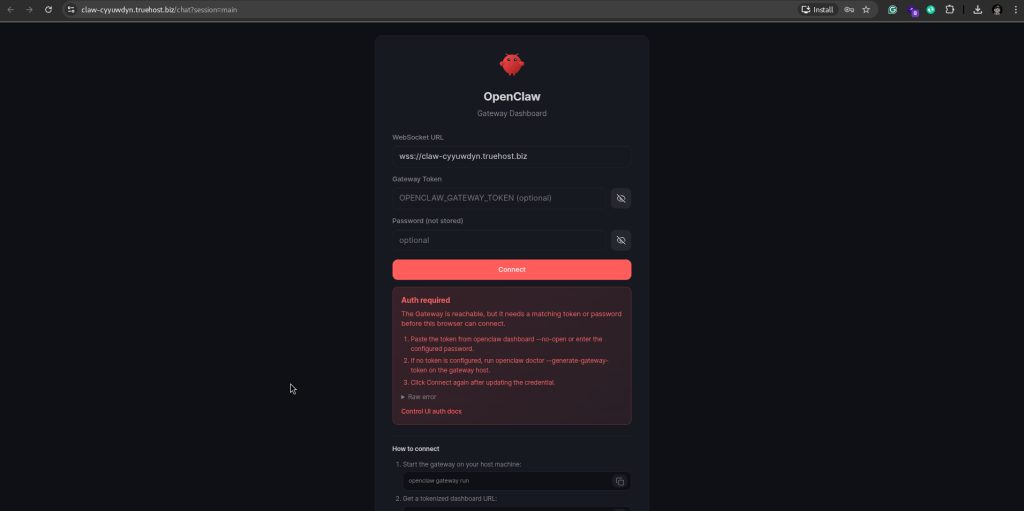
OpenClaw Gateway Dashboard showing the WebSocket URL, Gateway Token, and Password fields

💡 What is wss://? The wss:// prefix stands for WebSocket Secure — it is the encrypted WebSocket protocol, the same way https:// is the encrypted version of http://. OpenClaw uses WebSockets for real-time communication between your browser and the gateway.

⏳ URL not loading yet? After provisioning, DNS records can take up to 60 seconds to propagate. If your OpenClaw URL is not reachable immediately after receiving your welcome email, wait 2 to 3 minutes and try again. This is normal.

On first connection, you will need to approve your device for UI access. The command is clearly displayed once you click connect on the preveous image:
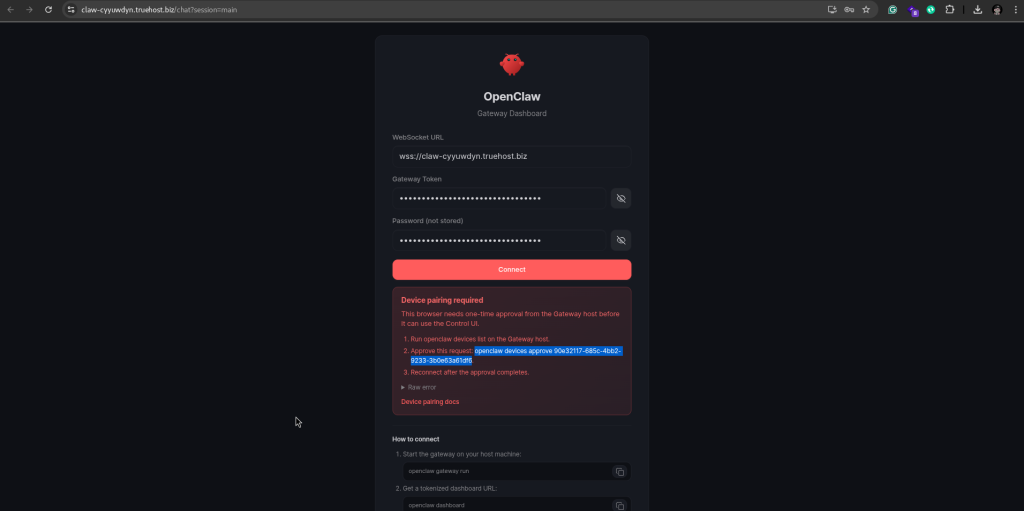
Access OpenCLAW CLI with the provided SSH access from your email and run the provided command with the token (note to omit the preceding. on the token)

Once approved, you will be able to access the UI
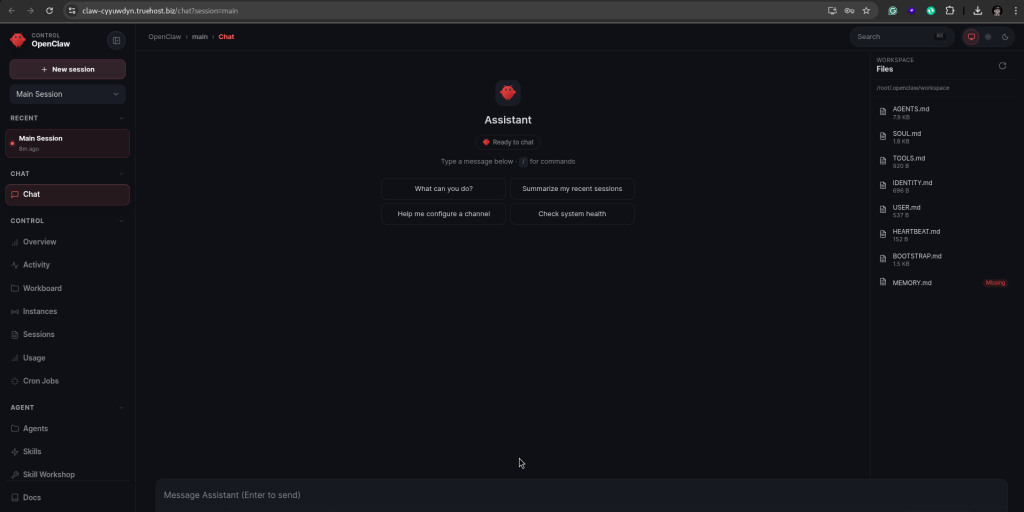
5. Getting Your AI Provider API Key #

OpenClaw needs an AI provider API key to power its responses. This is what connects your assistant to the intelligence behind it. We recommend using Anthropic Claude — it is the most capable model for complex tasks and follows instructions with high accuracy.

💡 You can add your API key at any time. Your OpenClaw Control UI is fully accessible before you add an API key — you can explore the dashboard, connect your messaging platform, and configure your settings first. When you are ready, simply go to Settings → AI Provider in the Control UI to add your key. Your assistant will start responding to messages as soon as the key is saved.

ℹ️ What is an API key? An API key is a unique code that identifies you to the AI provider and allows OpenClaw to send messages to their AI model on your behalf. You are charged by the AI provider directly based on how much you use — Truehost Cloud does not add any markup to these costs.

Getting an Anthropic Claude API Key #

  1. Go to console.anthropic.com and create a free account or log in.
  2. Once logged in, navigate to API Keys in the left menu.
  3. Click Create Key, give it a name (e.g. my-openclaw), and click Create.
  4. Copy the API key immediately — it is only shown once. Store it somewhere safe.
  5. You will need to add billing details to your Anthropic account before the key can be used for API calls.

Anthropic Console showing the API Keys section and Create Key button

Adding Your API Key via the Control UI #

Once you have your API key, adding it to OpenClaw takes just a few steps directly from the Control UI — no terminal or SSH required:

  1. Log in to your OpenClaw Control UI at your OpenClaw URL.
  2. Click Settings in the left navigation menu.
  3. Select AI Provider from the settings submenu.
  4. Select Anthropic Claude as your provider from the dropdown.
  5. Paste your API key into the API Key field.
  6. Choose your preferred Claude model (see the model guide below).
  7. Click Save. Your assistant will immediately start using the key.
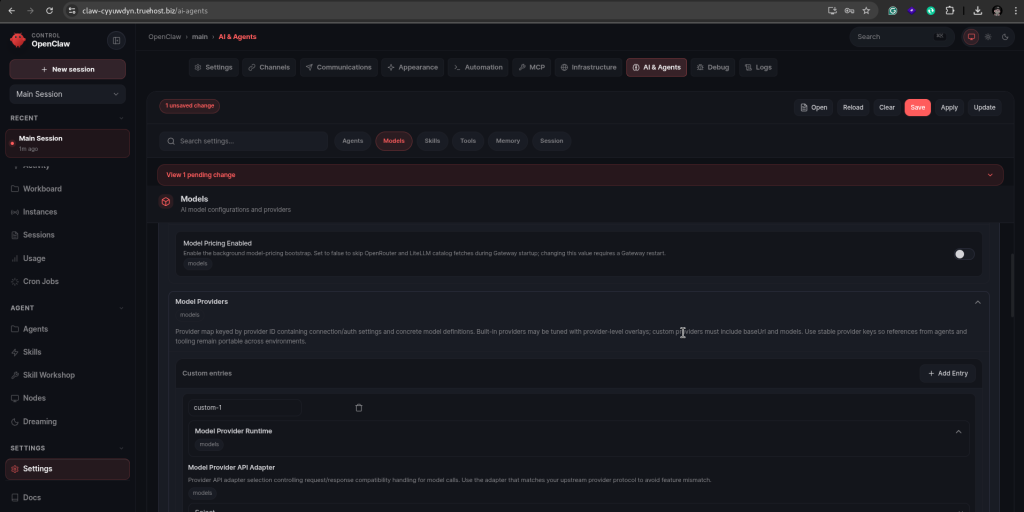
OpenClaw Control UI Settings → AI Provider showing the API key field and model selector

Choosing Your Claude Model #

When adding your API key you will also be asked to choose a Claude model. OpenClaw supports all current Anthropic Claude models. Here is a guide to help you pick the right one for your needs:

ModelBest forSpeedCost
Claude HaikuEveryday tasks — quick questions, simple writing, short summaries. Best for high-volume use where speed matters.⚡ Fastest💰 Most affordable
Claude SonnetMost users — a great balance of intelligence and speed. Handles complex tasks, long documents, and detailed writing well.🚀 Fast💰💰 Moderate
Claude OpusComplex reasoning, research, and tasks that need deep analysis. Best when quality matters more than speed.🐢 Slower💰💰💰 Premium

💡 Not sure which model to pick? Start with Claude Sonnet — it is the best all-round choice for most clients. You can always change your model later from Settings → AI Provider in the Control UI without needing to re-enter your API key.

ℹ️ Changing your model later: You are not locked into a model choice. At any time you can go to Settings → AI Provider in the Control UI, select a different Claude model from the dropdown, and save. The change takes effect immediately — your next message will use the new model.

Estimated API Costs #

For typical personal use — a few dozen messages per day — API costs are very affordable:

Usage LevelEstimated Monthly API Cost
Light use (occasional queries)$1 – $5 / month
Moderate use (daily assistant)$5 – $15 / month
Heavy use (team or automation)$15 – $50+ / month

💡 Tip: OpenClaw logs every API call with token counts so you can monitor your usage and costs at any time from the Control UI.

6. Connecting Your Messaging Platform #

Once your OpenClaw instance is running and you have your API key ready, the next step is to connect the messaging platform you want to use to chat with your assistant. OpenClaw supports multiple platforms — you can connect one or several at the same time.

💡 New to OpenClaw? We recommend starting with Telegram. It is the simplest platform to connect — no special configuration or port forwarding is required, and the bot setup takes just a few minutes.

General Connection Process #

The process for connecting any messaging platform follows these general steps:

  1. Log in to your OpenClaw Control UI — open your OpenClaw URL in the browser, enter your WebSocket URL and Gateway Token, and click Connect (see Section 4b for the full login process).
  2. Navigate to Channels or Platforms in the Control UI.
  3. Select the messaging platform you want to connect (e.g. Telegram, WhatsApp, Slack, Discord).
  4. Follow the on-screen instructions specific to that platform — this usually involves creating a bot account on that platform and pasting a token or webhook URL into OpenClaw.
  5. Add your Anthropic Claude API key when prompted under Settings → AI Provider.
  6. Send a test message to confirm everything is working.

OpenClaw Control UI showing the Channels / Platforms connection page

Platform-Specific Notes #

PlatformWhat you need
TelegramCreate a bot via @BotFather on Telegram and copy the bot token into OpenClaw.
WhatsAppRequires a WhatsApp Business API account or a supported third-party provider.
SlackCreate a Slack App in your workspace and configure the bot token and event subscriptions.
DiscordCreate a Discord Application and bot, and invite it to your server with the correct permissions.
Google ChatRequires a Google Workspace account and a configured Chat app with webhook access.
Microsoft TeamsRequires a Microsoft 365 account and a registered Teams bot via Azure.

ℹ️ Need help connecting a platform? Raise a support ticket at truehost.cloud and our team will assist you with the setup.

7. Using the OpenClaw Control UI #

The OpenClaw Control UI is a web-based dashboard where you manage your assistant’s settings, connected platforms, API keys, and conversation history. You access it from your browser using the URL in your welcome email — see Section 4b above for the full login process using your WebSocket URL and Gateway Token.

Main Sections of the Control UI #

🔌 Channels #

This is where you connect and manage your messaging platforms. You can see which platforms are currently connected, add new ones, and remove or reconfigure existing connections. Each connected platform shows its status so you can quickly see if everything is working correctly.
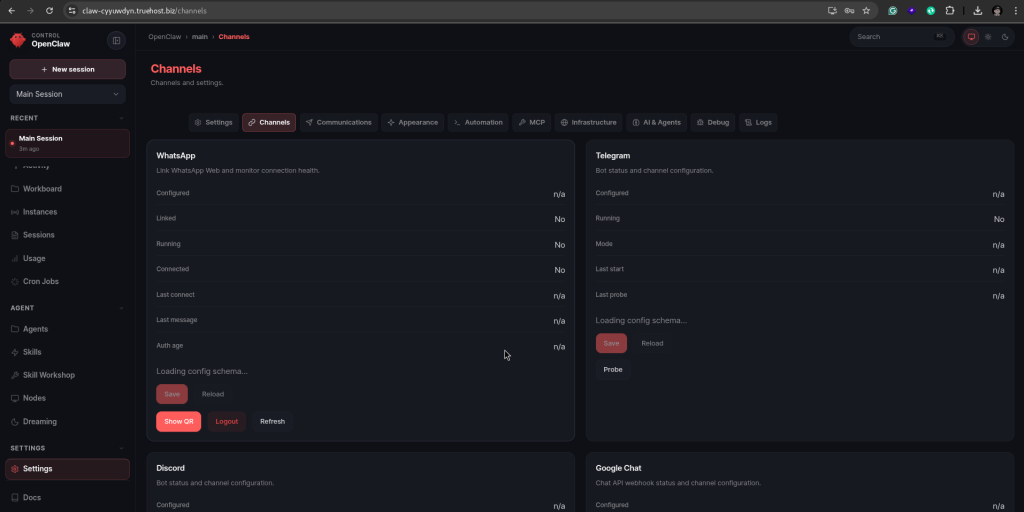
OpenClaw Control UI Channels section showing connected messaging platforms

🤖 AI Provider Settings #

This is where you enter and manage your AI provider API key. To add your Anthropic Claude key:

  1. Navigate to Settings → AI Provider in the Control UI.
  2. Select Anthropic Claude as your provider.
  3. Paste your API key into the field provided.
  4. Select your preferred Claude model — we recommend starting with Claude Haiku for everyday tasks (fast and cost-effective) or Claude Sonnet for more complex tasks.
  5. Save your settings.

OpenClaw Control UI AI Provider settings showing API key input and model selection

💬 Conversation History #

OpenClaw keeps a log of all your conversations across all connected platforms. From the Control UI you can browse past conversations, search through them, and see which platform each conversation came from. This is useful for reviewing what your assistant has done and for troubleshooting if something does not respond as expected.

🧠 Memory and Context #

One of OpenClaw’s most powerful features is persistent memory. Your assistant remembers information from previous conversations — your preferences, ongoing projects, and important details you have shared. Over time it becomes more useful as it builds up context about how you work and what you need. You can view and manage stored memories from the Control UI.

⚙️ Settings #

The Settings section lets you configure your assistant’s behaviour — including its name, personality, system prompt (the instructions that define how it responds), and notification preferences. You can also manage your gateway token and update your server configuration from here.

8. Having Your First Conversation #

Once your messaging platform is connected and your API key is added, your OpenClaw assistant is ready to use. Here is how to start:

  1. Open the messaging app you connected (e.g. Telegram) on your phone or computer.
  2. Find the bot or contact that represents your OpenClaw assistant.
  3. Send a message — for example, type Hello or What can you do?
  4. Your assistant will respond within a few seconds using Anthropic Claude.
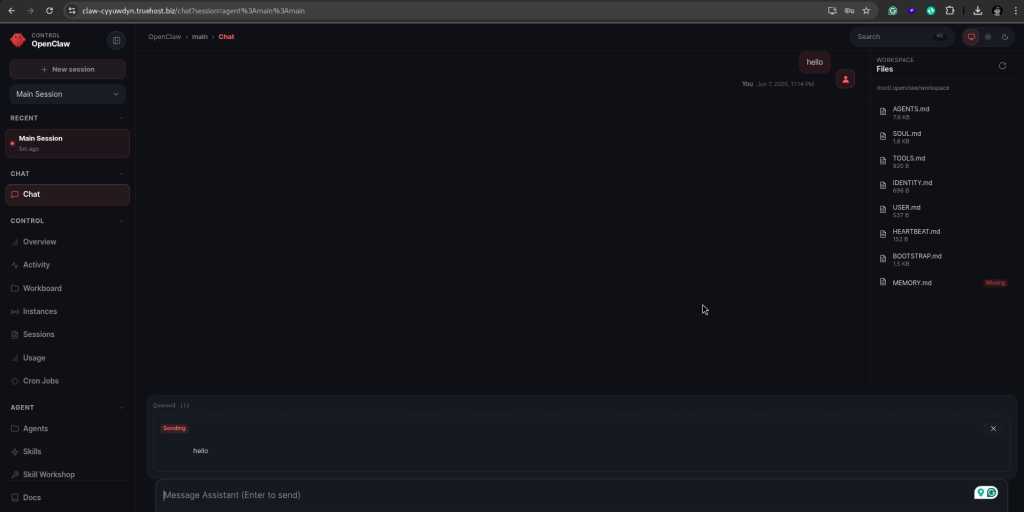
Example conversation with OpenClaw on a messaging platform

Things You Can Ask Your Assistant #

OpenClaw is a general-purpose AI assistant. Here are some examples of what it can help you with:

TaskExample message
Writing help“Draft a professional email to a client explaining a project delay.”
Research“Summarise the key differences between REST and GraphQL APIs.”
Code assistance“Write a Python script that reads a CSV file and outputs the total of a column.”
Planning“Create a 7-day content calendar for a tech startup’s social media.”
Translation“Translate this paragraph into French.”
Summarisation“Summarise this document in 5 bullet points.” (paste or attach the text)

💡 Tip: The more context you give your assistant, the better its responses will be. Instead of “write an email”, try “write a professional email to a client named James explaining that our project delivery has been delayed by one week due to a dependency issue, and reassure him that we are on track.”

9. Your Domain and URL #

Your OpenClaw instance is accessible via a unique subdomain created automatically during provisioning.

Your Subdomain Format #

Your URL follows this format: https://openclaw-abc123.truehost.biz — where abc123 is a unique 6-character identifier generated for your account.

SSL and Security #

Your OpenClaw URL is always served over HTTPS. All traffic between your browser and your server is encrypted. The SSL certificate is issued by Let’s Encrypt and renews automatically — you do not need to manage this.

Using a Custom Domain (Optional) #

If you would like to use your own domain name (e.g. assistant.yourcompany.com) instead of the default subdomain, raise a support ticket with your preferred domain and our team will assist you.

10. SSH Access to Your Server #

Your VPS comes with full root SSH access, giving you complete control over your server. This section is intended for advanced users who need to manage the server directly.

ℹ️ Note: SSH access is not required to use OpenClaw. Most clients will never need it. The Control UI and your messaging app are all you need for everyday use.

How OpenClaw Runs on Your Server #

OpenClaw runs as a Docker container on your VPS. It is configured to restart automatically if it ever stops unexpectedly. Your conversation history and memory data are stored in a Docker volume on the server, which persists independently of the container — so your data is safe even if the container is restarted.

Firewall #

PortNamePurpose
22SSHRemote server access
80HTTPUsed during SSL certificate issuance
443HTTPSAll OpenClaw traffic goes through this port

Connecting via SSH #

On macOS or Linux, open a Terminal and run:

ssh root@YOUR_VPS_IP_ADDRESS

Enter the SSH password from your welcome email when prompted. On Windows, use PuTTY (putty.org) or the built-in Windows Terminal.

Useful Server Commands #

TaskCommand
Check OpenClaw container statusdocker ps | grep openclaw
Restart OpenClawdocker restart openclaw
View OpenClaw logsdocker logs openclaw --tail 100
Check disk usagedf -h
Check memory usagefree -h
Check firewall rulesufw status

11. Reinstalling OpenClaw #

If you ever need to reinstall OpenClaw from scratch — for example, after accidentally breaking a configuration — you can trigger a reinstall from your WHMCS client area.

⚠️ Warning: A reinstall will permanently wipe all your OpenClaw data, including conversation history, memory, connected platform configurations, and your API key settings. Make sure to note down your settings before proceeding.

How to Reinstall #

  1. Log in to your Truehost Cloud account and go to Services. Click Manage next to your OpenClaw VPS product.
  2. Find the Reinstall button on the management page and click it.
  3. Confirm the action when prompted. The reinstall process will run automatically.
  4. You will receive a new welcome email with fresh credentials when the reinstall is complete. You will then need to reconnect your messaging platforms and re-enter your API key.

ℹ️ Prefer to let us handle it? If you would like Truehost Cloud to carry out the reinstall on your behalf, simply raise a support ticket at truehost.cloud → Support → Open Ticket and our team will sort it out for you.

12. Getting Help #

Truehost Cloud Support #

Our support team can help with anything related to your VPS or provisioning — including server issues, welcome email problems, custom domain setup, messaging platform connection help, resource upgrades, and billing queries.

To raise a support ticket, log in at truehost.cloud and go to Support → Open Ticket. Include your service ID and a description of the issue.

OpenClaw Documentation #

For help with using OpenClaw itself — configuring your assistant, adding skills, or understanding features — the official documentation is the best place to start:

  • docs.openclaw.ai — Official OpenClaw documentation
  • docs.openclaw.ai/vps — VPS-specific setup and configuration

13. Quick Reference Card #

ItemDetails
My OpenClaw URLCheck your welcome email or WHMCS client area
Gateway TokenIn your welcome email — keep it private
WebSocket URLSame as your OpenClaw URL but starting with wss:// instead of https://
Control UI LoginEnter WebSocket URL + Gateway Token in the connection form — leave password empty
AI ProviderAnthropic Claude — API key from console.anthropic.com
Add API KeyControl UI → Settings → AI Provider → paste key → Save
Change ModelControl UI → Settings → AI Provider → select model → Save
Recommended ModelClaude Sonnet — best balance of speed and intelligence for most users
Supported PlatformsTelegram, WhatsApp, Slack, Discord, Google Chat, Teams, Signal
VPS IP AddressIn your welcome email
SSH Usernameroot
SSH PasswordIn your welcome email
Provisioning Time10 – 15 minutes after order confirmation
SSL CertificateIssued by Let’s Encrypt — renews automatically
FirewallPorts 22, 80, 443 open — all others blocked
Restart OpenClawdocker restart openclaw via SSH
Supporttruehost.cloud → Support → Open Ticket
OpenClaw Docsdocs.openclaw.ai

What are your Feelings

Share This Article :

  • Facebook
  • X
  • LinkedIn
  • Pinterest
Still stuck? How can we help?

How can we help?

Updated on June 7, 2026
Working with Managed VPNWorking with Managed VPN

Powered by BetterDocs

Leave a Reply Cancel reply0

Your email address will not be published. Required fields are marked *


Table of Contents
  • 1. Welcome to Your OpenClaw VPS
    • What is OpenClaw?
    • Supported Messaging Platforms
    • What Makes OpenClaw Different?
  • 2. The Ordering Process
    • Step 1 — Navigate to the Order Page
    • Step 2 — Configure Your Server
    • Step 3 — Review and Check Out
    • Step 4 — Choose a Payment Method
    • Step 5 — Order Confirmed
  • 3. What Happens After You Order
  • 4. Your Welcome Email
  • 4b. Accessing the OpenClaw Control UI
    • Step-by-Step Login Process
  • 5. Getting Your AI Provider API Key
    • Getting an Anthropic Claude API Key
    • Adding Your API Key via the Control UI
    • Choosing Your Claude Model
    • Estimated API Costs
  • 6. Connecting Your Messaging Platform
    • General Connection Process
    • Platform-Specific Notes
  • 7. Using the OpenClaw Control UI
    • Main Sections of the Control UI
    • 🔌 Channels
    • 🤖 AI Provider Settings
    • 💬 Conversation History
    • 🧠 Memory and Context
    • ⚙️ Settings
  • 8. Having Your First Conversation
    • Things You Can Ask Your Assistant
  • 9. Your Domain and URL
    • Your Subdomain Format
    • SSL and Security
    • Using a Custom Domain (Optional)
  • 10. SSH Access to Your Server
    • How OpenClaw Runs on Your Server
    • Firewall
    • Connecting via SSH
    • Useful Server Commands
  • 11. Reinstalling OpenClaw
    • How to Reinstall
  • 12. Getting Help
    • Truehost Cloud Support
    • OpenClaw Documentation
  • 13. Quick Reference Card
© 2026