Domain RegistrationFind and register the perfect domain for your website.
 .COM DomainChoose a widely recognized domain to build global credibility.
 Domain TransferSeamless domain transfers with zero downtime and complete control.
 All TLDsFind and register your perfect domain. Choose from local and global extensions.
 SSL CertificatesKeep your website safe with reliable SSL Certificates that protect customer data and build trust.
 whoisCheck domain ownership details, expiration dates, and registrar information.
 US DomainRegister a .US domain and build trust in the USA.
 Web HostingEverything your website needs to run smoothly
 WordPress HostingWordPress hosting that just works
 Windows HostingReliable hosting for Windows environments
 Reseller HostingTurn hosting into your business
 Email HostingEmail that looks professional and works anywhere
 cPanel HostingFull control of your hosting with cPanel
 Affiliate ProgramJoin as a partner and earn commissions on every referral you send our way.
 Vps HostingScalable virtual servers that expand as you need.
 Dedicated ServersGet complete access and full control over your dedicated physical server.
 Managed vpsNot tech-savvy? We will take care of everything with our fully managed VPS hosting for you.
 AI Website BuilderCreate stunning websites in seconds with AI.
 Online ShopSet up a professional online store. No coding required.
 Web design serviceGet a tailored website designed to match your brand and support your goals.
 BlogFind helpful guides on web hosting, online selling, digital marketing, and more.
 Contact USYou can reach us anytime, day or night, through chat or email.
 SupportBrowse helpful guides and answers for all of our services.
VestaCP still appears in plenty of “best free control panel” lists. Its last tagged release landed in November 2021, nearly five years ago.
Meanwhile, a 2024 flaw in CyberPanel, a popular free panel, scored the maximum severity of 10.0. Reports say attackers used it against real servers.
Those two facts break a common assumption. Free and open source doesn’t guarantee a maintained, safe project. You have to check for yourself.
This guide compares seven open source control panels for a VPS you manage with root access.
We judge each one on maintenance, security record, and fit. Then we help you pick based on the situation. Paid panels stay out of scope.
Open Source VPS Control Panels Compared at a Glance
| Panel | Best for | Web server | Supported OS | License | Security note | |
|---|---|---|---|---|---|---|
| HestiaCP | Small to mid-size hosting with mail | nginx (Apache proxy available) | Yes | Debian, Ubuntu | GPL-3.0, no paid tier | CVE-2025-30007 fixed in 1.9.5 |
| CloudPanel | PHP sites on nginx | nginx | No | Check project docs | Free | None found in sources reviewed |
| ISPConfig | Multi-server and reseller setups | Apache or Nginx | Yes | Debian, Ubuntu, CentOS family | Free | No major disclosures found |
| CyberPanel | WordPress on LiteSpeed | OpenLiteSpeed | Yes | Check project docs | Free, paid Enterprise add-ons | CVE-2024-51567 (CVSS 10.0) |
| Webmin and Virtualmin | Experienced sysadmins | Any, through modules | Through a module or Virtualmin | Virtualmin: Debian, Ubuntu, Rocky, AlmaLinux | Free, paid Virtualmin Pro | None found in sources reviewed |
| aaPanel | Single-server LAMP or LNMP | Apache or Nginx | Plugin | Check project docs | Free, paid plugins | None found in sources reviewed |
| Froxlor | Minimal single-server hosting | Apache or Nginx | Yes | Check project docs | Free | None found in sources reviewed |
Projects change quickly, so confirm the latest release on each project’s page before you install.
For most readers, HestiaCP is the safest place to start. The sections below explain why and when another panel is a better fit.
How We Judged These Free Control Panels
Four checks sit behind every verdict in this guide.
- License. Some panels are fully open source. Others are free but sell paid tiers or plugins. We flag the difference.
- Maintenance. We check the latest tagged release and recent commits. A busy repository can still ship nothing you can install.
- Security record. We review disclosed CVEs and how quickly fixes arrived.
- Fit. Supported operating systems, mail support, and setup effort decide your daily comfort.
The Best Open Source Control Panels for VPS Management
1) HestiaCP

HestiaCP is where most people should start. It began in 2019 as a community fork of VestaCP, after that project stalled. The code is GPL-3.0, and no paid tier holds back features.
The install gives you a full hosting stack. You get nginx with Apache proxying if you want it, Exim and Dovecot for mail, and BIND for DNS. Each domain can run its own PHP version. Resellers and quotas come built in. Fail2ban is also configured by default.
The limits are real, though. HestiaCP runs on Debian and Ubuntu only. User isolation relies on PHP-FPM pools and Unix permissions to prevent a single busy account from slowing down others. Support comes from community forums, since no commercial plan exists.
No panel is spotless. Before version 1.9.5, a logged-in, low-privilege user could run commands as root through crafted DNS record types (CVE-2025-30007). The team fixed it, so keep your install updated.
Best for: small to mid-size hosting with mail on a single server.
2) CloudPanel
Reviews describe CloudPanel as a lightweight panel built for PHP workloads on nginx. Installation is quick. Free SSL and two-factor login are included.
The trade-off is scope. Reviewers report no mail server and no file manager. Therefore, you’ll want an external email provider.
Before you commit, check the project’s recent release history. We found no security disclosures in the sources we reviewed. Still, a quiet record doesn’t prove a project is active.
Best for: PHP sites that don’t need email on the same server.
3) ISPConfig
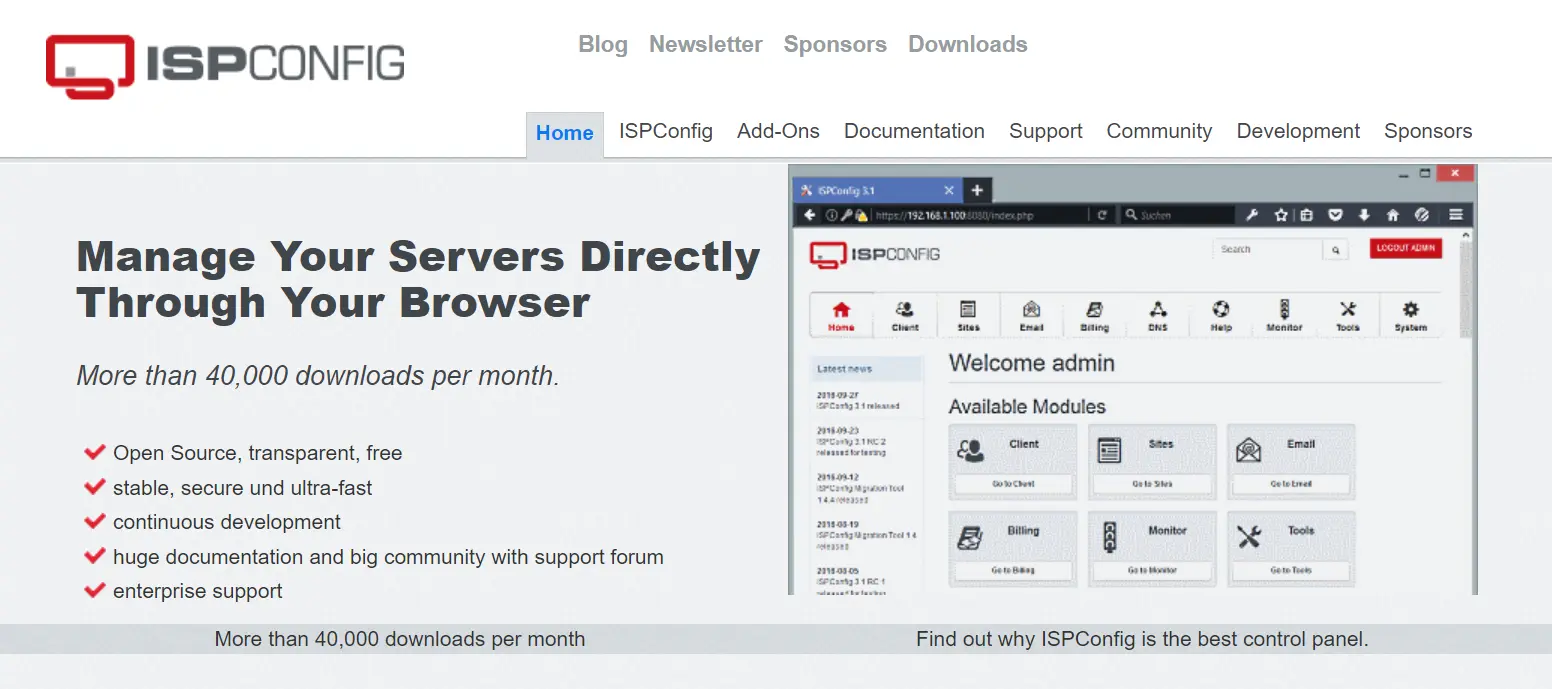
ISPConfig suits people who run several servers or resell hosting. It manages multiple servers from one interface. ISPConfig works with Apache or Nginx and includes mail support.
It runs on Debian, Ubuntu, and CentOS-family systems. That makes it one of the few panels here that make an RHEL-style choice. Expect more setup work than a single-server panel, since it covers more ground.
On security, the comparisons we reviewed list no major disclosures. Even so, read the changelog before you deploy.
Best for: multi-server setups and resellers.
4) CyberPanel

CyberPanel is built on OpenLiteSpeed. LiteSpeed Enterprise is a paid upgrade. The panel includes LSCache for WordPress, one-click installers for WordPress and Joomla, and free SSL. OpenLiteSpeed’s built-in WAF adds protection against common web exploits.
Performance is the draw. Security history is the catch. In October 2024, CVE-2024-51378 affected versions before 2.3.8. It was a pre-authentication command injection with a score of 9.8.
Another flaw, CVE-2024-51567, received a maximum score of 10.0 and allowed unauthenticated command execution. One security analysis reports that a ransomware campaign exploited it against tens of thousands of servers. The team patched both flaws.
Two quirks trip people up. First, the GitHub releases page stops at v1.9.1 from 2019, so the project looks abandoned. In fact, the current 3.0.x line ships from the stable git branch. Second, complex Apache rewrite rules sometimes misbehave on OpenLiteSpeed.
If you choose CyberPanel, install only the latest stable release. Patch the day fixes land. Also, keep the admin port closed to the public internet.
Best for: WordPress sites that need LiteSpeed speed, and an owner who patches quickly.
5) Webmin and Virtualmin
Webmin manages Unix-like servers through a web interface. Modules cover web servers, mail, and more. Virtualmin builds on Webmin and adds hosting features such as domains and mailboxes.
Virtualmin lists support for Debian, Ubuntu, Rocky Linux, and AlmaLinux. Both tools are free. However, Virtualmin also sells a Pro tier.
Reviews call the interface dated and busy at first. On the other hand, the module system gives you deep, system-level control. That trade suits admins who already know their way around Linux.
Best for: experienced sysadmins who want system-level control.
6) aaPanel
aaPanel targets single-server LAMP and LNMP stacks. The core is free. Some features, such as mail, arrive as plugins, and certain plugins cost money.
Therefore, list the features you need before you install. Paid plugin costs can add up, and they erode the savings you came for.
Best for: a single server running a standard web stack.
7) Froxlor
Froxlor keeps things minimal. It supports single-server hosting with Apache or Nginx and includes mail. The panel is free.
Expect fewer built-in extras than larger panels. For a small server, that restraint can be a plus. You get less to learn and less to patch.
Best for: small, simple hosting setups.
Free Panels to Skip or Approach With Caution
VestaCP: No Installable Updates Since 2021
People say VestaCP is dead. That isn’t quite accurate. Its repository still receives commits, including some in mid-2026. Yet the last tagged release dates from November 2021. A normal install, therefore, deploys 2021 code.
Reports also say that a couple of security fixes are sitting unreleased on the master branch. The history adds caution. In 2018, malicious code was introduced into the project’s installer.
If you want the VestaCP experience, install HestiaCP instead. It is the maintained fork and keeps its own release history.
Coolify: A Great Tool With a Different Job
Coolify is open source and popular with developers. Hostinger calls it the best open-source pick. However, it deploys applications instead of managing hosting accounts.
It supports Docker Swarm and offers Docker Compose templates. It won’t manage mailboxes or DNS the way HestiaCP does. Choose it for app deployment, not classic site hosting.
Which Open Source Control Panel Fits Your VPS?
Match the panel to your situation instead of chasing a ranking.
- Beginner who needs mail on one server: HestiaCP.
- WordPress speed on LiteSpeed: CyberPanel, with strict patching.
- Several servers or a reseller business: ISPConfig.
- PHP apps with email from an outside provider: CloudPanel.
- Experienced admin who wants system-level control: Webmin or Virtualmin.
- Docker-based apps instead of hosting accounts: Coolify.
- AlmaLinux or Rocky Linux: Virtualmin lists both. ISPConfig lists CentOS-family systems. HestiaCP doesn’t run on them. Confirm the rest in each project’s docs.
HestiaCP vs CyberPanel in One Paragraph
HestiaCP wraps native Debian and Ubuntu services. It includes mail and keeps its codebase small. CyberPanel is built around OpenLiteSpeed and is designed to improve WordPress speed. It has a larger feature set, so one review says it also has a larger attack surface. Pick HestiaCP for balance. Pick CyberPanel only if LiteSpeed performance is worth the patching routine.
Open Source Panels vs cPanel and Plesk: What You Give Up
Open source panels save you license fees. In return, you give up vendor support. When something breaks on a production server, you rely on forums and your own skills. HestiaCP, for example, has no commercial support plan.
Polish can differ, too. One review says CyberPanel pushes reliable incremental backups toward its paid tier. Check what a free panel actually includes before you promise clients anything.
Paid panels make sense if you host client sites and need a support contract. For personal projects and small agencies, a maintained free panel usually covers the job.
What to Check Before Installing Any Panel
Run through this short list first.
- Check the latest tagged release date, and compare it with recent commits.
- Search the CVE database for the panel’s name.
- Use a fresh server, since most panels expect a clean operating system.
- Restrict the admin port with a firewall.
- Take a snapshot or backup before your first update.
FAQs
Which open source control panel uses the least RAM?
Published figures vary by version and stack. Check each project’s current requirements rather than relying on old numbers. Reviews call Froxlor minimal and CloudPanel lightweight. Still, test your own plan on a staging site before you move to the real sites.
Do I need a control panel to manage a VPS?
No. SSH and the command line work well for managing a VPS if you’re comfortable with them. A panel helps when you host many sites, run mail, or give clients their own accounts. However, every panel adds software that needs patching. Weigh that cost against the time you save.
Pick a Panel, Then Pick Your Server
For most readers, HestiaCP is the best starting point. It is maintained, has no paid tier, and covers web hosting, mail, and DNS in a single install. Choose CyberPanel if LiteSpeed speed for WordPress is the goal, and patch it the day updates land. Choose ISPConfig for multi-server work. Skip VestaCP.
Ready to try one? Spin up a Truehost VPS with an Ubuntu or Debian image, then install your panel on a clean server. See Truehost VPS plans.
If you want real support instead of forums, ask about managed VPS plans before you buy.