Domain RegistrationFind and register the perfect domain for your website.
 .COM DomainChoose a widely recognized domain to build global credibility.
 Domain TransferSeamless domain transfers with zero downtime and complete control.
 All TLDsFind and register your perfect domain. Choose from local and global extensions.
 SSL CertificatesKeep your website safe with reliable SSL Certificates that protect customer data and build trust.
 whoisCheck domain ownership details, expiration dates, and registrar information.
 US DomainRegister a .US domain and build trust in the USA.
 Web HostingEverything your website needs to run smoothly
 WordPress HostingWordPress hosting that just works
 Windows HostingReliable hosting for Windows environments
 Reseller HostingTurn hosting into your business
 Email HostingEmail that looks professional and works anywhere
 cPanel HostingFull control of your hosting with cPanel
 Affiliate ProgramJoin as a partner and earn commissions on every referral you send our way.
 Vps HostingScalable virtual servers that expand as you need.
 Dedicated ServersGet complete access and full control over your dedicated physical server.
 Managed vpsNot tech-savvy? We will take care of everything with our fully managed VPS hosting for you.
 AI Website BuilderCreate stunning websites in seconds with AI.
 Online ShopSet up a professional online store. No coding required.
 Web design serviceGet a tailored website designed to match your brand and support your goals.
 BlogFind helpful guides on web hosting, online selling, digital marketing, and more.
 Contact USYou can reach us anytime, day or night, through chat or email.
 SupportBrowse helpful guides and answers for all of our services.
Most businesses are drowning in busywork.
94% of workers say they perform repetitive, time-consuming tasks that could be automated, according to research cited by Zapier and McKinsey.
That’s nearly every team, everywhere.
And the cost isn’t just tired staff. It’s lost sales.
Research from MIT and InsideSales.com found leads contacted within 5 minutes are 21 times more likely to qualify than those contacted after 30 minutes.
The same research found 78% of customers buy from whoever responds first.
That’s a huge gap between ‘we’re busy’ and ‘we’re losing money.’
n8n is a tool that connects the apps you already use, so they talk to each other automatically. No coding required.
These n8n use cases are what’s behind that gap. Businesses that close it win more customers. And they do it without hiring more salespeople.
You’ll see:
- How to respond to leads instantly, even at 2am
- How to keep customer records accurate without lifting a finger
- How to handle more support tickets with the same team
- How to automate invoicing, reporting, onboarding, and more
Let’s get into it.
A quick comparison before we get to it:
| Task | Done manually | Done with n8n |
|---|---|---|
| Lead follow-up | Hours, sometimes overnight | Seconds, any time of day |
| Updating customer records | Copy-pasted between tools | Synced automatically, once |
| Support triage | Read and sorted by hand | Sorted and routed instantly |
| Invoicing | Typed and sent one by one | Generated and sent on trigger |
1) Never miss or lose a lead again
Picture this. A form gets filled out at 9pm. Or a WhatsApp inquiry lands after hours.
Nobody sees it until the next morning. By then, the lead has already messaged your competitor.
Here’s what n8n does instead:
- Captures the submission the moment it arrives
- Creates or updates the contact in your CRM
- Sends the person an instant acknowledgment
- Notifies your sales team on Slack or WhatsApp right away
This is important because speed decides who wins the sale.
Leads contacted within 5 minutes are 21x more likely to convert. And 78% of customers simply buy from the first business that replies.
This works the same whether the inquiry comes from your website form, an Instagram DM, or WhatsApp.
WhatsApp adoption among internet users sits above 95%. Most customers here expect to reach a business on WhatsApp, not email.
Think about what happens without this workflow. A lead messages your WhatsApp Business number at 8pm.
Nobody replies until 9am the next day. By then, they’ve already messaged two other suppliers, and one of them has already answered.
With n8n watching that channel, the acknowledgment goes out in seconds. Your sales rep still handles the real conversation.
The workflow just makes sure nobody falls through the cracks while the team is offline.
Hosting this kind of workflow reliably starts with the right server. That’s what our n8n self-hosting plans at Truehost are built for.
2) Keep customer records accurate without manual updates
A customer updates their phone number in one tool. It never makes it to your CRM. Or your support desk.
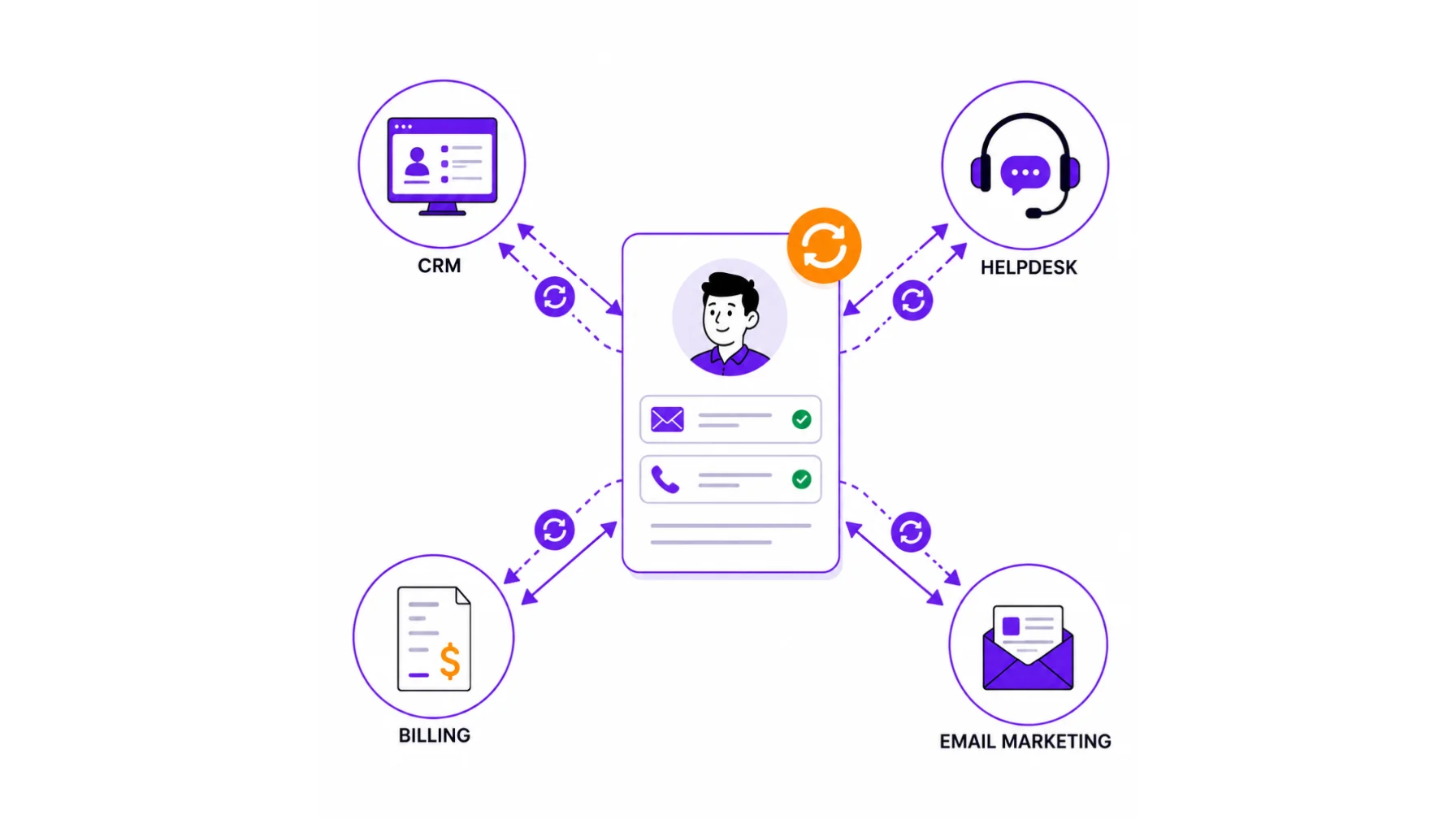
Now your team is working off outdated information. That’s an easy way to frustrate a loyal customer.
n8n fixes this by syncing one update everywhere that record lives. Change it once, and it’s correct in every connected tool.
This closes the gap that reps create simply by forgetting to log details by hand. Nobody has to remember to update three different systems. The workflow does it the moment something changes.
Think about a support agent updating a customer’s shipping address in your helpdesk tool. Without automation, that address never reaches your CRM or your billing system.
The next invoice goes to the old address. The next delivery does too. That’s a preventable mistake, and it costs you time to fix after the fact.
One synced update removes that risk completely.
3) Handle customer support without hiring more people
Support inboxes and WhatsApp lines fill up fast. Faster than a small team can keep up with.
Here’s what n8n does:
- Sorts incoming messages by urgency or topic
- Routes each one to the right person or queue
- Pairs with an AI model node (like OpenAI or Claude) or your helpdesk’s own logic
- Drafts or sends replies to repetitive questions, order status, hours, pricing
- Sends anything complex straight to a human
One clarifier worth remembering: n8n is the connective layer here. The ‘smart’ reply comes from an AI model plugged into the workflow. n8n itself doesn’t generate the answers.
A word of caution too. Fully automated support still needs a human safety net. Edge cases and complaints need a real person.
The payoff is simple. Your team spends time only on the questions that need a human.
This is most important for small support teams. A two- or three-person team can’t realistically answer every message within minutes during a busy period.
With n8n handling triage and routine replies, the same small team can cover far more volume. Nobody has to work longer hours to keep up.
The routine questions get answered instantly, and the tricky ones land straight in a person’s inbox, already labeled and prioritized.
4) Put invoicing and payment reminders on autopilot
A job gets marked complete. What happens next shouldn’t depend on someone remembering to send an invoice.
n8n can:
- Generate the invoice automatically
- Send it to the client
- Follow up on a set schedule
- Mark it paid once payment is confirmed
This removes the awkward ‘just following up on that invoice’ message. And it keeps your cash flow moving without anyone chasing it manually.
Late payments are rarely about a client refusing to pay. Usually, they’ve just lost track of the invoice, or nobody followed up on time.
A scheduled reminder solves that quietly, without an awkward phone call from you.
5) Stop losing hours to manual data entry
Manual data entry eats hours nobody notices until they add it up. A few examples of what n8n can take off your plate:
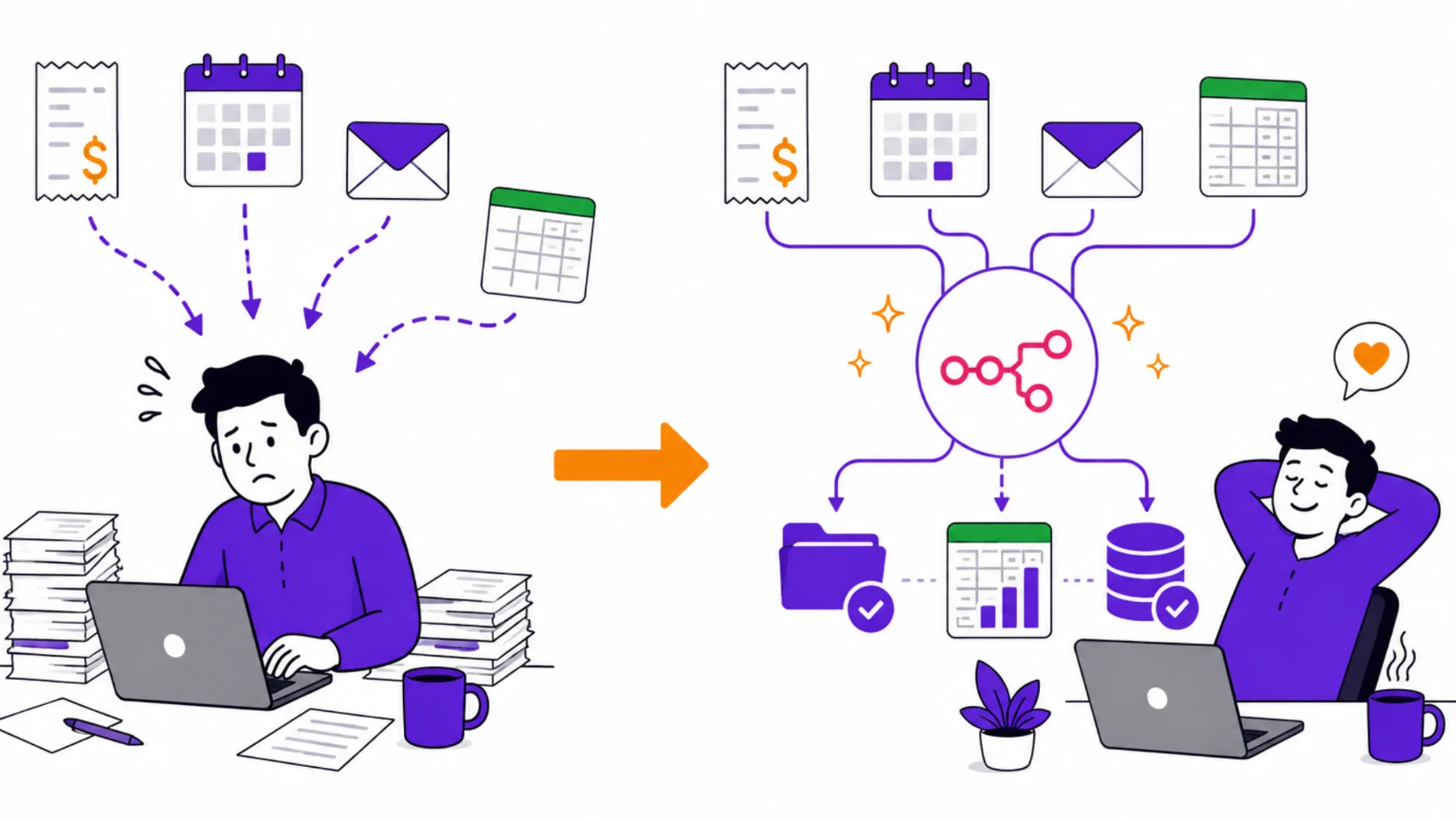
- Expense receipts emailed in, automatically logged into a spreadsheet
- Calendar events kept in sync across accounts
- A shared spreadsheet that triggers an instant alert the moment something important changes
None of these need a person watching and re-typing. The workflow runs quietly in the background.
Individually, each of these tasks looks small. A receipt here, a calendar update there.
Added up across a month, they’re often the biggest chunk of ‘admin time’ on a small team’s plate.
Automating them doesn’t just save minutes. It removes an entire category of tedious, error-prone work.
6) Keep social media and content running without manual posting
A post gets approved somewhere: Notion, Google Docs, your content calendar. Then someone has to manually copy it into every platform you post on.
n8n publishes it across the relevant platforms automatically once it’s approved.
That saves the repetitive copy-paste work of updating the same post across multiple apps by hand.
7) Know the moment something goes wrong
Your website or online store goes down. If a customer finds out before you do, that’s a problem.
n8n can ping your site on a schedule, or pull status from a monitoring tool like UptimeRobot. Either way, it alerts your team the instant something’s wrong.
Worth clarifying: n8n runs the check and sends the alert. The actual ‘is it up or down’ ping comes from a scheduled HTTP request node, or a connected monitoring service.
Every minute of downtime adds up. Getting the alert first, instead of a frustrated customer, gives your team a head start on fixing it.
8) Onboard new customers and new employees faster
Onboarding is repetitive by nature. That makes it a good candidate for automation.
New customers: a signup triggers account setup, sends welcome materials, and books a kickoff call automatically.
New employees: an accepted offer triggers account creation, a welcome email, and a first-week schedule. No manual chasing from HR.
Both cases follow the same pattern. One trigger, several tasks, no one left waiting.
A new customer’s first experience with your business often shapes how long they stay. A slow, disjointed welcome makes a business feel unprepared.
The same is true for a new hire’s first week. Automating the repetitive parts of onboarding frees your team to focus on the parts that need a human touch: the welcome conversation, the training, the relationship.
n8n Use Cases For Businesses FAQ
Do I need to know how to code to use n8n?
No. n8n is built around visual, drag-and-drop workflows. You connect nodes instead of writing code. Some advanced workflows use small snippets of JavaScript, but you can build most of the use cases above without touching any code.
Is this only useful for big companies?
Not at all. Small teams often benefit the most, since automation replaces work they’d otherwise need to hire for. A two-person business can run lead capture, invoicing, and support routing with the same reliability as a much bigger company.
In fact, a small team has more to gain. A large company can absorb a slow process by throwing more staff at it. A small team can’t, so automation closes that gap directly.
Which use case should I automate first?
Start with whichever one is costing you the most right now. If leads go unanswered after hours, start with use case 1. If your team drowns in support tickets, start with use case 3. Pick the one bottleneck you feel every single week.
A good rule of thumb: automate the task that makes you say ‘I keep meaning to fix this’ most often. That’s usually where the biggest, fastest win is hiding.
How much time can a business realistically save?
It depends on how many manual steps you remove, but even one workflow, like automated lead capture or invoicing, can save several hours a week that used to go into repetitive follow-up and data entry.
Most businesses don’t automate everything at once. They start with one workflow, see the time it frees up, then move to the next bottleneck. That gradual approach tends to stick better than trying to overhaul everything in one go.
Get Started with Truehost
These aren’t hypothetical ideas. They’re workflows real businesses are running today, quietly saving hours every week.
To run n8n reliably, you need hosting built for it.
Our n8n self-hosting plans at Truehost come with one-click installation, unlimited workflows, unlimited concurrent executions, and 100+ pre-made workflows to start from, starting at $6.77 a month.
Open your own n8n instance with us and put these use cases to work for your business.