Domain RegistrationFind and register the perfect domain for your website.
 .COM DomainChoose a widely recognized domain to build global credibility.
 Domain TransferSeamless domain transfers with zero downtime and complete control.
 All TLDsFind and register your perfect domain. Choose from local and global extensions.
 SSL CertificatesKeep your website safe with reliable SSL Certificates that protect customer data and build trust.
 whoisCheck domain ownership details, expiration dates, and registrar information.
 US DomainRegister a .US domain and build trust in the USA.
 Web HostingEverything your website needs to run smoothly
 WordPress HostingWordPress hosting that just works
 Windows HostingReliable hosting for Windows environments
 Reseller HostingTurn hosting into your business
 Email HostingEmail that looks professional and works anywhere
 cPanel HostingFull control of your hosting with cPanel
 Affiliate ProgramJoin as a partner and earn commissions on every referral you send our way.
 Vps HostingScalable virtual servers that expand as you need.
 Dedicated ServersGet complete access and full control over your dedicated physical server.
 Managed vpsNot tech-savvy? We will take care of everything with our fully managed VPS hosting for you.
 AI Website BuilderCreate stunning websites in seconds with AI.
 Online ShopSet up a professional online store. No coding required.
 Web design serviceGet a tailored website designed to match your brand and support your goals.
 BlogFind helpful guides on web hosting, online selling, digital marketing, and more.
 Contact USYou can reach us anytime, day or night, through chat or email.
 SupportBrowse helpful guides and answers for all of our services.
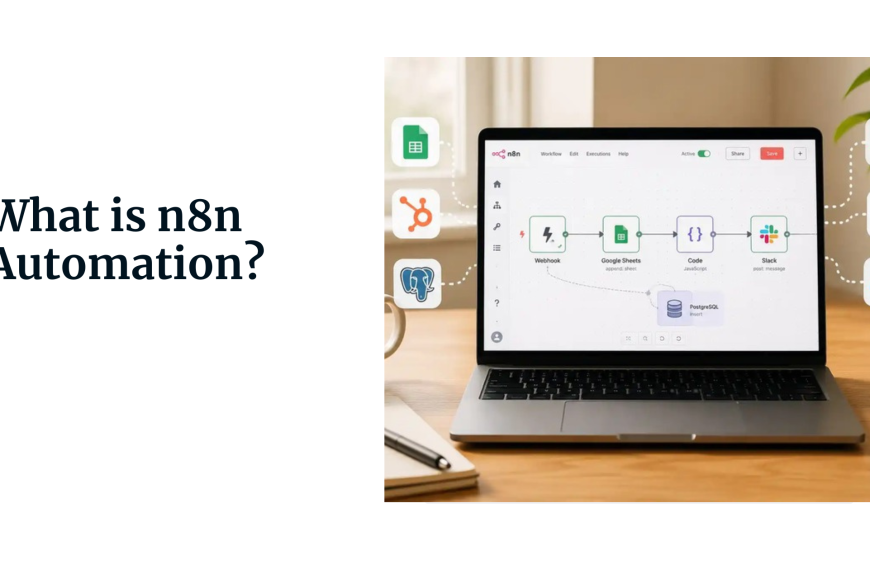
n8n connects your apps, moves data between them, and saves you hours of manual work, all without coding.
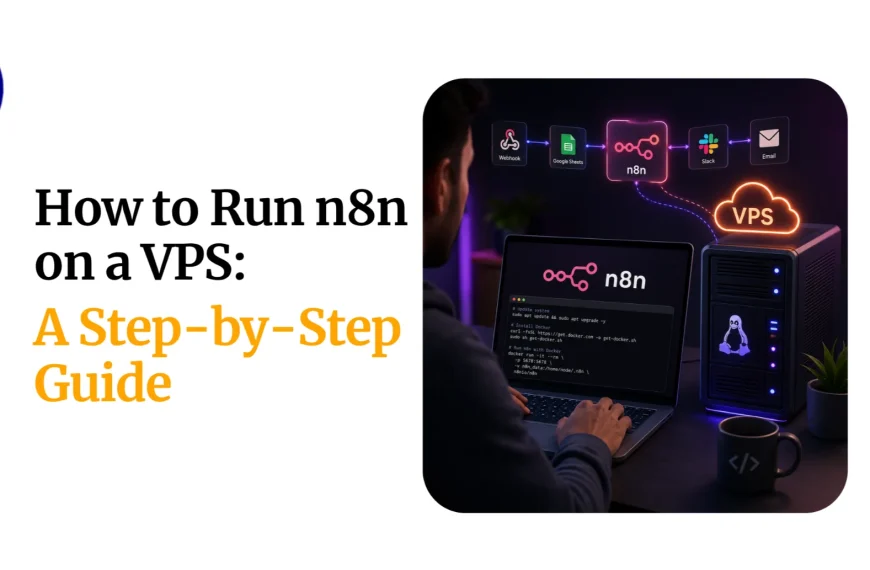
But to get started, you can use it in two ways: sign up for n8n Cloud or host it yourself.
Note that n8n itself is free; the open-source version costs nothing. What you pay for is either the convenience of a managed service or the server to run it on your own.
With n8n Cloud, you pay a monthly fee, and they handle everything: servers, updates, security, and uptime.
You just build workflows. It’s easy, but you’re limited by monthly execution caps and ongoing costs.
With self-hosting, you run n8n on your own server: a VPS, a dedicated machine, or even a Raspberry Pi. You own your data, control your environment, and pay a fixed monthly server cost with no per-execution fees.
The trade-off is that you are responsible for maintenance, updates, and security.
Most people choose a VPS for self-hosting because it gives the best balance of cost, control, and performance. You get dedicated resources for a predictable monthly price.
So how much should you budget? Let’s get down to numbers.
Price Comparison for Top n8n VPS Providers
| N8n VPS plan | Price/Month | Feature |
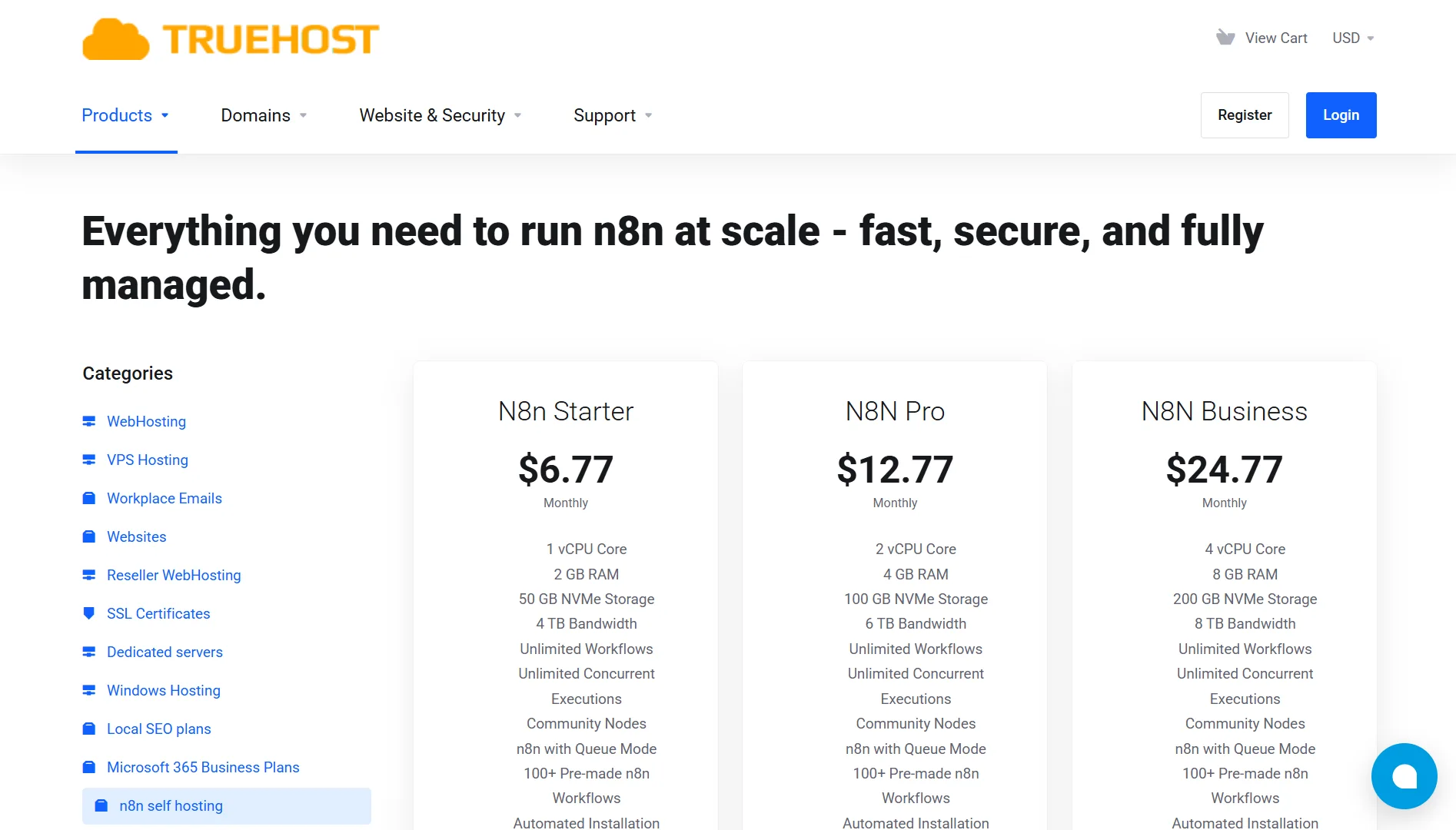
| Truehost: n8n Starter | $6.77 | 1 vCPU, 2 GB RAM, 50 GB NVMe, 4 TB bandwidth, automated n8n installation, pre-made workflows, dedicated support |
| Hostinger: KVM 1 | $6.49 | 1 vCPU, 4 GB RAM, 50 GB NVMe, 4 TB bandwidth, Ubuntu 24.04 LTS |
| ScalaHosting: Build#1 | $29.95 | 2vCPU, 4GB RAM, 50GB NVMe |
| Bluehost: NVMe 2 | $4.69 | 1 vCPU Core, 2 GB DDR5 RAM, 50GB NVMe Storage, Unmetered Bandwidth |
What Should n8n VPS Include?
Not every VPS is suitable for n8n. You need to meet specific requirements to run it properly, especially if you plan to use it for production workflows.
You need:
- CPU: Minimum 2 vCPUs. You can run n8n on a single vCPU, but it’s not recommended for production. 4+ vCPUs are recommended for production environments, especially if you run multiple workflows concurrently.
- RAM: Minimum 4 GB. While n8n can technically run on 2 GB, you’ll hit memory limits quickly, even with simple workflows. For production use with complex or high-volume workflows, 8+ GB is the sweet spot. n8n is memory-bound, not CPU-bound, so RAM is more crucial than processing power.
- Storage: Minimum 20 GB SSD. If you’re using SQLite as your database, 20 GB is enough to get started. If you’re using PostgreSQL for production, budget for 50+ GB. NVMe storage is significantly faster and makes a real difference for database performance.
- Operating System: Ubuntu 22.04 LTS or Debian 11+. Ubuntu 24.04 LTS is also a good choice for its stability and long-term support.
Besides the basics, also look for a VPS with:
- Full root access – Essential for installing Docker, managing your database, and configuring services.
- NVMe SSD – Faster read/write speeds for better performance.
- Sufficient bandwidth – At least 1 TB is a safe baseline; 4 TB or more is better for frequent API calls
Why Do n8n VPS Prices Vary?
a) Provider
Pricing varies depending on the provider and how they decide to set costs. For instance, big names like DigitalOcean, Vultr, and AWS may charge more due to brand trust and their global data center networks.
You’re paying for reliability and name recognition.
Regional providers like Truehost often offer affordable pricing, especially in their home markets.
And some providers, like Contabo, take an aggressive approach, offering higher specs for the same price.
b) VPS Management
Self-managed plans cost less because you’re doing the work: installing software, applying security patches, and handling updates.
Managed or semi-managed plans cost more because the provider takes those tasks off your plate. They handle server setup, monitoring, security, and support.
Truehost’s n8n plans, for example, come with automated installation and dedicated support baked in to make things easier for you when starting.
c) Features Included
Different plans include different perks. Some providers bundle automated backups, DDoS protection, free SSL certificates, or pre-installed applications.
These features push up the monthly cost, but they also save you time and money down the road.
d) Billing Cycle
Providers usually discount longer commitments. Monthly billing is the most expensive option. If you pay annually or every 3 years, you can save 20% to 35% or more.
The prices you see advertised often reflect those discounted, longer-term rates.
e) Data Center Location
Where a provider hosts their servers affects what they charge. Running data centers in high-cost regions like North America or Western Europe comes with higher expenses for real estate, electricity, cooling, and staffing.
So providers pass those costs on to you.
Regional providers, on the other hand, operate in markets with lower overhead. They can offer better prices as a result, especially for customers in those same regions.
A provider based in a lower-cost area may give you similar or better specs for less money than a global giant with infrastructure in expensive cities.
How Does Self-hosting Compare to Cloud for n8n?
| Factor | N8n Cloud | Self-host on VPS |
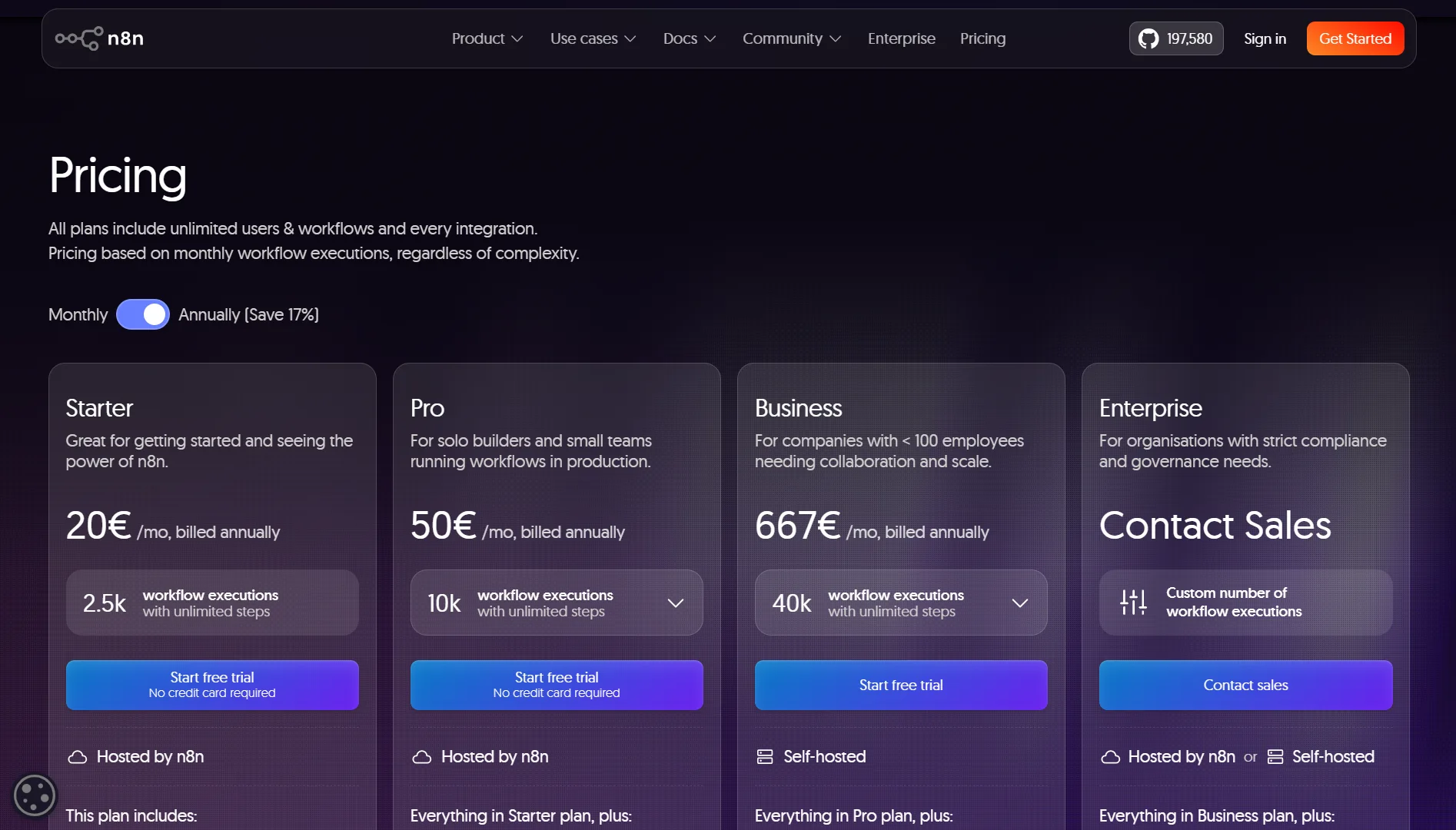
| Price | Starter: $20/month (2,500 execs) Pro: $50/month Business: $800/month (40,000 execs) | VPS: $4 -13+/month. Unlimited executions. Software is free. |
| Maintenance | Zero. n8n handles updates, security, and uptime. | 1–2 hours/month for updates, backups, and monitoring. |
| Scalability | Upgrade to a higher plan (and pay more). | Add resources to your VPS as needed. |
| Support | Forum support (Starter/Pro), dedicated support (Business/Enterprise). | Depends on VPS provider. Community support for n8n itself. |
| Security Responsibility | n8n secures the infrastructure. You secure your workflows. | You’re responsible for everything: server, SSL, data, and access. |
| Reliability/Uptime | 99.9%+ uptime. n8n manages it. | Depends on your VPS provider and your setup. |
Should You Budget for Self-Hosted n8n on VPS or Cloud?
Here’s why self-hosting on a VPS makes more financial sense for most people:
- Fixed VPS cost, no usage surprises: You pay the same monthly fee regardless of how many workflows you run or how many times they execute.
- One setup effort, no per-run fees: You spend time setting things up once. After that, every execution is free.
- Scale when you choose, not when billed: Need more resources? Upgrade your VPS plan. Don’t need them anymore? Downgrade. You’re in control, not locked into a pricing tier.
- Storage included, no extra log fees: Your VPS storage is yours. No extra fees for logs, execution history, or binary data.
- Full security control, no shared risk: Your data stays on your server. You’re not sharing infrastructure with other tenants (in a KVM VPS). You decide who has access and how data is protected.
- One infrastructure cost, unlimited workflows: Build as many automations as you want. The server cost doesn’t change.
- Cheaper at scale, cloud adds up fast: The moment you exceed basic cloud plan limits, the cost jumps dramatically. Self-hosting becomes cheaper and stays cheaper as you scale.
Self-hosting isn’t free in every sense. It costs you 1-2 hours per month for maintenance. You also need basic comfort with the terminal, Docker, and server management. But if you have that, self-hosting is the way to go.
Tips to Keep Your Self-Hosted n8n Budget Manageable
A few smart practices can keep your costs low:
- Start small and upgrade only when needed – Begin with the minimum specs that work for you. Monitor usage and upgrade only when you hit limits.
- Use SQLite for low-volume workflows – If you’re running personal automations or light workloads, SQLite works fine and uses fewer resources than PostgreSQL.
- Schedule backups during off-peak hours – Backups can consume resources. Run them when your server is least busy.
- Monitor resource usage and rightsize your VPS – Keep an eye on CPU, RAM, and storage usage. Downgrade if you’re overprovisioned.
- Clean up old execution logs regularly – Logs accumulate and take up storage. Prune them periodically.
- Use spot instances for non-critical workloads – Some providers offer discounted spot instances for workloads that can tolerate interruptions.
- Automate shutdown of dev environments overnight – If you have a development instance, shut it down when not in use to save costs.
N8n VPS Pricing FAQs
What is the cheapest way to host n8n?
Self-hosting on a budget VPS provider is the cheapest option. You can find VPS plans for $4-$10 per month. The n8n software itself is free. Some people even run it on Google Cloud’s free tier, though that has limitations.
Is self-hosted n8n worth it?
If you have the technical skills and want to avoid per-execution fees, yes. Self-hosting gives you unlimited executions, full data control, and a fixed cost. The trade-off is the time you spend on maintenance.
How much does n8n cost for personal use?
For personal use, you can self-host on Truehost’s $6.77 per month starter plan. Alternatively, you can use the free self-hosted Community Edition on your own hardware. The n8n Cloud Starter plan costs $20/month but limits you to 2,500 executions.
You Don’t Need a Huge Budget with Truehost n8n VPS
Look, we get it. You want automation without breaking the bank. You want to own your data and run unlimited workflows without watching the meter tick.
That’s why we built our n8n VPS plans the way we did.
We start at $6.77 per month for our n8n Starter plan. That gives you 1 vCPU, 2 GB of RAM, 50 GB of NVMe storage, and 4 TB of bandwidth.
You get unlimited workflows, unlimited concurrent executions, full access to community nodes, and n8n with queue mode pre-configured. We even include 100+ pre-made workflows and automated installation.
If you need more power, our n8n Pro plan at $12.77/month gives you 2 vCPU cores, 4 GB RAM, 100 GB NVMe storage, and 6 TB bandwidth.
For businesses with heavier needs, our n8n Business plan at $24.77/month includes 4 vCPU cores, 8 GB RAM, 200 GB NVMe storage, and 8 TB bandwidth.
Every plan comes with dedicated support. You’re not on your own if something goes wrong.
With us, you can forget about surprise fees, execution limits, or hidden charges. You get a fixed monthly rate for your own isolated KVM VPS, optimized for n8n and ready to go in minutes.
You’re in control. Build as many workflows as you want. Run them as often as you need. Scale up when you’re ready. It’s that simple.
Ready to start automating without the cloud price tag? Check out our n8n VPS plans and get started today.