 Domain RegistrationFind and register the perfect domain for your website.
 .COM DomainChoose a widely recognized domain to build global credibility.
 Domain TransferSeamless domain transfers with zero downtime and complete control.
 All TLDsFind and register your perfect domain. Choose from local and global extensions.
 SSL CertificatesKeep your website safe with reliable SSL Certificates that protect customer data and build trust.
 whoisCheck domain ownership details, expiration dates, and registrar information.
 US DomainRegister a .US domain and build trust in the USA.
 Web HostingEverything your website needs to run smoothly
 WordPress HostingWordPress hosting that just works
 Windows HostingReliable hosting for Windows environments
 Reseller HostingTurn hosting into your business
 Email HostingEmail that looks professional and works anywhere
 cPanel HostingFull control of your hosting with cPanel
 Affiliate ProgramJoin as a partner and earn commissions on every referral you send our way.
 Vps HostingScalable virtual servers that expand as you need.
 Dedicated ServersGet complete access and full control over your dedicated physical server.
 Managed vpsNot tech-savvy? We will take care of everything with our fully managed VPS hosting for you.
 AI Website BuilderCreate stunning websites in seconds with AI.
 Online ShopSet up a professional online store. No coding required.
 Web design serviceGet a tailored website designed to match your brand and support your goals.
 BlogFind helpful guides on web hosting, online selling, digital marketing, and more.
 Contact USYou can reach us anytime, day or night, through chat or email.
 SupportBrowse helpful guides and answers for all of our services.

The cheapest Black Friday dedicated server is often the most expensive one you will buy.
That sounds backwards. A deep discount feels like a win, and the countdown timer pushes you to grab it.
However, the sticker price covers only the first term. The bill that follows can double. Downtime, slow support, and vague hardware add costs the banner never mentions.
This guide gives you a method for finding a provider you can trust before you compare a single price. Reliability comes first. Price comes second.
Time is tight, too. Thanksgiving falls on November 26, 2026. Black Friday follows on November 27, and Cyber Monday lands on November 30. The sale window is close, so start your vetting today.
Work through the sections in order. By the end, you will have a shortlist, a scoring sheet, and a clear walk-away rule.
Is Black Friday a Safe Time to Buy a Dedicated Server?

Yes, it can be safe. However, you need a plan.
Dedicated server deals differ from cheap entry-level hosting promos. Providers usually tie them to a small stock of real machines. They also attach longer contract terms. When the stock runs out, the deal disappears.
Some providers sell these servers at a loss during the first term. They bet that you will stay. Moving a live server takes work, so many customers pay the higher renewal rate instead. You agree to that trade the moment you check out.
Use one rule to protect yourself. Filter providers by reliability first. Then compare prices among the ones that pass.
Sometimes waiting is the smarter move. Suppose you need a server next week, and the provider hides its renewal price. A normal-price plan from a proven company may cost less in the end.
Also avoid migrating a live production server during a traffic spike just to catch a sale. The risk outweighs the savings.
How to Verify That a Dedicated Server Provider Is Legitimate
Start with the company, not the offer.
Check the company behind the offer.
A real provider leaves a trail you can follow. Look for these signs:
- A registered business name, a physical address, and clear contact routes for sales and support.
- A domain with some age behind it. A brand-new site with a generic template and no company details deserves suspicion.
- A named data center. Reliable providers tell you where their servers sit and who runs the facility.
- A track record. A company that has operated for years has already survived many sale seasons.
Read independent reviews the right way.
Star averages hide the useful part. Read the complaints instead. Look for repeated stories about slow support, billing disputes, or servers that arrived late.
Check Trustpilot and Google reviews first. Then visit hosting forums, where customers discuss real incidents.
Finally, watch how the provider answers criticism. A calm, specific reply is a good sign. Silence or copy-pasted apologies are not.
Also treat a wall of identical five-star reviews with suspicion. Real customers rarely write the same sentence.
Test support before you pay
Support is the one part of the product you cannot see on the plan page. So test it now.
- Send a pre-sales ticket. Ask for the renewal price and a copy of the SLA.
- Time the reply. Then judge whether it answers your actual ask or sends a template.
- Try live chat outside business hours. Servers fail at night too.
A provider that goes quiet before you pay will not improve after you pay.
What an Uptime Guarantee and SLA Actually Promise
A promise of 99.9% uptime sounds close to perfect. In practice, it allows real downtime.
| Uptime guarantee | Downtime allowed per month | Downtime allowed per year |
|---|---|---|
| 99.9% | About 44 minutes | About 8.8 hours |
| 99.95% | About 22 minutes | About 4.4 hours |
| 99.99% | About 4 minutes | About 53 minutes |
Pick the number your business can tolerate. An online store that loses sales every minute needs a tighter guarantee than a test environment.
The percentage is only half the promise. The remedy counts for more. Read these parts of the SLA before you buy:
- Credits versus refunds. Most SLAs pay in account credit, not cash.
- Claim windows. Some providers require you to file within a few days of the outage.
- Exclusions. Scheduled maintenance, DDoS attacks, and customer-caused outages often fall outside the guarantee.
- Separate commitments. Network uptime, power uptime, and hardware replacement time are different promises. A 99.99% network guarantee means little if a failed drive takes two days to swap.
Promo pages often print only the headline number. So ask for the full SLA document before checkout. If the provider refuses, treat that as your answer.
How to Spot Fake Discounts, Renewal Traps, and Hidden Fees
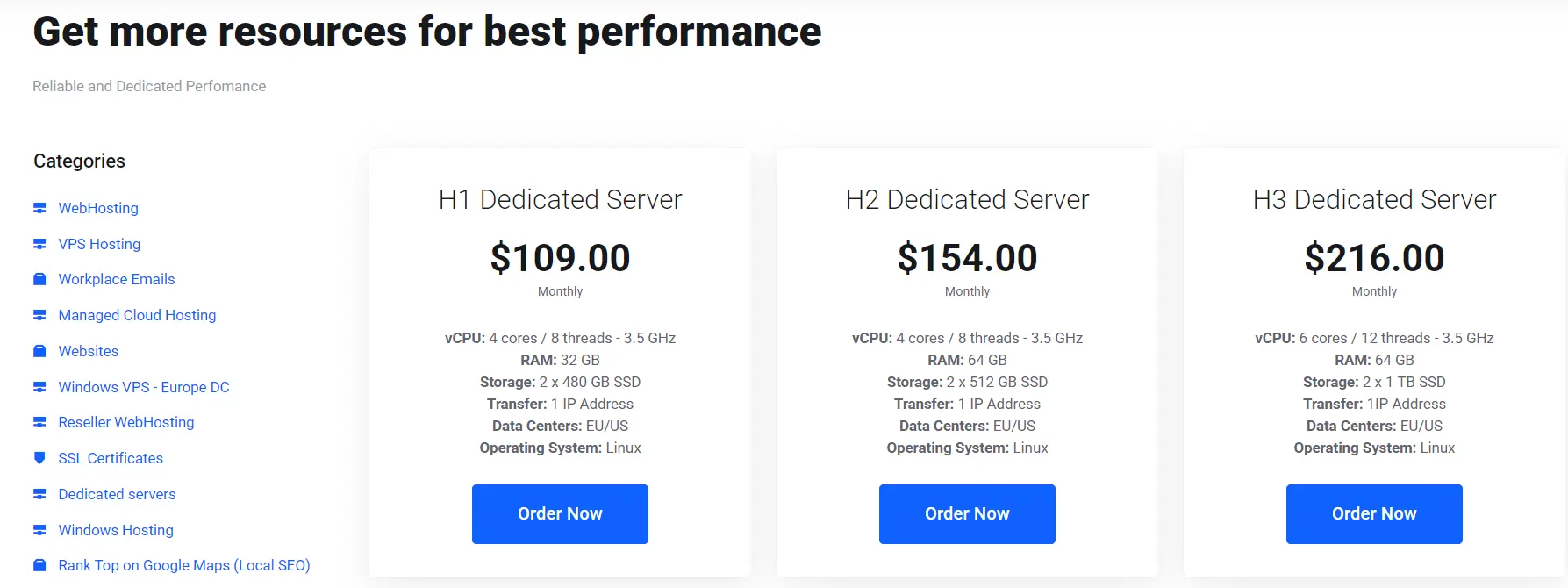
Check the regular price. Some providers raise their standard price weeks before the sale. Then they cut it back down and call it a discount.
Use the Wayback Machine to view the provider’s pricing from a month or two earlier. If the sale price matches that old price, the deal is not a deal.
Separate price locks from introductory rates. A price lock fixes your rate for the full term. An introductory rate covers only the first term, and the regular rate follows.
Find the renewal price on the checkout page, the plan page, or the terms of service. If you cannot find it, ask support in writing.
A provider that hides the renewal rate rarely hides a low one. Our guide to Black Friday VPS renewal pricing covers the same math for smaller servers.
List every extra. The plan price is rarely the final price. Watch for these add-ons:
- Setup fees.
- Extra IP addresses.
- Backup storage.
- Operating system or control panel licenses.
- Bandwidth overage charges.
- Fees for hardware swaps or hands-on support.
Add-ons can also carry their own renewal prices. So price the server you will actually run, with every extra included.
Run the 36-month math. Use this formula:
Total cost = (intro price × intro months) + (renewal price × remaining months) + setup fee + add-onsThen divide by 36 to get your true monthly cost. Here is an example with made-up numbers:
| Deal A | Deal B | |
|---|---|---|
| Banner price | $60 per month | $95 per month |
| Price terms | Renews at $140 after 12 months | Locked for all 36 months |
| Setup fee | $50 | $0 |
| 36-month total | $4,130 | $3,420 |
| True monthly cost | About $115 | $95 |
Deal A looks 37% cheaper on the banner. However, Deal B costs about $710 less over three years. Plug in your own numbers before you decide.
Watch the clock. A countdown timer that resets every time you reload the page is a manufactured deadline. A real sale shows a fixed end date and returns to standard pricing afterward.
How to Check Hardware, Network, and Support Terms Before Checkout
Vague specs hide weak machines. Confirm each of these items on the plan page or in writing:
- Hardware. The exact CPU model, the RAM amount and type, the disk type (NVMe, SSD, or HDD), and the RAID setup. Treat “starting at” pricing with no named configuration as a warning sign.
- Network. The port speed, whether bandwidth is metered or unmetered, and what DDoS protection is included. Unmetered plans often carry a fair-use policy, so read it.
- Location. Check where the data center sits compared with your users. Distance adds latency.
- Access and management. Ask about IPMI or KVM access, OS reinstall tools, and deployment time. Some plans deploy instantly. Others need a custom build.
- Replacement. Find out how quickly the provider swaps failed parts and who pays for them.
Your Pre-Black Friday Vetting Checklist for 2026
Use this timeline to stay ahead of the sale.
- November 16 to 20: Build a shortlist of three to five providers. Run the legitimacy checks from above.
- November 21 to 25: Send pre-sales tickets. Collect the renewal price, SLA, and refund terms in writing. Screenshot the promo terms so you can prove what was offered.
- November 26 to 27: Set a budget ceiling and a walk-away rule. Compare 36-month totals. Buy only from providers that passed every check.
- After purchase: Test the server inside the refund window. Run disk tests with fio, network tests with
iperf3, and CPU stress tests withstress-ng. If the results miss the advertised specs, request your refund before the window closes.
Pay with a card or method that supports chargebacks. That gives you one more safety net.
Use the table below to score each provider. Give one point for every green sign. Drop any provider that scores below five out of seven.
| Area | Red flag | Green sign |
|---|---|---|
| Company | No address, brand-new domain | Registered entity, years online |
| Reviews | Identical five-star praise, ignored complaints | Specific reviews, calm replies to criticism |
| Support | Silent or templated before purchase | Clear, specific answers to your tickets |
| Pricing | Hidden renewal rate, resetting timer | Stated renewal rate, fixed end date |
| SLA | Headline number only | Full document with clear credit terms |
| Hardware | “Starting at” with no named parts | Named CPU, RAM, and disk |
| Refund | Vague or non-refundable | Written refund window |
FAQs
Can I get a refund on a Black Friday dedicated server?
It depends on the provider, so check before you pay. Some offer a short money-back window. Others label sale plans non-refundable. A few refund the hosting fee but keep the setup charge. Get the policy in writing. Then use the refund window for your tests.
Should I choose managed or unmanaged hosting on a deal?
Choose based on your skills, not the discount. Unmanaged servers cost less, but you handle patching, security, and troubleshooting. Managed plans cost more and include a team that handles those jobs. If you lack a sysadmin, a managed plan may save money once you count your own hours. Also confirm what “managed” covers. The label varies.
Is Cyber Monday better than Black Friday for dedicated servers?
Not always. Cyber Monday deals sometimes rival Black Friday ones. Some providers extend their sales, while others sell out on Friday. Stock and terms differ by provider. So vetting counts for more than the date. If your top pick sells out on November 27, check whether it offers a new deal on November 30.
Vet First, Then Buy
A big discount tells you what the provider wants you to pay. It says nothing about what you will get. So treat reliability as the filter and price as the tie-breaker.
Verify the company. Read the SLA. Check the renewal price. Run the 36-month math. Then test the server before your refund window closes.
Your next step is simple. Run your shortlist through the checklist above. Then put Truehost to the same test. Compare its dedicated server plans, renewal terms, SLA, and support response against your scorecard.