Domain RegistrationFind and register the perfect domain for your website.
 .COM DomainChoose a widely recognized domain to build global credibility.
 Domain TransferSeamless domain transfers with zero downtime and complete control.
 All TLDsFind and register your perfect domain. Choose from local and global extensions.
 SSL CertificatesKeep your website safe with reliable SSL Certificates that protect customer data and build trust.
 whoisCheck domain ownership details, expiration dates, and registrar information.
 US DomainRegister a .US domain and build trust in the USA.
 Web HostingEverything your website needs to run smoothly
 WordPress HostingWordPress hosting that just works
 Windows HostingReliable hosting for Windows environments
 Reseller HostingTurn hosting into your business
 Email HostingEmail that looks professional and works anywhere
 cPanel HostingFull control of your hosting with cPanel
 Affiliate ProgramJoin as a partner and earn commissions on every referral you send our way.
 Vps HostingScalable virtual servers that expand as you need.
 Dedicated ServersGet complete access and full control over your dedicated physical server.
 Managed vpsNot tech-savvy? We will take care of everything with our fully managed VPS hosting for you.
 AI Website BuilderCreate stunning websites in seconds with AI.
 Online ShopSet up a professional online store. No coding required.
 Web design serviceGet a tailored website designed to match your brand and support your goals.
 BlogFind helpful guides on web hosting, online selling, digital marketing, and more.
 Contact USYou can reach us anytime, day or night, through chat or email.
 SupportBrowse helpful guides and answers for all of our services.
You just provisioned a VPS and logged in for the first time. There is no dashboard. No buttons. Just a blinking cursor waiting for commands.
For a lot of new server owners, that moment feels overwhelming. One wrong command in the terminal can break email delivery.
It can drop a website or lock you out completely. That risk pushes most people toward a control panel, but the choice itself creates a new problem.
Pick an expensive paid panel, and you might pay $70 a month for features you never touch.
Pick the wrong free panel, and you might learn something else. The features you actually need sit behind a paywall. Neither outcome feels good.
This guide splits every serious VPS control panel into two clear groups: free and paid. You will see exactly what each one costs, what it does well, and where it falls short.
By the end, you will know which bucket fits your situation. You will also know which panel inside it suits you.
Free vs Paid VPS Control Panels: Head-to-Head Comparison
| Panel | Type | Starting Cost | Licensing Model | Best Fit |
|---|---|---|---|---|
| cPanel | Paid | $29.99/mo | Per account | Reseller hosting, agencies |
| Plesk | Paid | ~$15 to $63/mo | Per server, by domain capacity | Mixed Linux/Windows environments |
| DirectAdmin | Paid | $5/mo | Per account, flat tiers | Budget-conscious solo operators |
| ispmanager | Paid | Mid-range | Tiered | Small businesses and startups |
| HestiaCP | Free | $0 | Fully free | Debian/Ubuntu, predictable setup |
| CyberPanel | Free (funnel) | $0, $139 add-on | Free core, paid extras | WordPress speed, RHEL servers |
| aaPanel | Free (funnel) | $0, paid modules | Free core, paid store | Widest app support |
| Webmin/Virtualmin | Free | $0 | Fully free | Sysadmins wanting full control |
| CloudPanel | Free | $0 | Fully free | PHP hosting, lightweight setups |
Best Paid VPS Control Panels
1) cPanel
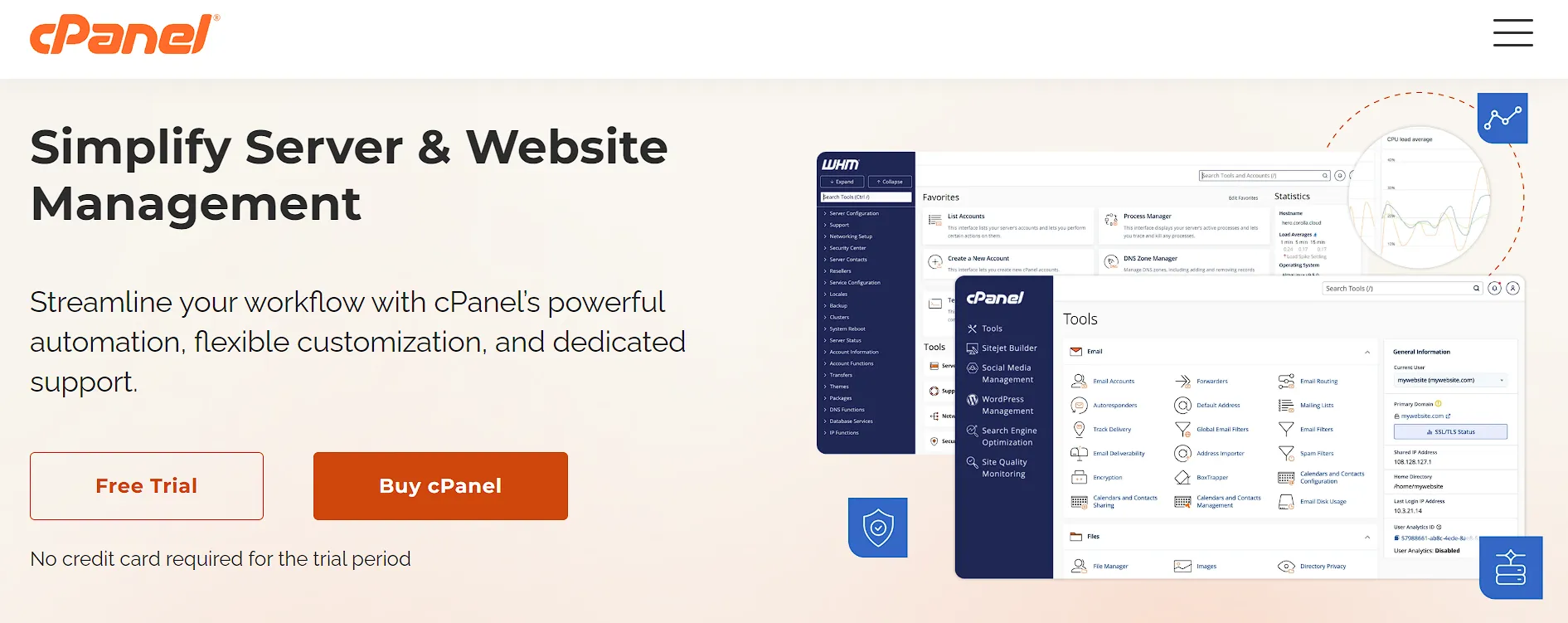
cPanel remains the most recognized name in this space, and pricing reflects that position. As of 2026, the Solo tier runs $29.99 a month for one account.
Admin costs $35.99 for up to five accounts. Pro sits at $53.99 for up to 30 accounts, and Premier reaches $69.99 for up to 100.
Once you pass your tier’s account limit, overage fees kick in at roughly $0.30 to $0.35 per extra account. That math adds up fast.
A 250-account Premier server can run close to $111 a month once overages apply.
cPanel runs on Linux only, with support for CloudLinux, CentOS, and Red Hat distributions.
Its interface and documentation depth make it the default pick for reseller hosting. Agencies managing many client accounts tend to choose it.
2) Plesk
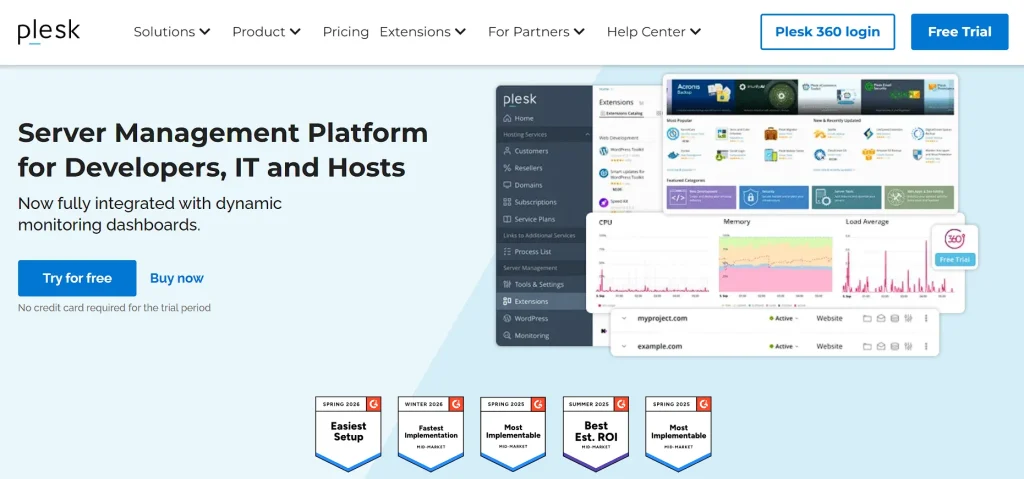
Plesk takes a different licensing approach than cPanel. Instead of charging per account, it licenses per server, with pricing tied to domain capacity.
Web Admin covers 10 domains, Web Pro covers 30, and Web Host covers unlimited domains for a flat monthly rate.
The biggest advantage here is OS flexibility. Plesk supports both Linux and Windows Server.
That makes it the clear pick for mixed environments or Windows-specific hosting needs.
At scale, Plesk’s per-domain math often beats cPanel’s per-account model. Once you pass 100 domains, Web Host’s flat fee tends to cost less per domain than cPanel’s growing account-based pricing.
Plesk also offers multi-server clustering, useful for agencies running five or more servers under one management layer.
3) DirectAdmin
DirectAdmin positions itself as the budget-conscious paid option, and the pricing backs that up. Personal PLUS starts around $5 a month for one account and 10 domains.
The Standard tier runs about $29 a month, with automatic bulk discounts kicking in at four or more licenses.
The interface looks dated next to cPanel or Plesk. Still, the core functionality holds up well, covering email, databases, file management, and basic security tools without much overhead.
For solo operators or small agencies watching their budget, DirectAdmin usually delivers the lowest total cost among paid panels. You trade interface polish for a smaller monthly bill and lighter resource use on your server.
4) ispmanager
ispmanager fits best for small businesses and startups rather than large hosting providers managing hundreds of accounts. Reviewers rate it on ease of use, feature depth, pricing, and performance. That mirrors how they judge the bigger names above.
Treat it as a middle option. It costs more than DirectAdmin’s bare-bones pricing but offers less depth than cPanel. For a small team hosting a handful of client sites, that balance can work well.
Best Free VPS Control Panels
1) HestiaCP
HestiaCP is a modern, actively maintained fork of the older VestaCP project. It runs cleanly, with a straightforward interface and low overhead on server resources.
Strong multi-PHP version support stands out here. Built-in Let’s Encrypt SSL automation handles certificate renewal without manual work, too. The main trade-off is fewer one-click app installers compared to aaPanel or CyberPanel.
HestiaCP stays genuinely free, with no upgrade path or hidden paid tier waiting behind the interface. For Debian or Ubuntu users who want something predictable, it holds up well. It stays one of the more honest free options here.
2) CyberPanel
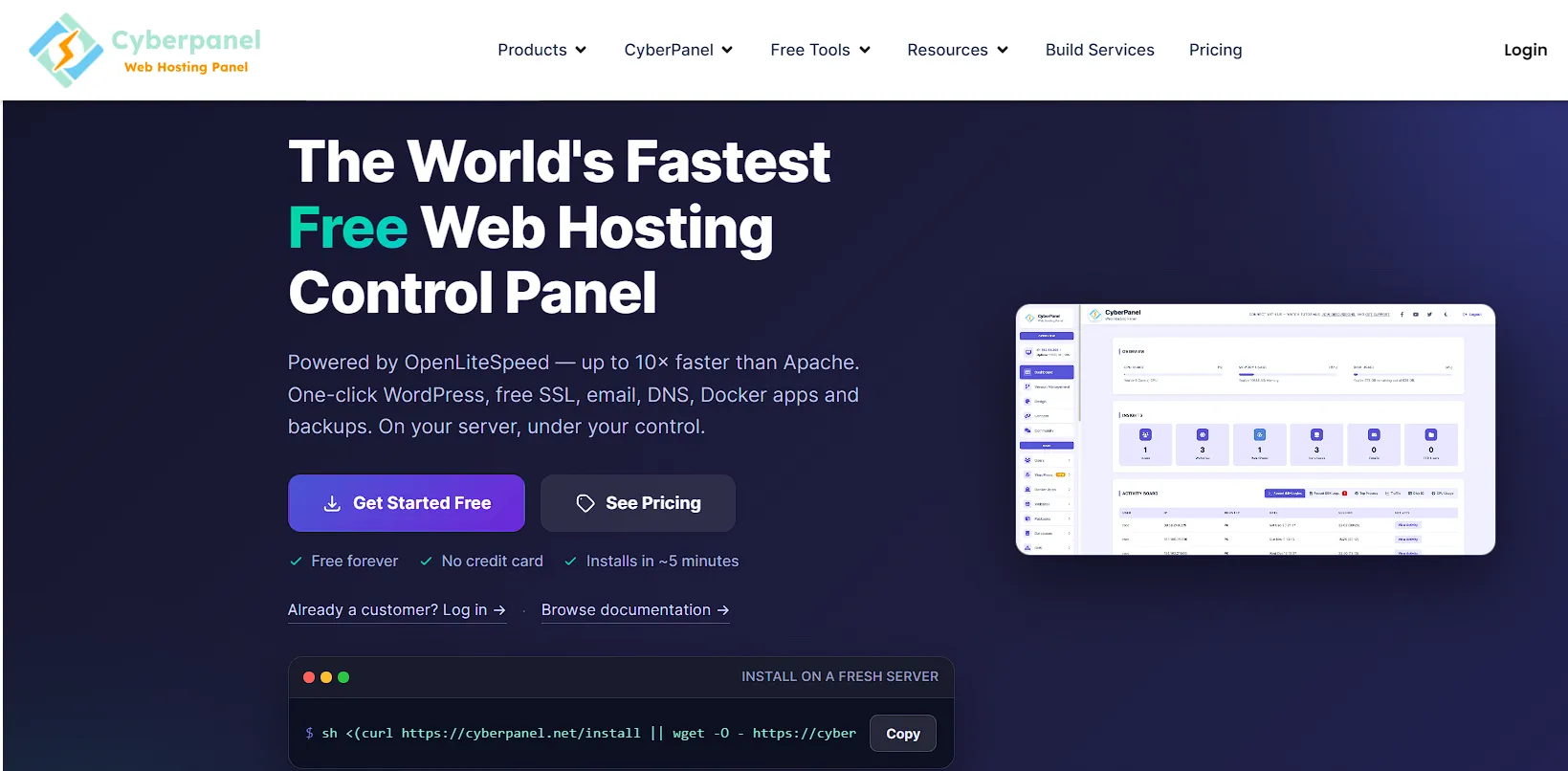
CyberPanel pairs its control panel with OpenLiteSpeed, a web server built for speed. That combination shows up clearly in WordPress speed tests, where CyberPanel often outperforms comparable free panels.
Here is where the free tier gets tricky. Core functions like website setup and WordPress management stay free. A $139 add-on package adds features like Apache reverse proxy and root file manager access.
CyberPanel works especially well on RHEL-family servers, including AlmaLinux and Rocky Linux. It stands as the strongest free option there. Direct deployment support from GitHub and GitLab repositories adds real value for developers, too.
3) aaPanel
aaPanel has grown past 3.6 million installs, and that scale shows in its app support. One-click installers cover a wide range of software, and OS compatibility stretches across most major Linux distributions.
It offers the widest free feature set on this list. The catch is that aaPanel’s design nudges you toward its app store and paid modules over time. The core panel still works without payment.
If you are coming from cPanel, aaPanel’s interface will likely feel the most familiar among the free options here. For developers who want breadth without an upfront cost, it remains a solid starting point.
4) Webmin and Virtualmin
This pairing works as a two-layer system. Webmin handles system-level administration, and Virtualmin sits on top of it, adding hosting-specific features like domain and email management.
Both stay entirely free, with no tiered gating or paid upgrade path anywhere in the stack. That makes the combination appealing for budget-constrained system administrators who need full control.
The trade-off is a steeper learning curve and an interface that feels dated next to modern panels. Advanced users who want granular access to nearly every server function tend to stick with it anyway.
5) CloudPanel
CloudPanel joins HestiaCP as one of the few panels that stay fully free with no upgrade path required. What you see in the free tier is what you get, with no hidden paid layer.
It handles PHP hosting particularly well, and its lightweight footprint suits smaller cloud-based VPS environments. For developers who want CloudPanel’s simplicity without aaPanel’s upsell pattern, it fills that gap directly.
Hidden Costs and Limitations to Watch For
Overage fees catch a lot of cPanel users off guard. Each account past your tier’s limit adds roughly $0.30 to $0.35 a month. That adds up fast on larger servers.
Feature gating on free panels deserves attention, too. aaPanel and CyberPanel both hold back certain features, including Docker support, multi-user access, and advanced mail tools, until you upgrade.
Switching panels later is rarely simple. Account settings, email configurations, and file permissions usually need manual rebuilding rather than a clean export and import process. Plan your first choice carefully to avoid that headache.
One more thing worth flagging: free status is not permanent. A panel that stays free today can add paid gating in a future release. Check a project’s update history before committing long-term.
Free vs Paid VPS Control Panels: How to Choose
Start with your use case, not the panel’s feature list.
- Commercial hosting accounts: If you manage client sites and need guaranteed support response times, a paid panel earns its cost.
- Personal or small agency use: A free panel usually covers everything you need here.
- Support structure: Paid panels come with vendor service agreements and ticketed support you can rely on. Free panels lean on community forums and public documentation instead.
- Cost crossover point: This sits around 100 domains or so. Below that, free panels almost always win on price. Above it, Plesk or DirectAdmin’s flat per-domain pricing can beat some free panels, once you count troubleshooting hours.
“Free” does not mean the same thing across every panel, so pay attention here.
- Fully free, no upgrade path: HestiaCP and CloudPanel stay free with no paid tier waiting behind the interface.
- Free tier as a funnel: aaPanel and CyberPanel use their free version to push you toward paid add-ons over time.
- Hard usage limits: A few panels cap user counts or domain numbers, then charge once you cross that line.
Your technical comfort level plays a role, too.
- Beginners: Guided paid panels like cPanel or Plesk work better here, since both include wizards and extensive documentation.
- Developers: Lightweight free panels often support Git deployment, Docker, and direct GitHub integration instead.
Server resources matter here as well.
- Lightweight footprint: DirectAdmin and CloudPanel use less CPU and RAM than heavier alternatives.
- Small VPS plans: On a server with 1 to 2GB of RAM, that difference is real. It affects how much room your apps get to run.
FAQs
Is cPanel worth paying for on a VPS?
It depends on your account volume and support needs. For agencies managing dozens of client sites, cPanel’s polish and support often justify the cost. For a single personal project, a free panel usually covers the same ground for less money.
Can I manage a VPS without a control panel?
Yes. Many experienced administrators run servers entirely through SSH commands, with no panel installed at all. It takes more technical comfort, but it also frees up server resources that a panel would otherwise use.
Are free VPS control panels safe to use?
Most established free panels, including HestiaCP, CloudPanel, and Webmin, receive regular security updates and patches. Stick to actively maintained projects with recent release history, and apply updates quickly to stay protected.
Can I switch control panels on an existing VPS?
Technically, yes, but expect real work. Email accounts, domain configurations, and file permissions usually need manual recreation rather than a direct transfer. Budget several hours per account, and expect some downtime during the move.
Does a VPS control panel slow down server performance?
Some do more than others. Heavier panels, like cPanel, use more CPU and RAM in the background. Lightweight options like DirectAdmin, CloudPanel, and HestiaCP leave more resources available for your actual websites and applications.
Get The Best Control Panel for Your VPS
Your budget and account volume decide whether you land in the paid or free bucket.
From there, your comfort level and specific needs narrow things down. Docker support or Windows compatibility often decides the exact panel.
Before installing anything, check that your VPS plan has enough RAM and CPU headroom for your chosen panel’s minimum requirements.
An underpowered server is the most common reason for a rough first week with any control panel. Good software cannot fix that on its own.