Domain RegistrationFind and register the perfect domain for your website.
 .COM DomainChoose a widely recognized domain to build global credibility.
 Domain TransferSeamless domain transfers with zero downtime and complete control.
 All TLDsFind and register your perfect domain. Choose from local and global extensions.
 SSL CertificatesKeep your website safe with reliable SSL Certificates that protect customer data and build trust.
 whoisCheck domain ownership details, expiration dates, and registrar information.
 US DomainRegister a .US domain and build trust in the USA.
 Web HostingEverything your website needs to run smoothly
 WordPress HostingWordPress hosting that just works
 Windows HostingReliable hosting for Windows environments
 Reseller HostingTurn hosting into your business
 Email HostingEmail that looks professional and works anywhere
 cPanel HostingFull control of your hosting with cPanel
 Affiliate ProgramJoin as a partner and earn commissions on every referral you send our way.
 Vps HostingScalable virtual servers that expand as you need.
 Dedicated ServersGet complete access and full control over your dedicated physical server.
 Managed vpsNot tech-savvy? We will take care of everything with our fully managed VPS hosting for you.
 AI Website BuilderCreate stunning websites in seconds with AI.
 Online ShopSet up a professional online store. No coding required.
 Web design serviceGet a tailored website designed to match your brand and support your goals.
 BlogFind helpful guides on web hosting, online selling, digital marketing, and more.
 Contact USYou can reach us anytime, day or night, through chat or email.
 SupportBrowse helpful guides and answers for all of our services.
OpenClaw needs always-on, root-access infrastructure, and not every VPS is built for it.
So, what you need is a server that stays online continuously, gives you full root access, supports Docker, and has enough real RAM to handle your agent’s workload at 2 AM without you having to babysit it.
What makes a VPS “OpenClaw-ready” comes down to four things: enough memory to handle your workloads, persistent uptime with no forced shutdowns, root SSH access so you own the environment entirely, and solid NVMe or SSD storage so container restarts are fast.
Miss any of those, and you will hit the same wall every OpenClaw user hits when they try to run it on infrastructure it was never designed for.
Now, which provider should you choose? Well, the right answer depends on your situation.
Some users want zero configuration, that is, a running AI agent in under five minutes without ever touching a terminal. Others want full control over every layer of the stack and the best possible specs per dollar.
Both are valid approaches, and this guide covers both.
Let’s help you find the exact provider who fits where you are and what you plan to run.
Quick-Pick Summary Table
| Provider | Best For | Starting Price |
|---|---|---|
| Truehost | Fastest setup, pre-configured | $14.08/mo |
| Hostinger | Managed + self-hosted flexibility | $6.49/mo |
| xCloud | Zero-config managed hosting | $9.99/mo |
| Hetzner Cloud | Community favorite, value/performance | $7.09/mo |
| DigitalOcean | Developer-grade reliability | $12/mo |
| Contabo | Highest RAM per dollar | $4.40/mo |
| Oracle Cloud | Always Free testing | $0/mo |
| OVHcloud | High-baseline enterprise specs | $8.50/mo |
| LumaDock | Lowest entry price | $4.99/mo |
What OpenClaw Needs From a VPS
Before getting into the list, this is what OpenClaw requires from your server. This is important because a lot of cheap VPS plans look fine on paper but fail the moment OpenClaw tries to run.
OpenClaw runs as a Docker-based application on a Linux server.
It requires:
- Minimum 4 GB RAM for basic personal automation. Go to 8 GB if you plan to use browser automation, especially because Playwright headless browsing burns through memory fast.
- Root SSH access, since you need to own the server environment.
- Persistent uptime for OpenClaw to stay online 24/7. It is not a script you run once and close.
- Ubuntu 22.04 or 24.04 are the tested, community-supported OS options.
- NVMe or SSD storage for faster container restarts and smoother Docker image pulls.
- Data center proximity to LLM API endpoints. The closer your server is to Anthropic or OpenAI infrastructure, the lower your API response latency.
With that baseline clear, here are the nine providers worth your time.
The 9 Best VPS Providers for OpenClaw
1) Truehost OpenClaw VPS
If you’re looking for the fastest way to get OpenClaw running, our OpenClaw VPS is built to help you get there with minimal setup.
Our plans start from $13 per month (billed monthly), with the entry plan including 1 vCPU, 2 GB RAM, 50 GB NVMe storage, and 4 TB of monthly bandwidth.
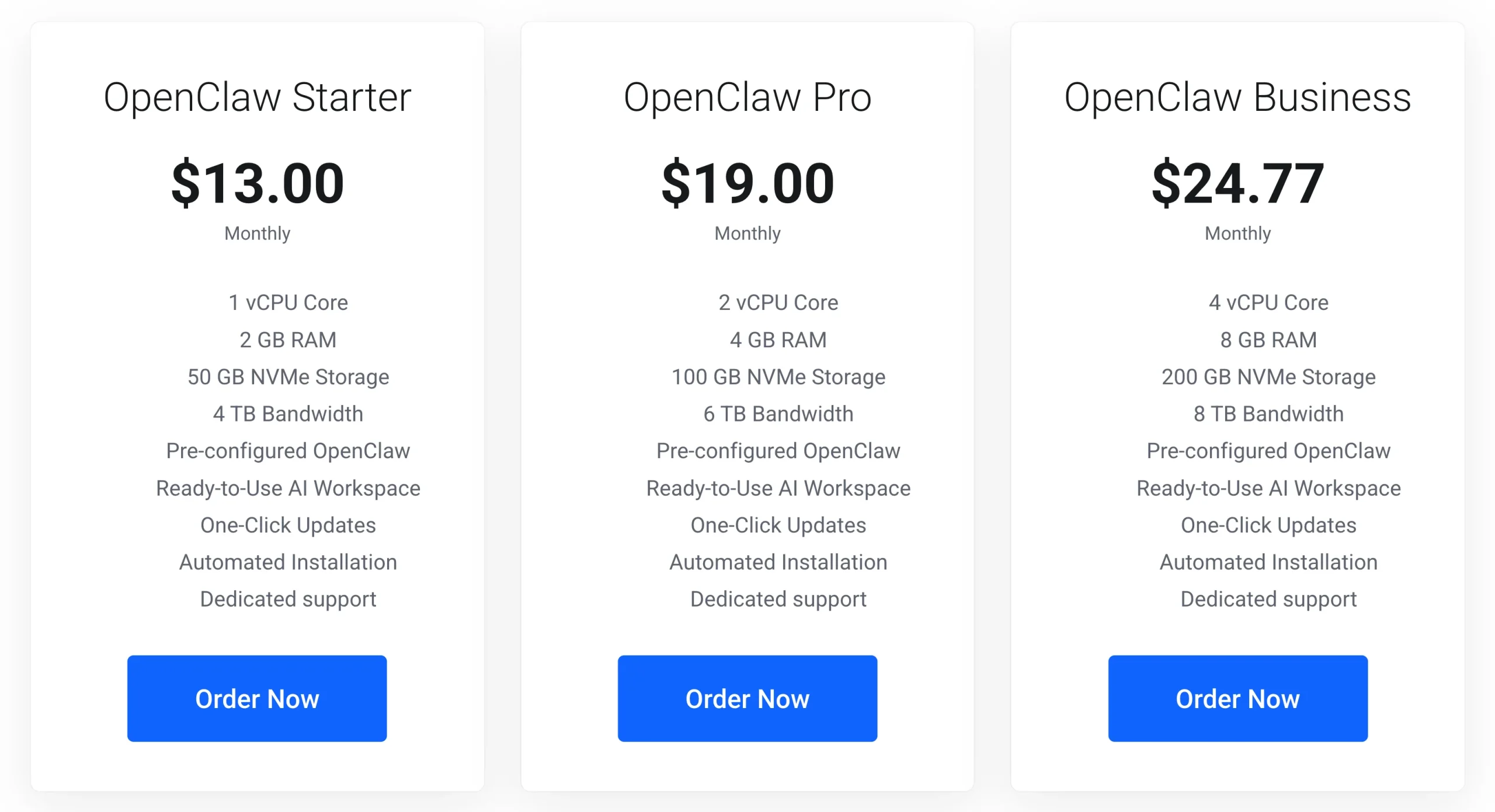
We preconfigured the server with Ubuntu, Playwright, Python, and the dependencies that OpenClaw needs, so you can concentrate on setting up your AI agent rather than preparing the environment.
Our provisioning process typically completes in under a minute, allowing you to launch your server quickly.
We also use isolated virtual CPU allocations to help deliver consistent performance, while built-in DDoS protection, daily SSD snapshots, and easy resource upgrades provide the reliability needed for long-running AI agents.
As your automation needs grow, you can scale your VPS without migrating to a new server.
The only limitation is that our entry-level starter plan includes 2 GB of RAM, which is below OpenClaw’s recommended minimum for production deployments.
For browser automation or more demanding workflows, we recommend starting with our pro plan, which provides 4 GB of RAM and is a much better fit for production use. You can scale to the business plan as needs arise.
2) Hostinger VPS
Hostinger is a good option if you want the flexibility to choose between a fully managed OpenClaw experience and a traditional self-managed VPS.
Plans start from $6.49 per month, giving you an affordable entry point with a self-managed option if you prefer to handle the technical setup yourself or a managed option if you want to let the platform do most of the work.
One of Hostinger’s biggest advantages is that it supports both of those approaches on the same platform.
On the managed path, everything is handled for you, including installation, backups, security updates, and even WhatsApp and Telegram pairing, which are pre-configured. You never open a terminal.
The VPS path works the other way: root access, Docker manager, and full control over every configuration decision yourself.
The drawback is that the managed plan limits server-level customization. If you need custom Docker configurations or want to install other applications alongside OpenClaw, you will need the self-managed VPS path.
3) xCloud
xCloud is the right call when you want to run OpenClaw and never see a terminal window.
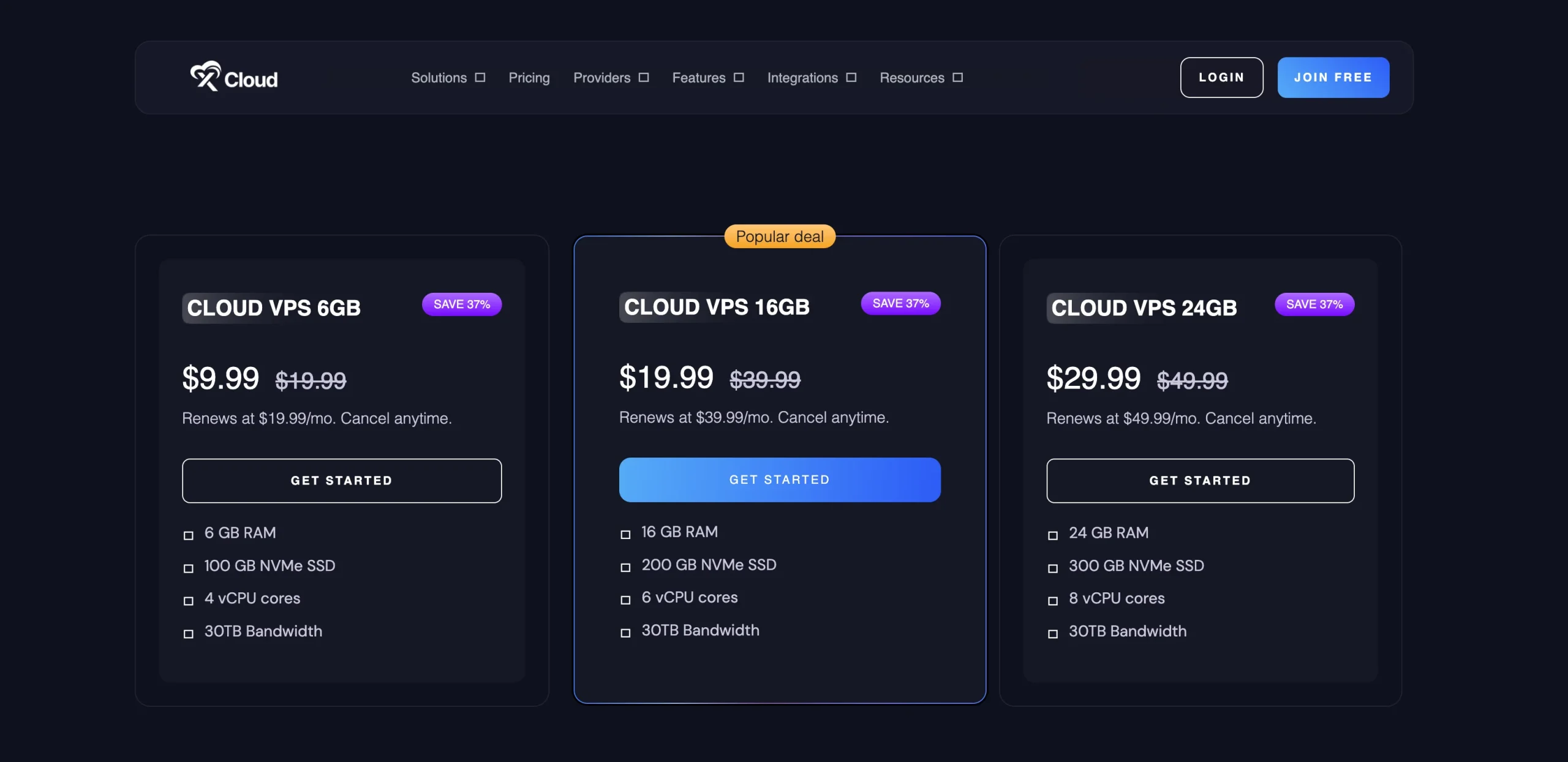
Their plans start from $9.99 per month, and the platform handles server setup, OpenClaw installation, updates, backups, and security patches on your behalf.
Deployment takes only a few minutes, and OpenClaw is already configured to work with services such as Telegram and WhatsApp.
Although the platform removes most of the technical work, you’ll still need to provide your own LLM API keys for providers such as OpenAI, Anthropic, or Google Gemini. As your usage grows, these API costs are separate from your hosting plan and should be factored into your budget.
The downside is that managed hosting becomes more expensive over time, especially after renewal.
If you’re comfortable managing your own VPS, you can often get similar performance for less by choosing a self-managed provider.
4) Hetzner Cloud (CX23)
Hetzner is the runaway community favorite. It has earned a strong reputation among the OpenClaw community for delivering an excellent balance of performance and affordability.
The plans start from around $7.09 per month for the CX23 instance, which includes 2 vCPUs, 4 GB of RAM, and 40 GB SSD, which is enough to meet OpenClaw’s recommended minimum for most deployments.
The official OpenClaw documentation includes a dedicated Hetzner deployment guide, so you are not figuring out Docker and environment variables from scratch.
For German or European data residency requirements, Hetzner gives you that natively with data centers in Nuremberg, Falkenstein, and Helsinki.
The trade-off is that Hetzner is entirely self-managed. You’ll be responsible for:
- Installing OpenClaw
- Configuring Docker
- Securing the server
- Maintaining the environment over time
If you’re new to Linux administration, expect a steeper learning curve than with managed providers.
5) DigitalOcean
DigitalOcean has long been a favorite among developers, and it’s easy to see why.
Droplet plans suitable for OpenClaw start at around $12 per month, with multiple deployment options depending on how much control you want over your infrastructure.
It offers three distinct ways to deploy OpenClaw:
- A security-hardened marketplace image that applies production defaults automatically
- The App Platform for managed deployments with autoscaling
- A standard Droplet where you control everything
The Marketplace image applies production-grade security by default, with authenticated gateway tokens, non-root execution, Docker container sandboxing, firewall-level rate limiting, fail2ban, and private DM pairing that blocks unauthorized users from interacting with your agent.
All three paths support the DigitalOcean REST API, doctl CLI, and Terraform.
If you manage infrastructure as code, scale via API, or need to snapshot and replicate your OpenClaw setup across regions, DigitalOcean is the most capable tool on this list.
Compared to several other providers on this list, DigitalOcean charges more for similar hardware resources, particularly when you move to plans with 4 GB of RAM or more.
For users focused purely on getting the most resources for their budget, there are more economical alternatives.
6) Contabo
If getting the most hardware for your money is your top priority, Contabo is one of the strongest options available.
Their plans start from around $4.40 per month and include 4 vCPUs, 8 GB of RAM, and 100 GB of SSD storage, making it one of the most affordable ways to run OpenClaw with plenty of memory for demanding workloads.
Unlike many budget VPS providers, Contabo starts with enough RAM to comfortably handle browser automation and multiple OpenClaw workflows.
The generous hardware allocation also makes it suitable if you plan to run additional services or experiment with local AI models alongside OpenClaw.
Although it’s a self-managed platform, Contabo offers an option to have OpenClaw pre-installed during server provisioning. This saves time during the initial deployment while still giving you full root access to manage and customize your server however you like afterward.
However, budget infrastructure means a less polished developer experience and slower support response times than DigitalOcean or Hostinger. If something breaks at midnight, plan to troubleshoot it yourself.
7) Oracle Cloud Always Free
If you’d like to try OpenClaw before committing to a paid VPS, Oracle Cloud’s Always Free tier is difficult to ignore. It provides 4 ARM CPUs and 8 GB of RAM at no cost, making it one of the most generous free cloud offerings available for testing AI agents.
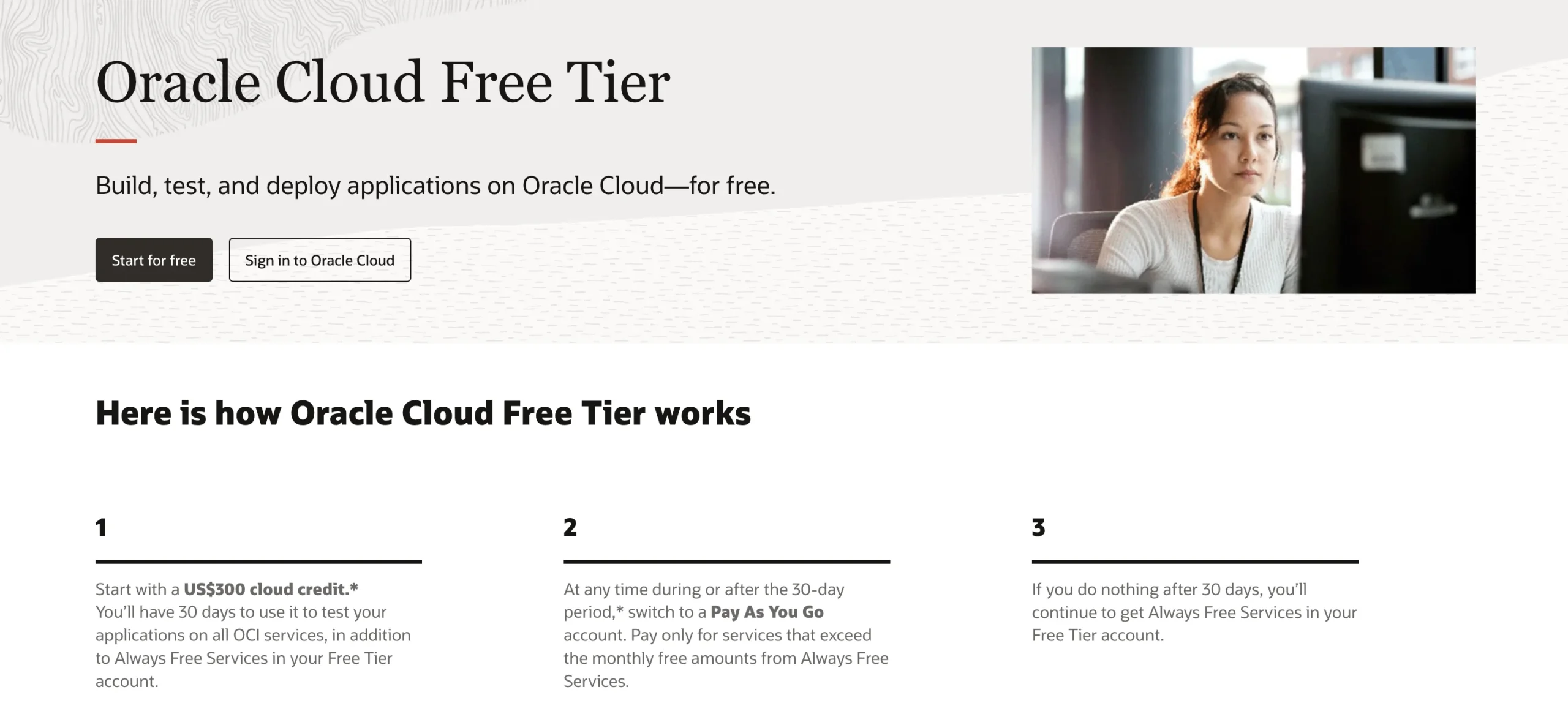
The available resources are enough to run OpenClaw comfortably and even experiment with multiple agents or browser automation without paying a monthly hosting fee.
For developers, students, or anyone learning the platform, it’s an excellent way to gain hands-on experience before investing in production infrastructure.
Since Oracle Cloud is entirely self-managed, you’ll need to configure the server yourself, install Docker, and deploy OpenClaw manually. It also uses ARM-based processors, which may require extra attention when working with software that expects x86 architecture.
The biggest challenge is that the Oracle’s ARM architecture causes Docker compatibility issues with some OpenClaw dependencies.
Plus, account creation is notoriously gatekept. Oracle rejects many new signups through their fraud prevention screening. And the Always Free tier carries no SLA guarantees; it is not designed for production reliability.
8) OVHcloud
OVHcloud is a solid choice for users who want enterprise-level hardware without paying enterprise-level prices.
VPS plans start from around $8.50 per month, with entry-level configurations already providing 4 vCores and 8 GB of RAM, right on OpenClaw’s recommended specs.
The platform includes features that are often paid extras elsewhere, including built-in anti-DDoS protection, unlimited traffic, and daily backups.
Combined with multiple global data centers, OVHcloud is well suited for businesses that need reliable infrastructure for production AI workloads.
You should seriously consider OVHcloud if:
- You are building a production setup for a team
- You are running multiple agent pipelines
- Or you’re handling sensitive data that requires European residency
Their EU data centers span France, Germany, Poland, and the UK.
The downside is that everything is self-managed. There isn’t a managed OpenClaw option or automated deployment process, so you’ll need to handle installation, maintenance, and server administration yourself.
9) LumaDock
LumaDock is aimed at users who want an affordable VPS with OpenClaw installed automatically during provisioning.
Plans start from $4.99 per month, although the practical starting point for OpenClaw is the 4 GB plan at $7.99 per month, which includes 3 vCPUs and 4 GB of RAM.
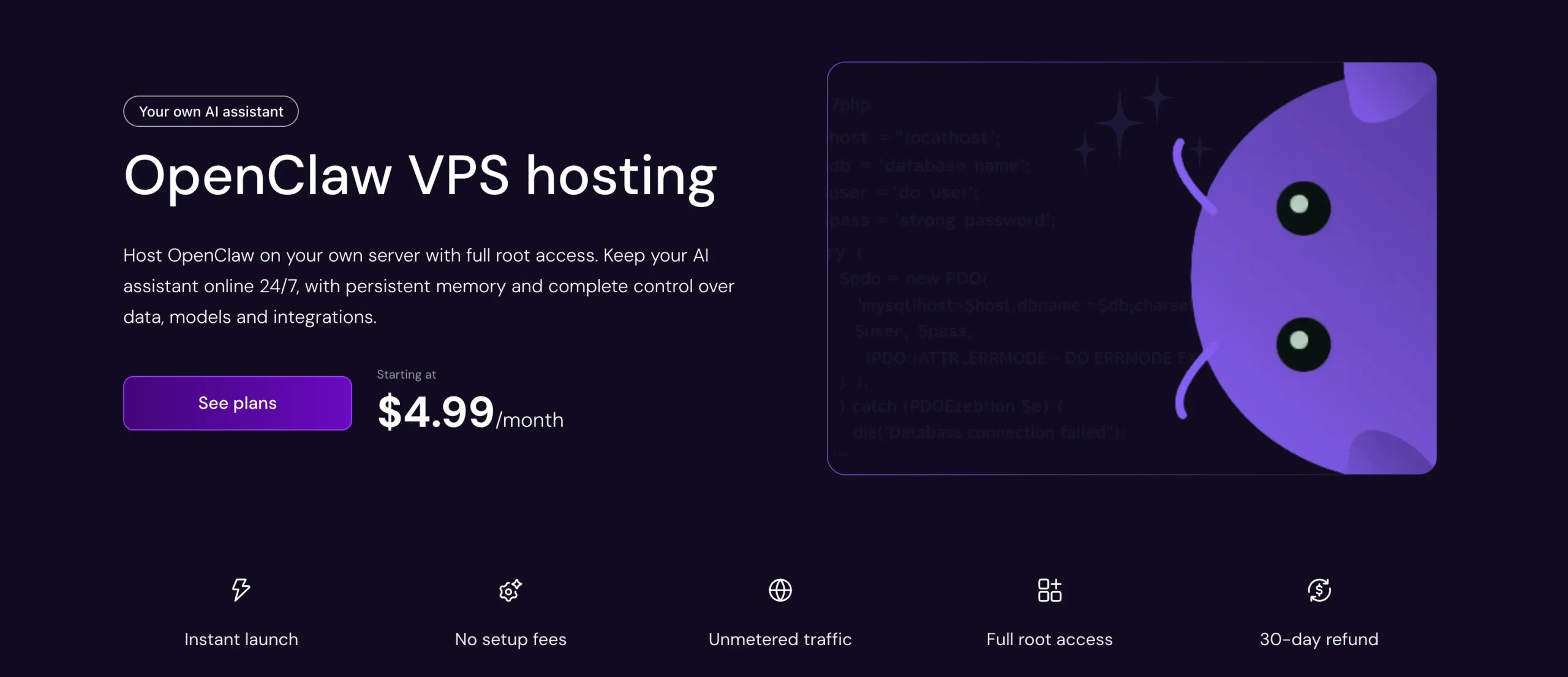
LumaDock installs OpenClaw for you during server setup, so you skip the manual Docker and repository configuration steps. After that, you have full root access and manage everything yourself.
AMD EPYC processors with NVMe SSD storage run across eight data center locations, including London, Frankfurt, Amsterdam, New York, and Bucharest. The platform includes 24/7 in-house engineer support, which is uncommon at this price level.
The drawback is that the entry-level 2 GB RAM plan isn’t suitable for OpenClaw and can quickly run into memory limitations.
Also, LumaDock is the newest provider on this list with the smallest track record. For testing or a personal assistant, it is a solid option. For business-critical automation, a provider with a longer history is the safer call.
How to Choose the Right VPS for OpenClaw
Choosing the right VPS ultimately comes down to your experience level, budget, and the type of workloads you expect OpenClaw to handle.
If you’ve never managed a Linux server before, a managed or preconfigured solution will save you a significant amount of time. Our Truehost OpenClaw VPS comes ready to use, while providers like Hostinger also offer a managed option that removes most of the server administration.
Budget is another important consideration. If you’re looking for the lowest possible cost, Oracle Cloud lets you test OpenClaw for free, while Contabo and LumaDock deliver some of the best hardware for the price.
If you’re willing to spend a little more for convenience, our preconfigured OpenClaw VPS gets you up and running much faster.
You should also match your VPS resources to your workload. For example:
- Basic chat automation: 4 GB RAM is usually sufficient.
- Browser automation with Playwright: 8 GB RAM or more is recommended.
- Running local LLMs with Ollama alongside OpenClaw: Consider 16 GB RAM or higher.
Finally, don’t overlook server location. Choosing a VPS that’s closer to your users or the AI services you rely on can reduce latency and improve response times.
This becomes increasingly noticeable if your agent processes frequent requests or communicates across multiple messaging platforms.
The best provider depends on your priorities.
If you want the quickest path to a production-ready OpenClaw deployment, our Truehost OpenClaw VPS provides one-click deployment, isolated resources, and local support to help you get started with confidence.