Domain RegistrationFind and register the perfect domain for your website.
 .COM DomainChoose a widely recognized domain to build global credibility.
 Domain TransferSeamless domain transfers with zero downtime and complete control.
 All TLDsFind and register your perfect domain. Choose from local and global extensions.
 SSL CertificatesKeep your website safe with reliable SSL Certificates that protect customer data and build trust.
 whoisCheck domain ownership details, expiration dates, and registrar information.
 US DomainRegister a .US domain and build trust in the USA.
 Web HostingEverything your website needs to run smoothly
 WordPress HostingWordPress hosting that just works
 Windows HostingReliable hosting for Windows environments
 Reseller HostingTurn hosting into your business
 Email HostingEmail that looks professional and works anywhere
 cPanel HostingFull control of your hosting with cPanel
 Affiliate ProgramJoin as a partner and earn commissions on every referral you send our way.
 Vps HostingScalable virtual servers that expand as you need.
 Dedicated ServersGet complete access and full control over your dedicated physical server.
 Managed vpsNot tech-savvy? We will take care of everything with our fully managed VPS hosting for you.
 AI Website BuilderCreate stunning websites in seconds with AI.
 Online ShopSet up a professional online store. No coding required.
 Web design serviceGet a tailored website designed to match your brand and support your goals.
 BlogFind helpful guides on web hosting, online selling, digital marketing, and more.
 Contact USYou can reach us anytime, day or night, through chat or email.
 SupportBrowse helpful guides and answers for all of our services.
n8n workflows often handle sensitive data, connect to external services, execute code, and automate critical business processes. Without proper security, a single weak point can expose credentials, compromise data, or disrupt your automations.
Securing your n8n environment means protecting your instance, credentials, webhooks, API calls, Code nodes, AI workflows, databases, and the infrastructure they run on.
This guide covers the essential best practices to help you build secure, reliable n8n workflows.
1) Secure Your n8n Instance
Keep n8n Updated
Running an outdated version of n8n leaves your workflows exposed to known security vulnerabilities and bugs that have already been fixed. Since n8n releases updates regularly, staying current is one of the easiest ways to improve security.
Check for updates at least once a month, and install security updates as soon as they’re available. If you’re using Docker, pin your deployment to a specific version instead of the latest, test updates in a staging environment first, and review the release notes before upgrading production.
Use HTTPS to Encrypt Traffic
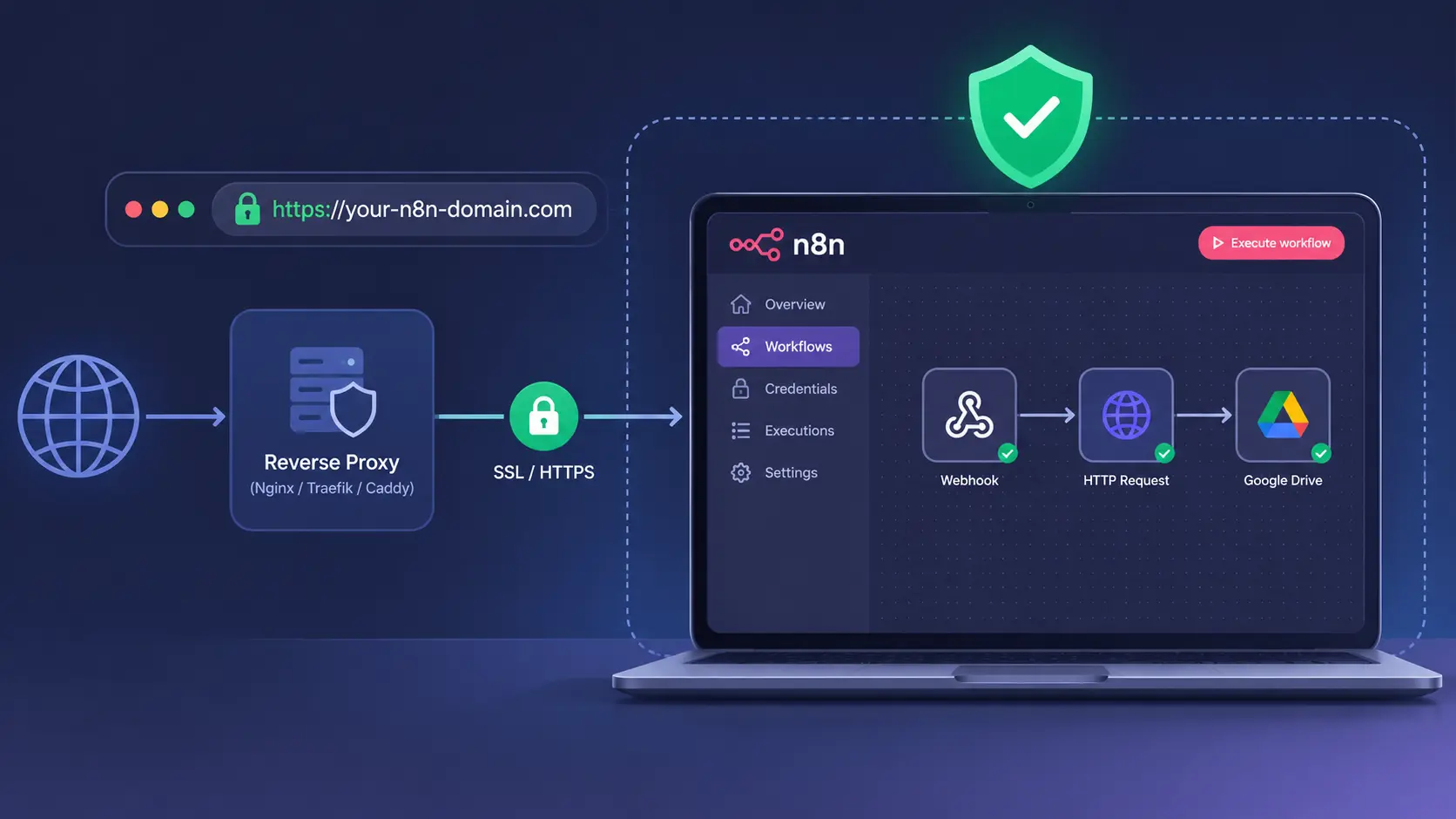
HTTPS encrypts all data sent between users and your n8n server, including login details, credentials, webhook payloads, and session cookies. Without it, attackers could intercept or modify this data through a man-in-the-middle attack.
For self-hosted deployments, place n8n behind a reverse proxy such as Nginx or Traefik and secure it with an SSL certificate from Let’s Encrypt. You can also use Cloudflare to add SSL, DDoS protection, and other security features. Always redirect HTTP traffic to HTTPS.
Restrict Access to the n8n Editor
The n8n editor gives users access to workflows, credentials, and Code nodes, so it should never be publicly accessible.
Limit access by placing the editor behind a VPN, a Zero Trust solution like Cloudflare Access or Tailscale, or an IP allowlist. If multiple users need remote access, consider using an authentication gateway to add another layer of protection before users reach the n8n login page.
Strengthen User Authentication
Use strong, unique passwords for every n8n account, and enable multi-factor authentication (MFA) whenever possible to reduce the risk of unauthorized access.
Community vs. Enterprise: Single Sign-On (SSO), LDAP, and role-based access control (RBAC) are available only on n8n’s Business and Enterprise plans. The Community Edition supports local username and password authentication but does not include these enterprise identity management features.
If RBAC is available, assign users only the permissions they need and configure session timeouts to reduce the risk of unauthorized access from unattended devices.
2) Protect Your Credentials and Secrets
Store Credentials the Right Way
Always store API keys, passwords, and tokens in n8n’s built-in Credential Manager instead of entering them directly into nodes. This keeps sensitive information encrypted and prevents it from being exposed when workflows are shared or exported.
Avoid hardcoding secrets in HTTP Request nodes, Code nodes, or workflow parameters. Instead, create a credential once and reference it wherever it’s needed.
Rotate Secrets Regularly
Regularly changing credentials reduces the risk of unauthorized access if a secret is exposed.
A good rule is to rotate standard API keys every 90 days and high-privilege credentials every 30–60 days. If you suspect a credential has been compromised, replace it immediately.
To avoid breaking workflows, create the new credential first, update your workflow to use it, test everything, and then revoke the old credential.
Follow the Principle of Least Privilege
Only grant each integration the permissions it needs to perform its task.
For example:
- Use a read-only database account for workflows that only retrieve data.
- Give GitHub tokens access only to the repositories they need.
- Limit cloud credentials to specific resources instead of your entire account.
Restricting permissions reduces the impact if a credential is ever compromised.
Separate Development, Testing, and Production Credentials
Never use production credentials in development or testing environments.
Create separate credentials for development, testing, and production so mistakes or security issues in one environment cannot affect another. This also makes it easier to test workflows safely before deploying them.
3) Secure Your Webhooks
Why Public Webhooks Need Protection
Public webhooks are designed to receive requests from the internet. Without protection, anyone who discovers the endpoint can send requests to it.
This can lead to spam, malicious requests, or unauthorized workflow executions.
Add Authentication to Every Webhook
Protect every webhook with an authentication method supported by the service sending the requests.
Common options include:
- Header authentication – validates a secret header value.
- Basic authentication – requires a username and password.
- JWT authentication – verifies a signed JSON Web Token.
- HMAC signature verification – confirms the request was signed using a shared secret.
This is commonly used by platforms like Stripe, GitHub, and Shopify.
Note: HMAC verification is not a built-in n8n webhook option. You’ll need to implement it in a Code node by calculating the signature and comparing it with the signature sent in the request.
Validate Every Incoming Request
Authentication alone isn’t enough. Validate every request before processing it.
Check that:
- Required headers are present.
- The payload has the expected format.
- The content type is correct.
- Timestamps are valid to prevent replay attacks.
Reject any request that doesn’t meet your validation rules.
Prevent Webhook Abuse with Rate Limiting
Rate limiting helps protect your workflows from spam, accidental request floods, and denial-of-service (DoS) attacks.
You can configure rate limiting using services such as Cloudflare, Nginx, or an API gateway. Limiting how many requests a client can send over a set period helps keep your workflows reliable even under heavy traffic.
4) Secure API Calls and HTTP Requests
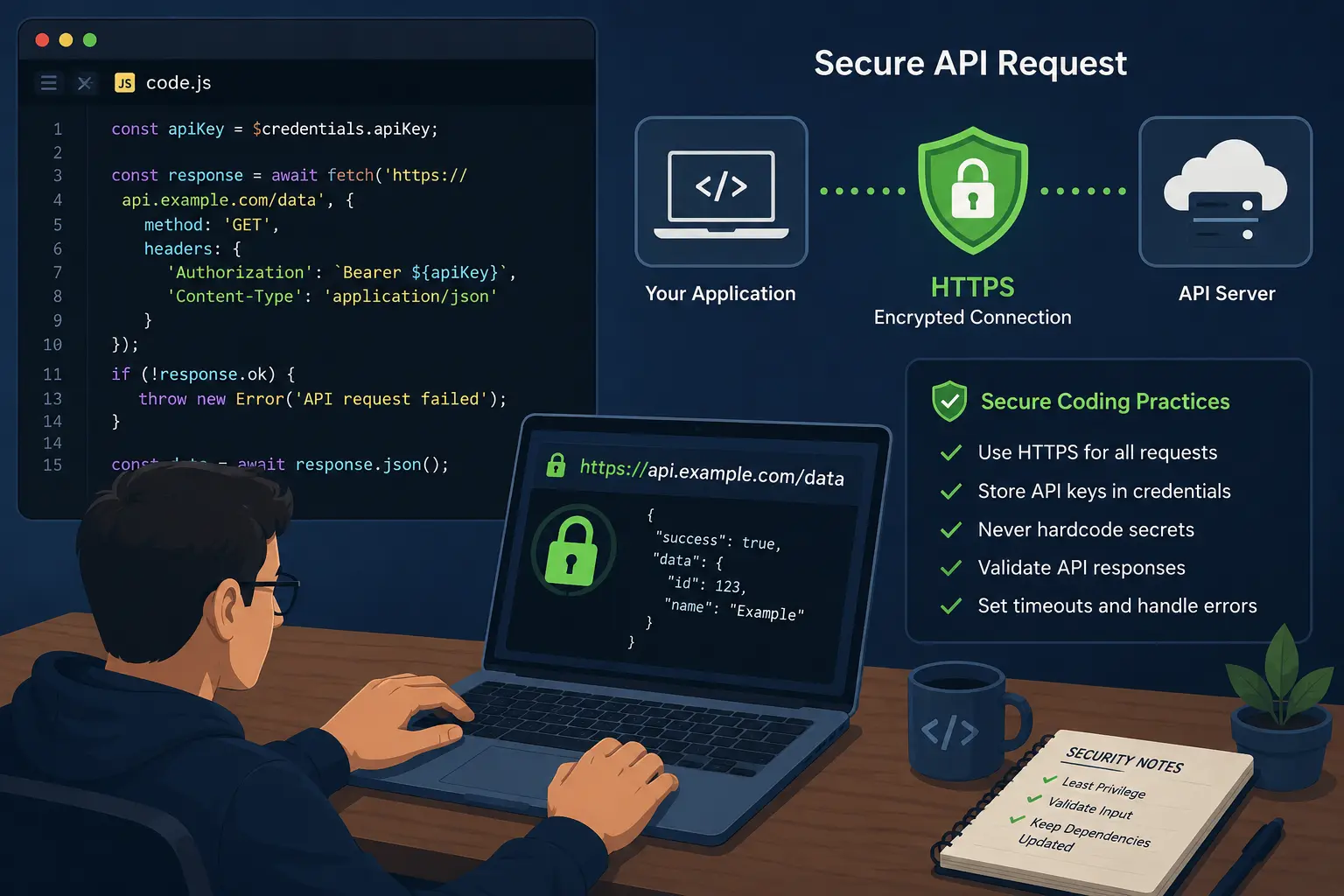
Never Expose Secrets in Requests
Avoid putting API keys or passwords directly in request URLs, as they can be stored in logs and browser history.
Instead, use the HTTP Request node’s authentication options or n8n’s built-in Credential Manager to securely store and send credentials through authorization headers.
Validate Responses from External APIs
Don’t assume every API response is valid.
Before using the data, check that:
- The request was successful.
- The expected fields are present.
- The response format is correct.
Handle errors and unexpected responses to prevent your workflow from failing or processing incorrect data.
Configure Safe Retries and Timeouts
Set timeouts for every external API request so workflows don’t wait indefinitely for a response.
Limit the number of retries and use exponential backoff, which increases the wait time between retry attempts. This helps prevent retry storms and reduces the load on external services during outages.
5) Write Secure Code in Code Nodes
Learn the Risks of Code Nodes
Code nodes let you run custom JavaScript, making workflows more flexible. However, they can also introduce security risks if the code isn’t written carefully.
Review your code regularly and only add custom logic when built-in nodes cannot achieve the same result.
Avoid Unsafe Code Practices
Never run code provided by users or external systems.
Avoid functions such as eval() or new Function(), as they can execute untrusted code and expose your workflow to attacks.
Prevent SQL Injection
Never insert user input directly into SQL queries.
Instead, use parameterized queries, which safely separate user input from the SQL statement. If you’re using the Postgres node, use its built-in query parameters instead of building SQL queries in a Code node.
Validate and Sanitize User Input
Check all data received from webhooks, forms, or APIs before using it.
Validate formats, lengths, and allowed values, and reject invalid input as early as possible. This helps prevent errors, malicious data, and security vulnerabilities from reaching the rest of your workflow.
6) Secure AI-Powered Workflows
Understand the Security Risks
AI-powered workflows can introduce new security challenges that traditional workflows don’t have. Some of the most common risks include:
- Prompt injection – malicious instructions hidden in emails, documents, or web pages that try to manipulate the AI.
- Data leakage – sensitive information being exposed to AI models or included in responses.
- Tool misuse – AI using connected tools, such as databases or email, in unintended ways.
- Hallucinations – AI generating incorrect information and treating it as fact.
Keep AI Away from Critical Systems
Treat AI responses as untrusted input. Always validate the AI’s output before allowing it to perform important actions.
Avoid giving AI direct access to systems such as payment platforms, production databases, or cloud infrastructure. Instead, add checks to verify that the requested action is safe before it runs.
Add Human Approval for High-Risk Tasks
Require human approval before AI performs actions that could have serious consequences.
This is especially important for workflows involving:
- Financial transactions
- HR processes
- Healthcare data
- Customer records
- Production deployments
A simple approval step through email, Slack, or another notification tool helps prevent costly mistakes.
7) Secure Your Database Connections
Secure Queue Mode and Redis
If you use queue mode, n8n relies on Redis to manage jobs between the main instance and worker processes.
Protect Redis by:
- Setting a strong password.
- Keeping it on a private network.
- Avoiding exposure to the public internet.
- Not publishing the Redis port unless it’s necessary.
Use Dedicated Database Accounts
Create a separate database account for n8n instead of using the administrator or root account.
Give the account only the permissions it needs so that a compromised credential cannot affect your entire database.
Encrypt Stored Data
Encrypt your database and storage to protect data if disks or backups are ever accessed without authorization.
Most cloud database providers offer encryption at rest, and you can also enable disk encryption on self-hosted servers.
Limit Database Access
Allow database connections only from trusted servers, such as your n8n instance.
Use private networks, VPNs, or firewall rules to block access from the public internet.
8) Design Workflows with Security in Mind
Give Every Workflow Only the Access It Needs
Only provide each workflow with the credentials and permissions it requires.
Avoid adding unnecessary integrations or permissions, as they increase the impact if a workflow is compromised.
Break Large Workflows into Smaller Ones
Split complex workflows into smaller, focused workflows for tasks such as authentication, data processing, notifications, and reporting.
Smaller workflows are easier to test, maintain, and secure.
Never Hardcode Sensitive Information
Don’t store API keys, passwords, internal URLs, or other sensitive information directly in your workflows.
Instead, use n8n’s Credential Manager, environment variables, or a dedicated secrets manager to keep sensitive data secure.
9) Monitor and Audit Your Workflows
Enable Logging
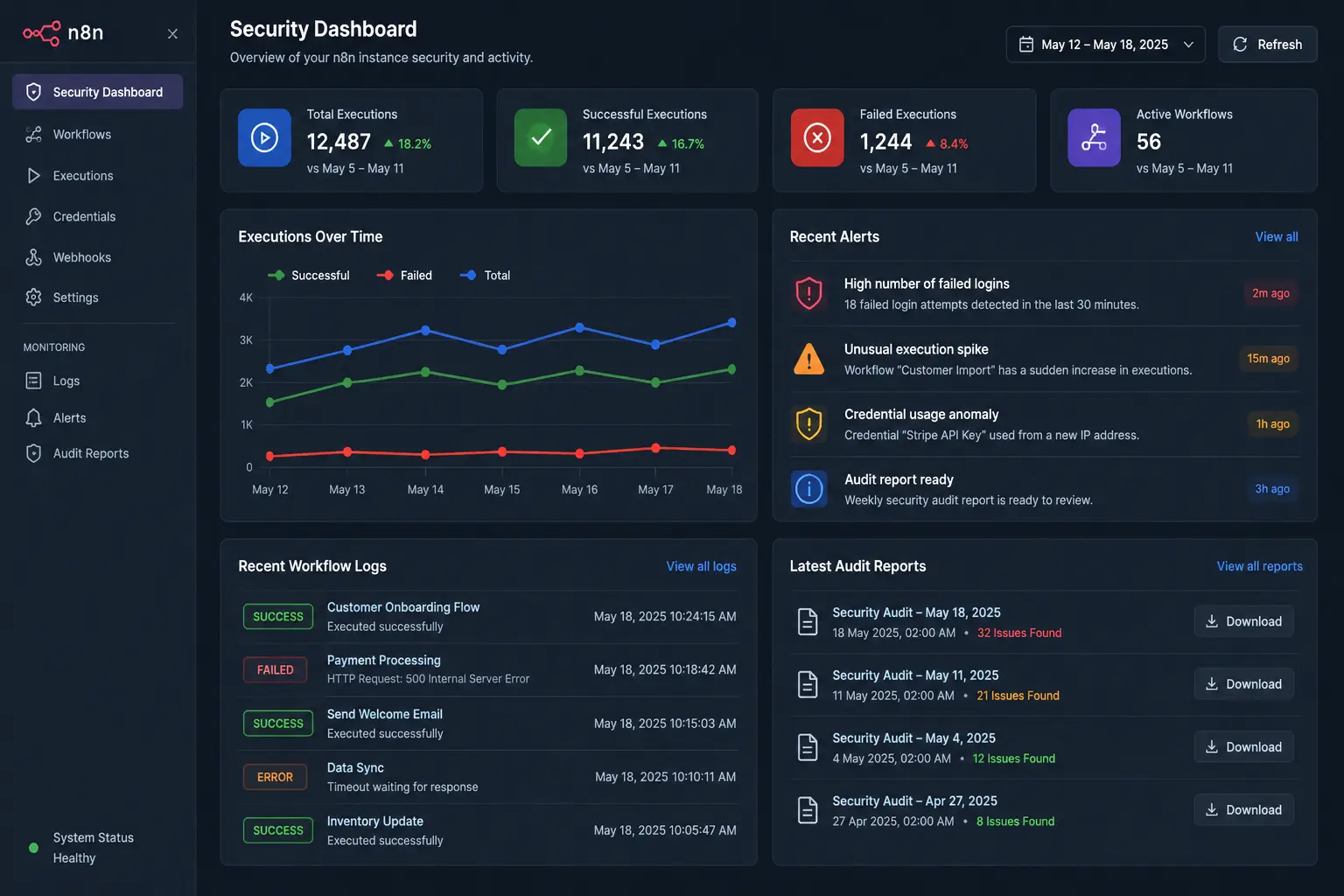
Enable logging to track workflow executions, authentication failures, webhook requests, and errors.
Review your logs regularly to identify failed workflows, unusual activity, or potential security issues before they become bigger problems.
Run Regular Security Audits
n8n includes a built-in Security Audit that checks your instance for common security risks, such as:
- Unused or outdated credentials
- Risky workflow configurations
- Nodes that could introduce security vulnerabilities
Run the Security Audit regularly, especially after making major workflow changes.
Watch for Suspicious Activity
Monitor your n8n instance for unusual behavior, including:
- Unexpected workflow changes
- Repeated login or credential failures
- Sudden spikes in workflow executions
- Unusual API activity
Investigating these signs early can help prevent security incidents.
10. Secure Your Self-Hosted n8n Deployment
Put n8n Behind a Reverse Proxy
Use a reverse proxy such as Nginx, Traefik, or Caddy to manage HTTPS, SSL certificates, and traffic before it reaches n8n. A reverse proxy also makes it easier to add security features like rate limiting and access controls.
Restrict Network Access
Only expose the services that need to be publicly accessible.
Use firewalls to block unnecessary ports, and keep your database and Redis server accessible only from your n8n instance or trusted networks.
Back Up Your n8n Environment
Regularly back up:
- Workflows
- Credentials
- Database
- Encryption keys
Store backups in a secure location separate from your main server, and test them periodically to make sure they can be restored successfully.
Isolate Your n8n Installation
Run n8n in its own Docker container, virtual machine, or Kubernetes namespace instead of sharing a server with unrelated applications.
Isolation improves security by limiting the impact if one service is ever compromised.
Common n8n Security Mistakes
- Leaving webhook endpoints unauthenticated
- Hardcoding API keys in HTTP Request or Code nodes
- Using administrator database accounts for workflow connections
- Ignoring software updates
- Running outdated Docker images
- Exporting workflows that still contain secrets
- Installing untrusted community nodes without review
- Giving AI agents unrestricted access to critical systems
- Missing retry and error handling on external calls
- Skipping backups, or never testing the ones you have
- Exposing the editor to the public internet
- Reusing production credentials in development
Secure Workflows Are Reliable Workflows
Keeping your n8n workflows secure is an ongoing process, not a one-time task. Regular updates, strong authentication, protected credentials, secure webhooks, careful workflow design, and continuous monitoring all work together to reduce security risks and keep your automations running smoothly.
Whether you’re automating internal processes or business-critical operations, following these best practices will help you build workflows that are both secure and dependable.
Ready to deploy n8n on a secure, high-performance VPS? Get started with Truehost’s managed n8n hosting and run your automations with speed, reliability, and built-in security features.
Make n8n Workflows Secure FAQS
How do I secure public webhooks in n8n?
Add authentication (header, basic, JWT, or HMAC signature verification), validate incoming requests including timestamps to prevent replay attacks, and apply rate limiting at the edge through a proxy or gateway.
Where should I store API keys in n8n?
In n8n’s built-in credential manager, referenced from nodes by credential, never hardcoded into a node’s parameters, URL, or a Code node.
Is self-hosted n8n more secure than n8n Cloud?
Neither is inherently more secure; they shift responsibility differently. Self-hosting gives you full control over infrastructure but makes you responsible for patching, network security, and backups. n8n Cloud handles infrastructure security, but you’re still responsible for credential hygiene, webhook authentication, and workflow design within your instance.
How often should I rotate credentials?
A reasonable baseline is every 90 days for standard API keys, and every 30–60 days for credentials with elevated privileges, plus immediate rotation any time a credential is suspected of exposure.
Can AI workflows introduce new security risks?
Yes, prompt injection, data leakage to model providers, tool misuse, and hallucinated actions are risks specific to AI agent workflows. Treat AI-generated decisions as untrusted input and require human approval for high-risk actions.
What is the built-in n8n Security Audit?
A feature runnable via the CLI, the public API, or an Audit node that scans your instance for common security issues, unused credentials, risky expression patterns in SQL nodes, file-system-interacting nodes, and other known risk categories.
How do I protect Code nodes from SQL injection?
Use parameterized queries instead of string-concatenating input into SQL statements, and validate and sanitize any user-supplied input before it reaches a database query.
What are the biggest security mistakes beginners make?
Leaving webhooks unauthenticated, hardcoding API keys directly into nodes, exposing the editor to the public internet, and using database admin accounts instead of scoped, dedicated ones.