Domain RegistrationFind and register the perfect domain for your website.
 .COM DomainChoose a widely recognized domain to build global credibility.
 Domain TransferSeamless domain transfers with zero downtime and complete control.
 All TLDsFind and register your perfect domain. Choose from local and global extensions.
 SSL CertificatesKeep your website safe with reliable SSL Certificates that protect customer data and build trust.
 whoisCheck domain ownership details, expiration dates, and registrar information.
 US DomainRegister a .US domain and build trust in the USA.
 Web HostingEverything your website needs to run smoothly
 WordPress HostingWordPress hosting that just works
 Windows HostingReliable hosting for Windows environments
 Reseller HostingTurn hosting into your business
 Email HostingEmail that looks professional and works anywhere
 cPanel HostingFull control of your hosting with cPanel
 Affiliate ProgramJoin as a partner and earn commissions on every referral you send our way.
 Vps HostingScalable virtual servers that expand as you need.
 Dedicated ServersGet complete access and full control over your dedicated physical server.
 Managed vpsNot tech-savvy? We will take care of everything with our fully managed VPS hosting for you.
 AI Website BuilderCreate stunning websites in seconds with AI.
 Online ShopSet up a professional online store. No coding required.
 Web design serviceGet a tailored website designed to match your brand and support your goals.
 BlogFind helpful guides on web hosting, online selling, digital marketing, and more.
 Contact USYou can reach us anytime, day or night, through chat or email.
 SupportBrowse helpful guides and answers for all of our services.
Web hosting security refers to the measures used to protect websites, hosting accounts, servers, and stored data from unauthorized access, malware, attacks, and other threats.
It’s a broad term covering everything from server-level protections your host handles, to the everyday choices you make managing your own site.
Whether you’re running a personal blog, a small business site, or an online store, the underlying question is the same.
What’s actually standing between your website and the people trying to break into it?
Here’s an important distinction worth being clear on early.
A secure web host can genuinely reduce your risk, but website security is a shared responsibility.
Your provider can build a solid foundation, but no host can fully protect a website whose owner reuses weak passwords or never updates their plugins.
This guide covers the security features worth looking for in a hosting provider, the most common threats website owners actually run into, what you need to handle yourself regardless of who’s hosting your site, and how to choose a genuinely secure hosting plan.
Why Is Web Hosting Security Important?
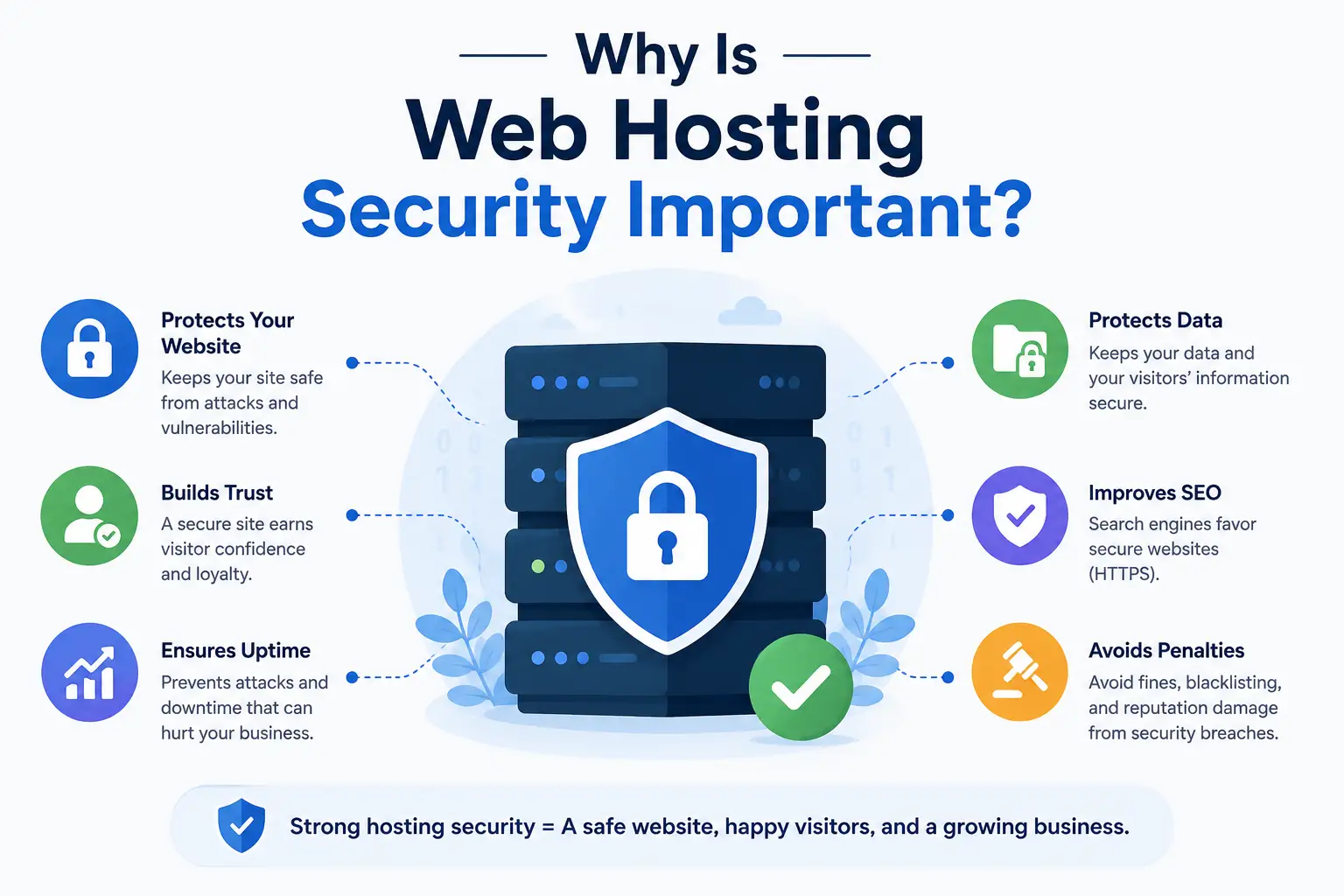
Weak hosting security doesn’t just create abstract risk, it can lead to specific problems that disrupt a website, expose information, and potentially affect the business behind it.
A compromised hosting account can give attackers access to website files, databases, email accounts, and other resources connected to the site.
Here are some of the most common consequences:
a) Website Defacement
Attackers can alter a website’s content or appearance without permission, sometimes replacing pages entirely with their own message.
This can happen quickly and may be immediately visible to visitors.
Beyond the embarrassment, a defaced website can make customers question whether the business is legitimate or safe to interact with.
b) Malware Infections
Malware can be inserted into website files and may redirect visitors, display unwanted content, or interfere with how the site operates.
Some infections are obvious, while others can remain hidden for a while, making regular monitoring, updates, and malware scanning important parts of website security.
c) Stolen Login Credentials
Weak passwords, phishing, or compromised devices can expose usernames and passwords.
Once attackers obtain these credentials, they may be able to access a hosting account, website dashboard, email, or other connected services.
Using strong, unique passwords and multi-factor authentication where available can reduce this risk.
d) Unauthorized Account Access
Not every unauthorized access incident involves stolen passwords.
Vulnerabilities in outdated software, poorly configured permissions, or insecure services can also provide attackers with a way into a hosting environment.
From there, they may access files, databases, or other websites under the same account.
e) Data Loss
A security incident can result in website files, databases, configurations, or other important information being deleted or damaged.
Without recent, reliable backups, recovering the website may be difficult or even impossible.
Backups therefore provide an important safety net when prevention fails.
f) Website Downtime
A security incident can take a website offline directly or force it to be temporarily disabled while the problem is investigated and removed.
For businesses that depend on their websites for sales, bookings, leads, or customer communication, even short periods of downtime can have real consequences.
g) Spam and Phishing Abuse
Attackers may use a compromised hosting account to send spam or fraudulent messages.
This can damage the domain’s email reputation and cause legitimate messages from the business to be filtered as spam.
h) Damage to Reputation
Visitors expect websites to be available and trustworthy.
A site that has been hacked, displays suspicious content, or repeatedly goes offline can quickly lose credibility.
Rebuilding that trust can take much longer than fixing the original security problem.
i) Search Engine Warnings or Loss of Visibility
Search engines may warn users when a website is suspected of hosting malicious or deceptive content.
This can discourage visitors from clicking the result and, in serious cases, affect the site’s visibility until the security issue has been resolved and the site is reviewed.
Common Web Hosting Security Threats
Knowing what you’re actually defending against makes the practical steps later in this guide much easier to understand.
Hosting security threats can target the website itself, the hosting account, the software running on the server, or even visitors interacting with the site.
1) Malware
Malware is malicious software or code that gets introduced into a website or hosting environment.
It can enter through vulnerable plugins, compromised files, infected uploads, or other security weaknesses.
Once installed, malware may redirect visitors, inject unwanted content, steal information, or use the compromised website to attack other systems.
Some infections can remain hidden, making regular scanning and monitoring important.
2) Brute-Force Attacks
Brute-force attacks involve repeated, automated attempts to guess login credentials.
They commonly target WordPress admin pages, hosting control panels, FTP accounts, and other login systems.
Attackers can test large numbers of username and password combinations, particularly against accounts using weak or reused passwords.
Strong passwords, login protection, and multi-factor authentication can make these attacks considerably harder to succeed.
3) DDoS Attacks
A Distributed Denial of Service (DDoS) attack attempts to overwhelm a website or server with a large volume of traffic or requests.
When the available resources are exhausted, the website may become extremely slow or unavailable to legitimate visitors.
DDoS attacks don’t necessarily mean the attacker has gained access to the website, but they can still cause significant downtime and disruption.
4) Vulnerable Software
Outdated WordPress core files, plugins, themes, CMS platforms, and server-side software can contain security vulnerabilities that attackers know how to exploit.
Security updates often patch these weaknesses, which means leaving software outdated can give attackers an easier target.
Unused plugins and themes can also increase the attack surface and should generally be removed rather than simply left inactive.
5) Stolen Credentials
Compromised passwords can give attackers direct access to hosting accounts, websites, databases, or email.
Credentials may be obtained through phishing, previous data breaches, malware, or password reuse.
Once inside, an attacker may be able to make changes that look like legitimate account activity, which can make unauthorized access harder to notice.
6) File and Database Attacks
Poorly protected website files and databases create another avenue for attacks.
Incorrect file permissions, exposed configuration files, or poorly secured database credentials can allow unauthorized users to modify files or access information.
Keeping sensitive configuration details protected and using appropriate permissions can reduce this risk.
7) SQL Injection
SQL injection occurs when an attacker manipulates an application’s input to insert unintended commands into database queries.
If a vulnerable application accepts this input without properly validating it, an attacker may be able to access, alter, or delete database information.
This is more likely to affect poorly coded applications or vulnerable plugins than well-maintained mainstream software.
8) Cross-Site Scripting (XSS)
Cross-site scripting involves injecting malicious scripts into content that other visitors can view.
Vulnerable forms, comment sections, or other user-input areas can provide opportunities for this type of attack.
Depending on the vulnerability, malicious scripts may interfere with visitor sessions or access information exposed through the affected page.
Proper input validation, output encoding, and keeping website software updated can help reduce the risk.
How to Secure a Website on Shared Hosting
Most of these steps don’t require deep technical expertise, they’re genuinely practical habits any website owner can adopt.
1) Use Strong, Unique Passwords
Avoid reusing the same password across your hosting account, WordPress admin, email, and anywhere else.
A password manager makes this considerably easier to maintain without relying on memory alone.
2) Enable 2FA Where Available
Two-factor authentication adds a second verification step beyond just a password, meaningfully reducing the risk of unauthorized access even if a password does get compromised.
3) Keep CMS Software Updated
Whether you’re running WordPress or another CMS, keeping the core software updated closes known vulnerabilities as they’re discovered and patched.
4) Update Plugins and Themes
The same logic applies here.
Outdated plugins and themes are one of the most common entry points for attackers, so timely updates count for more than they might seem to.
5) Remove Unused Plugins and Themes
Anything installed but inactive still represents a potential vulnerability sitting on your site.
Deleting what you’re not using shrinks your overall attack surface.
6) Use HTTPS
An SSL certificate encrypts data moving between your site and its visitors, protecting information like login details or payment data from being intercepted in transit.
7) Limit Administrator Accounts
Only give admin-level access to people who genuinely need it. Fewer admin accounts means fewer potential points of compromise.
8) Keep Regular Backups
Backups won’t prevent an attack, but they make recovery dramatically faster and less painful if something does go wrong.
Confirm your backups are actually running, and occasionally check that they can genuinely be restored.
9) Monitor Unusual Activity
Keep an eye on login attempts, unexpected file changes, or unfamiliar admin accounts.
Catching something early often makes the difference between a minor inconvenience and a serious cleanup.
10) Use Reputable Software and Extensions
Stick to well-maintained, widely used plugins and themes from trusted sources rather than obscure or abandoned ones, which are far more likely to contain unpatched vulnerabilities.
11) Restrict File Permissions
Make sure files and folders aren’t set with unnecessarily open permissions.
Overly permissive settings can let more get modified or accessed than actually needs to be.
What to Look for in a Secure Hosting Provider
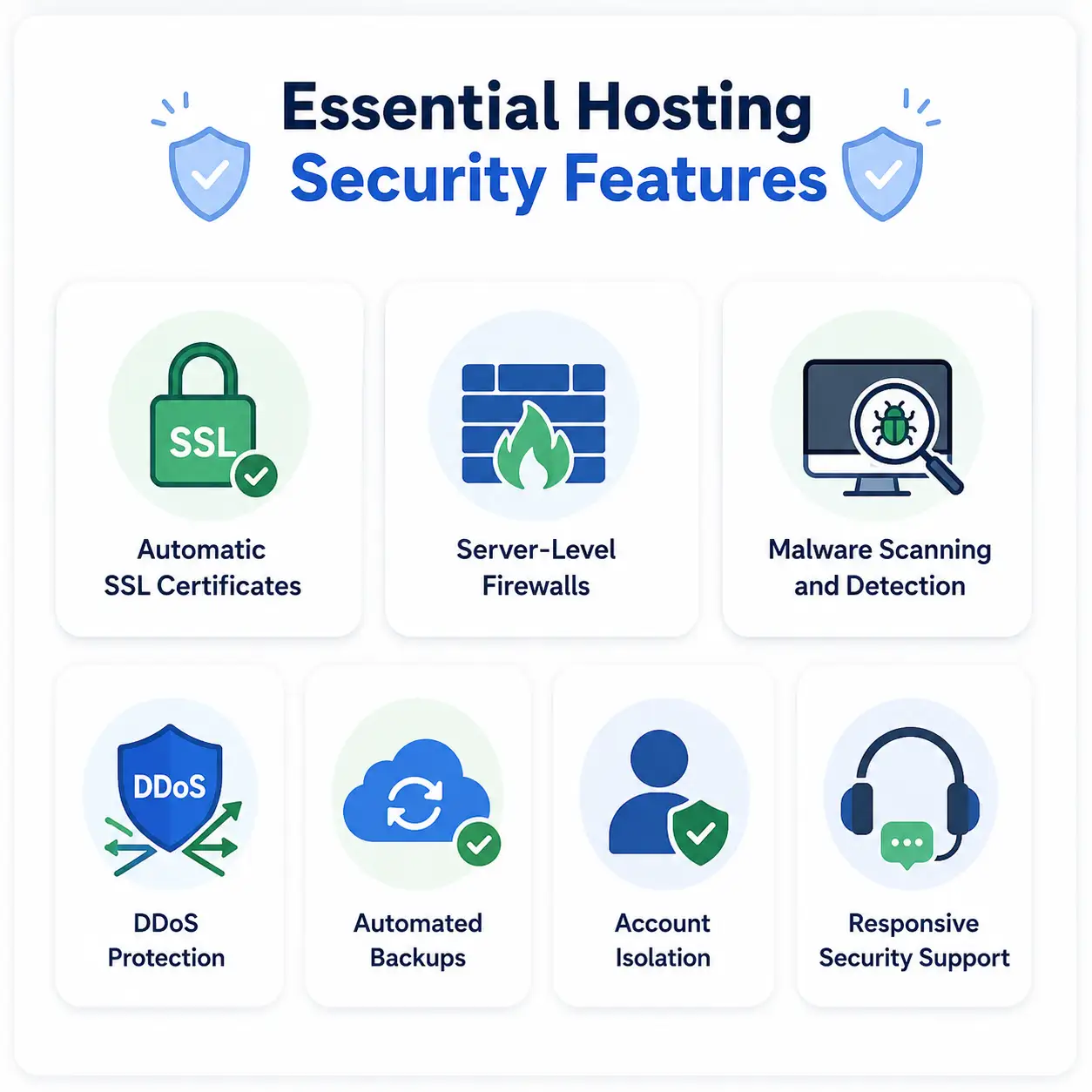
Hosting security is a shared responsibility between you and your provider, so choosing the right host matters.
Even if you keep your website updated and use strong passwords, the hosting environment itself still needs proper protection.
Before choosing a provider, look for these security features:
- Free, Automatic SSL Certificates
SSL encrypts data exchanged between your website and its visitors. A secure host should provide SSL certificates at no extra cost and automatically renew them so your HTTPS protection doesn’t unexpectedly expire. - Server-Level Firewalls
Firewalls help filter suspicious or unwanted traffic before it can reach your website. Look for providers that protect their servers at the network level rather than relying entirely on security measures you have to configure yourself. - Malware Scanning and Detection
Regular automated malware scanning can identify suspicious files or activity before an infection causes significant damage. Ideally, scanning should be continuous or scheduled rather than something you have to request manually after a problem occurs. - DDoS Protection
DDoS attacks can overwhelm websites with large amounts of malicious traffic. Network-level DDoS protection can help absorb or filter this traffic before it overwhelms the server hosting your website. - Automated Backups
Backups give you something to fall back on if your website is hacked, files are accidentally deleted, or an update causes problems. Look for regular, automated backups with a straightforward restoration process, rather than a backup feature that exists only on paper. - Account Isolation
On shared hosting, multiple websites may operate on the same server. Proper account isolation helps prevent a compromised website from affecting other accounts on that server. - Responsive Security Support
When a website is compromised, you may need help identifying what happened and getting the site back online. A provider with responsive technical support can make recovery much easier.
These features don’t replace your own security practices.
A secure hosting environment paired with an outdated WordPress installation can still leave your website vulnerable.
However, a provider that handles these fundamentals well gives you a much stronger foundation and reduces the amount of security work you have to manage alone.
How to Keep Your Website Secure With the Right Hosting
Website security genuinely comes down to a combination of secure infrastructure, the right security features, and responsible day-to-day management, rather than any single fix.
A good hosting provider should give you the foundation to build on: secure servers, network-level protection, reliable backups, monitoring, SSL, and solid account security features baked into the platform itself.
But the provider can only do so much.
You still need to maintain your own website, protect your login credentials, keep software updated, and keep an eye on your site for anything unusual.
Good hosting and responsible management work best as a partnership between the two.
If you’re looking for hosting that takes its side of that partnership seriously, Truehost’s hosting plans are worth reviewing.
Compare the included security and management features against what your specific website actually needs before choosing a plan.