Domain RegistrationFind and register the perfect domain for your website.
 .COM DomainChoose a widely recognized domain to build global credibility.
 Domain TransferSeamless domain transfers with zero downtime and complete control.
 All TLDsFind and register your perfect domain. Choose from local and global extensions.
 SSL CertificatesKeep your website safe with reliable SSL Certificates that protect customer data and build trust.
 whoisCheck domain ownership details, expiration dates, and registrar information.
 US DomainRegister a .US domain and build trust in the USA.
 Web HostingEverything your website needs to run smoothly
 WordPress HostingWordPress hosting that just works
 Windows HostingReliable hosting for Windows environments
 Reseller HostingTurn hosting into your business
 Email HostingEmail that looks professional and works anywhere
 cPanel HostingFull control of your hosting with cPanel
 Affiliate ProgramJoin as a partner and earn commissions on every referral you send our way.
 Vps HostingScalable virtual servers that expand as you need.
 Dedicated ServersGet complete access and full control over your dedicated physical server.
 Managed vpsNot tech-savvy? We will take care of everything with our fully managed VPS hosting for you.
 AI Website BuilderCreate stunning websites in seconds with AI.
 Online ShopSet up a professional online store. No coding required.
 Web design serviceGet a tailored website designed to match your brand and support your goals.
 BlogFind helpful guides on web hosting, online selling, digital marketing, and more.
 Contact USYou can reach us anytime, day or night, through chat or email.
 SupportBrowse helpful guides and answers for all of our services.
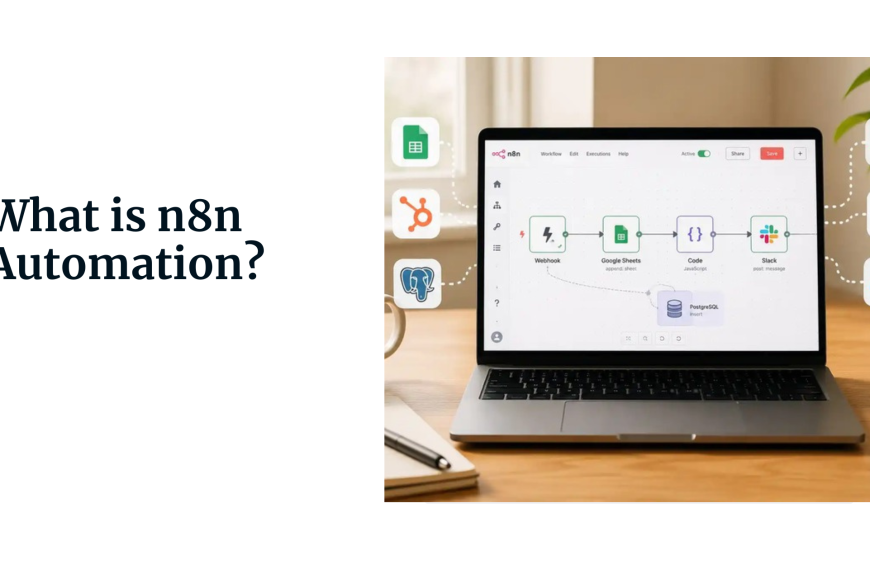
You’ve probably come across n8n, or maybe you’re just hearing about it now. Either way, this is what makes it different.
n8n is open source, meaning you can host it yourself and keep your data on your servers. If your team handles sensitive information, that’s a big deal.
It’s also flexible. You can build simple automations by dragging and dropping pieces together, no coding required.
But if you need something more advanced, you can add JavaScript or Python directly into your workflow. You won’t hit a ceiling.
So how does it help your team? It takes over the boring, repetitive work- things like data entry and manual follow-ups for teams- freeing them up for other tasks.
Automation also removes mistakes. When a process runs automatically, it runs the same way every time. Plus, n8n connects to over 400 apps, so it works with the tools you already use.
Now let’s look at over 20 automation examples, organized by team.
Sales team
1) Lead Capture to CRM & Slack
When a lead fills out a form on your website, that information gets stuck in your CRM, and maybe someone on the sales team gets notified.
But what if the process could be faster and more reliable? Set up an n8n workflow that triggers when a form is submitted.
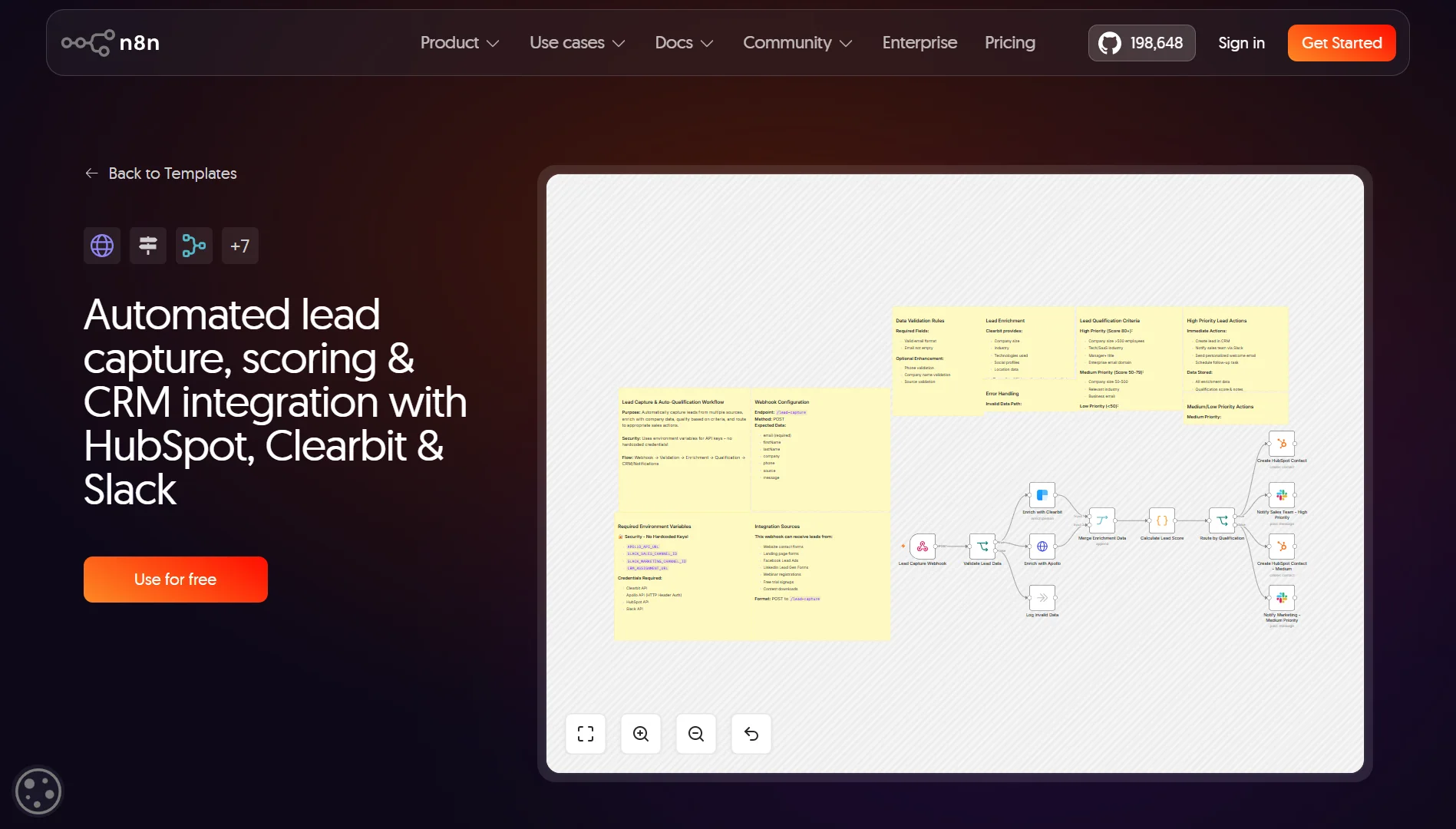
The workflow adds the lead to your CRM and sends a notification to your sales team’s Slack channel.
Simple workflow:
- Webhook node – Receives the form submission data
- HubSpot node (or Salesforce) – Creates a new contact
- Slack node – Sends a message to your sales channel with the lead’s name, email, and company
2) Client Onboarding Sequence
Onboarding new clients is usually a manual mess, including sending welcome emails, creating accounts, assigning tasks, and setting up projects.
There are a dozen small steps that need to happen, and someone has to remember them all. An n8n workflow can handle the entire sequence automatically.
Simple workflow:
- HubSpot node – Triggers when a deal status changes to “Closed Won”
- Gmail node – Sends a welcome email to the new client
- Asana node (or Trello) – Creates a project and assigns tasks to team members
- Slack node – Notifies the onboarding team that a new client is ready
3) LinkedIn B2B Lead Generation
Manually finding leads on LinkedIn is time-consuming. You search, you scroll, you copy information into a spreadsheet or CRM.
Hours of work for a list of potential contacts. An n8n workflow can automate parts of this process.
Your workflow:
- HTTP Request node – Pulls data from a LinkedIn scraping service (or use a tool like PhantomBuster)
- Item Lists node – Processes each prospect one by one
- CRM node – Creates or updates contact records
- Google Sheets node – Logs all prospects to a spreadsheet for tracking
4) Automate Lead Qualification & Multi-Channel Follow-up
Not every lead is worth the same amount of effort. But manually qualifying each one takes time, and you risk missing opportunities if you judge too quickly. A more advanced n8n workflow handles the entire qualification process.
Workflow example:
- Google Sheets node – Reads new leads from a sheet
- HTTP Request node – Enriches lead data using an API (like Clearbit or Apollo)
- AI Agent node – Scores each lead on a scale of 1 to 10
- IF node – Checks if the score is 6 or higher
- AI Agent node – Generates a personalized email
- Gmail node – Sends the email
- Google Sheets node – Updates the sheet with the score and status
5) AI-Powered Automated Outreach Scheduling
Email outreach works best when it’s personalized and timed right. But writing individual emails for hundreds of leads is exhausting. Build a workflow that generates tailored sales emails for each contact.
You need:
- CRM node – Pulls contacts who haven’t been contacted recently
- AI Agent node – Analyzes the contact’s industry, role, and past interactions to build a persona
- AI Agent node – Generates a tailored email for each contact
- Gmail node – Saves each email as a draft
- Slack node – Notifies the sales team that drafts are ready for review
Customer Support & Communication
6) AI-Powered Support Ticket Triage
When tickets pile up, it’s hard to tell which need immediate attention and which can wait. Support teams end up spending too much time just sorting through the queue.
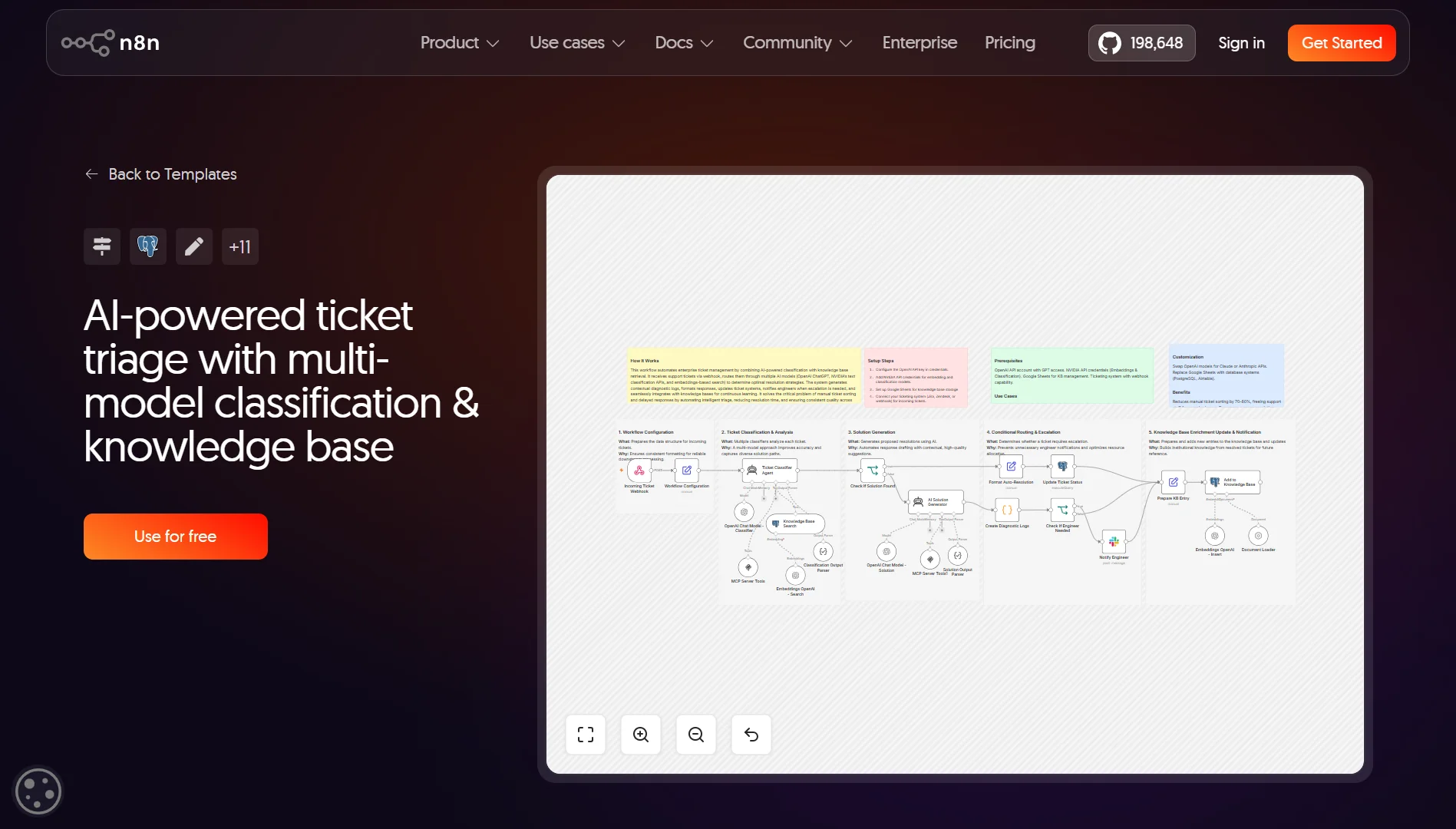
A workflow can capture ticket details, summarize the issue, and automatically assign priority.
For instance:
- Form node – Captures ticket details from your website form
- AI Agent node – Summarizes the issue and assigns a priority (Low, Medium, High)
- IF node – Routes based on priority
- Airtable node – Creates a record with all ticket details
- Gmail node – Sends a confirmation to the customer
- Slack node – Notifies the support team of the ticket details
7) Customer Support Email Assistant
Support teams handle the same types of questions repeatedly. Each email has to be read, understood, and replied to individually.
That eats up hours every day. Set up a workflow to monitor your support inbox and draft responses using AI.
Try this:
- Email Trigger node – Watches your support inbox for new emails
- AI Agent node – Classifies the query and drafts a response
- IF node – Checks confidence level
- Gmail node – Sends the reply (if confidence is high)
- Gmail node – Saves as draft for human review (if confidence is low)
8) Customer Review Automation
Getting customer reviews is important, but manually following up is tedious. You have to track who made a purchase, wait the right amount of time, send the request, and then follow up again if they don’t respond.
Create a workflow automation for the entire review request process.
Simple workflow:
- CRM node – Triggers when a purchase is completed
- Wait node – Waits 7 days
- Gmail node – Sends an email asking for a review
- Wait node – Waits another 7 days
- IF node – Checks if the review has been submitted
- Gmail node – Sends a reminder email if no review yet
9) Automated FAQ responses
Customers ask the same questions repeatedly. Your team spends time typing the same answers over and over, or copying and pasting from a knowledge base.
Connect an AI agent to your FAQ documentation and let it automatically answer questions.
Simple workflow:
- Slack Trigger node – Watches for a specific channel or DM mentions and Posts the answer back to the channel
- AI Agent node – Searches a knowledge base (like Notion or a vector database) for relevant answers
Marketing & Content Creation
10) Automated Blog Generation
Content creation takes time: researching, outlining, writing, and editing.
For teams that need to publish regularly, it’s a constant grind. An n8n workflow can orchestrate the entire writing process using AI.
Simple workflow:
- Manual Trigger node – You provide a topic and keywords
- AI Agent node – Generates an outline, writes each section, introduction, and conclusion
- Google Docs node – Creates a document with the full post
- Slack node – Sends the link to your team for review
11) Multi-Platform Content Scheduler
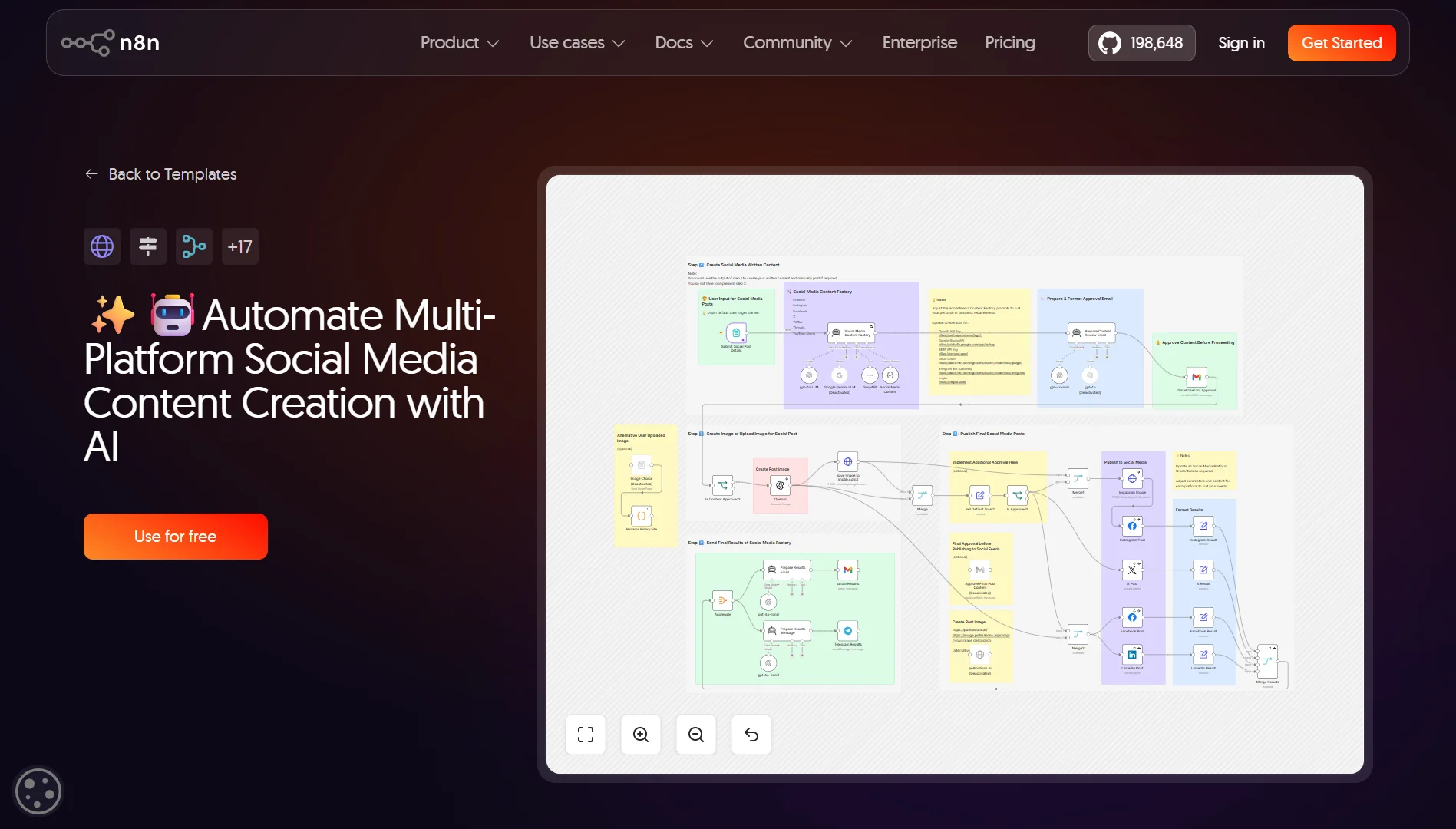
Posting content across platforms is repetitive. You write one post, then manually copy it to LinkedIn, Twitter, Facebook, and wherever else.
Build a workflow that posts content to multiple platforms on a schedule:
- Schedule Trigger node – Runs daily at 9 AM
- Google Sheets node – Reads posts scheduled for today, marks the post as published
- LinkedIn node – Posts to LinkedIn
- Twitter node – Posts to Twitter
- Facebook node – Posts to Facebook
12) Content Publishing Workflow
Creating content involves multiple steps: drafting, reviewing, editing, formatting, and publishing. Each step requires handoffs between team members, which introduces delays.
Set up a workflow that manages the entire publishing pipeline.
- Airtable node – Triggers when a draft is ready for review
- Slack node – Notifies the reviewer, Notifies the team that the post is live
- IF node – Waits for approval (could be a webhook from Slack)
- WordPress node – Publishes the post
13) Competitor & Market Intelligence System
Staying on top of competitors and market trends means monitoring blogs, news sites, social media, and press releases. Doing that manually across multiple sources is impossible at scale.
Create a workflow that aggregates intelligence from various sources:
- HTTP Request node – Scrapes competitor websites or RSS feeds
- AI Agent node – Categorizes the content (new product, pricing change, press release)
- IF node – Filters for high-priority updates
- Slack node – Sends an alert to your team
Internal Operations & Project Management
14) Daily Standup Reminder
Teams need meeting reminders, but sending them manually is unnecessary. It can sometimes be hectic to remember to send the message every morning, and sometimes it gets forgotten or sent late.
Set up a scheduled workflow that sends a reminder at the same time every day:
- Schedule Trigger node – Runs at 9:55 AM every weekday
- Slack node – Sends a reminder message to the team channel
15) Meeting Assistant & Summary Generator
Meeting notes are often inconsistent, incomplete, or just not taken at all. This leads to confusion about decisions and action items.
A workflow can transcribe the conversation, generate a summary, and distribute it to attendees:
- Webhook node – Triggers when a meeting ends (e.g., from Zoom or Google Meet)
- HTTP Request node – Gets the meeting transcript (or use a tool like Otter)
- AI Agent node – Generates a summary and extracts action items
- Gmail node – Sends the summary and action items to all attendees
- Asana node – Creates tasks for action items
16) Calendar Digest to Teams
Team members need to know what’s coming up on their calendar and what’s happening for the team as a whole. But checking calendars individually throughout the day is distracting.
Build a workflow that pulls calendar events and posts a digest:
- Schedule Trigger node – Runs at 8 AM daily
- Google Calendar node – Pulls events for the day
- Item Lists node – Formats the events into a readable message
- Slack node – Posts the digest to the team channel
17) Invoice Processing with OCR & Approval Routing
Processing invoices is tedious. Someone has to open the PDF, extract the information, enter it into a system, and route it for approval. Mistakes in data entry cause delays or payment errors.
You can use n8n with OCR technology to automate the entire process:
- Email Trigger node – Watches for invoice PDFs in an inbox
- HTTP Request node – Sends the PDF to an OCR service (like Mindee or Tesseract)
- IF node – Checks the extracted data for accuracy
- Slack node – Sends the invoice to the finance team for approval
- QuickBooks node – Creates the invoice in the accounting system
- Gmail node – Sends a confirmation
18) Task Deadline Reminder
Project deadlines get missed because people forget or lose track of what’s due when. Managers spend time following up and chasing updates, which can take up a lot of time.
Set up a workflow to check for upcoming deadlines and send reminders.
- Schedule Trigger node – Runs daily at 9 AM
- Asana node – Pulls tasks due in the next 3 days
- IF node – Filters for overdue tasks
- Slack node – Sends reminders to each task owner
HR Automations
19) Automated Employee Onboarding
Onboarding new hires involves dozens of tasks: sending welcome materials, setting up accounts, assigning equipment, scheduling training, and more.
HR teams spend hours on the same sequence of steps for every new employee. Create a workflow that handles everything automatically.
Simple workflow:
- Google Sheets node – Triggers when a new hire is added
- Gmail node – Sends a welcome email
- Okta node – Creates accounts
- Asana node – Assigns training tasks
- Slack node – Notifies IT and Facilities
20) AI Resume Screening & Evaluation
Reviewing resumes is one of the most time-consuming parts of hiring. Recruiters spend hours reviewing applications, many of which don’t meet the requirements.
Building a workflow that screens resumes and scores candidates using AI is a game-changer.
For instance:
- Email Trigger node – Watches for resume submissions
- AI Agent node – Screens the resume against job requirements and assigns a score from 1 to 10 with reasoning
- Notion node – Creates a record with the assessment
- Slack node – Notifies the hiring manager of high-scoring candidates
21) Employee Date Tracking & Proactive Reminders
HR teams need to track key employee dates, including work anniversaries, birthdays, probation end dates, contract renewals, and more. Tracking all of this manually leads to missed dates and awkward situations.
Set up a workflow to monitor these dates and send reminders:
- Schedule Trigger node – Runs daily
- Google Sheets node – Pulls employee data
- IF node – Checks for upcoming dates (work anniversaries, probation end, contract expiry)
- Slack node – Sends a reminder to HR and the relevant manager
22) AI-Powered HR Multi-Agent Department
HR departments handle many employee queries; questions about benefits, policies, time off, payroll, and more.
Answering these questions takes time, and employees often wait for responses. Build a system where an AI orchestrator coordinates multiple specialized agents, each handling a different type of HR query.
Simple workflow:
- Slack Trigger node – Watches for questions in an HR channel
- AI Agent node – Orchestrator: figures out which category the question belongs to
- Switch node – Routes to the right specialist agent (Benefits, Payroll, Policy, Time Off)
- AI Agent node – Specialist agent retrieves the specific answer
- Slack node – Posts the answer back to the employee
How to Choose the Right Automation for Your Team
- Look at frequency first: Automate tasks that your team does every day or every week. Monthly tasks give you less return on your time investment.
- Check the time drain: If a single task takes 30 minutes or more each time it’s done, that’s a priority. These are the tasks that eat up your team’s productivity and leave them with less time for strategic work.
- Consider the cost of errors: Some mistakes are more expensive than others. Data entry errors in billing, incorrect lead qualification, and missed deadlines have real costs. Automating these processes reduces errors and saves you money in the long run.
- Assess the repetitiveness: If a task follows clear, consistent rules every time, it’s a good candidate for automation. If the task is highly variable and requires judgment, automation might be harder.
- Check integration readiness: n8n connects to hundreds of apps, so you can likely build the workflow you need. But it’s worth verifying that all the tools involved in the process work with n8n before you start building.
- Look for quick wins: Start with simple workflows that show immediate ROI. Once your team sees the benefit, they’ll be more likely to embrace automation and help you identify other opportunities.
- Team pain points: The tasks your team complains about most are often the best places to start. Automation isn’t just about efficiency; it’s about making work less frustrating
Ready to Implement n8n Automations?
By now, you’ve probably got a few ideas for automations that could make a real difference for your team.
The best part?
It’s so easy to get started with n8n.
At Truehost, we offer a one-click n8n VPS deployment that gets you up and running immediately.
What our plans include:
| Plan | Price | Features |
| N8n starter | $6.77/month | 1 vCPU, 2 GB RAM, 50 GB Storage, 4 TB Bandwidth |
| N8n pro | $12.77/month | 2 vCPU, 4 GB RAM, 100 GB Storage, 6 TB Bandwidth |
| N8n business | $24.77/month | 4 vCPU, 8 GB RAM, 200 GB Storage, 8 TB Bandwidth |
All plans include isolated KVM VPS infrastructure, automated n8n installation, and access to our dedicated support team.
You get unlimited workflows and concurrent executions, so you never have to worry about hitting execution limits.
The Starter plan works great for teams just getting started with workflow automation. The Pro plan gives you more resources for growing automation needs, and the Business plan handles the most demanding use cases.
Unlike cloud-based automation platforms that charge per execution or per user, our self-hosted n8n plans offer a flat monthly price. You pay the same whether you run 10 workflows a day or 10,000.