Domain RegistrationFind and register the perfect domain for your website.
 .COM DomainChoose a widely recognized domain to build global credibility.
 Domain TransferSeamless domain transfers with zero downtime and complete control.
 All TLDsFind and register your perfect domain. Choose from local and global extensions.
 SSL CertificatesKeep your website safe with reliable SSL Certificates that protect customer data and build trust.
 whoisCheck domain ownership details, expiration dates, and registrar information.
 US DomainRegister a .US domain and build trust in the USA.
 Web HostingEverything your website needs to run smoothly
 WordPress HostingWordPress hosting that just works
 Windows HostingReliable hosting for Windows environments
 Reseller HostingTurn hosting into your business
 Email HostingEmail that looks professional and works anywhere
 cPanel HostingFull control of your hosting with cPanel
 Affiliate ProgramJoin as a partner and earn commissions on every referral you send our way.
 Vps HostingScalable virtual servers that expand as you need.
 Dedicated ServersGet complete access and full control over your dedicated physical server.
 Managed vpsNot tech-savvy? We will take care of everything with our fully managed VPS hosting for you.
 AI Website BuilderCreate stunning websites in seconds with AI.
 Online ShopSet up a professional online store. No coding required.
 Web design serviceGet a tailored website designed to match your brand and support your goals.
 BlogFind helpful guides on web hosting, online selling, digital marketing, and more.
 Contact USYou can reach us anytime, day or night, through chat or email.
 SupportBrowse helpful guides and answers for all of our services.
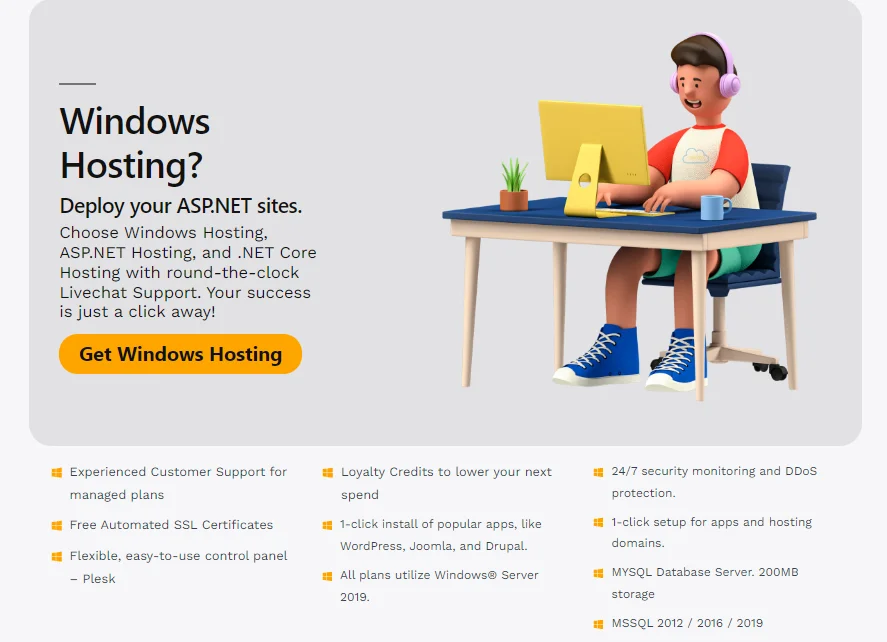
A Windows VPS is a virtual server that runs Windows Server. It comes with its own CPU, RAM, and storage.
You get full administrator control and native support for Windows software. You also skip the cost of renting a whole physical server.
That makes it a good fit for businesses and developers who rely on Windows tools or .NET hosting.
This guide covers what a Windows VPS is, how it works, and where it helps. It also covers the trade-off: Windows plans cost more than Linux plans.
What Is Windows VPS Hosting?
A VPS, or virtual private server, is one physical machine split into several isolated virtual servers. Each virtual server behaves like its own computer. Other tenants on the same hardware cannot see your files or processes.
A Windows VPS includes a licensed copy of Windows Server as part of the setup. Instead of Linux, you get the desktop, tools, and file system you may already know.
Housing offers a useful comparison. Shared hosting is like renting a room in a shared house. A dedicated server is like owning the whole house. A VPS is like owning a flat in the same building.
Most plans also include a dedicated IP address and full administrator access. As a result, you control what runs on the server.
How a Windows VPS Works
A program called a hypervisor sits on the physical server. It divides the hardware into separate virtual machines. Each one gets a fixed share of CPU, RAM, and storage.
Next, the provider installs Windows Server on your virtual machine. You then connect to it via Remote Desktop Protocol (RDP).
RDP shows the server’s desktop in a window on your own computer. For example, you can open folders, install programs, and change settings with a mouse. It feels like working on a second PC.
Control Panels and Management
Some providers add a control panel, such as Plesk, to simplify site and email tasks. Others give you only the bare server.
Managed plans mean the provider handles updates and monitoring. Unmanaged plans leave those jobs to you.
How Windows Licensing Works
The Windows license is usually included in the monthly price. Providers pay Microsoft a fee and pass it on to you. Still, confirm this before you buy, since some providers charge for it separately.
Advantages of a Windows VPS
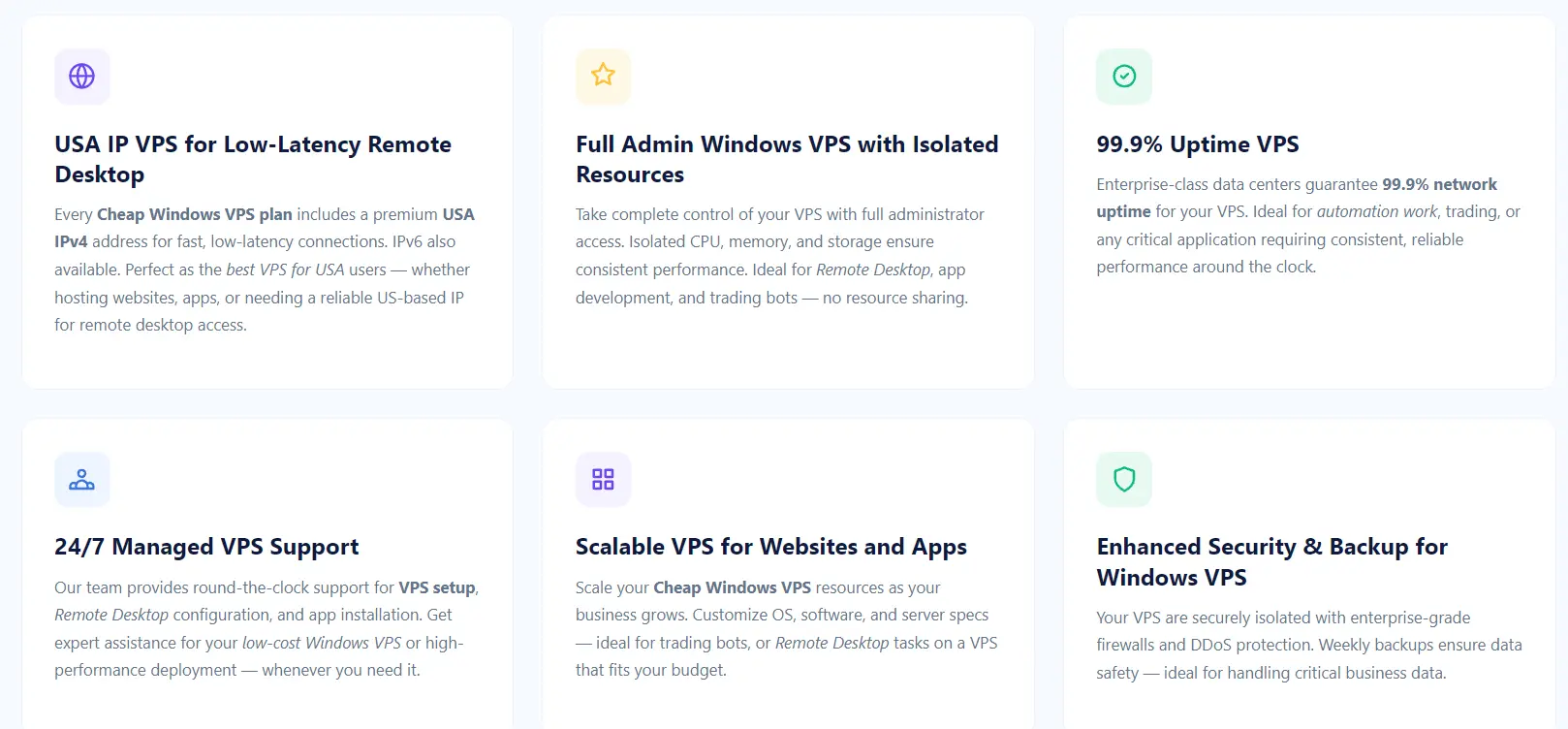
Here are the main reasons businesses and developers choose a Windows VPS.
1) Dedicated Resources and Steady Performance
On shared hosting, every site on the server draws from the same pool of resources. A traffic spike on a neighbor’s site can slow yours down.
A Windows VPS reserves a set amount of CPU and RAM for you. As a result, your site performs the same at 3 a.m. and at noon.
2) Full Administrator Control
You hold the administrator account. You can install custom software, change system settings, and decide when to apply updates.
Shared Windows hosting locks most of that down. A VPS does not.
3) Native Support for Windows Software
Some tools only run on Windows. These include ASP.NET applications, IIS, Microsoft SQL Server, and many older business programs.
A Windows VPS runs them natively, so you skip workarounds. Developers also get a test environment that matches production.
Windows VPS hosting is not limited to Microsoft tools. Many providers support MySQL and other common software, too.
4) Windows Server Roles for Business Networks
A Windows VPS can run the server roles that business networks rely on. These include Active Directory, DNS, DHCP, and Group Policy.
For example, a small company can manage staff logins and device policies from a single server. The isolated environment also lets you test changes without touching other systems.
5) A Familiar Interface
If your team already uses Windows daily, the learning curve stays short. The desktop, file explorer, and settings menus look familiar.
So a small business owner can manage the server without command-line skills. Linux administration usually requires those skills.
6) Remote Access From Any Device
RDP lets you reach your server from almost anywhere. You only need an internet connection.
Windows computers include the Remote Desktop tool. Apps for macOS, Linux, and mobile devices also connect. As a result, you can check your server from a laptop, tablet, or phone.
7) Isolation and Security
Your virtual server is walled off from other tenants on the same hardware. That separation reduces the risk of another customer’s problem spilling over into your files.
You also control your own firewall and patching schedule. For example, you can limit RDP access to your own IP address.
Security still depends on your setup, though. An unpatched server is a risk on any plan.
8) A Dedicated IP Address
Most Windows VPS plans include a dedicated IP address. Your server gets a stable, unique address that no other customer shares.
That helps if you host an email server or run a trading platform. It also lets you set IP-based access rules. Extra addresses usually cost more.
9) Snapshots and Backups
Many providers offer snapshots and backups for Windows VPS plans. A snapshot captures the entire server at a single moment. If an update breaks something, you can roll back quickly.
Snapshots are not the same as file-level backups, though. Some providers include them, and others charge extra. Check what your plan covers and how long backups are kept.
10) Always-On Uptime
Some workloads must run around the clock. Trading platforms and business applications are common examples.
Providers typically promise uptime between 99.9% and 99.99%. A 99.9% promise allows about nine hours of downtime a year.
A 99.99% promise allows under one hour. Read the SLA terms to see what compensation applies.
11) Lower Cost Than a Dedicated Server
A dedicated server gives you an entire machine, and you pay for it all. A Windows VPS gives you a slice of that hardware at a lower price.
For many small businesses, that slice is enough. You pay for the resources you need and nothing more.
12) Quick Setup and Room to Grow
Providers can often deploy a Windows VPS within minutes of your order. You do not wait for hardware to be built.
Later, most providers let you add RAM, CPU, or storage to the same plan. You avoid moving to a new server and rebuilding your setup.
However, higher resource tiers can raise your Windows licensing cost, so check pricing first.
Windows VPS vs Shared Hosting: What Changes
| Feature | Shared Hosting | Windows VPS |
|---|---|---|
| Resources | Pooled with other sites | Set amount reserved for you |
| Control | Limited by the host | Full administrator access |
| Software | Preinstalled stack only | Install what you need |
| Security | Shared environment | Isolated virtual server |
| Management | The host handles most tasks | You or your provider |
| Cost | Lowest | Higher |
With a VPS, you gain control, steady performance, and software freedom. In return, you take on more responsibility and a higher monthly bill.
If you want a more in-depth comparison, read our full guide on VPS vs. shared hosting.
What You Can Run on a Windows VPS
A Windows VPS can handle more than just websites. Here are the most common uses:
- ASP.NET and .NET websites and applications on IIS.
- Microsoft SQL Server databases for business apps.
- Remote desktop workspaces for a small team.
- Trading platforms and automation tools that only run on Windows.
- Active Directory, DNS, and DHCP for small business networks.
- Email servers, plus development and testing environments.
When a Windows VPS Is Not the Right Fit
A Windows VPS is not the best choice for every project. Knowing the limits saves you money.
- It costs more. A Linux VPS with the same specs is cheaper. Microsoft licensing makes up most of that gap.
- Simple sites don’t need it. A standard WordPress site runs well on Linux hosting at a lower price. A Windows VPS adds cost without adding benefit.
- Unmanaged plans add work. Patching and security fall on you. If you lack the time or skills, choose a managed plan.
- Multi-user setups add licenses. A remote desktop for multiple users requires additional licensing. Plan for that cost before you build.
Windows VPS FAQs
Does a Windows VPS include the Windows license?
Usually, yes. Most providers bundle the Windows Server license into the plan price. A few charge for it as an add-on. Always check the plan details before you pay.
Is a Windows VPS more expensive than a Linux VPS?
Yes. Linux is free to license, while Windows Server is not. The provider pays Microsoft a fee and passes it to you. That fee often depends on the number of virtual cores. Adding cores can therefore raise your bill.
How many people can connect to a Windows VPS at once?
Most plans include two simultaneous administrator RDP sessions. That covers you and one colleague.
If you want to provide several users with desktops on the server, you need Remote Desktop Services licenses. Each user or device needs one.
Do I need technical skills to manage a Windows VPS?
Basic Windows skills are enough for day-to-day tasks. You should be comfortable installing software and applying updates. Managed plans further reduce workload, since the provider handles patching and monitoring.
Is a Windows VPS Right for You?
Choose a Windows VPS if you run Windows-only software, host .NET applications, or need full administrator control.
If you run a simple website, Linux hosting will likely cost less and do the job. Match the server to the workload, not to the trend.
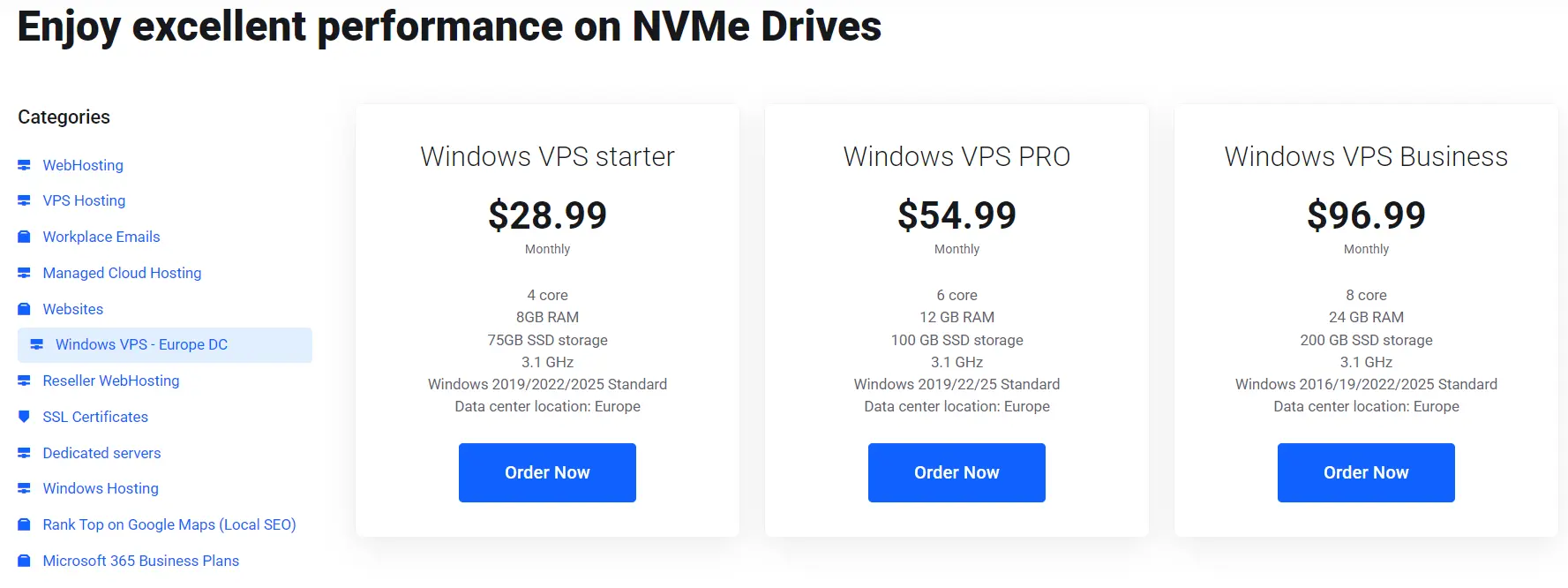
Ready to try one? Browse Truehost’s Windows VPS plans and check the licensing and RDP details on the plan page before you buy.