Domain RegistrationFind and register the perfect domain for your website.
 .COM DomainChoose a widely recognized domain to build global credibility.
 Domain TransferSeamless domain transfers with zero downtime and complete control.
 All TLDsFind and register your perfect domain. Choose from local and global extensions.
 SSL CertificatesKeep your website safe with reliable SSL Certificates that protect customer data and build trust.
 whoisCheck domain ownership details, expiration dates, and registrar information.
 US DomainRegister a .US domain and build trust in the USA.
 Web HostingEverything your website needs to run smoothly
 WordPress HostingWordPress hosting that just works
 Windows HostingReliable hosting for Windows environments
 Reseller HostingTurn hosting into your business
 Email HostingEmail that looks professional and works anywhere
 cPanel HostingFull control of your hosting with cPanel
 Affiliate ProgramJoin as a partner and earn commissions on every referral you send our way.
 Vps HostingScalable virtual servers that expand as you need.
 Dedicated ServersGet complete access and full control over your dedicated physical server.
 Managed vpsNot tech-savvy? We will take care of everything with our fully managed VPS hosting for you.
 AI Website BuilderCreate stunning websites in seconds with AI.
 Online ShopSet up a professional online store. No coding required.
 Web design serviceGet a tailored website designed to match your brand and support your goals.
 BlogFind helpful guides on web hosting, online selling, digital marketing, and more.
 Contact USYou can reach us anytime, day or night, through chat or email.
 SupportBrowse helpful guides and answers for all of our services.
What happens when your AI app crashes in the middle of a conversation or takes ten seconds to respond to a simple question?
Your users leave. And they do not come back.
Hosting for AI apps is completely different from hosting a regular website.
A blog or a business page needs basic storage and bandwidth. An AI app, whether it is a chatbot, an automation tool, or a machine learning model, needs raw computing power, fast memory, instant scaling, and a server that never sleeps.
One mistake you can make with your AI app is to build something powerful and then deploy it to the wrong server. The app lags. Responses fail. Costs spiral. And the whole thing feels broken, not because the app is bad, but because the underlying foundation cannot hold the load.
Here is what makes hosting for AI apps different, and exactly what to look for so you pick the right setup from the start:
- High compute power
- Fast scaling ability
- Low response time
- High-speed storage
- Strong security setup
- Reliable uptime
- Framework compatibility
- Monitoring and control
- Easy deployment setup
- Cost control
- Support quality
Let us break it all down.
1) High Compute Power
Every time your AI app does something, answers a question, runs a prediction, or processes an image, it is doing a huge amount of calculation behind the scenes. That takes serious computing power. Without it, your app slows to a crawl or falls over completely.
Here is the key difference between the two types of processors:
CPUs (Central Processing Units) handle general tasks.
For simple AI tools like a basic rule-based chatbot or a lightweight classification model, a strong CPU is often enough. These tasks run one or a few operations at a time, and a good CPU handles that well.
GPUs (Graphics Processing Units) are built for parallel processing.
This means they can run thousands of operations at the same time. For machine learning, deep learning, model training, and anything that crunches large datasets, a GPU is a must. Without one, training a model that should take two hours can take two days.
When choosing hosting for AI apps, always check whether the plan includes GPU access and how powerful those GPUs are. A weak server does not just slow things down; it sets a hard ceiling on what your app can do.
2) Fast Scaling Ability
AI apps do not grow at a steady pace. One day, you have a hundred users. Then a product launch happens, a post goes viral, or a business client sends a wave of API calls, and suddenly you have ten thousand.
Your hosting needs to handle that shift without blinking.
Auto-scaling is the feature that makes this possible. It means your hosting automatically increases computing resources when demand spikes, then pulls them back when things quiet down. You do not have to do anything. The system adjusts itself.
The alternative is manual scaling, where you have to contact your host, request more resources, and wait. By the time that happens, your app has already been slow or down for hours. Users have already moved on.
According to Gartner, unplanned downtime costs businesses an average of $5,600 per minute. For an AI app that runs customer-facing workflows or automated services, that number hits fast. Auto-scaling is how you stay online when it counts, and your App host must deliver that.
3) Low Response Time
Speed is everything for an AI app. A chatbot that takes five seconds to reply feels broken. An API that stalls ruins the app depending on it. Real-time AI tools live and die by how fast they respond.
Two factors control this more than anything else:
Server location.
When a user sends a request to your app, that request has to travel from their device to your server and back. The farther the server, the longer that journey takes. Choosing a server location close to your primary users cuts that travel time significantly.
Network speed.
Even with a nearby server, a slow network creates latency, that frustrating delay between action and response. Good hosting for AI apps uses high-speed networks built to handle fast, frequent data transfers.
The rule is simple:
A faster response means a better experience. When your app responds instantly, users trust it. When it lags, they doubt it and start looking for something else.
4) High-Speed Storage

As an app developer, you know apps are constantly reading and writing data. They pull in datasets, load model weights, save outputs, and log activity, all at the same time, often thousands of times per minute.
If your storage is slow, everything downstream is slow too. It does not matter how fast your CPU or GPU is. If it is waiting on data that takes too long to load, performance collapses.
Here is what to know about storage types:
SSDs (Solid State Drives) are much faster than traditional hard drives. Most modern hosting plans include SSDs, and they are the minimum standard for anything running AI workloads.
NVMe (Non-Volatile Memory Express) is still faster, often three to five times faster than a standard SSD. NVMe drives are built for high-throughput workloads, which is exactly what AI apps demand.
When evaluating hosting for AI apps, NVMe storage is the gold standard.
Fast storage does not just improve speed. It improves consistency. Your app performs reliably under load instead of slowing down when it gets busy.
5) Strong Security Setup
AI apps handle data. Often sensitive data, user conversations, personal inputs, business information, API keys, and model outputs. A security gap does not just cause technical problems. It causes legal problems, trust problems, and sometimes irreversible reputational damage.
Good AI app hosting security covers three core areas:
Encryption
It protects your data in transit and at rest. This means data moving between your users and your app is scrambled, so no one can intercept it. Data sitting on your server is also protected, even if someone gets physical access.
Access control
This limits who can interact with your system. This includes role-based permissions, authentication requirements, and API key management. Not everyone on your team needs access to everything, and your hosting environment should enforce that.
Secure APIs
They are critical because most AI apps communicate through APIs. Every API endpoint is a potential entry point for attackers. Your hosting setup should include tools to monitor, rate-limit, and protect those endpoints.
Security is not a feature you add later. It needs to be part of the foundation.
6) Reliable Uptime
Your AI app might be running an automated customer service system. Or a scheduled data pipeline. Or a real-time recommendation engine. Whatever it does, it probably needs to work at two in the morning on a Sunday just as well as it does at noon on a Monday.
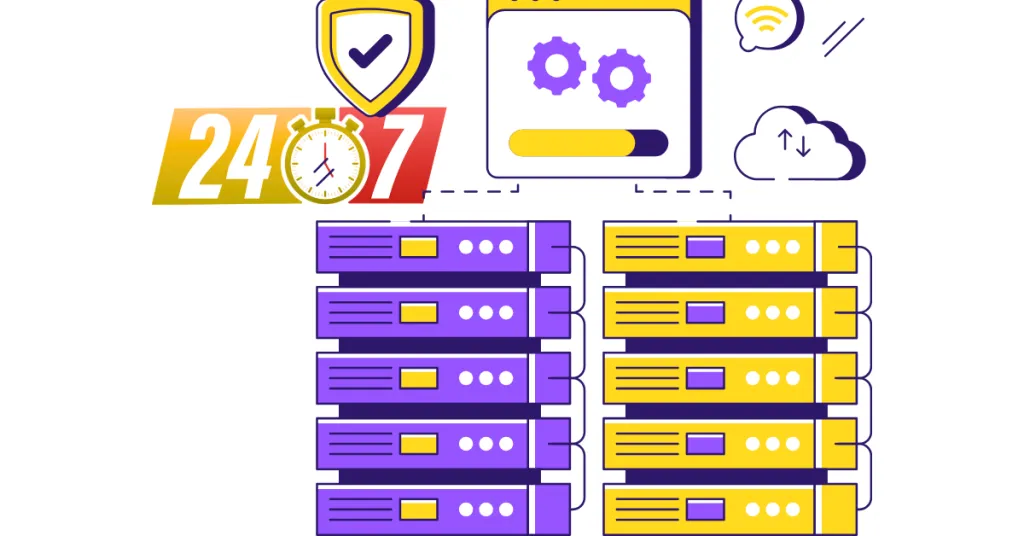
That requires reliable uptime, and not just “pretty good” uptime. You need a host that guarantees 99.9% uptime or higher, backed by real infrastructure.
What supports that uptime?
Backup systems that duplicate your data in real time, so if one drive fails, nothing is lost. Failover support means that if one server goes down, traffic is automatically routed to a backup server, often so fast that users never notice anything happening.
A 99.9% uptime guarantee sounds like a lot. But that still allows for about eight hours of downtime per year. For a live AI service, even that might be too much.
When evaluating hosting for AI apps, push for 99.99% and ask specifically how failover is handled.
7) Framework Compatibility
AI apps are built with specific tools. The most common ones:
- TensorFlow: A tool built by Google that helps computers learn from data and make decisions on their own. It is mostly used to build and train AI models, like ones that recognize images or understand speech.
- PyTorch: A tool built by Meta that lets developers build and test AI models quickly and flexibly. It is popular with researchers and engineers because it is easy to experiment with and adjust on the fly.
- Scikit-learn: A beginner-friendly Python library that gives you ready-made tools for common machine learning tasks like sorting data, making predictions, and spotting patterns. It is the go-to starting point for anyone learning AI development without diving into complex deep learning.
- Hugging Face: A platform that hosts thousands of pre-built AI models that developers can download and use straight away, especially for tasks involving language, like chatbots and translation.
All run on Python and require specific environments to work correctly. If your hosting does not support them, you cannot run your app. It is that simple.
When assessing AI app hosting compatibility, check for:
Python support: This is non-negotiable. Almost every AI framework is Python-based. Your hosting must support the Python versions your app uses.
Custom environment installation: You need to be able to install libraries, dependencies, and tools without hitting restrictions. Some shared hosting plans lock this down completely.
API integrations: If your app connects to external services (OpenAI, databases, third-party data sources), your hosting environment needs to support those connections without blocking ports or throttling requests.
Framework compatibility is the difference between an app that runs and an app that cannot even start.
8) Monitoring and Control

You cannot fix what you cannot see.
AI apps are complex; they have many moving parts, and problems can be subtle.
- A memory leak
- A slow database query
- A model that is taking longer than it should
None of these announces itself. You have to catch them.
Good AI hosting monitoring tools give you:
Performance monitoring: Real-time data on CPU usage, memory, response times, and throughput. This tells you when your app is under stress before it tips into failure.
Error tracking: Logs that catch exceptions, failed requests, and unexpected behaviors. When something breaks, you want to know exactly where and why.
Usage insights: Data on how your app is being used, which endpoints are getting hit, and where bottlenecks are forming.
The goal is simple:
You need to see what your app is doing at all times. Without visibility, you are flying blind, and in AI infrastructure, that gets expensive fast.
9) Easy Deployment Setup
Building an AI app is already complex. Your deployment process should not make it worse. The best hosting for AI apps makes it easy to push your app live, update it, and roll back if something goes wrong.
Look for:
Container support: Specifically, Docker. Containers package your app and all its dependencies together so it runs the same way in every environment. This eliminates the “it works on my machine” problem that derails so many deployments.
CI/CD pipeline support: Continuous Integration and Continuous Deployment tools let you automate updates. Every time you push a code change, the system tests and deploys it automatically. Faster updates, fewer manual errors.
Version control integration: Support for Git means your hosting connects directly to your codebase. Deploying an update becomes as simple as pushing a commit.
A painful deployment process does not just slow development. It introduces errors, discourages updates, and creates risk every time you need to make a change.
10) Cost Control
AI hosting costs can grow very fast if you are not paying attention. GPU time is expensive. Large data transfers add up. And if your app scales without any caps or alerts in place, you can wake up to a bill that is five times what you expected.
Smart hosting for AI apps includes tools to manage this:
Pay-as-you-use pricing: This means you only pay for the resources you actually consume. This is ideal for apps with variable workloads. You’ll never pay for idle capacity.
Resource tracking dashboards: These show you in real time how much compute, storage, and bandwidth you are using. This makes it easy to spot waste and optimize before costs spiral.
Budget alerts: They notify you when spending hits a threshold, so surprises do not show up at the end of the month.
Cost control is part of performance optimization. An efficient app on the right plan costs less and runs better than an over-provisioned app on a plan that charges for resources you do not use.
11) Support Quality

When an AI app breaks, it rarely breaks in a simple way.
- Model endpoints time out.
- Dependencies conflict.
- Scaling triggers unexpectedly.
These are not problems a general support agent can solve by reading from a script.
The support team behind your AI app hosting needs to be technically capable and available when you need them.
What good support looks like:
Fast response time: Ideally under five minutes for critical issues. Every minute your app is down is a minute your users are hitting errors.
Technical depth: Support agents who actually understand server infrastructure, Python environments, containerization, and AI workloads. Not just people who can restart a server.
24/7 availability: AI apps do not operate on business hours. Your support team should not either.
Slow or shallow support does not just extend downtime. It creates uncertainty. And in a production AI environment, uncertainty is a risk you cannot afford.
In Summary
AI apps are not regular websites, and they cannot live on regular hosting. They need real computing power, instant scaling, low latency, fast storage, strong security, and a support team that understands what they are dealing with.
Every point in this guide comes back to the same idea: the hosting underneath your AI app is what determines whether it performs or fails. Get the foundation right, and everything built on top of it works better. Cut corners on it, and no amount of clever code will save you.
If you are building or scaling an AI application and need hosting that can genuinely keep up, Truehost delivers the performance, reliability, and scalability modern AI apps demand, without the complexity.
Head to our website and get your AI app running on infrastructure built to support it.