Domain RegistrationFind and register the perfect domain for your website.
 .COM DomainChoose a widely recognized domain to build global credibility.
 Domain TransferSeamless domain transfers with zero downtime and complete control.
 All TLDsFind and register your perfect domain. Choose from local and global extensions.
 SSL CertificatesKeep your website safe with reliable SSL Certificates that protect customer data and build trust.
 whoisCheck domain ownership details, expiration dates, and registrar information.
 US DomainRegister a .US domain and build trust in the USA.
 Web HostingEverything your website needs to run smoothly
 WordPress HostingWordPress hosting that just works
 Windows HostingReliable hosting for Windows environments
 Reseller HostingTurn hosting into your business
 Email HostingEmail that looks professional and works anywhere
 cPanel HostingFull control of your hosting with cPanel
 Affiliate ProgramJoin as a partner and earn commissions on every referral you send our way.
 Vps HostingScalable virtual servers that expand as you need.
 Dedicated ServersGet complete access and full control over your dedicated physical server.
 Managed vpsNot tech-savvy? We will take care of everything with our fully managed VPS hosting for you.
 AI Website BuilderCreate stunning websites in seconds with AI.
 Online ShopSet up a professional online store. No coding required.
 Web design serviceGet a tailored website designed to match your brand and support your goals.
 BlogFind helpful guides on web hosting, online selling, digital marketing, and more.
 Contact USYou can reach us anytime, day or night, through chat or email.
 SupportBrowse helpful guides and answers for all of our services.
Aah, I get it. You’re now ready to bring your business online. That wasn’t an option anyway. In 2026, it’s a must, or as the cliche goes, if you don’t, you’re leaving money on the table.
So hold my beer.
You need an online presence to compete, but the whole process of choosing and buying a domain name feels overwhelming. Should you use your business name or include your location?
What about those confusing extensions like .com or .shop?
And most importantly, how much will it cost?
These questions keep many entrepreneurs up at night, so they have told us.
The fear of choosing the wrong domain, wasting money, or appearing unprofessional can stop you, as a business owner, from taking that crucial first step online. Meanwhile, competitors who already have their domain names set up are capturing customers who search online for the same products and services you offer.
Here’s what we’ll cover in this guide:
- What are domain names for small businesses
- How to choose the perfect domain for your business
- Current pricing and what you should expect to pay
- The simple registration process (easier than you think)
- Common mistakes and how to avoid them
- Protection strategies to keep your domain safe
Let’s jump right in and demystify the whole process.
Okay, please give me back my beer, and let’s get to it.
What Are Domain Names for Small Businesses?
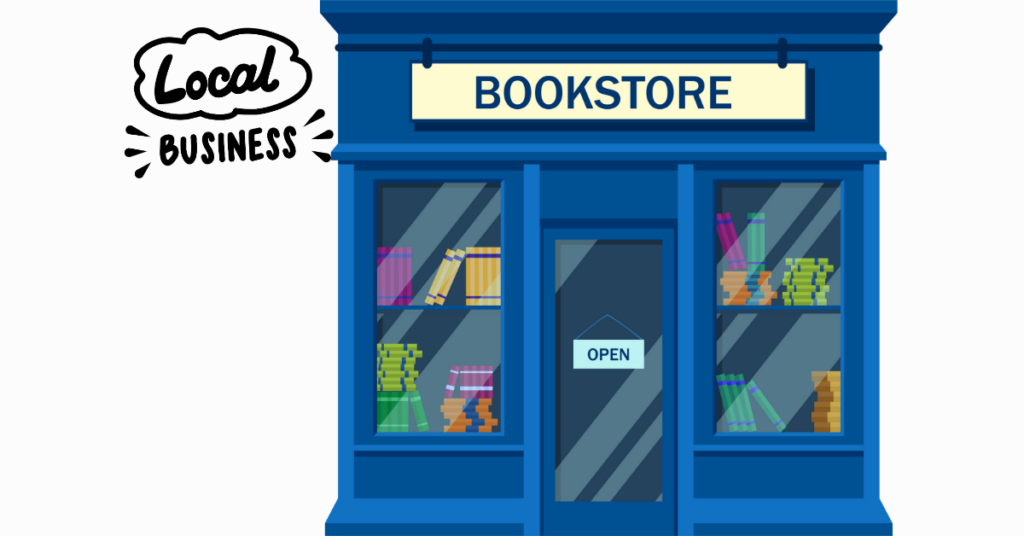
Think of domain names for small businesses as your digital street address, well, for your small business. Just like customers need your physical address to visit your store, they need your domain name to find you online.
When someone types “www.yourshop.com” into their browser, that’s your domain name. It’s unique to you, which means no one else can use the exact same combination. This makes it one of your most valuable business assets.
Here’s the simple breakdown.
A domain name consists of two main parts.
First, you have the name itself (like “yourshop”). Second, you have the extension, which comes after the dot (.com, .shop, .co). Together, they create your complete web address.
For small businesses, having your own domain name sends a powerful message to customers. It tells them you’re serious, professional, and here to stay. Compare “yourshop.com” to “yourshop.freewebsite.com.” Which one would you trust more?
Why Your Small Business Can’t Afford to Skip This
Let’s talk about credibility for a moment.
Research shows that 84% of consumers believe a business with a website is more credible than one with only a social media page. Your domain name is the foundation of that website.
Beyond credibility, your domain name gives you control.
Social media platforms can change their rules, shut down accounts, or disappear entirely. Remember MySpace? Your domain name belongs to you, and no platform can take it away.
Your domain also enables professional email addresses.
Instead of sending invoices from “[email protected],” imagine the impression you make with “[email protected].” It’s a small detail that makes a big difference in how customers perceive your business.
Plus, local customers constantly search for businesses online.
Having domain names for small businesses that match your company name makes it easier to find. When someone searches for your business, you want them to land on your site, not on a competitor’s page or a directory listing.
The 2026 Domain Name Landscape
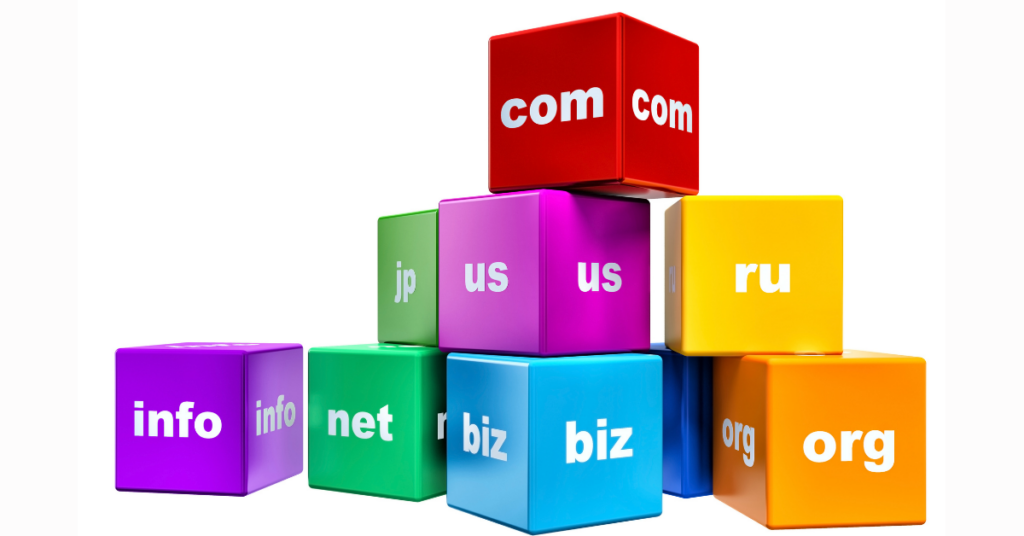
The domain world looks different today than it did even two years ago. Here’s what you need to know right now.
Variety has exploded.
While everyone used to fight over .com addresses, studies indicate that 54% of startups now use alternative extensions as their primary domain. This means more options for you and less competition for the good names.
New extensions have gained real traction.
Extensions like .shop, .store, .cafe, and .studio have become mainstream. Customers recognize and trust them, which wasn’t true just a few years ago. If you run a coffee shop, “mainstreetcafe.shop” works just as well as the .com version.
Location-based extensions are booming too.
Extensions like .nyc, .london, and .boston help local businesses stand out in their communities. They immediately tell customers where you’re located and who you serve.
Technology has made the process simpler.
AI-powered tools now help you brainstorm domain names and instantly check if they’re available. What used to take hours of manual searching now happens in seconds.
The cost structure has also become more favorable.
Competition among domain registrars means better prices for small business owners. You can secure a solid domain for less than the cost of a few lattes per month.
How to Choose Domain Names for Small Businesses
Choosing your domain name is one of the most important decisions you’ll make for your business. Let’s walk through the process step by step.
1) Start With Your Business Name
Your business name is the natural starting point. If you own “Bella’s Boutique,” then BellasBoutique.com should be your first choice. This creates consistency across your branding and makes you easy to find.
However, availability can be an issue.
Someone might already own your exact business name as a domain. Don’t panic. You have options.
You can add your location (BellasBoutiqueBoston.com), include what you do (BellasBoutiqueFashion.com), or choose a different extension (BellasBoutique.shop).
2) Keep It Short and Simple
Shorter beats longer every single time. Aim for under 15 characters if possible. Long domain names are harder to remember, easier to misspell, and awkward to share verbally.
Compare these two options: “TheVeryBestPizzaInTown.com” versus “TonysPizza.com.” Which one would you remember after hearing it once? Which one could you type quickly on your phone?
Simplicity extends to spelling, too. Avoid creative spellings like “Kwik” for “Quick” or “Rite” for “Right.” These variations confuse customers and send traffic to the wrong websites unless you’re ready to empty your pockets for marketing.
3) Make It Easy to Say and Spell
Here’s a quick test.
Call a friend and say your potential domain name out loud. Can they spell it correctly on the first try? If not, you might want to reconsider.
Your domain name will appear on business cards, in conversations, on the radio, and in dozens of other places where people need to remember it by ear. Make their lives easier.
4) Skip the Hyphens and Numbers
Hyphens create problems. When you tell someone your website is “best-pizza-chicago.com,” will they remember where the hyphens go? Probably not. They might end up at bestpizzachicago.com instead, which could be a competitor’s site.
Numbers cause similar confusion. Is it “4” or “four”? Is it “2” or “to” or “too”? This ambiguity sends potential customers to the wrong places.
5) Think About Your Industry
The extension you choose can signal what you do. A retail store benefits from .shop or .store. A restaurant might choose .cafe or .restaurant. A consulting business often sticks with .com or .co.
These industry-specific extensions help customers understand your business before they even visit your site. They also stand out in search results and social media posts.
6) Consider Your Location
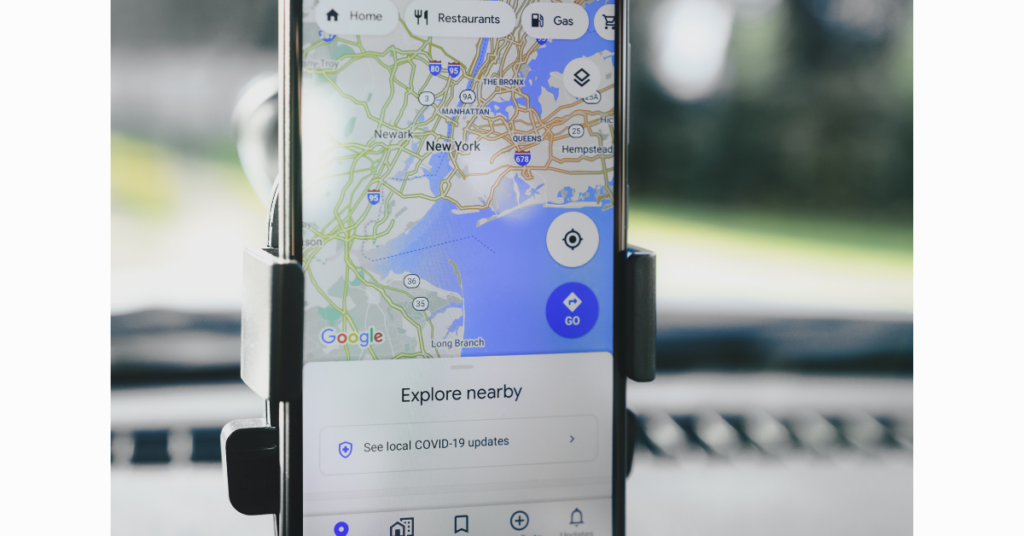
For local businesses, location-based domain names work wonderfully. If you serve Denver exclusively, DenverPlumbing.com tells customers exactly what you do and where you do it.
This strategy also helps with local search results. When someone searches “plumbing Denver,” your domain name itself includes relevant keywords that search engines recognize.
7) Check for Trademark Issues
Before you fall in love with a domain name, search the USPTO trademark database. The last thing you need is a legal battle with an established company that already owns the trademark for your chosen name.
This step takes five minutes and can save you thousands in legal fees and rebranding costs down the road.
8) Plan for Growth
Your business might start with pizza, but later expand into Italian cuisine. “JoesPizza.com” might limit your options, while “JoesItalian.com” gives you room to grow.
Think about where your business could be in five or ten years. Choose a domain name that won’t hold you back.
What Domain Names for Small Businesses Cost in 2026
Let’s talk money. Domain pricing has become more straightforward, though you still need to watch for a few things.
Standard domain names typically cost between $10 and $20 per year. For example, a basic .com domain usually runs $12 to $15 annually. That’s roughly $1.25 per month, less than a single coffee.
Different extensions have different price points. Here’s what you can expect:
Classic .com domains sit in the $10-$15 per year range. These remain the most popular choice for small businesses.
Newer extensions like .shop and .store cost a bit more, usually $20 to $40 annually. The extra cost often makes sense for retail businesses because the extension clearly describes what you do.
Tech-focused extensions like .io run higher, typically $30 to $60 per year. If you’re building a tech company or app, this investment positions you in the right space.
Specialty extensions like .ai have jumped in price due to demand, now costing $80 to $160 annually. Only consider these if they genuinely fit your business model.
Here’s a critical tip.
Watch out for first-year discounts. Many registrars advertise domains for $7 or $8 for the first year, then jump to $18 or $20 for renewals. Always check the renewal price before buying.
Research from the domain industry shows that the average small business spends about $30 per year on domain-related costs when you factor in privacy protection and multiple domain variations. That’s still incredibly affordable for such an important business asset.
Every domain registration includes a mandatory ICANN fee of about $0.20 per year. This tiny charge helps maintain the global Domain Name System.
Privacy protection typically adds $0 to $10 per year, depending on your registrar. Some providers include it for free, while others charge extra. This service hides your personal contact information from public WHOIS databases, reducing spam and protecting your privacy.
Where to Register Your Domain
Choosing where to buy your domain is just as important as selecting the name itself. You want a registrar that’s reliable, affordable, and easy to work with.
Several major companies dominate the registrar space.
For businesses in the USA, Truehost offers local expertise and support teams who understand your market. They provide competitive pricing in local currency and can answer questions in real time during your business hours.
When evaluating registrars, look for these key features:
Confirm they’re ICANN-accredited.
This accreditation ensures they follow global standards and can legally sell domains.
Examine their pricing carefully.
Look at both first-year and renewal costs. Hidden price jumps can catch you off guard.
Check if privacy protection is included or costs extra.
Protecting your personal information from spammers and scammers is worth prioritizing.
Test their customer support before you buy.
Send a question and see how quickly and helpfully they respond. You’ll want this support when you need to configure settings later.
Read their domain transfer policies.
If you ever want to move your domain to another registrar, the process should be straightforward and reasonably priced.
The Simple Registration Process
Registering domain names for small businesses is simpler than most people expect. The whole process typically takes less than ten minutes.
a) Start by visiting your chosen registrar’s website.
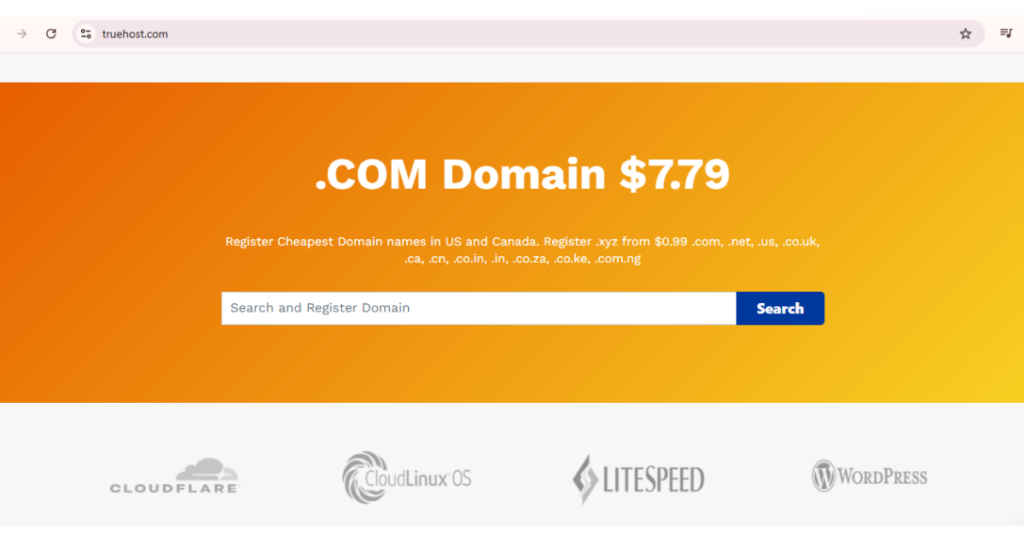
Look for the search box, usually prominently displayed on the homepage. Type in your desired domain name and hit search.
The system will instantly tell you if your domain is available. If it’s taken, don’t worry, the registrar will suggest alternatives. These suggestions might include different extensions, slight name variations, or related terms.
b) Add to cart
Once you find an available domain you like, add it to your cart. At this point, you’ll see the price breakdown. Look carefully at the first-year cost versus the renewal price.
The system will offer various add-ons: privacy protection, email hosting, website builders, and more. For now, focus on just two things: the domain itself and privacy protection. You can add other services later if needed.
C) Proceed and create an account.
Proceed to checkout and create an account with the registrar. You’ll need to provide your name, business address, email, and phone number. Make sure this information is accurate; the registrar will send important renewal reminders to these contacts.
d) Choose your registration length.
You can typically register for one, two, three, five, or even ten years. Longer registration terms offer a slight discount and help ensure you won’t forget to renew.
e) Complete your payment.
Most registrars accept credit cards, PayPal, and sometimes local payment methods.
After payment, you’ll receive a confirmation email. This email contains important information, including login credentials for managing your domain. Save this email somewhere safe.
Within a few minutes, your domain is officially yours. You now need to verify your email address by clicking a link the registrar sends. This step confirms you own the email address associated with the domain.
Protect Your Investment
Owning a domain comes with responsibilities. A few simple steps will protect this valuable asset.
Enable auto-renewal immediately.
This single action prevents the most common problem domain owners face: accidental expiration. When your domain expires, you could lose it permanently.
Set up two-factor authentication on your registrar account.
This extra security layer prevents unauthorised users from accessing your account or stealing your domain.
Use domain locking.
This feature prevents anyone from transferring your domain to another registrar without your explicit permission. Most registrars offer this free security measure.
Keep your contact information current.
If your email address changes or your phone number updates, log in to your registrar account and make the changes. You need to receive renewal notices and security alerts.
Register common misspellings if the budget allows.
If you’re “GreenLeafCafe.com,” consider also buying “GreenLeefCafe.com” and “GreenLeafCaffe.com.” Redirect these to your main domain so customers who mistype still find you.
Consider buying multiple extensions.
If you register BakeryShop.com, also grab BakeryShop.net and BakeryShop.co if they’re available and affordable. This prevents competitors from using similar addresses to confuse your customers.
Set a reminder 30 days before your renewal date.
Even with auto-renewal enabled, it’s smart to verify everything is working correctly before the deadline.
Common Mistakes to Avoid
As a small business owner, you can often make predictable mistakes with your first domain. Learn from others’ errors and skip the headaches.
The biggest mistake?
Letting your domain expire. Data shows that 30% of small business domains are lost due to forgotten renewal dates. Set up auto-renewal, and you’ll never face this problem.
Another common error is choosing a domain that’s too complex. If customers can’t spell it, they can’t find you. Keep it simple.
Failing to check trademarks before registering. This oversight can lead to expensive legal battles and forced rebranding. Spend five minutes checking before you buy.
Buying a domain but never using it. You pay for years of registration without building a website or setting up email. If you’re not ready to use it yet, that’s fine, but have a plan and timeline.
Ignoring privacy protection, then regret it when spam floods their inbox. The small cost of privacy protection is worth every penny.
Choosing domains that limit future growth. “ChicagoPizzaOnly.com” might work today, but what if you expand to other cities or add pasta to your menu?
Making Your Domain Work for You
Once you own your domain, put it to work immediately. Even before you build a full website, your domain can serve your business.
Set up professional email addresses first.
Instead of using Gmail or Yahoo, create email addresses such as [email protected], [email protected], or [email protected]. This simple change instantly elevates your professional image.
Create a simple landing page while you build your full website.
A single page with your business name, what you do, your phone number, and how to reach you is better than nothing. Many registrars offer free one-page site builders.
Add your domain to all marketing materials.
Add your name to business cards, receipts, invoices, email signatures, social media profiles, and printed advertisements. Make it visible everywhere.
For local businesses, claim your Google Business Profile and add your domain.
This connection improves local search rankings and builds customer trust.
Monitor your domain’s reputation.
Set up Google Alerts for your domain name to know when people mention it online.
Special Considerations for Different Business Types
Different types of businesses benefit from different domain strategies. Let’s look at specific scenarios.
Local service businesses, such as plumbers, electricians, and contractors, should strongly consider using location-based domain names for small businesses. “AustinPlumbing.com” immediately tells customers where you operate and what you do.
Retail stores and boutiques often benefit from domain extensions such as .shop or .store. These extensions signal to customers that they can buy products from you. “ModernFurniture.store” clearly indicates you sell furniture.
Restaurants and cafes face unique naming challenges. Your domain needs to be memorable and easy to spell, even after customers have had a few drinks. Keep it short and avoid fancy spellings.
Professional services such as law firms, accounting firms, and consulting firms often perform well with name-based domains. “SmithLawFirm.com” or “JohnsonCPA.com” builds personal brand recognition.
Online-only businesses need memorable domains and clear descriptions of what they sell. Without a physical location to anchor your brand, your domain carries extra weight in building recognition.
Creative professionals like photographers, designers, and artists might consider extensions like .studio, .design, or .art. These industry-specific extensions help you stand out in a crowded market.
Looking Ahead: Your Next Steps
You now know more about domain names for small businesses than most entrepreneurs who are just starting out. Let’s turn this knowledge into action.
- First, brainstorm ten to fifteen potential domain names. Write them all down. Include variations, different extensions, and creative alternatives.
- Second, check availability for each option. Visit a registrar and search for each name. Make notes about what’s available and what it costs.
- Third, narrow your list to three favorites. Run them past trusted friends, family, or business advisors. Say them out loud. Test them on different devices.
- Fourth, verify there are no trademark conflicts. Search the USPTO database for any potential issues.
- Fifth, check social media availability. Make sure you can get matching usernames on Instagram, Facebook, and other platforms you’ll use.
- Sixth, make your decision and register your domain immediately. Good domains get snatched up quickly, so don’t wait; once you’ve found the right fit.
- Seventh, set up auto-renewal and security features. Protect your investment from day one.
- Finally, start using your domain. Set up email, create a landing page, and add it to your business cards.
The Bottom Line on Domain Names for Small Businesses
Your domain name is more than just a web address. It’s your digital storefront, your brand identity, and your ticket to competing online. The good news? Getting started is affordable, straightforward, and faster than you probably expected.
For less than the cost of a monthly streaming subscription, you can secure a professional domain that serves your business for years.
Stop letting uncertainty hold you back. Every day without your own domain is a day your competitors gain ground. Customers searching online right now could find you if you had your domain set up.
Get your perfect domain now at Truehost, make a confident choice, and take that crucial step toward building your online presence.
Domain Names for Small Businesses FAQs
Most small business domains cost between $10 and $20 per year for standard extensions like .com or .net. Budget $15-$30 annually, including privacy protection and renewal costs.
.com remains the most trusted option, but alternatives like .co, .shop, .store, or country-code TLDs work well for small businesses. Choose based on availability and what fits your business type.
Start with your business name, keep it short (under 15 characters), make it easy to spell, avoid hyphens and numbers, and check trademark availability. Test it verbally and secure variations.
Yes, name-based domains work well for service professionals, consultants, and solo practitioners. Examples: JohnSmithConsulting.com or SarahLeeDesign.com.
Yes, if you serve a specific geographic area. Location-based domains help local customers find you and support local search visibility. Examples: BostonBakery.com or MiamiPlumbing.co.
Your website and email will stop working, and you may lose the domain to someone else. Most registrars offer a 30-day grace period, but redemption after that costs $100+ and may not be possible.
At minimum, own your main domain plus 1-2 common variations or misspellings. Budget-permitting, secure the .com, .net, and .co versions to protect your brand.
Yes, but it’s disruptive. Changing domains confuses customers, requires updating all marketing materials, and can temporarily impact search visibility. Choose carefully from the start.