 Domain RegistrationFind and register the perfect domain for your website.
 .COM DomainChoose a widely recognized domain to build global credibility.
 Domain TransferSeamless domain transfers with zero downtime and complete control.
 All TLDsFind and register your perfect domain. Choose from local and global extensions.
 SSL CertificatesKeep your website safe with reliable SSL Certificates that protect customer data and build trust.
 whoisCheck domain ownership details, expiration dates, and registrar information.
 US DomainRegister a .US domain and build trust in the USA.
 Web HostingEverything your website needs to run smoothly
 WordPress HostingWordPress hosting that just works
 Windows HostingReliable hosting for Windows environments
 Reseller HostingTurn hosting into your business
 Email HostingEmail that looks professional and works anywhere
 cPanel HostingFull control of your hosting with cPanel
 Affiliate ProgramJoin as a partner and earn commissions on every referral you send our way.
 Vps HostingScalable virtual servers that expand as you need.
 Dedicated ServersGet complete access and full control over your dedicated physical server.
 Managed vpsNot tech-savvy? We will take care of everything with our fully managed VPS hosting for you.
 AI Website BuilderCreate stunning websites in seconds with AI.
 Online ShopSet up a professional online store. No coding required.
 Web design serviceGet a tailored website designed to match your brand and support your goals.
 BlogFind helpful guides on web hosting, online selling, digital marketing, and more.
 Contact USYou can reach us anytime, day or night, through chat or email.
 SupportBrowse helpful guides and answers for all of our services.

Truehost’s dedicated servers pack a lot of hardware into a low price. However, US buyers should check three things before they pay.
For one, the plans appear to run in Europe. Next, the refund terms contradict each other. Finally, Truehost doesn’t publish the CPU model or the network speed.
The H1 plan gives you 4 cores, 8 threads, 32 GB of RAM, and two SSDs. It costs $87.22 a month on a three-year term. That price looks strong on paper. Still, three years is a long commitment, and the exit terms are unclear.
This review covers pricing, hardware, location, uptime, support, and refunds.
Truehost Dedicated Server Plans and Pricing
Truehost sells three dedicated plans from its US storefront. All three run Linux and include one IP address.
H1, H2, and H3 Specs Compared
| Plan | CPU | RAM | Storage | Three-year price | List price |
|---|---|---|---|---|---|
| H1 | 4 cores / 8 threads, 3.5 GHz | 32 GB | 2 x 480 GB SSD | $87.22/mo | $109/mo |
| H2 | 4 cores / 8 threads, 3.5 GHz | 64 GB | 2 x 512 GB SSD | $123.20/mo | $154/mo |
| H3 | 6 cores / 12 threads, 3.5 GHz | 64 GB | 2 x 1 TB SSD | $172.80/mo | $216/mo |
H1 suits small stores, agency sites, and test environments. H2 gives you double the RAM for memory-hungry databases. H3 adds cores for heavier workloads.
Some details are missing, though. Truehost doesn’t list the CPU model, RAID level, port speed, or bandwidth. Other regional Truehost pages mention unlimited bandwidth, but the US page gives no figure.
Third-party reviews also list different storage and RAM for H1 and H2. Treat any review older than a few months with caution.
Monthly vs Triennial Pricing: What You Actually Pay

The low prices apply only when you bill every three years. That means you commit to 36 months of payments.
| Plan | 36-month total | Same term at list price | You save | Cost per GB of RAM | Cost per thread |
|---|---|---|---|---|---|
| H1 | $3,139.92 | $3,924.00 | $784.08 | $2.73 | $10.90 |
| H2 | $4,435.20 | $5,544.00 | $1,108.80 | $1.93 | $15.40 |
| H3 | $6,220.80 | $7,776.00 | $1,555.20 | $2.70 | $14.40 |
H2 gives you the cheapest RAM. H1 gives you the cheapest threads. The savings run about 20% on every plan.
The page lists no monthly or annual price. The strikethrough $109 appears to be the standard monthly rate, but the page doesn’t label it as such. Also, the page title advertises $65, and no plan card shows that price.
So ask billing three questions before you order. Does a monthly term exist? Is the three-year charge taken upfront? What happens if you cancel in month six?
Hidden Costs: Control Panels, Backups, and Add-Ons
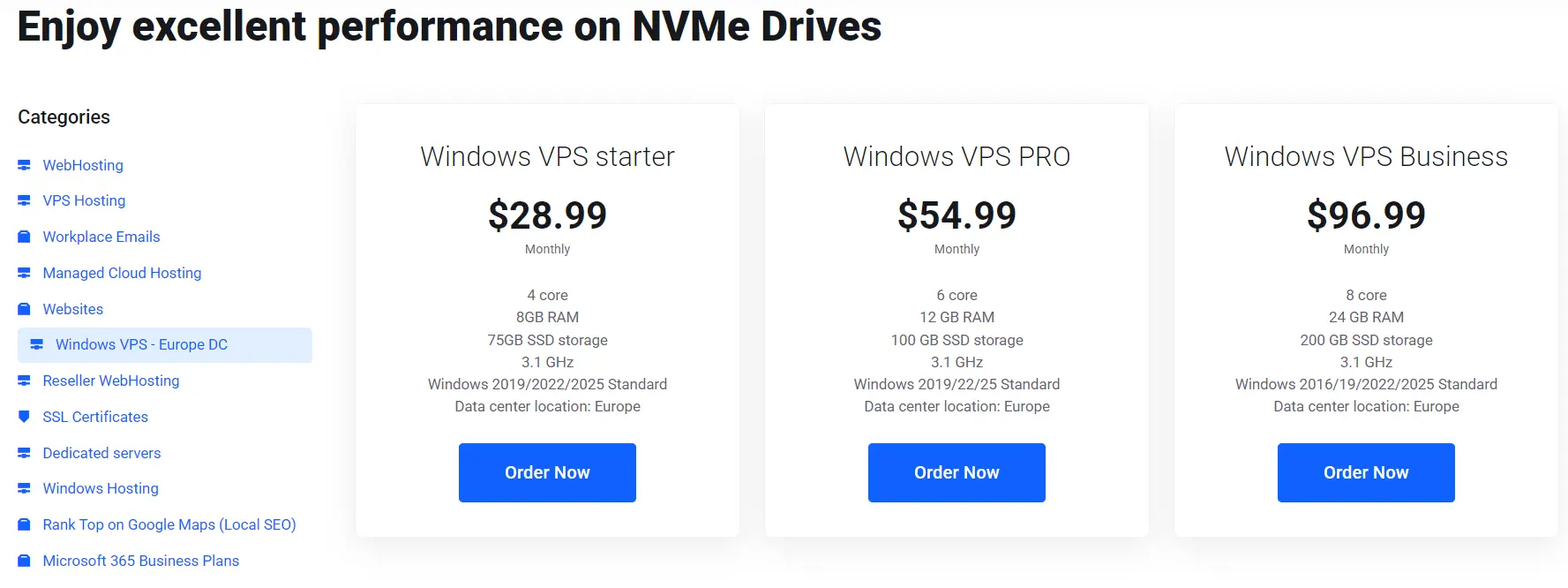
The monthly price covers the bare server. Several extras can raise your real bill.
- Windows licenses: Windows with Plesk needs a Plesk license. Truehost shows the fee during ordering.
- Control panel: The page promises free control panels. Confirm which panel ships with your Linux image.
- Backups: The US page lists no backup plan for dedicated servers. Truehost sells backup tools on other products, so ask if they apply here.
- Extra IPs: Every plan includes one IP. Ask what additional addresses cost.
On the plus side, the page lists a free dedicated IP, free firewalls, and VPN extras. Add backup and license costs to the totals above before you compare hosts.
Truehost Dedicated Server Performance
Truehost doesn’t publish performance test results for its dedicated plans. We didn’t run our own. So this section covers what the specs suggest and how to test a server yourself.
What the Hardware Should Deliver
- CPU: A 3.5 GHz clock with 8 threads is a solid base for web apps. However, without a CPU model, you can’t compare single-thread speed with other hosts.
- Storage: Both SSDs are listed, but Truehost doesn’t say whether they run in RAID. Ask before you store anything you can’t lose.
- Network: The FAQ mentions 1 Gbps local connections in a gaming answer. The plan cards list no port speed.
Run Your Own Tests in the First Hours
Run these checks on day one. Save the output, since you may need it for a support ticket.
sysbench cpu --threads=8 run

fio --name=randrw --rw=randrw --bs=4k --size=1G --runtime=60 --time_based

iperf3 -c <your-test-server>

mtr -rw <server-ip>
Compare the CPU result with the specs you paid for. Then check disk speed under random reads and writes. Next, measure network throughput and path quality in the region where your users live.
If the numbers disappoint, open a ticket the same day. Since refund terms are shaky, ask support which cancellation window covers dedicated servers before you pay.
Expected Latency From US Cities
These figures are general transatlantic expectations. They are not Truehost measurements.
- US East Coast: Round trips from Germany usually land near 80 to 100 ms.
- US Central: Expect roughly 100 to 120 ms.
- US West Coast: Trips often run 140-160 ms.
That delay is fine for backups, patient APIs, and batch jobs. However, it adds up for dynamic stores and real-time apps. A CDN hides much of the delay for static files, but it can’t fix game lag.
Truehost Data Centre Locations: Is There a US Server?
This is the biggest open question for US buyers, and Truehost’s own page sends mixed signals.
- The plan cards list the data centre as “EU/US.”
- The FAQ on the same page says the budget plans are hosted in German data centers. It says the other set sits in Nairobi.
- The checkout store link for these plans includes the word Europe.
If your data must stay in the US, don’t buy until support names the exact location. Ask for it in the order confirmation too.
Truehost Dedicated Server Uptime and Reliability
Truehost lists 99.97% uptime. That figure allows about 13 minutes of downtime a month, or roughly 2.6 hours a year.
- SLA terms: The page doesn’t explain how credits work or what counts as downtime. Ask for the SLA document.
- Hardware failures: Truehost publishes no replacement time for a failed disk or board. Ask how quickly it swaps parts.
- Security: The page lists free firewalls and VPN extras. It doesn’t mention DDoS protection for dedicated plans, so ask.
- Monitoring: We didn’t run an uptime monitor. If you buy, set one up on day one and log every outage for credit claims.
Truehost Dedicated Server Support: What Buyers Report
Support quality splits reviewers more than any other topic. Here are the numbers from Trustpilot on November 24, 2026.
- Truehost holds a 3.7 TrustScore across 712 reviews, with 145 posted in the last 12 months.
- Sixty per cent of reviewers gave five stars. Twenty-nine percent gave one star. Only 11% landed in the middle.
- Truehost replies to 96% of its negative reviews, usually within a week.
Happy reviewers praise agents who stay with a problem. One credits an agent with fixing site errors during a late-night session. Another thanks the abuse team for reactivating a flagged domain.
Unhappy reviewers describe a different experience. Recent complaints include domain activation issues, refund delays, email setup confusion, and slow escalation. One reviewer in November 2026 says they needed a chargeback to recover payment.
Channels include live chat, tickets, and WhatsApp. The site also lists a US phone number, but we couldn’t confirm that it covers technical tickets.
Before you buy, ask live chat three questions. Where is the server? What is the refund window? What does the SLA say? Time the replies and keep screenshots.
Control, Operating Systems, and Management
You get full root access on every plan. Truehost lists five Linux choices: AlmaLinux, Ubuntu, Debian, Rocky Linux, and Oracle Linux. Windows is available on request, with a Plesk license fee.
- Management level: Truehost’s site describes unmanaged dedicated servers.
- Setup time: Depends on how long the provisioning takes but it usually takes around 3 days.
- Recovery tools: Ask whether you can access a remote console or rescue mode after a failed boot.
- Skill needed: If you can handle SSH, firewalls, and patching, you’ll be fine. Otherwise, budget for a sysadmin.
Truehost Dedicated Server Pros and Cons
Pros
- Low cost per thread and per GB of RAM
- 3.5 GHz CPUs with 8 to 12 threads
- Up to 64 GB of RAM and 2 TB of SSD storage
- Full root access and five Linux distributions
- Free dedicated IP
- Checkout supports cards, Cash App, Klarna, and Affirm
Cons
- No CPU model, RAID level, bandwidth, or port speed
- Best price needs a three-year commitment
Who Should Buy a Truehost Dedicated Server (and Who Should Skip It)
Buy it if:
- Your visitors sit mostly in Europe.
- Your workload runs in the background, including batch jobs, backups, and test builds.
- You can manage a Linux server without help.
- Truehost confirms the location, billing term, and refund window in writing.
Skip it if:
- You need a guaranteed US data center.
- You need a named CPU and a RAID guarantee.
FAQs
Is Truehost legit?
Truehost runs real services, and many verified reviewers report good experiences. However, 29% of Trustpilot reviewers left one star. Their complaints focus on domains, refunds, and escalation. So judge Truehost on the written terms of your own order.
Does Truehost offer refunds or monthly billing on dedicated servers?
Yes. Truehost’s refund policy gives you 30 days to request a refund. It covers all payments, including setup fees and monthly fees, regardless of usage. File any request within the 30 days, and keep your ticket history.
Can I upgrade a Truehost dedicated server after ordering?
The product page promises RAM, CPU, and storage upgrades in seconds. Physical hardware doesn’t work that way: Expect a ticket, a maintenance window, or a move to a bigger plan. Ask support which upgrades happen in place. For more details, read our guide to upgrading hardware on a dedicated server.
Is a Truehost Dedicated Server Worth It?
Use one rule. Buy if your audience sits in Europe or your jobs run in the background. You also need to self-manage, and Truehost must confirm location and refunds in writing. Skip it if you need a US server, named hardware, or an easy exit.
If you buy, pick by workload. H1 suits small projects and test servers. H2 gives the best RAM value. H3 gives the most threads.
Compare H1, H2, and H3 against your own workload on the Truehost dedicated servers page.