Domain RegistrationFind and register the perfect domain for your website.
 .COM DomainChoose a widely recognized domain to build global credibility.
 Domain TransferSeamless domain transfers with zero downtime and complete control.
 All TLDsFind and register your perfect domain. Choose from local and global extensions.
 SSL CertificatesKeep your website safe with reliable SSL Certificates that protect customer data and build trust.
 whoisCheck domain ownership details, expiration dates, and registrar information.
 US DomainRegister a .US domain and build trust in the USA.
 Web HostingEverything your website needs to run smoothly
 WordPress HostingWordPress hosting that just works
 Windows HostingReliable hosting for Windows environments
 Reseller HostingTurn hosting into your business
 Email HostingEmail that looks professional and works anywhere
 cPanel HostingFull control of your hosting with cPanel
 Affiliate ProgramJoin as a partner and earn commissions on every referral you send our way.
 Vps HostingScalable virtual servers that expand as you need.
 Dedicated ServersGet complete access and full control over your dedicated physical server.
 Managed vpsNot tech-savvy? We will take care of everything with our fully managed VPS hosting for you.
 AI Website BuilderCreate stunning websites in seconds with AI.
 Online ShopSet up a professional online store. No coding required.
 Web design serviceGet a tailored website designed to match your brand and support your goals.
 BlogFind helpful guides on web hosting, online selling, digital marketing, and more.
 Contact USYou can reach us anytime, day or night, through chat or email.
 SupportBrowse helpful guides and answers for all of our services.
Truehost and WP Engine both show up when people search for WordPress hosting.
But they aren’t really selling the same thing. Truehost is a general web hosting provider.
It runs shared cPanel hosting that happens to support WordPress well, alongside every other kind of website.
WP Engine is different. It’s a managed WordPress hosting platform, built specifically around WordPress and nothing else.
To keep this comparison honest, the scope is narrowed from the start.
This article compares Truehost’s shared web hosting against WP Engine’s managed WordPress hosting, not every product either company sells.
Truehost vs WP Engine Web Hosting: Features Compared
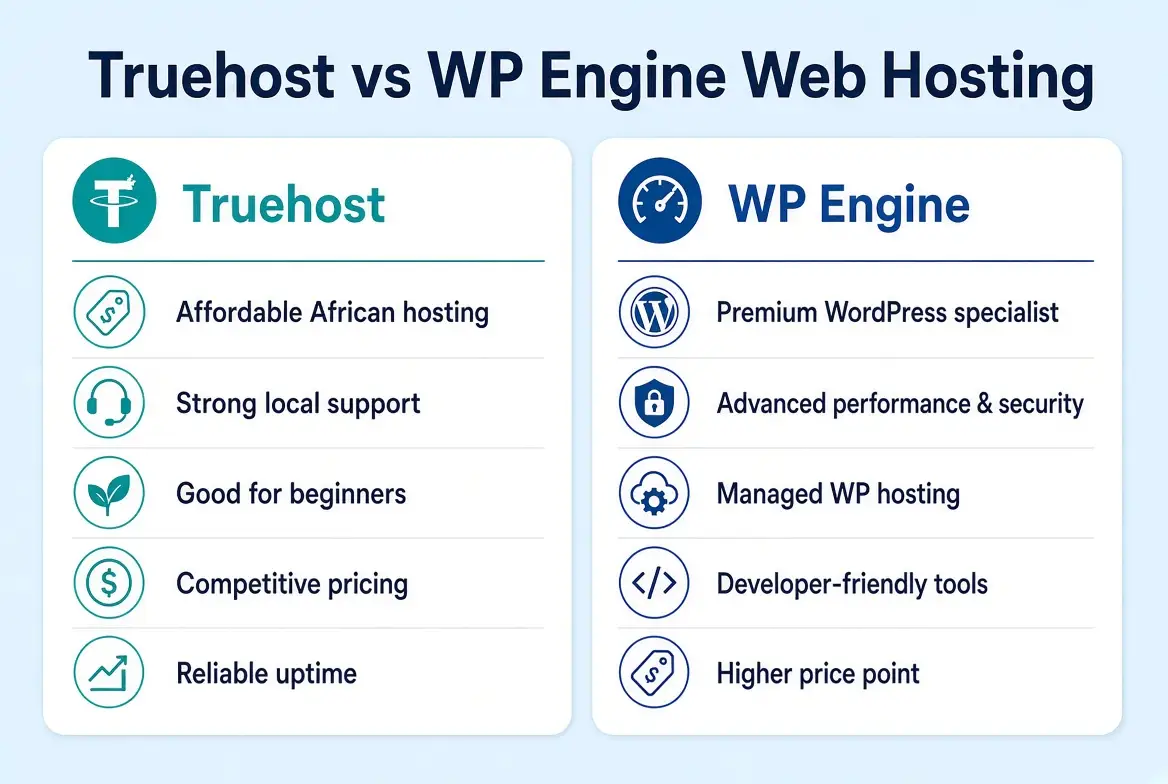
| Feature | Truehost Shared Hosting | WP Engine |
|---|---|---|
| Starting price | $2.06/month on a triennial term | $30/month, or around $25/month billed annually |
| Hosting focus | General shared web hosting | Managed WordPress hosting |
| Websites | Up to 10 on the entry plan | 1 website on the entry plan |
| Storage | 30 GB SSD | 10 GB |
| Bandwidth/visits | Unlimited bandwidth, ~25,000 visits/month | 25,000 visits per month |
| WordPress features | Standard WordPress support via cPanel | Managed WordPress features built in |
| Backups | Daily backups included | Daily backups, 40-day retention |
| Support | 24/7 live chat, email, phone | 24/7 chat and email, phone on higher tiers |
| Scalability | Shared hosting upgrades and VPS | Higher WordPress hosting tiers |
Now for the detailed breakdown.
1) Cost and Pricing
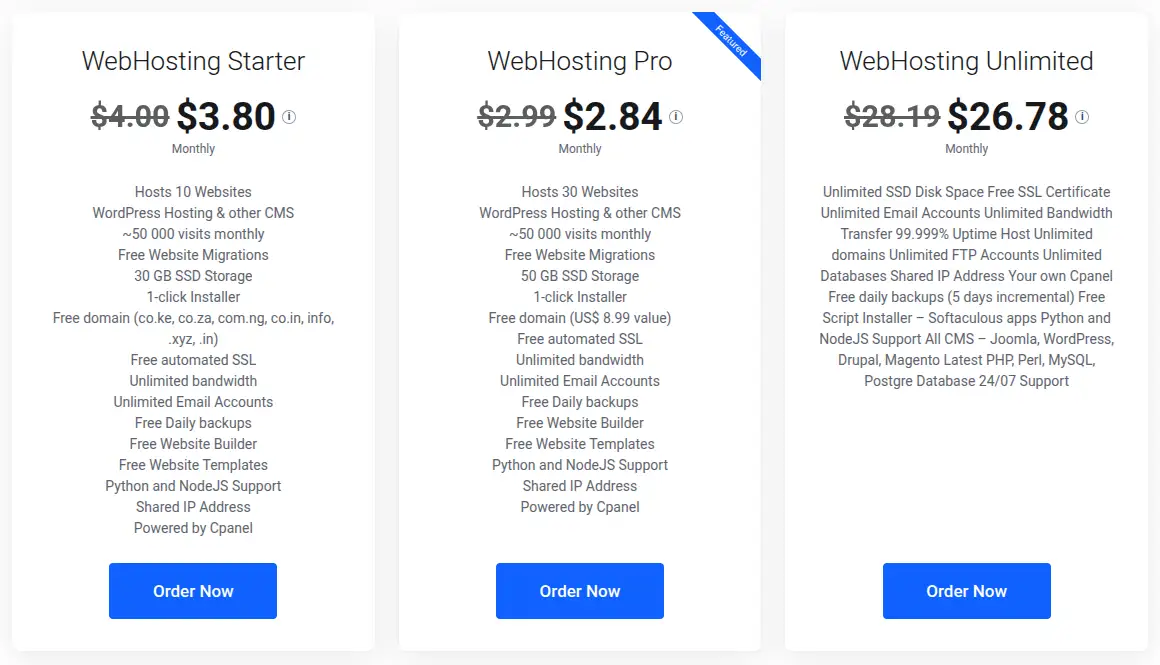
Truehost’s shared hosting starts from$2.06 per month on a triennial billing term.
That’s the entry-level Starter plan.
It includes 10 websites, 30 GB of SSD storage, roughly 25,000 monthly visits, cPanel, a free domain, free automated SSL, unlimited bandwidth, unlimited email accounts, daily backups, and free website migration.
WP Engine’s entry-level Startup plan runs $30 per month on standard monthly billing, or roughly $25 per month when billed annually.
That covers one website, 10 GB of storage, and 25,000 monthly visits. It also includes daily backups retained for 40 days, free SSL, Cloudflare CDN, a staging environment, and WP Engine’s own EverCache server-level caching.
One detail worth noting: WP Engine locks your signup rate in as your ongoing rate. It doesn’t jump at renewal the way many budget hosts do.
Here’s the important part though. These two prices aren’t buying the same thing.
Truehost’s price covers general-purpose shared hosting that can run WordPress, a static site, or several small sites side by side.
Storage and website count drive its pricing tiers.
WP Engine’s price covers a fully managed WordPress environment, where updates, caching, security patching, and staging are handled largely on your behalf.
Visitor traffic, not storage or website count, is the main lever that pushes you into a higher tier.
Someone comparing the two purely on the headline number is really comparing a general hosting utility against a managed WordPress service.
That explains most of the price gap on its own.
2) Hosting Features and Resources
Truehost’s Starter plan supports up to 10 websites, 30 GB of SSD storage, unlimited bandwidth, and unlimited email accounts.
It runs on cPanel for managing domains, files, and databases.
CPU and RAM are allocated dynamically across the shared environment, rather than published as a fixed per-plan number.
WP Engine’s Startup plan supports exactly one website, 10 GB of storage, and a 25,000 monthly visit allowance.
Resources are managed specifically to keep WordPress performing well, rather than split across arbitrary website counts.
The contrast here is really about design intent.
Truehost’s shared hosting is built to flexibly support different kinds of websites, and multiple sites per account.
WP Engine’s plans are built around a single, tightly managed WordPress environment per site.
Resource limits are tied to traffic rather than storage or site count, since traffic is what strains a managed WordPress environment the most.
3) WordPress Hosting and Management
On Truehost, WordPress is installed through the Softaculous one-click installer available in cPanel.
From there, it behaves like WordPress on any standard shared hosting environment.
You manage plugins, themes, and updates yourself through the WordPress dashboard, while cPanel handles the surrounding file, database, and email management.
WP Engine’s entire product is built around managing that layer for you.
Every plan includes automatic WordPress core updates, EverCache server-level caching tuned specifically for WordPress, a one-click staging environment for testing changes before they go live, and Cloudflare CDN integration out of the box.
WooCommerce is supported across WP Engine’s plans too, with extra performance tuning aimed at store-heavy WordPress sites on the higher tiers.
The practical difference is simple.
Truehost gives you WordPress plus general hosting tools, and leaves the WordPress-specific optimization to you or your plugins.
WP Engine takes care of WordPress-specific performance and update management as a built-in part of the service.
That’s exactly what its higher price is paying for.
4) Performance and Website Speed
Truehost’s shared plans run on SSD storage, with cPanel handling the hosting environment.
It’s a setup that performs well for typical shared hosting traffic, but it shares server resources with other accounts on the same machine.
WP Engine’s infrastructure is built specifically around WordPress performance.
It uses EverCache caching at the server level, Cloudflare CDN bundled into every plan, and infrastructure tuned around WordPress’s specific database and plugin behavior, rather than general-purpose hosting.
It wouldn’t be accurate to flatly call one faster without controlled testing on identical sites.
Real-world speed depends heavily on the specific website, its plugins, its database size, and its traffic pattern.
What can be said fairly is this: WP Engine’s infrastructure is purpose-built around WordPress performance, and that becomes more relevant as a site grows in complexity, plugin count, or traffic.
Truehost’s shared environment is a more general-purpose setup.
It performs solidly for typical WordPress use, without being tuned exclusively around it.
5) cPanel and Ease of Use
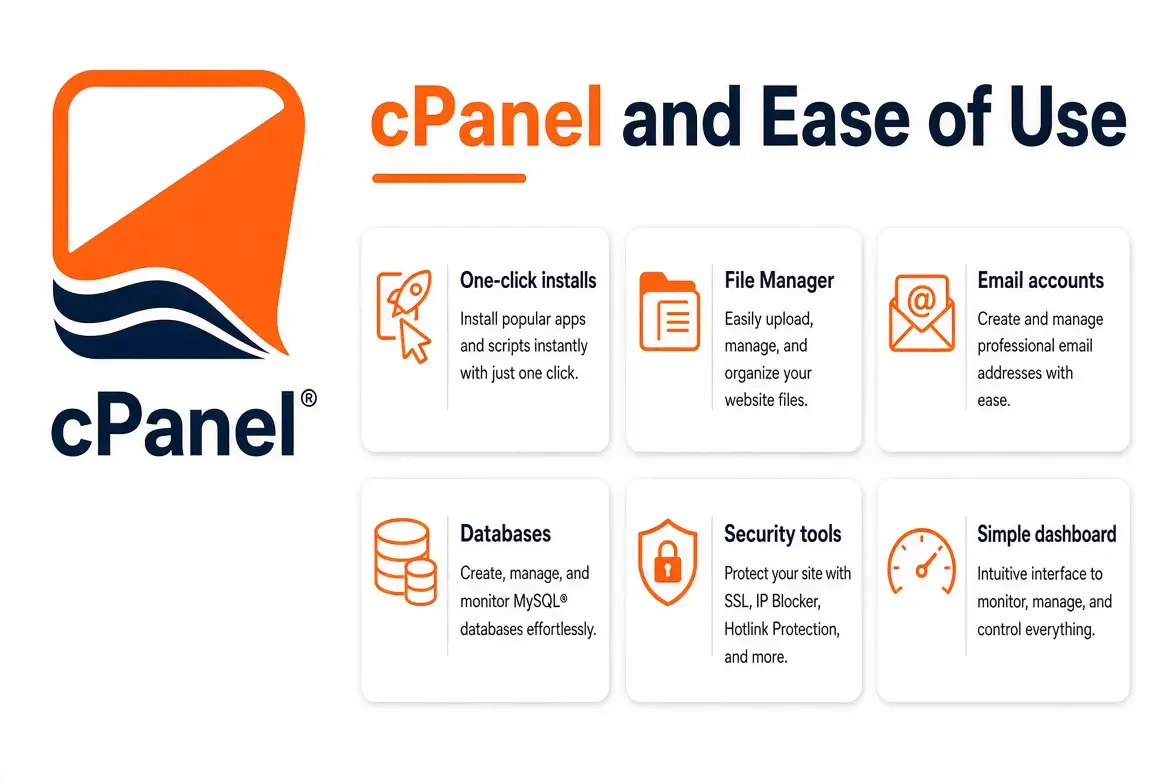
Truehost’s shared hosting runs on cPanel.
That gives you direct access to File Manager, DNS management, domain management, email accounts, database management, one-click installers, backup tools, and SSL management, all in one widely recognized interface.
That breadth of control is a strength for anyone who wants to manage more than just WordPress from a single account.
cPanel’s familiarity also means plenty of tutorials and documentation exist for almost anything you’d need to do.
WP Engine doesn’t offer cPanel.
Instead, it handles WordPress-specific tasks like staging, caching configuration, and backups through its own dashboard.
Much of the underlying server management, patching, and infrastructure tuning happens on the backend, without customer involvement.
For a WordPress-only site, this can genuinely simplify the day-to-day experience, less to configure, less to break.
For anyone wanting broader hosting control, multiple non-WordPress sites, or the flexibility of a traditional control panel, Truehost’s cPanel-based approach offers more direct access.
6) Security and Backups
Truehost’s shared plans include free automated SSL, cPanel’s built-in security tools, and daily backups across its hosting tiers.
WP Engine includes free SSL, daily automated backups with 40-day retention, and infrastructure-level security and monitoring baked into the managed environment.
It also handles automatic core and PHP updates, which help close security gaps as they’re discovered, something that’s left to the site owner on standard shared hosting.
The distinction worth drawing here is general hosting security versus WordPress-specific security.
Truehost secures the hosting environment itself, but keeping WordPress core, plugins, and themes updated and hardened is largely up to the site owner.
WP Engine folds WordPress-specific security patching and update management directly into the hosting service.
That’s a real part of what the higher price is paying for, on a WordPress site specifically.
7) Email and Domain Features
This is a distinction worth being explicit about.
It’s easy to assume both providers offer the same email setup, and they don’t.
Truehost’s shared plans include unlimited email accounts with full custom domain email support.
That covers webmail, forwarding, and IMAP/SMTP access as a standard part of the hosting package, so addresses like [email protected] come at no extra cost.
WP Engine is a managed WordPress hosting platform, not a general hosting provider.
Its plans aren’t built to include custom domain email hosting.
Site owners on WP Engine typically need a separate email service, whether that’s Google Workspace, Microsoft 365, or a dedicated email hosting provider, to get custom domain email addresses working.
This is one of the more overlooked differences between the two.
It’s worth budgeting for, if you’re considering WP Engine and also need business email on the same domain.
8) Customer Support and Website Migration
Truehost offers 24/7 support through live chat, email, and phone.
Free website migration is included as part of its shared hosting plans, covering the transfer of files, databases, and email from an existing host.
WP Engine offers 24/7 support through live chat and email, with phone support included from the Professional plan upward rather than on the entry-level Startup plan.
WP Engine also offers a free, largely automated WordPress migration plugin for moving a site onto its platform.
It works well for straightforward WordPress sites, but it’s built specifically around WordPress migrations, rather than the kind of general cPanel-to-cPanel transfer Truehost supports.
Neither provider publishes independently verified average response times.
So it’s worth avoiding unsupported claims about which one answers faster.
What’s clear from each provider’s own published support structure is this: Truehost includes phone support across its plans from the start, while WP Engine reserves phone support for its higher tiers.
9) Scalability
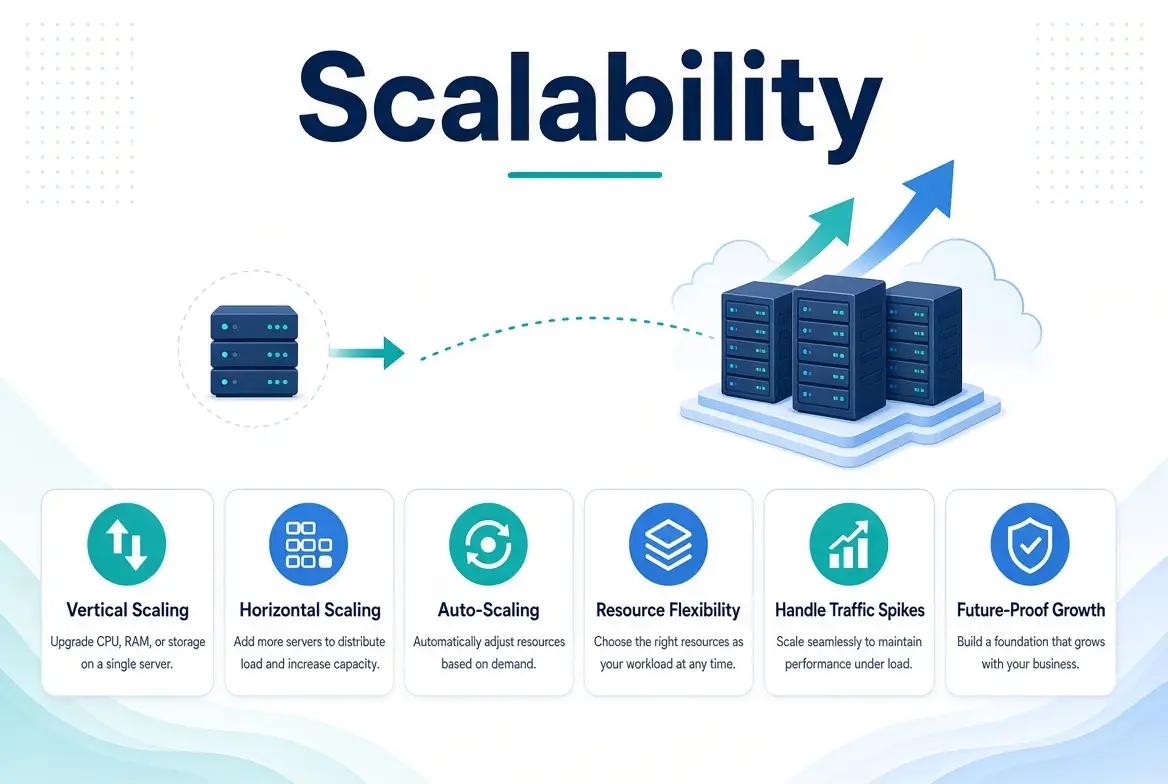
On Truehost, growth generally means moving from the Starter plan up to Pro or Business shared hosting.
Eventually, it can mean moving into VPS hosting once a site outgrows shared resources entirely.
Whether that’s driven by CPU load, database activity, or the number of concurrent visitors a site needs to handle.
Each step up increases storage, website limits, and available resources.
On WP Engine, growth is measured almost entirely in visitor traffic and website count.
Moving from Startup to Professional takes you from 1 site and 25,000 visits to 3 sites and 75,000 visits.
The Growth and Scale tiers keep extending both numbers well into enterprise territory. It’s worth remembering that scaling isn’t only about bandwidth.
On either platform, a site can need more resources because of CPU load, database complexity, or concurrent user activity, just as easily as raw traffic volume.
Which Should You Choose: Truehost or WP Engine?
The core difference comes down to this. Truehost’s shared hosting is a broad, general-purpose environment.
It can support WordPress, other CMS platforms, and multiple websites under one account, at a fraction of the monthly cost.
WP Engine is a managed WordPress platform, built specifically to handle the technical upkeep of a WordPress site for you, at a price that reflects that specialization.
Rather than comparing the provider names alone, it’s worth comparing the exact plans against what your site actually needs.
If budget is a factor, if you’re running more than one website, if you want direct cPanel access, or if you need built-in custom domain email, Truehost’s shared hosting is the more practical fit.
If you’re running a single, traffic-heavy WordPress site, and would rather pay for managed updates, caching, and WordPress-specific support than handle that yourself, WP Engine’s managed environment is built exactly for that.
Bring the decision back to your budget, the type of website you’re running, and how much WordPress-specific management you actually need.
Think about the resources your site requires, how hands-on you want to be, and where you expect the site to be in a year or two.
If Truehost’s shared hosting plans offer the combination of resources, control, and pricing that fits what you’re building, it’s worth exploring Truehost’s available hosting plans and picking the one that matches your site.