Domain RegistrationFind and register the perfect domain for your website.
 .COM DomainChoose a widely recognized domain to build global credibility.
 Domain TransferSeamless domain transfers with zero downtime and complete control.
 All TLDsFind and register your perfect domain. Choose from local and global extensions.
 SSL CertificatesKeep your website safe with reliable SSL Certificates that protect customer data and build trust.
 whoisCheck domain ownership details, expiration dates, and registrar information.
 US DomainRegister a .US domain and build trust in the USA.
 Web HostingEverything your website needs to run smoothly
 WordPress HostingWordPress hosting that just works
 Windows HostingReliable hosting for Windows environments
 Reseller HostingTurn hosting into your business
 Email HostingEmail that looks professional and works anywhere
 cPanel HostingFull control of your hosting with cPanel
 Affiliate ProgramJoin as a partner and earn commissions on every referral you send our way.
 Vps HostingScalable virtual servers that expand as you need.
 Dedicated ServersGet complete access and full control over your dedicated physical server.
 Managed vpsNot tech-savvy? We will take care of everything with our fully managed VPS hosting for you.
 AI Website BuilderCreate stunning websites in seconds with AI.
 Online ShopSet up a professional online store. No coding required.
 Web design serviceGet a tailored website designed to match your brand and support your goals.
 BlogFind helpful guides on web hosting, online selling, digital marketing, and more.
 Contact USYou can reach us anytime, day or night, through chat or email.
 SupportBrowse helpful guides and answers for all of our services.
Your domain can remain registered while your website and email stop working. It can also work normally while a transfer, update or deletion fails.
Domain status codes tell you which situation you have.
Codes such as clientHold, serverHold and pendingTransfer come from the Extensible Provisioning Protocol, or EPP.
Registrars and registries use EPP to manage domain records. You can see these codes in an RDAP or WHOIS lookup, often as links ending in icann.org/epp#codeName.
The most important distinction is simple:
A hold keeps the domain out of the DNS, so its website and domain-based email usually stop resolving.
A prohibited code blocks one operation, such as a transfer, update, renewal or deletion.
A pending code shows that the registry has received an operation but has not completed it.
A period code marks a lifecycle or grace period after registration, renewal, transfer, expiry or deletion.
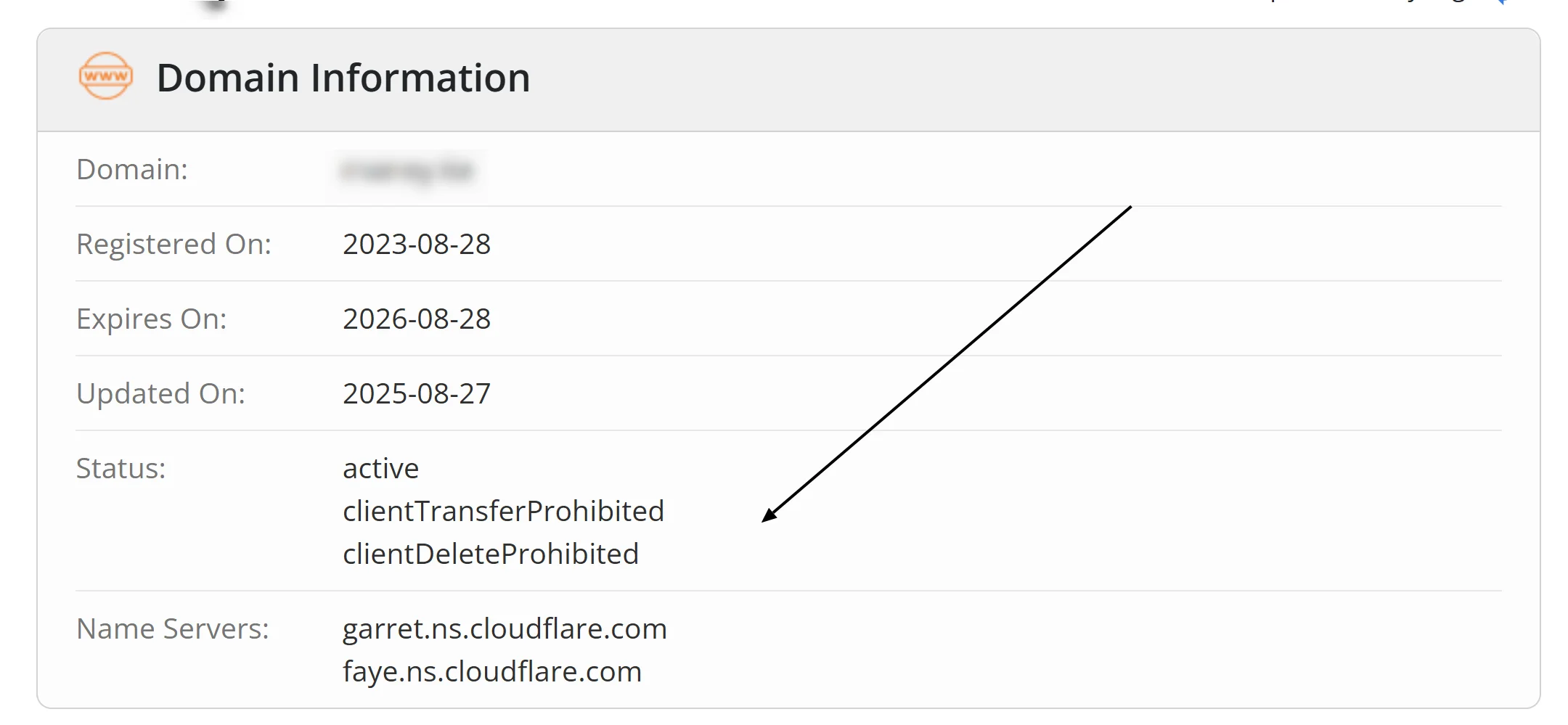
Do not treat every unfamiliar code as an emergency. clientTransferProhibited, for example, usually means the registrar lock is protecting your domain from an unauthorized transfer.
clientHold needs a very different response because it prevents DNS publication, which means your website will be down.
Popular domain status codes
Status code | What it affects | What you should do |
|---|---|---|
| No pending action or restriction | Consider enabling a transfer lock for better protection |
| DNS resolution | Add or correct nameserver delegation; ask your registrar if the status persists |
| Website, email and other DNS-dependent services | Contact your registrar and resolve the account, verification, abuse or policy issue |
| Website, email and other DNS-dependent services | Contact your registrar; the registrar must coordinate with the registry |
| Transfer to another registrar | Leave it in place unless you plan to transfer the domain |
| Transfer to another registrar | Ask your registrar why the registry applied the restriction |
| Registrar transfer | Confirm that you requested the transfer; report it immediately if you did not |
| Expired or deleted registration | Contact the registrar immediately and ask about restoration |
| Final deletion stage | Contact the registrar immediately, but prepare for the possibility that restoration is no longer available |
One domain can carry several codes at the same time.
EPP codes show who controls the restriction
The first word tells you who can normally change a restriction.
ICANN’s EPP status guide separates registrar-set client codes from registry-set server codes, while RFC 5731 defines their protocol behaviour.
client means the registrar set the code
In EPP language, a domain registrar like Truehost acts as the client of the registry.
The prefix does not refer to you as the customer.
Your registrar can apply and remove client codes, subject to its policies and any legal or security requirements.
A registrar may automatically add clientTransferProhibited after registration or when you enable the registrar lock.
If you need a client code removed, start with the registrar.
server means the registry set the code
The registry operates the authoritative database for an extension such as .com. or a country tld such as .us, .ca, or .co.uk. Server codes override client-level actions.
Your registrar remains your first contact because most registrants (you) do not manage registry records directly.
The registrar may need to investigate the cause, collect documents or ask the registry to remove the status.
Server restrictions can take longer to clear than their client equivalents because two organizations may need to act.
Codes without either prefix describe a state or pending action
Statuses such as active, inactive, pendingTransfer and redemptionPeriod describe the domain’s current state.
The registry manages these codes. They usually disappear when the related operation or lifecycle stage ends.
clientHold and serverHold stop the domain from resolving
Both of these hold codes tell the registry not to publish the domain’s delegation information in DNS.
The domain can remain registered, but resolvers cannot follow its nameserver delegation from the parent zone.
That can take down:
the website;
subdomain addresses such as
www.example.com;email sent to addresses at the domain;
verification records used by third-party services; and
applications or APIs reached through the domain.
This is not ordinary DNS propagation.
Waiting will not fix an active hold unless the registrar or registry also resolves the cause and removes the code.
What clientHold means
clientHold means the registrar applied the hold.
Common triggers can include non-payment, incomplete registrant verification, a policy or abuse complaint, a legal dispute, inaccurate contact data, or an account review.
The code alone does not identify the cause. Check your registrar account, emails, invoices, verification requests and recent support messages. Then contact the registrar and ask:
My domain shows
clientHold. What exact requirement caused the hold, what evidence or payment do you need, and when will you request removal after I resolve it?
Do not change hosting plans or repeatedly edit DNS records until you know why the hold exists.
Valid records cannot work while the parent zone withholds the delegation.
What serverHold means
serverHold creates the same public DNS result, but the registry applied it.
The status may relate to a
registry policy,
dispute,
court or authority instruction,
registration eligibility,
suspected abuse, or
another issue that requires registry-level action.
Ask your registrar for the case details and the steps that the registry requires.
If the registrar says it removed a client hold but the domain still shows serverHold, the domain will remain offline until the registry clears its code.
How inactive differs from a hold
inactive normally means the registry has no nameserver delegation for the domain.
The domain will not resolve, but the missing delegation may result from incomplete setup rather than a suspension.
Check whether the registrar panel lists valid authoritative nameservers.
If you recently registered the domain, supplied the required documents and added nameservers, ask the registrar why the registry still reports inactive.
Prohibited codes act as operation-specific locks
A prohibited status does not automatically take a domain offline. It tells the registry to reject a particular operation.
Registrar-level code | Registry-level code | Operation the code blocks |
|---|---|---|
|
| Deleting the domain record |
|
| Renewing the registration |
|
| Transferring the domain to another registrar |
|
| Updating the domain record |
clientTransferProhibited is usually a protective lock
This common status helps prevent someone from transferring your domain without permission. Many registrars show it in the control panel as Registrar Lock, Domain Lock or Transfer Lock.
Leave it enabled during normal use. When you genuinely want to transfer the domain, follow the registrar’s process to unlock it, obtain the authorization code and confirm that the registration meets the transfer rules.
If the panel says you have unlocked the domain but the public record still shows clientTransferProhibited, allow the registrar time to submit the change, refresh the lookup and contact support if the code remains.
Server prohibitions need registry coordination
serverTransferProhibited, serverUpdateProhibited, serverDeleteProhibited and serverRenewProhibited can protect a high-value domain through a registry-lock service. They can also indicate a dispute, deletion process, registry policy or another restriction.
Do not assume that every server prohibition signals misconduct. Ask the registrar whether you have an intentional registry lock and whether the requested operation requires an authenticated unlock process.
clientUpdateProhibited can block a nameserver change
An update lock can prevent changes to the registry’s domain object, including nameserver or contact updates where the registry and registrar support them through EPP.
If you can edit records inside a DNS zone but cannot replace the domain’s authoritative nameservers, check for clientUpdateProhibited or serverUpdateProhibited. DNS record editing and registry-level domain updating are separate actions.
pendingTransfer means a registrar transfer is in progress
pendingTransfer means the registry has received a request to move the domain to another registrar and has not completed the transfer.
If you requested it, check:
the approval messages from the current and new registrars;
the transfer status in both accounts;
the registrant or administrative email path used for confirmation;
any stated response deadline; and
whether either registrar asked you to take another action.
If you did not request the transfer, contact your registrar immediately and ask it to deny the request. Secure the registrar account and its recovery email, change compromised passwords, enable multifactor authentication and review recent account activity.
pendingTransfer differs from clientTransferProhibited. The pending code means a transfer request has entered processing. The prohibited code means the registry should reject a transfer request.
Other pending codes describe unfinished registry operations
The five standard pending-operation codes are:
pendingCreate: the registry received a request to create the domain and has not completed it;pendingRenew: the registry received a renewal request and has not completed it;pendingTransfer: the registry received a registrar-transfer request and has not completed it;pendingUpdate: the registry received an update request and has not completed it; andpendingDelete: the domain has entered a deletion process.
The EPP standard does not allow ok alongside another status. It also keeps the pending create, delete, renew, transfer and update states separate from one another. That makes ok a clean state, not a general label that should appear beside a pending operation.
Contact the registrar if a pending code remains longer than the provider’s stated processing window, or if you never requested the operation.
pendingDelete needs urgent attention
For many generic top-level domains, pendingDelete near the end of the expiry lifecycle means the redemption window has ended and the registry is preparing to purge the name.
At that point, the registrar may no longer be able to restore it. The domain can later return to public availability under the registry’s rules, but no service can guarantee that you will register it before another buyer.
Contact the registrar immediately. Do not rely on a drop date calculated from a generic timeline because TLD and registry policies can differ.
Grace-period codes show where the domain sits in its lifecycle
ICANN lists several Registry Grace Period codes alongside the 17 standard EPP domain statuses.
RFC 3915 defines the EPP extension behind these registry grace-period states.
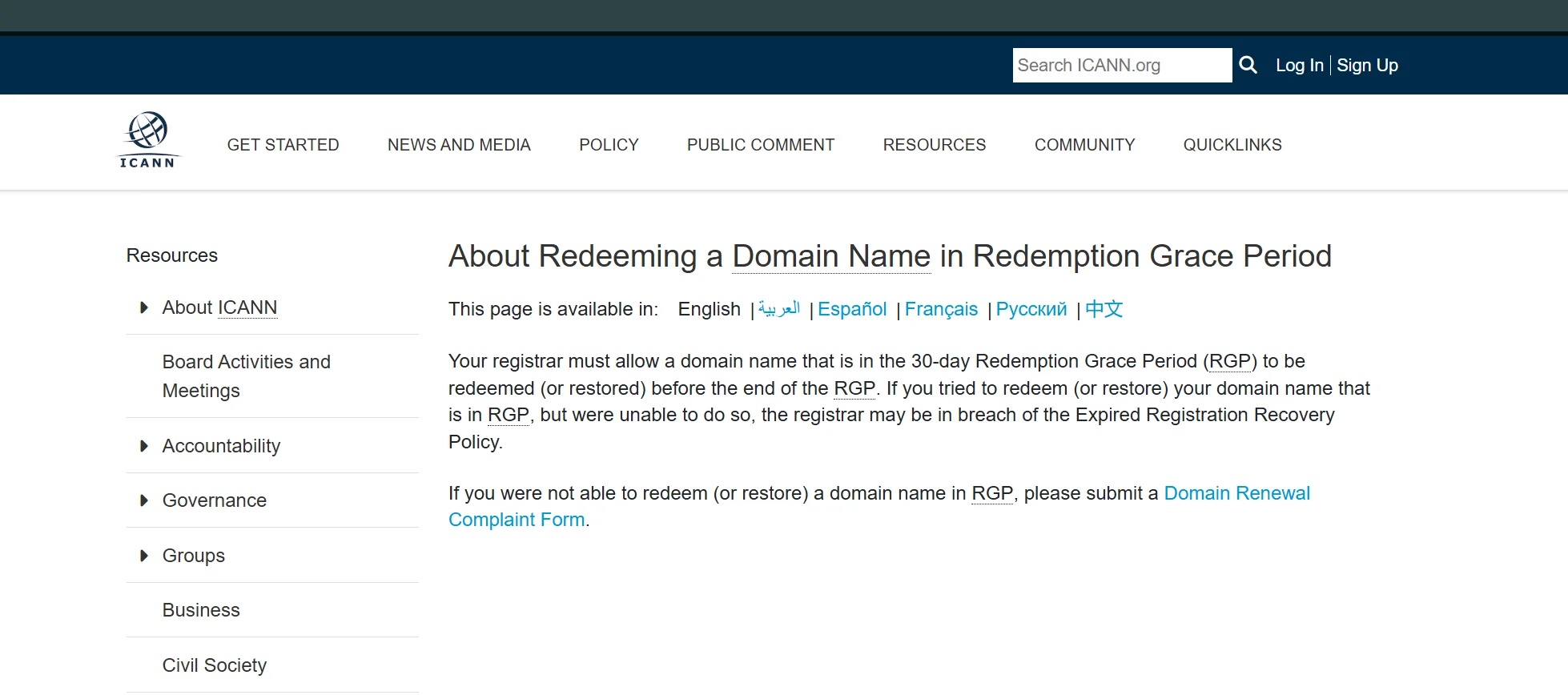
As long as the domain is in the grace period, you should be able to redeem without any problem.
addPeriod
This short grace period follows a new registration. It mainly governs whether the registry may credit the registrar if the registrar deletes the domain during the period.
It does not mean the domain has a fault.
autoRenewPeriod
The registry automatically extends a registration when its term ends and applies this temporary status. The registrar may still have its own billing, renewal and deletion process.
Do not read autoRenewPeriod as proof that you have paid the registrar or secured the domain for another full term. Confirm the invoice, expiry date and renewal state in your account.
renewPeriod
This temporary status follows an explicit renewal by the registrar. It mainly describes the registry’s post-renewal grace period.
If you did not request or expect the renewal, ask the registrar about the charge and its cancellation policy.
transferPeriod
This grace period follows a successful transfer between registrars. It is not the same as pendingTransfer, which appears while a transfer remains unfinished.
If you did not authorize the completed transfer, contact the former and current registrars immediately.
redemptionPeriod
This status means the registrar asked the registry to delete the domain and the registry placed it in a restoration window.
ICANN describes a 30-day redemption period for the generic-domain lifecycle covered by its guidance.
Restoration usually requires the registrar to submit a restore request and usually costs more than an ordinary renewal. Act immediately if you want to keep the name.
Country-code domains can follow different expiry and restoration rules, often shorter grace periods.
Ask the registrar for the policy of the specific extension rather than applying the generic-domain timeline to every TLD.
pendingRestore
This code means the registrar asked the registry to restore a domain from redemptionPeriod.
The registry now awaits the required restoration report or documentation.
Monitor the code and stay in contact with the registrar. If the registry does not receive the required material in time, the domain can return to redemptionPeriod.
How to check your domain’s current status
Use a current registration-data lookup instead of relying on an old screenshot, renewal email or cached search result.
Open Whois Lookup or the lookup tool supplied by your registrar.
Enter the registered domain without
https://, a path or a subdomain.Find the Domain Status, Status or EPP Status field.
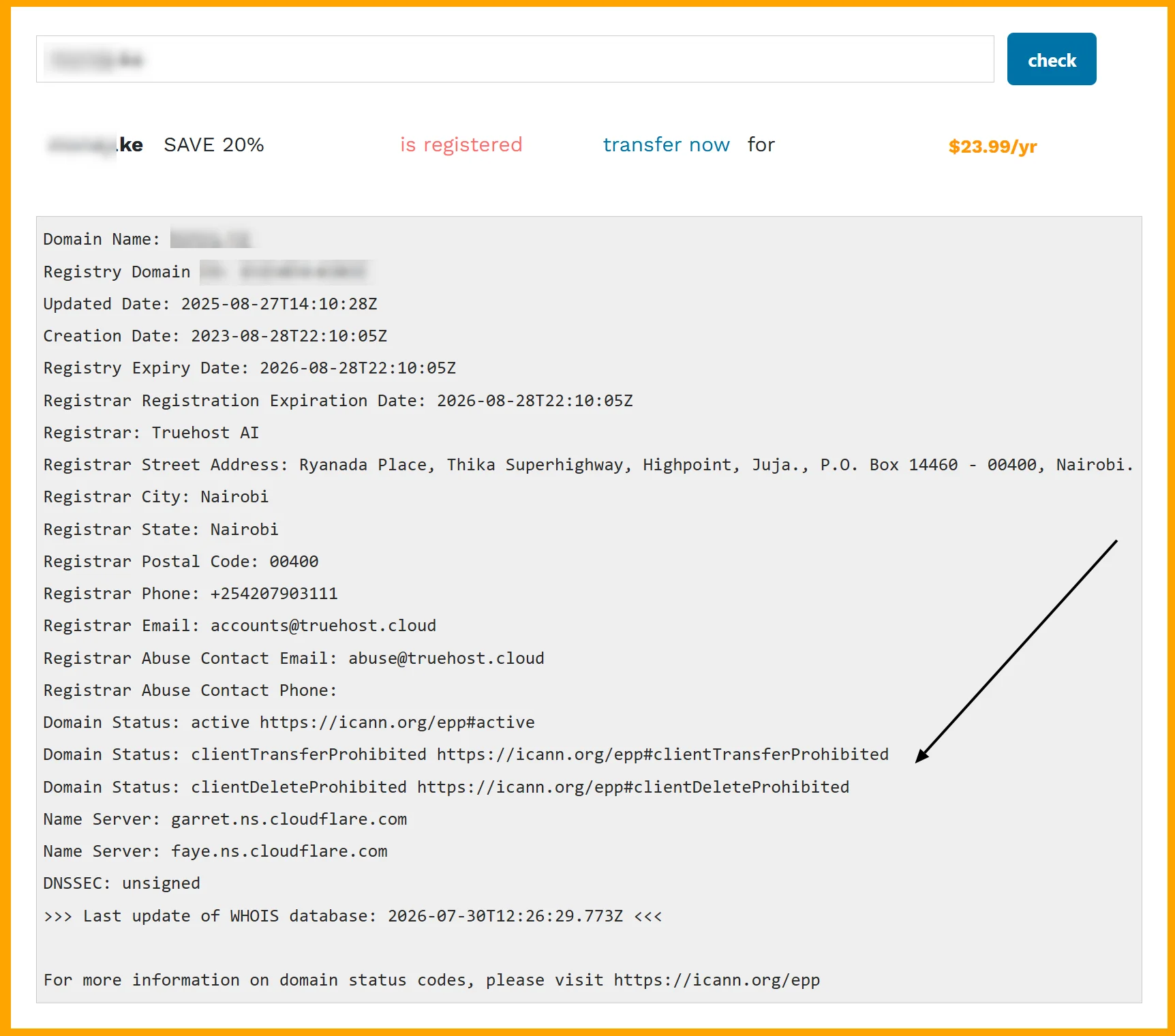
Copy every code, including any link after it.
Record the registrar, registry expiry date and nameservers shown in the same result.
Compare the result with the account panel and the action you most recently requested.
RDAP has become the primary registration-data service for generic top-level domains, although people and interfaces still commonly use “WHOIS lookup” as a general description.
The presentation can differ, but the status meanings come from the same registry state.
If a lookup shows no result, confirm the spelling and extension. Some country-code registries use their own lookup systems and status labels.
Match the symptom to the code before changing anything
The website and email both stopped
Look first for clientHold, serverHold or inactive. Also check the expiry date and nameserver delegation.
A hosting outage can affect a website without changing the EPP status. A hold affects DNS publication and can therefore disrupt several services under the domain at once.
A transfer will not start
Look for clientTransferProhibited or serverTransferProhibited.
Unlock a client-level registrar lock through the proper account process. For a server-level restriction, ask the registrar to identify the registry requirement. Also check the extension’s transfer eligibility and any applicable transfer policy.
If you plan to consolidate domains under one provider, review the requirements before unlocking them. You can check Truehost’s domain transfer route when you are ready to move an eligible name.
A nameserver or contact update fails
Look for clientUpdateProhibited, serverUpdateProhibited or pendingUpdate.
Confirm whether you are changing a registry-level setting or a record inside the existing DNS zone. Then ask the registrar which status blocks the exact operation.
A renewal fails
Look for clientRenewProhibited, serverRenewProhibited, redemptionPeriod or pendingDelete. Compare the registry expiry date with the registrar’s billing state.
Treat a renewal failure as urgent. A payment receipt alone does not prove that the registry accepted a renewal.
The domain works, but the lookup shows several locks
Codes such as clientTransferProhibited, clientDeleteProhibited and clientUpdateProhibited can coexist as intentional protection while DNS continues to work.
That combination does not require removal unless it blocks an authorized action. Keep strong account security around the controls that remove those locks.
Give support the details that shorten the investigation
“My domain is down” starts a broad investigation. A precise report gives the registrar a much better starting point.
Include:
the domain name;
every current status code;
the lookup URL or a timestamped screenshot;
when the website, email or requested operation last worked;
the last registration, DNS, contact, renewal or transfer change;
relevant invoice, order or ticket references; and
the exact error from the registrar panel.
Never send your account password or domain authorization code in an ordinary support message. Use the provider’s authenticated process for sensitive information.
Read the code before you choose the fix
The code family tells you what to do next.
A hold points you toward the registrar or registry issue keeping the domain out of DNS. A prohibited status identifies the operation that a lock blocks. A pending status tells you which request remains unfinished. A period status places the domain in a registration lifecycle stage.
Start with the public lookup, compare it with your registrar account and contact the registrar that sponsors the domain. That sequence prevents wasted hosting changes when the real problem sits at the registry level.
If you need a new domain, want to compare available extensions or prefer to keep registration and support in one account, search domains with Truehost.
For an existing name, keep transfer protection enabled until you intentionally begin an eligible transfer.