Domain RegistrationFind and register the perfect domain for your website.
 .COM DomainChoose a widely recognized domain to build global credibility.
 Domain TransferSeamless domain transfers with zero downtime and complete control.
 All TLDsFind and register your perfect domain. Choose from local and global extensions.
 SSL CertificatesKeep your website safe with reliable SSL Certificates that protect customer data and build trust.
 whoisCheck domain ownership details, expiration dates, and registrar information.
 US DomainRegister a .US domain and build trust in the USA.
 Web HostingEverything your website needs to run smoothly
 WordPress HostingWordPress hosting that just works
 Windows HostingReliable hosting for Windows environments
 Reseller HostingTurn hosting into your business
 Email HostingEmail that looks professional and works anywhere
 cPanel HostingFull control of your hosting with cPanel
 Affiliate ProgramJoin as a partner and earn commissions on every referral you send our way.
 Vps HostingScalable virtual servers that expand as you need.
 Dedicated ServersGet complete access and full control over your dedicated physical server.
 Managed vpsNot tech-savvy? We will take care of everything with our fully managed VPS hosting for you.
 AI Website BuilderCreate stunning websites in seconds with AI.
 Online ShopSet up a professional online store. No coding required.
 Web design serviceGet a tailored website designed to match your brand and support your goals.
 BlogFind helpful guides on web hosting, online selling, digital marketing, and more.
 Contact USYou can reach us anytime, day or night, through chat or email.
 SupportBrowse helpful guides and answers for all of our services.
Every website needs website storage to keep its files and data.
That’s true whether you’re running a single-page portfolio or a sprawling online store.
Website storage covers everything from HTML files and images to databases, emails, and backups.
It’s the space on your hosting server where your entire site actually lives.
How much you need varies dramatically.
A simple blog might need almost nothing.
An ecommerce or media-heavy website can need a hundred times more.
Buy too little, and you’ll run into frustrating errors right when your site is gaining momentum.
Buy far more than you need, and you’re just paying for space that sits empty. Neither outcome is ideal.
This guide walks through how storage actually works, what eats into it, how to calculate what your site really needs, and how to trim usage if you’re already running tight.
By the end, you’ll have a clear, practical answer instead of a guess.
How Website Storage Works
Think of it as a simple chain.
Your website files sit on a hosting server. That server stores everything, your pages, images, databases, and emails, on physical disk space.
When someone visits your site, the server pulls those files and delivers them to the visitor’s browser.
That’s really the whole concept. More files, more data, more storage used.
A bigger site with more images, more pages, or a larger database simply takes up more room on that server.
Knowing this makes the rest of this guide much easier to follow.
What Uses Website Storage?
Storage requirements vary so much between websites because different types of content take up wildly different amounts of space.
Here’s what’s actually filling up that storage allocation.
1) Website Files
HTML, CSS, JavaScript, and other core application files generally don’t consume huge amounts of space on their own.
A typical website’s code and structure might only add up to a few megabytes. This part of your site is rarely where storage problems come from.
2) Images
Images are usually where storage usage climbs fast.
A single high-resolution photo can easily run several megabytes, and that adds up quickly once you have dozens or hundreds of them.
This is critical for photography websites, portfolios, online stores with product galleries, news websites publishing daily, and blogs that lean heavily on visuals.
If your site falls into any of these categories, images are probably your biggest storage factor.
3) Videos and Audio
Media files consume significantly more storage than ordinary webpages, often by a wide margin.
A few minutes of video can easily outweigh thousands of blog posts combined.
It’s also worth knowing that hosting large video libraries directly on a shared hosting account usually isn’t the most efficient approach.
Streaming platforms like YouTube or Vimeo, or dedicated video hosting services, are generally a smarter fit for heavy media libraries than parking everything on your own server.
4) Databases
Databases store the dynamic content behind your site, posts, products, comments, user accounts, and settings.
This counts especially for WordPress sites, WooCommerce stores, membership sites, forums, and any other dynamic application where content changes and grows over time.
A database can start small but expand steadily as your site accumulates more content and more visitor activity.
5) Themes, Plugins and Applications
WordPress websites in particular can accumulate storage usage from several directions at once.
Themes and plugins each take up their own space, uploaded media builds up over time, cached files generated for performance can pile up unnoticed, and old, unused versions of plugins or themes sometimes linger long after they’ve stopped being useful.
6) Email
If your hosting plan includes email hosting, mailboxes and their attachments count against your account’s storage too.
A handful of business email accounts with regular attachments can use up more space than people expect, especially if nobody’s cleaning out old messages.
7) Backups
Here’s an important distinction worth understanding clearly.
Backups may consume hosting storage if they’re stored on the same hosting account as your live site.
But many providers store backups separately, on dedicated backup infrastructure rather than counting them against your main storage allocation.
Don’t assume every hosting plan handles this the same way.
It’s worth checking specifically how your provider stores backups before you factor them into your storage math.
How Much Website Storage Do You Need?
Here’s a practical starting point, based on common website types. Treat these as reasonable ranges rather than fixed rules.
| Website Type | Typical Starting Storage |
|---|---|
| Simple landing page | 1–2 GB |
| Personal blog | 2–5 GB |
| Small business website | 5–10 GB |
| Portfolio website | 5–20 GB |
| WordPress website | 5–20 GB |
| Small online store | 10–30 GB+ |
| Media-heavy website | 50 GB+ |
| Large ecommerce/content website | 50–100 GB+ |
These figures are rough starting points, not hard requirements.
Your actual usage depends heavily on how much media you’re hosting, how much email you’re running through the account, how large your database grows, how backups are handled, and how your site is structured overall.
Two WordPress sites in the same category can land at very different storage needs depending on how many images they carry and how long they’ve been running.
How to Calculate Your Website Storage Requirements
Rather than guessing, you can work this out with a simple, practical formula.
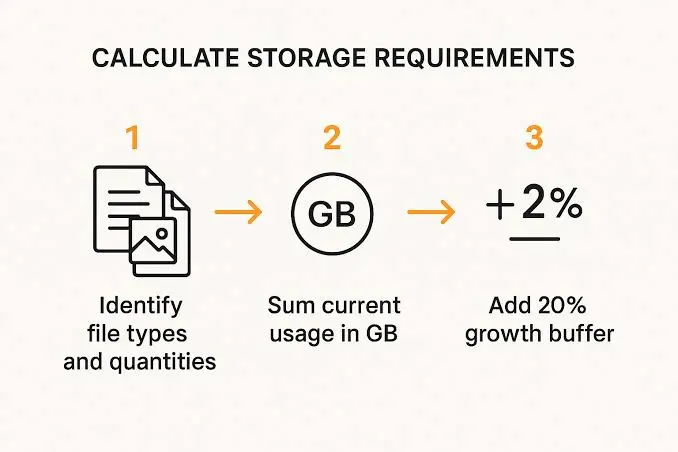
a) Estimate Your Current Website Size
Start by adding up what you already have.
That means your website files, plus your images, plus your databases, plus your email storage, plus any other data sitting on the account.
Most hosting control panels show a storage breakdown, so this is usually easier to check than to calculate manually.
b) Estimate Future Growth
Don’t buy hosting with exactly the amount of space you’re using right now.
If your website currently uses 4 GB, buying a plan with exactly 4 GB leaves virtually no room to grow.
New posts, new products, new images, and a growing database will eat into that ceiling faster than you’d expect.
Think in terms of where your site will be in a year, not just where it stands today.
c) Leave a Storage Buffer
Build in extra room for new content, additional images, new plugins, database growth, temporary files generated during normal operation, and future website updates.
A reasonable buffer gives you breathing room instead of forcing an urgent upgrade the moment your site starts gaining traction.
How to Reduce Website Storage Usage
If you’re already running close to your limit, there’s usually room to trim before jumping straight to an upgrade.
i) Compress Images
Compressing images can shrink file sizes dramatically with little to no visible quality loss.
This is often the single most effective way to free up meaningful space, especially on image-heavy sites.
ii) Remove Unused Plugins and Themes
Old plugins and themes you’re no longer using still take up storage even when they’re deactivated.
Deleting anything you’re not actively using clears out dead weight quickly.
iii) Clean Up Old Backups
If backups are stored on your hosting account rather than separately, old backup files can quietly accumulate over months or years.
Regularly clearing out outdated backups you no longer need frees up real space.
iv) Delete Unnecessary Files
Leftover files from old website versions, unused media uploads, and forgotten test files all add up over time.
A periodic cleanup pass through your file manager can uncover more clutter than you’d expect.
v) Optimize Your Database
Databases accumulate overhead over time, spam comments, post revisions, expired transients, and other leftover data. Optimizing your database regularly keeps it lean and can meaningfully reduce its storage footprint.
vi) Store Large Videos Externally Where Appropriate
Rather than hosting video files directly on your account, embedding videos from a dedicated video platform keeps your storage usage down and often improves loading performance for visitors too.
vii) Use a CDN for Delivery Rather Than Treating It as Extra Hosting Storage
A content delivery network can reduce the load on your origin server and speed up delivery to visitors in different locations.
But it’s worth being clear about what it actually does.
A CDN doesn’t automatically replace or expand your site’s storage, it caches and delivers content more efficiently, which is a different thing entirely from freeing up disk space on your hosting account.
When Should You Upgrade Your Website Hosting Storage?
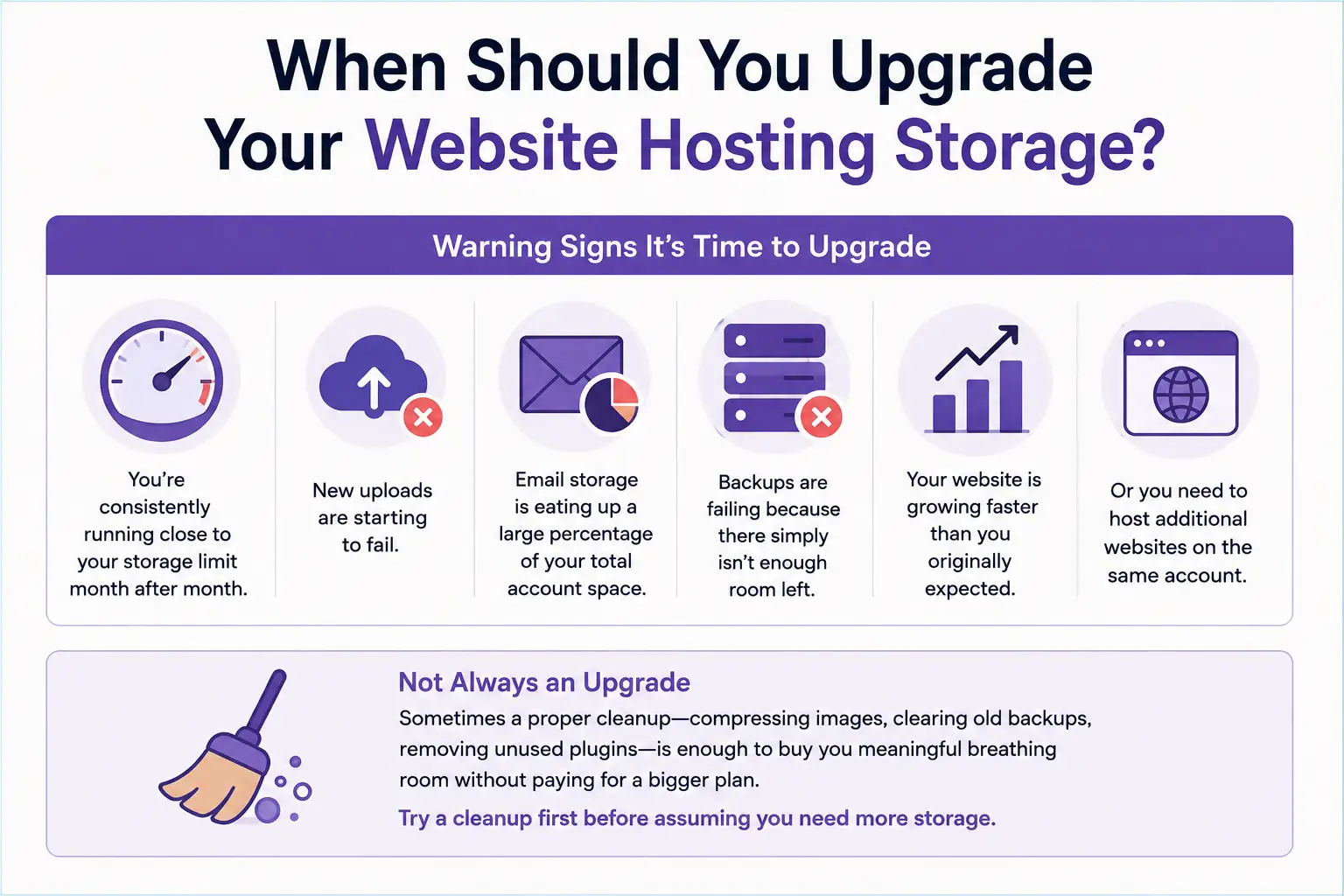
A few warning signs usually make it clear when it’s time to consider an upgrade.
- You’re consistently running close to your storage limit month after month.
- New uploads are starting to fail.
- Email storage is eating up a large percentage of your total account space.
- Backups are failing because there simply isn’t enough room left.
- Your website is growing faster than you originally expected.
- Or you need to host additional websites on the same account.
That said, upgrading isn’t always the first move.
Sometimes a proper cleanup, compressing images, clearing old backups, removing unused plugins, is enough to buy you meaningful breathing room without paying for a bigger plan.
It’s worth trying that first before assuming you need more storage than you actually do.
Which Truehost Plan Do You Need?
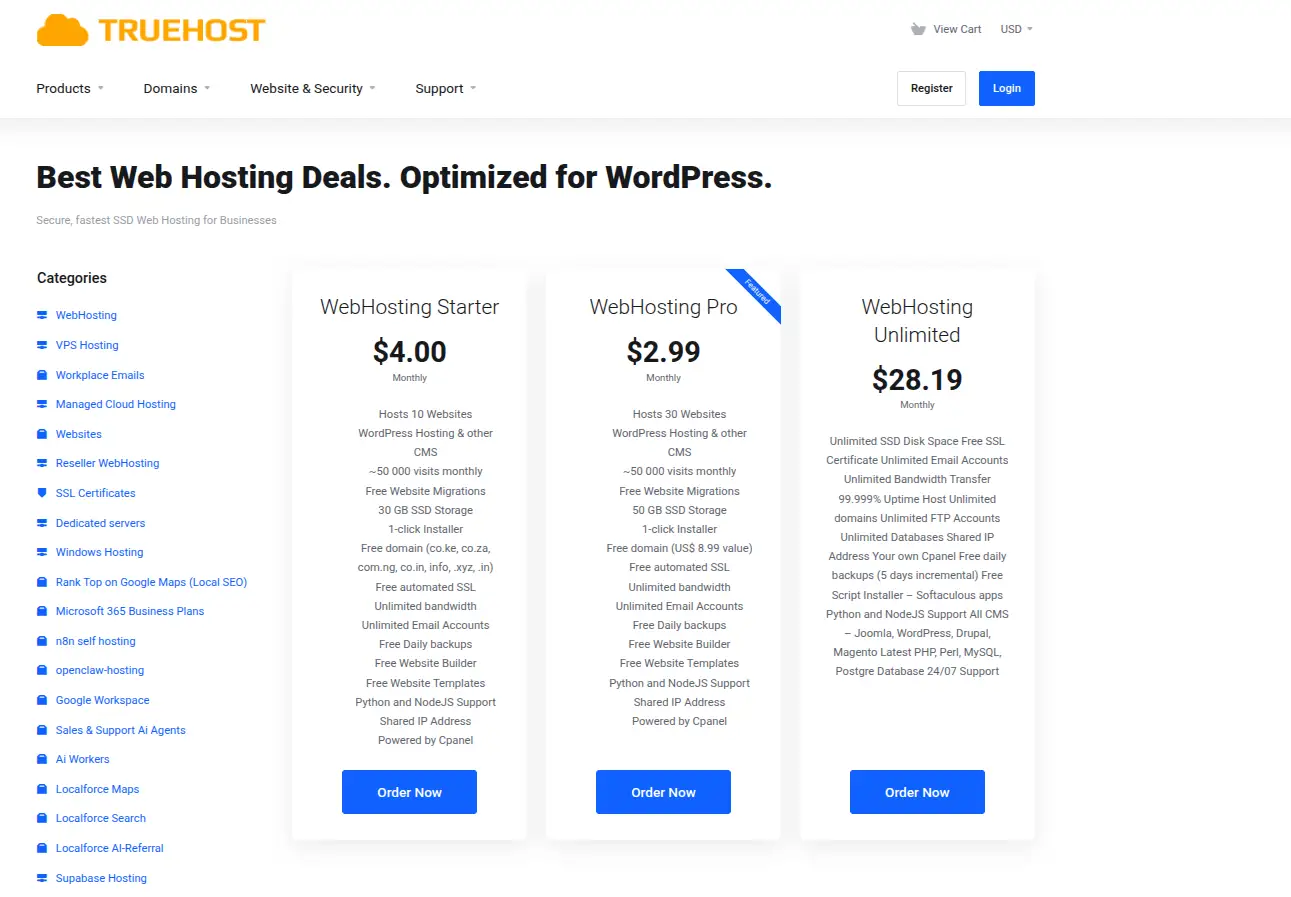
At Truehost, plans are generally built around how your storage needs scale with your website type, so matching your site to the right tier is fairly straightforward.
If you’re running a simple website, a landing page, a personal blog, or a small portfolio, an entry-level plan is usually enough.
Our Starter plan includes SSD storage well within that range, unlimited bandwidth, free SSL, and support for multiple websites on one account, which covers most small sites comfortably.
If you’re running a WordPress site or a small business website that’s actively growing, a mid-level plan gives you more breathing room.
Our Pro-level plans step up storage considerably and support a larger number of hosted websites, which suits sites adding content and images regularly.
If you’re managing multiple websites, running a resource-heavy store, or expecting significant traffic and storage growth, a higher-tier plan or VPS hosting is the better fit.
VPS hosting hands you dedicated resources rather than shared server space, which matters once a single shared plan starts feeling tight.
Plan specifications and pricing do get updated over time, so it’s worth checking Truehost’s current plan details directly when you’re ready to sign up, rather than relying on figures that may shift.
Ready to match your website to the right amount of storage? Explore Truehost’s web hosting plans and find one that fits where your site is today, and where it’s headed next.