Domain RegistrationFind and register the perfect domain for your website.
 .COM DomainChoose a widely recognized domain to build global credibility.
 Domain TransferSeamless domain transfers with zero downtime and complete control.
 All TLDsFind and register your perfect domain. Choose from local and global extensions.
 SSL CertificatesKeep your website safe with reliable SSL Certificates that protect customer data and build trust.
 whoisCheck domain ownership details, expiration dates, and registrar information.
 US DomainRegister a .US domain and build trust in the USA.
 Web HostingEverything your website needs to run smoothly
 WordPress HostingWordPress hosting that just works
 Windows HostingReliable hosting for Windows environments
 Reseller HostingTurn hosting into your business
 Email HostingEmail that looks professional and works anywhere
 cPanel HostingFull control of your hosting with cPanel
 Affiliate ProgramJoin as a partner and earn commissions on every referral you send our way.
 Vps HostingScalable virtual servers that expand as you need.
 Dedicated ServersGet complete access and full control over your dedicated physical server.
 Managed vpsNot tech-savvy? We will take care of everything with our fully managed VPS hosting for you.
 AI Website BuilderCreate stunning websites in seconds with AI.
 Online ShopSet up a professional online store. No coding required.
 Web design serviceGet a tailored website designed to match your brand and support your goals.
 BlogFind helpful guides on web hosting, online selling, digital marketing, and more.
 Contact USYou can reach us anytime, day or night, through chat or email.
 SupportBrowse helpful guides and answers for all of our services.
Have you ever published a page and wondered why Google ignores it?
You open Google Search Console, the free tool Google gives you to track your site, and you see: Crawled – currently not indexed. You stare at it. It makes no sense.
That feeling is frustrating. You spent time writing. You hit publish. Maybe you even shared it. But Google visited, took a look, and walked away without adding it to its search results.
It feels like opening a shop, setting up your sign, and having the inspector walk in, look around, and leave without giving you a license.
This happens more than you think. A study of 16 million pages found that 61.94% never got indexed. Another report showed 88% of indexing issues come from low-quality content. Google also removed about 45% of weak content in recent updates.
So this is real. It is common. But you can fix it.
This guide walks you through 10 clear steps to fix the ‘Crawled – currently not indexed’ issue.
We will cover;
- Checking the page in Google Search Console
- Fixing thin or weak content (BIGGEST cause)
- Matching search intent properly
- Improving internal linking (CRITICAL)
- Removing low-quality pages from your sitemap
- Checking technical issues
- Adding backlinks or external signals
- Update and resubmit
- If it STILL doesn’t index
- Improve Crawling and Indexing With Better Hosting
Step 1: Check the page in Google Search Console
Before you fix anything, you need to confirm the problem. Open Google Search Console and find the URL Inspection tool in the left-hand menu. Paste the URL of your page into it and run the inspection.
Look at the Coverage Status. If it says Crawled – currently not indexed, you are in the right place. Also, check the last crawl date. This tells you when Google last visited your page.
This step costs you nothing and takes two minutes.
Step 2: Fix thin or weak content (BIGGEST cause)
As the stats above show, 88% of indexing problems stem from content quality. So this is where most of your energy should go.
Open your page and be honest with yourself. Is it too short, under around 800 words, for a blog post? Does it say anything different from the dozens of other pages already on the topic?
Does it actually help someone, or does it just exist?
To improve it, try the following:
- Add clear headings and sections so the page is easy to read and navigate
- Answer the question or topic better than the pages already ranking for it
- Add examples, steps, or real details, not just vague general statements
- Remove filler sentences that do not add any value
If your page looks like a hundred others, Google will skip it. Give it a reason to stand out.
Step 3: Match search intent properly
Getting search intent wrong is one of the most common reasons a page ends up Crawled – currently not indexed or buried in search results.
Search intent means: what is a person actually looking for when they type that keyword? Go to Google and search for your keyword. Look at what shows up.
Are the top results
- How-to guides?
- Product pages?
- Lists?
- Videos?
Your page needs to match that format. If every top result is a step-by-step guide and your page is a short paragraph, Google sees a mismatch. Fix the format, and you fix one of the most important signals Google uses to decide what deserves indexing.
Step 4: Improve internal linking (CRITICAL)
Internal links are links from one page on your site to another. They are among the most powerful and overlooked tools for fixing Crawled – currently not indexed.
When Google crawls your site, it follows links to discover and judge pages. If a page has no links pointing to it from other strong pages on your site, Google sees it as isolated and unimportant. But when your homepage, your related blog posts, and your category pages all link to it, Google pays much more attention.
Aim for at least two to five internal links pointing to any page you want indexed. Use natural anchor text. This means the clickable words in a link should describe what the destination page is actually about.
Step 5: Remove low-quality pages from your sitemap
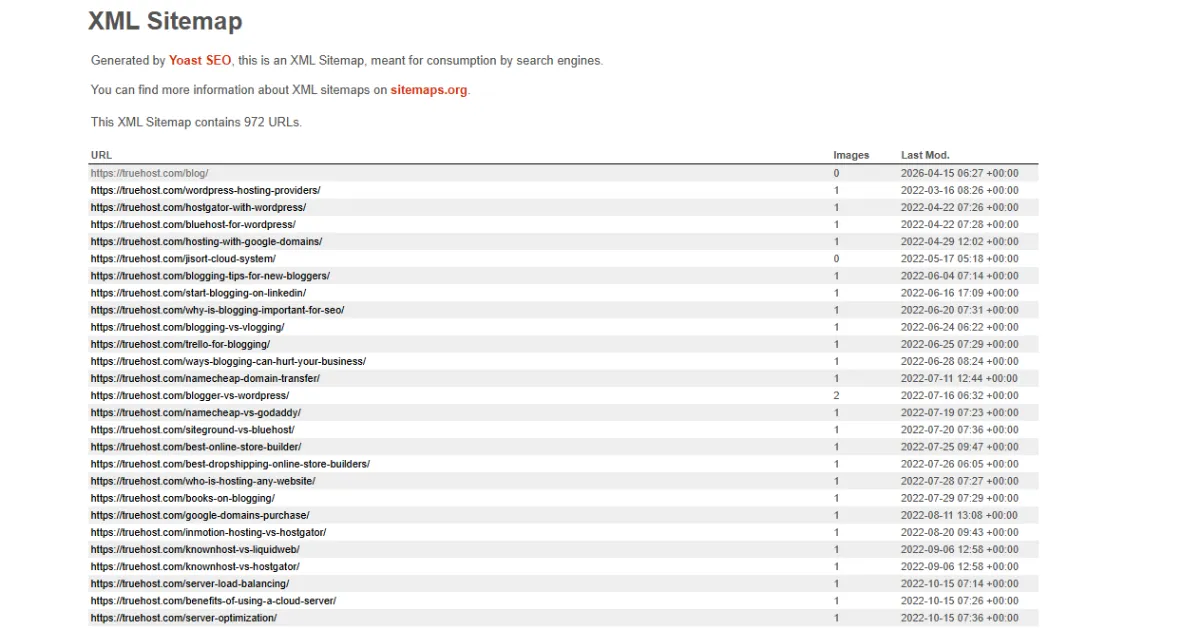
Your sitemap is a file that tells Google which pages exist on your site. Think of it as a map you hand to the postman. If the map is full of dead ends, the postman loses trust in the whole thing.
If your sitemap includes tag pages, empty category pages, thin posts, or pages with little or no content, Google spends its crawl budget. This budget means a limited amount of time for each site.
When it reads through pages that offer nothing, that leaves less time and attention for your important pages.
In SEO plugins like Yoast SEO or Rank Math, you can choose which page types appear in your sitemap. Remove anything that is not worth indexing.
Consequently, your sitemap becomes a curated list of your best content — and Google trusts it far more.
Step 6: Check technical issues
Sometimes Crawled – currently not indexed, has nothing to do with your content at all. There might be a technical setting quietly blocking the page from being indexed, and you wouldn’t even know unless you look.
Run through this quick checklist:
- Make sure the page does not have a noindex tag: that is a setting that tells Google to skip it
- Check that the page loads quickly: slow pages get crawled less
- Make sure there are no duplicate versions of the same URL being served
- Confirm the page works properly on mobile: Google judges the mobile version first
Step 7: Add backlinks or external signals
Sometimes Google needs a nudge from outside your own site. External signals, things like backlinks, social shares, and mentions. Show Google that other people consider your page worth referencing.
A backlink is simply a link from another website pointing to your page. Even one or two backlinks from real, relevant websites can make a significant difference to a page that is stuck as Crawled – currently not indexed.
Additionally, sharing your page on social media or relevant forums helps Google’s crawlers discover it through different paths.
It is not a guaranteed fix on its own, but combined with better content and internal links, it adds a valuable layer of authority.
Step 8: Update and resubmit
Once you have made changes, better content, internal links, and technical fixes, do not just sit and wait. Go back to Google Search Console, open the URL Inspection tool, paste your page URL, and click the Request Indexing button.
This tells Google: “Hey, I have updated this. Come back and take another look.” It does not guarantee instant results, but it does put your page back in the review queue.
Step 9: Wait (but monitor)
After requesting indexing, it usually takes Google a few days to two weeks to act. Some pages move faster. Some take longer, depending on how often Google crawls your site and your domain’s authority.
In the meantime, check back in Google Search Console every few days. Look for the status to change from Crawled – currently not indexed to something more positive.
Step 10: If it STILL doesn’t index
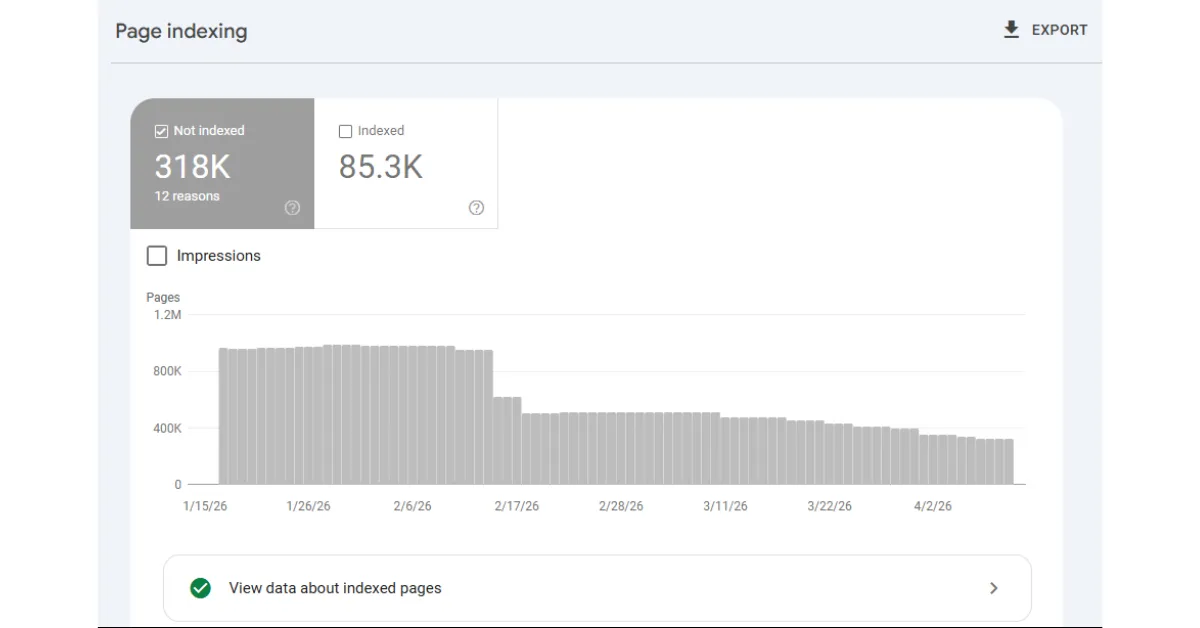
Here is something most guides will not tell you: not every page deserves to be indexed. And that is okay.
If a page has been sitting as Crawled – currently not indexed for weeks after all your fixes- it is worth asking a harder question.
Is this page genuinely useful to someone? If the honest answer is no, combine it with a stronger, related page. Or rewrite it from scratch with a completely fresh angle. Or delete it and redirect the URL to a better page on your site.
Removing weak pages helps your stronger pages. It focuses Google’s attention on what matters most. Furthermore, it keeps your overall site quality high, which makes everything else easier to index going forward.
The Real Shortcut: What Gets Pages Indexed Fast
Here is the honest summary. Pages escape the Crawled – currently not indexed status, fastest when they combine four things together:
- Strong, helpful content that answers a topic better than the competition
- Clear intent match, your page format matches what Google already shows for that keyword
- Internal links from other important pages on your site pointing to it
- A clean sitemap that only includes pages worth indexing
Miss just one of those and Google may skip you. Get all four right, and the Crawled – currently not indexed status usually resolves much faster than you expect.
Improve Crawling and Indexing With Better Hosting

Most guides miss one key thing. Your hosting. If your site is slow, goes down, or fails to load, Google may visit and leave. When that happens, your pages stay in “Crawled – currently not indexed,” even if everything else is fixed.
Google checks your site at set times. If your site is not ready, it skips indexing.
That is why hosting is key. Truehost gives fast speed, strong uptime, and a stable setup. This helps Google load your pages with no issues.
If nothing else is working, your hosting could be the problem.
Start with Truehost and give your site a better chance to get indexed.