Domain RegistrationFind and register the perfect domain for your website.
 .COM DomainChoose a widely recognized domain to build global credibility.
 Domain TransferSeamless domain transfers with zero downtime and complete control.
 All TLDsFind and register your perfect domain. Choose from local and global extensions.
 SSL CertificatesKeep your website safe with reliable SSL Certificates that protect customer data and build trust.
 whoisCheck domain ownership details, expiration dates, and registrar information.
 US DomainRegister a .US domain and build trust in the USA.
 Web HostingEverything your website needs to run smoothly
 WordPress HostingWordPress hosting that just works
 Windows HostingReliable hosting for Windows environments
 Reseller HostingTurn hosting into your business
 Email HostingEmail that looks professional and works anywhere
 cPanel HostingFull control of your hosting with cPanel
 Affiliate ProgramJoin as a partner and earn commissions on every referral you send our way.
 Vps HostingScalable virtual servers that expand as you need.
 Dedicated ServersGet complete access and full control over your dedicated physical server.
 Managed vpsNot tech-savvy? We will take care of everything with our fully managed VPS hosting for you.
 AI Website BuilderCreate stunning websites in seconds with AI.
 Online ShopSet up a professional online store. No coding required.
 Web design serviceGet a tailored website designed to match your brand and support your goals.
 BlogFind helpful guides on web hosting, online selling, digital marketing, and more.
 Contact USYou can reach us anytime, day or night, through chat or email.
 SupportBrowse helpful guides and answers for all of our services.
You want to start a website, but are completely confused about how to buy a domain name.
Well, good news. Every single successful website started exactly where you are right now, staring at a blank screen, wondering where to begin.
Here’s what’s probably running through your mind right now.
- You don’t know where to start or what steps to take
- Domain pricing looks confusing, with mysterious fees everywhere
- There are hundreds of registrars, and you have no idea which ones to trust
- You’re worried about making expensive mistakes that cost you later
- Technical terms like DNS and WHOIS make your head spin
- You’re scared of overpaying or falling for scams
These fears are completely normal. But buying a domain name is way simpler than it looks.
In this beginner-friendly guide, we’ll walk through everything you need to know about buying a domain name.
By the end, you’ll be ready to buy a domain name with complete confidence. No computer science degree required.
Get in!
Step 1: What is a Domain Name
Before you buy a domain name, you need to understand what you’re buying.
The Simple Explanation
Every website on the internet has an IP address. These addresses point to a website’s location. Think of them like GPS coordinates for the internet.
An IP address looks something like 192.0.2.1. Imagine trying to remember all those numbers just to visit your favorite websites. Total nightmare, right?
That’s why domain names exist. Instead of typing random numbers, you just type “Google.com” or “Amazon.com” into your browser.
The Domain Name System (DNS) translates those IP addresses into names that are simple to remember. If the IP address is your website’s GPS coordinates, the domain is its street address.
Simple, right?
The Two Parts Every Domain Has
Every domain name has two main parts: the second-level domain (SLD) and the top-level domain (TLD).
For example, in “Google.com,” the word “Google” is the SLD. That’s your unique website identity. The “.com” part is the TLD. That’s the extension at the end.
The SLD is the first part of the domain and represents your brand. The TLD is the second part that comes after the dot.
When you buy a domain name, you’re choosing both of these pieces together.
Why You Need Your Own Domain
Your website needs a unique domain name because it’s the foundation of your online identity.
A custom domain makes your site easier to find, builds trust with visitors, and sets you apart from competitors still relying on free subdomains like “yoursite.wordpress.com.“
Your domain name is crucial for your online identity, marketing, and branding. It serves as the first impression for your visitors.
Plus, you can create professional email addresses like “[email protected]” instead of using generic Gmail addresses. That alone makes you look way more professional.
Step 2: Choose the Right Domain Name
This is where most beginners get stuck. Choosing the perfect name feels like huge pressure.
Take a breath. It’s important, but it’s not rocket science.
Brainstorm Your Perfect Name
Your domain may be the first encounter many users have with your brand, so it’s worth doing your due diligence to get it right.
A strong name must be memorable and clearly represent your business, yet have enough staying power to hold up as you grow.
Your domain name is both your web address and a key part of your online identity. It should be unique, easy to remember, and aligned with your brand.
Start by writing down words related to what you do. If you’re starting a bakery, write “bread, bake, sweet, oven, flour” and similar words. Play with combinations. Mix and match until something clicks.
Don’t stress about finding perfection immediately. Sometimes the best names come after sleeping on it.
Best Practices for Naming
Here are the golden rules when you buy a domain name:
Keep it short, simple, and easy to spell. Shorter domains are easier to type, less prone to typos, and way more memorable.
The ideal length is less than 15 characters. Some studies show that closer to six or seven characters may be the sweet spot.
Use keywords when possible for SEO. A relevant keyword can help users and search engines understand your site. Just make sure it sounds natural, not forced.
Avoid hyphens and numbers. These extras make domains harder to say aloud and easier to misunderstand or misspell. “Best-pizza-4-you.com" is a terrible domain. Don’t do that.
Consider brandability. Ensure your domain name is unique, easy to remember, and aligns with your brand.
Keep it simple. Avoid complicated spellings or hyphens that confuse people.
Make it relevant. Choose a name that reflects what your business does or stands for.
Picking Your Domain Extension (TLD)
According to current stats, there are more than 1,500 top-level domains available for you to choose from. That’s a lot of options.
But realistically? You’ll probably pick from a handful of popular ones.
The classic extensions.
.com (commercial) is the most popular TLD by far. Most successful companies have sites using .com domains. If you can get .com, get it.
.net (network) stands for “network” but can be used for any type of website. It’s a common replacement for people who can’t get the domain in the .com version.
.org (organization) is excellent for non-profit companies. It’s usually not recommended for any other type of business because people associate it with organizations and charities.
.me (personal) is an excellent choice for personal sites like blogs or portfolios.
Country-specific extensions like .us, .ca, and .uk are perfect for websites that represent local businesses such as restaurants.
Modern extensions.
.io technically belongs to the British Indian Ocean Territory, but it’s used mainly by startups that need a short domain name that wasn’t available in the .com variant. The abbreviation also stands for input/output, hence its popularity among tech startups.
The .shop domain is good for e-commerce stores, while .me or .online work well for personal blogs and portfolios.
The best TLD comes down to your brand’s identity and audience. Traditional TLDs offer familiarity but may be hard to come by, while popular tech extensions like .ai can help clarify what your company is about.
Check If Your Name Is Available
Once you’ve brainstormed some names, it’s time to check availability.
Use domain search tools to see what’s available. Most registrars have domain search boxes right on their homepage where you can type potential names.
These tools can help you find available names and suggest alternatives if your first choice is taken.
Type in your top choices one by one. If something’s available, grab it quickly. Good domains don’t stay available long.
Step 3: Choose a Reputable Domain Registrar
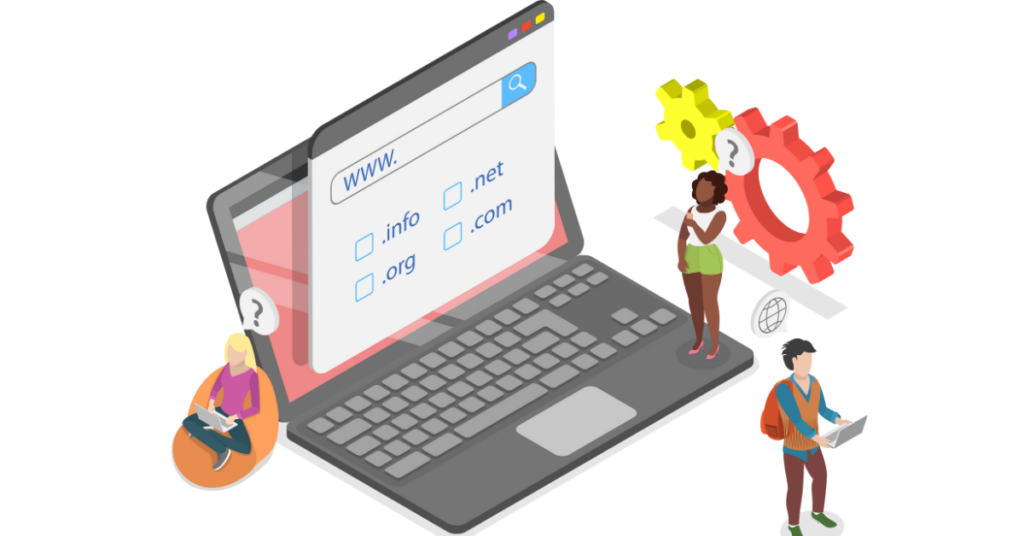
Now that you know what name you want, where do you buy a domain name?
What Is a Domain Registrar?
A domain registrar is a company, like Truehost or Namecheap, that manages the domain name registration process.
Different domain extensions (like .com, .ai, .it, or .store) are managed by their respective registries. But those registries don’t sell domains directly to regular people like you and me.
That’s where registrars come in. They’re the middlemen who handle sales to the public.
A domain registrar is the company responsible for registering and managing domain names. They must also follow rules set by the Internet Corporation for Assigned Names and Numbers (ICANN).
Look for ICANN Accreditation
This is critical. ICANN is the organization that oversees domain registration worldwide.
There are some companies, not accredited by ICANN, that offer domain registration services. Don’t use them.
ICANN recommends that everyone purchase directly from an accredited registrar. The ICANN accreditation shows that a registrar is authentic, secure, and credible in the domain industry.
Always check for ICANN accreditation before you buy a domain name from anyone.
Consider Bundling with Web Hosting
Here’s another option.
Register your domain name through your web hosting company.
Often, hosting companies will allow you to register a free domain for the first year and will make the entire process quick and easy.
If you’re starting one website with a single domain name, bundling your domain with web hosting is the most popular route for beginners. It keeps billing and management in one place and is simple to set up.
Plus, many hosts include your domain name free for the first year on annual plans. Sometimes you can even get a free domain by signing up with a hosting company.
Always check the renewal cost and which TLDs are eligible for the promo before you buy.
Step 4: Complete the Purchase
You’ve chosen your name, picked your registrar, and you’re ready to buy a domain name. Here’s exactly what happens next.
The Registration Process
The process for registering a domain name is usually straightforward:
First, check availability for your domain name using the registrar’s domain search tool. When you find the perfect domain name, buy it right away so no one else can take it.
Add it to your cart and choose your registration term, typically one to 10 years. Longer terms cost more upfront, but you get to secure ownership for a longer period of time.
Many registrars offer discounted pricing for longer-term registrations. However, as a beginner, I recommend starting with just one or two years. You can always renew later.
Understand Domain Costs
Let’s talk real numbers.
Most of the time, you can grab a brand-new domain for around $10 to $15 from one of the top domain registrars.
On average, you can pay between $10 and $20 per year to register and own a domain name. However, some domain registrars offer introductory pricing, and you may need to pay more to renew your domain registration.
Most domains will cost between $10 and $45 per year, though some prices may be higher for premium or speciality extensions.
Here’s the cost breakdown:
Introductory price: Many domain registrars offer low starting prices for the first year of registration. These can be as low as a few dollars to hook you in.
Renewal price: Once the first year of registration ends, you’ll need to renew your ownership of the domain name. This is usually at a higher rate than the introductory price. Pay attention to this.
Domain extensions: The type of domain extension you choose affects the overall registration cost. .com domains cost differently than .io or .shop domains.
ICANN fee: There’s a $0.20 annual mandatory fee for each domain registration, renewal, or transfer. It’s tiny but required.
Essential Add-Ons to Consider
When you buy a domain name, registrars will offer several add-ons. Some are worth it, others aren’t.
Domain Privacy Protection keeps your contact details private in the WHOIS database. Without this, your personal information (name, address, email, phone) becomes publicly searchable online.
This is worth getting. It protects you from spam, scammers, and identity theft.
Auto-Renewal prevents accidental expiration. Imagine losing your domain because you forgot to renew it. Auto-renewal stops that nightmare.
Domain Lock helps you protect your domain name from unauthorized transfers. Someone can’t just steal your domain if it’s locked.
An SSL Certificate protects customer data and is a must if you sell online or collect information. Many hosts include this free now, so check before paying extra.
What to Skip as a Beginner
Don’t get upsold on expensive premium add-ons you don’t need yet. Start simple.
Skip multiple-year commitments at first. Start with one year, make sure everything works, then commit longer if you’re happy.
Avoid unnecessary upsells like website builders you won’t use or email packages you don’t need yet.
Step 5: Set Up and Secure Your Domain
You bought your domain, congrats! Now let’s make sure it’s properly set up and protected.
Verify Your Ownership
Complete the purchase, verify your ownership, and secure the domain to keep it protected.
After you buy a domain name, you’ll receive a verification email. Click the link to confirm your ownership. ICANN regulations require this.
Make sure your WHOIS information is accurate. This is your contact information tied to the domain.
Set up strong account security with a complex password. Don’t use the same password you use for other accounts.
Configure Basic Settings
Now you need to point your domain to your website or hosting account.
This involves setting up DNS records. Don’t worry, it sounds technical, but your hosting company usually provides simple instructions, or does it automatically.
If you bought your domain and hosting together, this happens automatically. If you purchased them separately, you’ll need to update your domain’s nameservers to point to your hosting.
Domain forwarding lets you redirect users visiting your website to other desired domains. This is useful, especially when migrating to a new domain.
Set up email if it’s included with your domain or hosting package. Professional email addresses make you look legitimate.
Protect Your Investment
Once you’ve chosen and bought a domain name, consider securing variations (like yourbrand.com, yourbrand.ai, yourbrand.co) to protect against domain squatters and ensure consistency.
Enable two-factor authentication on your registrar account. This adds an extra security layer.
Set calendar reminders for renewal dates. Missing a renewal could mean losing your domain forever.
Keep your registrar login credentials secure. Store them in a password manager, not on a sticky note.
Common Beginner Mistakes to Avoid
Let’s save you from the most common errors people make when they buy a domain name.
Pricing Pitfalls
Although it is possible to change a domain name at any point, this is not something I recommend. Ensure that you’re choosing the right domain name at the very beginning because this could be the internet address you’ll be stuck with for the lifetime of your website.
Don’t ignore renewal costs. That $2 introductory price might become $15 per year after year one. Factor this into your budget.
Don’t fall for too-cheap-to-be-true offers from sketchy companies. Stick with reputable registrars.
Budget for privacy protection. It’s worth the extra few dollars yearly.
Never miss renewal dates. Losing your domain to expiration is heartbreaking and sometimes irreversible.
Naming Mistakes
Don’t use hyphens or numbers in your domain. “Best-pizza-4u.com” is terrible and unmemorable.
Don’t make it too long or complicated. If people can’t remember it after hearing it once, it’s too complex.
Check trademark issues before you buy a domain name. Getting sued for trademark infringement ruins everything.
Avoid trendy names that age poorly. “MySpace” sounded cool once. Think long-term.
Check if matching social media handles are available. Consistency across platforms matters for branding.
Registration Mistakes
Never buy from unaccredited registrars. Only use ICANN-accredited companies.
Read the terms of service before agreeing. Know what you’re signing up for.
Don’t skip privacy protection to save a few bucks. Your personal info online isn’t worth the risk.
Use accurate contact information. False info can get your domain suspended.
Enable auto-renewal to prevent accidental loss of your domain.
What If Your Domain Is Already Taken?
Sometimes, no matter how hard you look, the domain you really want is already taken.
Check If It’s in Use
When that happens, you usually have two choices: brainstorm a different name or try to buy the one you really want from whoever owns it.
First, use WHOIS lookup tools to see who owns it. Visit the actual site to see if it’s actively being used. Many registered domains sit empty.
Check domain marketplaces to see if it’s listed for sale.
Alternative Strategies
If your first choice is unavailable, try different extensions. You can’t get YourBrand.com, but YourBrand.io or YourBrand.co is available.
Add modifiers to your name: GetYourBrand, TryYourBrand, UseYourBrand, or MyYourBrand.
Consider similar names that mean the same thing. If “FastCoffee.com” is taken, maybe “QuickCoffee.com” or “SpeedyCoffee.com” works.
Many platforms suggest alternatives when your search is unavailable. Sometimes these suggestions are better than your original idea.
Buying from the Current Owner
If you absolutely must have a specific domain, you can try buying it from the current owner.
There are two main routes: privately approaching the domain name’s owner and agreeing on a sale, or looking for the name in domain marketplaces.
The first method avoids involving a third party in the sale, and you may be able to negotiate more favorable pricing by dealing directly with the owner.
Be prepared to pay premium prices. Popular domains can cost hundreds or thousands of dollars.
Always use escrow services for safety when buying expensive domains from individuals. Never send money without protection.
After You Buy: Next Steps
You successfully bought a domain name. Now what?
Connect to Web Hosting
Point your domain to your hosting account. Your hosting company provides instructions for this.
Wait for DNS propagation. This takes 24-48 hours, typically. During this time, some people might see your site while others don’t yet. That’s normal.
Test to make sure everything works correctly after propagation completes.
Build Your Website
Choose a website builder or content management system (CMS). WordPress is the most popular choice for beginners.
Many hosts offer one-click WordPress installation. Use it, it’s incredibly easy.
Start creating content for your site. Add pages, write posts, upload images.
Set Up Professional Email
Create branded email addresses using your domain. Instead of [email protected], you’ll have [email protected].
This looks infinitely more professional to customers and clients.
Configure email clients like Gmail or Outlook to work with your new email address.
Monitor and Maintain
Remember to renew your domain name on time to keep your website online and your domain name off the market.
Track expiration dates carefully. Set multiple reminders so you never miss renewal.
Review privacy settings annually to make sure your information stays protected.
Keep contact information updated in your registrar account. If they can’t reach you, you could lose your domain.
Your Domain Journey Starts Now
Buying a domain name doesn’t have to be complicated. Let’s recap the five simple steps:
- Understand what a domain is. It’s your website’s unique address on the internet
- Choose a memorable name. Keep it short, simple, and brandable
- Pick a trusted registrar. Only use ICANN-accredited companies
- Complete the purchase. Budget $10-20/year for the most common domains
- Set up and secure. Verify ownership, enable protections, and configure settings.
The domain name market is on the rise. At the end of 2024, there were 364.3 million domain names registered across all TLDs, an increase of 2 million from the third quarter of the same year.
Good domains disappear fast. Don’t overthink it. The best time to buy a domain name was yesterday. The second-best time is right now.
Get Your Domain with Truehost Today
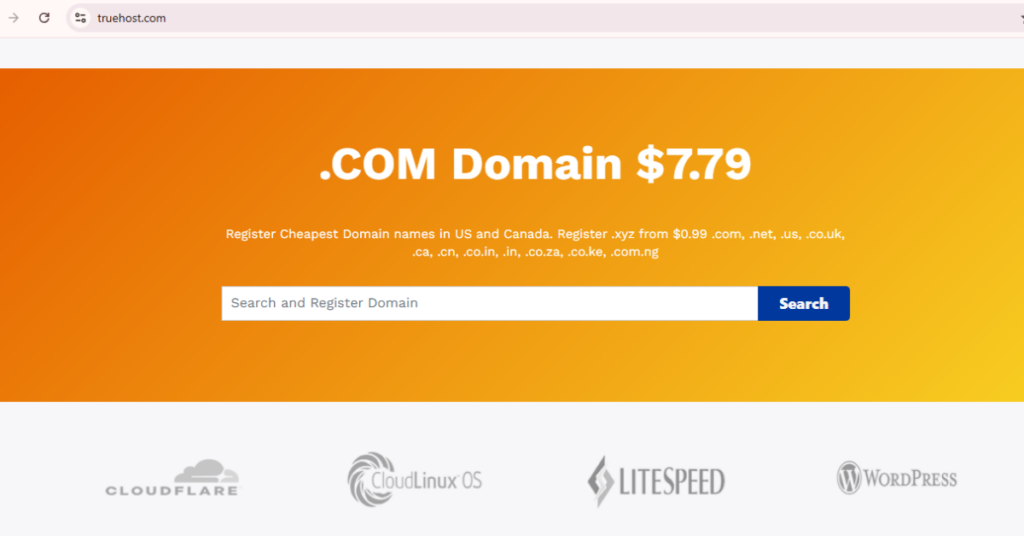
Ready to claim your corner of the internet?
Truehost makes buying your first domain simple, safe, and affordable.
Why choose Truehost when you buy a domain name:
- ✓ Transparent pricing: $10-15/year for most domains with no hidden fees or surprises
- ✓ Free privacy protection included on all eligible domains to keep your info safe
- ✓ 24/7 expert support: Real humans who help when you need it
- ✓ Free domain with hosting: Get your first year free on annual hosting plans
- ✓ Easy domain management: Control everything from one simple dashboard
- ✓ Automatic renewals: Never lose your domain by accident
- ✓ Domain + hosting bundles: Everything you need to get online in one place
Plus, Truehost includes:
- One-click WordPress installation for easy website building
- Free SSL certificates to protect your visitors
- Professional email addresses using your domain
- Easy-to-use website builder for beginners
- Migration assistance if you already have a site elsewhere
Don’t let your perfect domain name slip away. Someone registers a new domain every second. Make sure yours is next.
Search for your domain at Truehost now and get your website started the right way. Simple pricing, no surprises, and support whenever you need it.
Your online journey starts with the right domain. Make it count.