Domain RegistrationFind and register the perfect domain for your website.
 .COM DomainChoose a widely recognized domain to build global credibility.
 Domain TransferSeamless domain transfers with zero downtime and complete control.
 All TLDsFind and register your perfect domain. Choose from local and global extensions.
 SSL CertificatesKeep your website safe with reliable SSL Certificates that protect customer data and build trust.
 whoisCheck domain ownership details, expiration dates, and registrar information.
 US DomainRegister a .US domain and build trust in the USA.
 Web HostingEverything your website needs to run smoothly
 WordPress HostingWordPress hosting that just works
 Windows HostingReliable hosting for Windows environments
 Reseller HostingTurn hosting into your business
 Email HostingEmail that looks professional and works anywhere
 cPanel HostingFull control of your hosting with cPanel
 Affiliate ProgramJoin as a partner and earn commissions on every referral you send our way.
 Vps HostingScalable virtual servers that expand as you need.
 Dedicated ServersGet complete access and full control over your dedicated physical server.
 Managed vpsNot tech-savvy? We will take care of everything with our fully managed VPS hosting for you.
 AI Website BuilderCreate stunning websites in seconds with AI.
 Online ShopSet up a professional online store. No coding required.
 Web design serviceGet a tailored website designed to match your brand and support your goals.
 BlogFind helpful guides on web hosting, online selling, digital marketing, and more.
 Contact USYou can reach us anytime, day or night, through chat or email.
 SupportBrowse helpful guides and answers for all of our services.
Here’s something that should surprise you as a website owner: not everyone, or everything, visiting your website is actually a real person. There is always real visitors, helpful bots, and malicious traffic. In fact, a huge chunk of your traffic could be automated software called bots.
In 2024, automated bot traffic surpassed human traffic for the first time in a decade, making up 51% of all web traffic worldwide. Some of those bots are helpful. Others can seriously damage your site. And somewhere in the middle, you have real, actual humans clicking around your pages.
If you can’t tell the difference between real visitors, helpful bots, and malicious traffic types, you’ll end up with messy analytics, wasted server resources, and potentially some very real security problems.
So let’s break it all down, step by step.
We will look at:
- What counts as real visitors
- What are helpful bots?
- What is malicious traffic?
- Signs of malicious traffic to watch for
- Traffic behavior comparison
- How to block malicious traffic
- Why you must identify traffic types
- How Truehost helps manage and protect your traffic
What Counts as Real Visitors

Real visitors are actual human beings using your website. They find you through Google:
- Click a link on social media
- Type your address directly into their browser
- Follow a recommendation from a friend.
These are the people you built your website for.
Real visitors behave in very natural, slightly unpredictable ways. They might land on your homepage, click over to your blog, read an article for a few minutes, then head to your contact page.
Their session duration varies. Sometimes they read a lot, sometimes they bounce quickly. They click around in a way that feels organic and logical, not mechanical.
In your analytics, real visitors will usually show up with a recognizable traffic source, like Google organic, Facebook, or direct. Their time on the page will vary between different users, and they’ll interact differently with each session.
That unpredictability is actually a good sign that you’re looking at real human behavior.
What are Helpful Bots?
Now, not all bots are bad. Actually, some are extremely important for your website’s success.
Helpful bots, often called good bots, are automated programs that serve a legitimate purpose. The most well-known helpful bots are search engine crawlers. Googlebot and Bingbot are two examples you’ve probably heard of.
These bots visit your website regularly, scan through your pages, and report back to Google and Bing so that your content gets indexed and shows up in search results. Without these bots, your website would basically be invisible on the internet.
There are also monitoring bots that check your website’s uptime and performance, security bots that scan for vulnerabilities on your behalf, and SEO bots from tools like Semrush or Ahrefs that help you analyze your site’s performance.
So how do you recognize helpful bot traffic?
Helpful bots usually identify themselves honestly. They show up in your server logs with a recognizable user-agent string, something like “Googlebot/2.1.” They follow the rules set out in your robots.txt file (a simple file on your site that tells bots what they can and can’t access). And crucially, they don’t overload your server. Their requests are spread out over time and are structured, not aggressive.
What is Malicious Traffic?

This is where things get more serious. Malicious traffic comes from bots, or in some cases, real attackers, whose entire purpose is to cause harm to your website. And unfortunately, it’s a growing problem.
Bad bots made up 37% of all internet traffic in 2024, the sixth consecutive year of growth, up from 32% in 2023.
Malicious bots come in many flavors.
- Spam bots flood your contact forms and comment sections with garbage.
- Scraper bots steal your content and copy it to other websites without permission.
- Brute-force bots repeatedly try different username and password combinations to break into your site’s admin area.
- And DDoS bots send a flood of requests to your server all at once to overwhelm it and take your site offline.
The scary part is that modern malicious bots are getting smarter. Many of them now disguise themselves as real browsers, pretending to be Chrome or Safari, to avoid detection. They rotate through different IP addresses to avoid being blocked.
And some even use residential IP addresses (the same kind used by real home users) to blend in with normal traffic.
Signs of Malicious Traffic to Watch For
So how do you know if malicious traffic is hitting your website? There are several red flags to keep an eye on:
- A sudden, unexplained spike in traffic, especially if it comes out of nowhere and doesn’t match your usual patterns
- An unusually high bounce rate, visitors that land and leave in under a second, hundreds of times in a row
- The same IP address is making the same request over and over in a very short time
- Lots of failed login attempts on your admin or member login pages
- Unusual geographic traffic, for example, thousands of visits suddenly appearing from a country you’ve never had visitors from before
- Your server is slowing down or crashing for no obvious reason.
Any one of these could indicate malicious bot activity. Multiple at the same time? That’s a serious signal to act on quickly.
Real Visitors, Helpful Bots, and Malicious Traffic Behavior Comparison
| Traffic type | Behavior | Impact on your site |
| Real visitors | natural browsing, varied sessions | positive engagement and conversions |
| Helpful bots | Structured, rule-following crawls | Improves search visibility |
| Malicious traffic | Aggressive, repetitive requests | Security risk, server strain |
Tools to Identify Website Traffic Types
The good news is that you don’t have to guess. There are solid tools available to help you analyze and identify real visitors, helpful bots, and malicious traffic types hitting your website.
Google Analytics
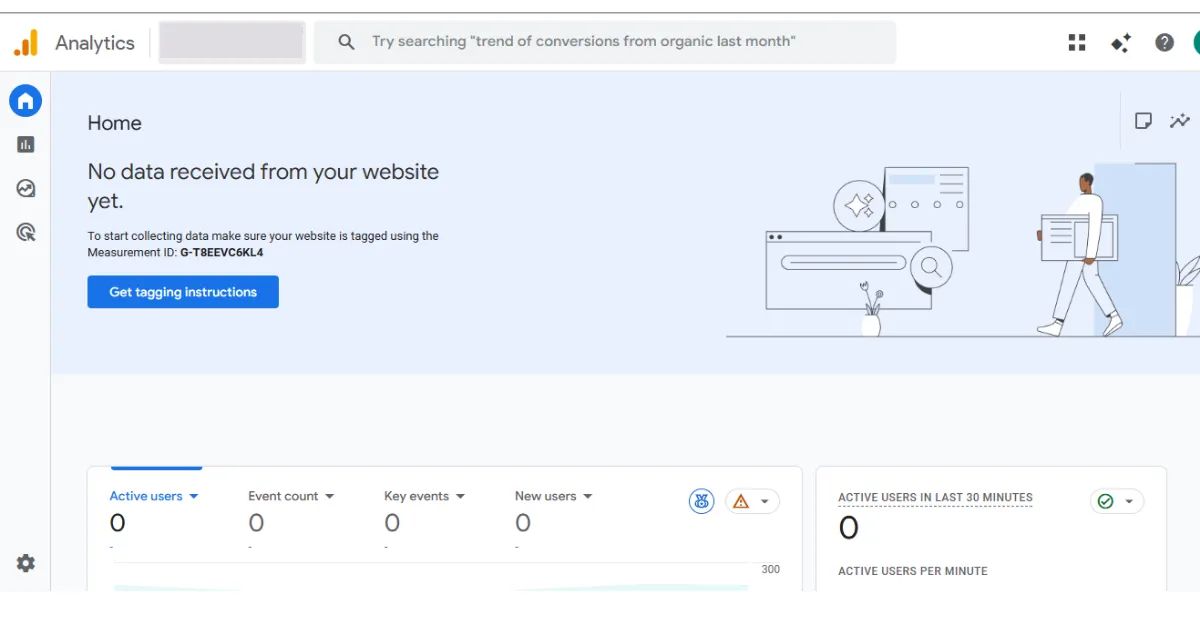
Google Analytics is a great starting point for most website owners. It shows you where your traffic is coming from, how long visitors are staying, and which pages they’re viewing. You can also enable bot filtering in Google Analytics, which removes known bot traffic from your reports automatically. It gives you a cleaner picture of your real visitors.
Cloudflare
Cloudflare is a popular security and performance tool that sits in front of your website. It analyzes every request before it reaches your server. It’s very good at identifying and blocking malicious bots while letting real visitors and helpful bots through normally. Even the free plan offers meaningful protection.
Server Logs
Your server logs are another incredibly valuable source of information. Every request made to your server is recorded there, including the IP address, the user agent, and the time of the request. If something looks suspicious, the logs usually tell the story.
How to Block Malicious Traffic
Once you’ve identified harmful traffic, the next step is to do something about it. Here are the most effective methods:
- Web Application Firewall (WAF): This sits between your website and the internet, filtering out malicious requests before they even reach your server. Cloudflare and Sucuri both offer good WAF options.
- IP blocking: If you spot a specific IP address repeatedly making suspicious requests, you can block it directly in your hosting control panel or firewall settings.
- Rate limiting: This limits how many requests any single IP address can make within a set period. It’s very effective against brute-force attacks and aggressive scraper bots.
- CAPTCHA systems: Adding a CAPTCHA to your login pages and forms forces users to prove they’re human, stopping most automated bots instantly.
Why You Must Identify Real Visitors, Helpful Bots, and Malicious Traffic Types
Beyond just security, understanding your traffic types has real benefits for how you run your website.
When you filter out bot traffic from your analytics, your data becomes much more accurate. You’ll make better decisions about your content, your marketing, and your audience because you’re looking at real user behavior, not artificial numbers inflated by bots.
Blocking malicious traffic also reduces the load on your server, which means faster page speeds and better performance for your real visitors. And better performance means more engagement, better SEO rankings, and ultimately more business results.
How Truehost Helps Manage and Protect Your Traffic
Dealing with real visitors, helpful bots, and malicious traffic types becomes a lot easier when your hosting provider has the right tools built in.
The good news is that if you choose Truehost as your hosting provider, you get built-in website security features designed to help detect and control harmful traffic before it causes problems for your site.
Our hosting infrastructure is built for reliable performance, which means your real visitors always get a fast, smooth experience, even if bad bots are trying to slow things down. And with scalable plans and solid support, Truehost gives you the foundation you need to keep your website safe, stable, and running properly as it grows.
In Summary
Not all traffic hitting your website is created equal. There are real visitors, helpful bots, and malicious traffic.
- Real visitors are your actual audience, the humans you want to reach and convert.
- Helpful bots like Googlebot keep your site visible in search results and support your SEO.
- Malicious traffic, on the other hand, is a genuine threat that can distort your data, slow your server, and compromise your security.
Knowing the difference, using the right tools, and putting protections in place are all non-negotiable parts of running a website in 2026. For reliable hosting with built-in protection and the performance to handle whatever traffic comes your way, choose Truehost.