Domain RegistrationFind and register the perfect domain for your website.
 .COM DomainChoose a widely recognized domain to build global credibility.
 Domain TransferSeamless domain transfers with zero downtime and complete control.
 All TLDsFind and register your perfect domain. Choose from local and global extensions.
 SSL CertificatesKeep your website safe with reliable SSL Certificates that protect customer data and build trust.
 whoisCheck domain ownership details, expiration dates, and registrar information.
 US DomainRegister a .US domain and build trust in the USA.
 Web HostingEverything your website needs to run smoothly
 WordPress HostingWordPress hosting that just works
 Windows HostingReliable hosting for Windows environments
 Reseller HostingTurn hosting into your business
 Email HostingEmail that looks professional and works anywhere
 cPanel HostingFull control of your hosting with cPanel
 Affiliate ProgramJoin as a partner and earn commissions on every referral you send our way.
 Vps HostingScalable virtual servers that expand as you need.
 Dedicated ServersGet complete access and full control over your dedicated physical server.
 Managed vpsNot tech-savvy? We will take care of everything with our fully managed VPS hosting for you.
 AI Website BuilderCreate stunning websites in seconds with AI.
 Online ShopSet up a professional online store. No coding required.
 Web design serviceGet a tailored website designed to match your brand and support your goals.
 BlogFind helpful guides on web hosting, online selling, digital marketing, and more.
 Contact USYou can reach us anytime, day or night, through chat or email.
 SupportBrowse helpful guides and answers for all of our services.
A website is often the first place potential customers meet your business, before a phone call, before a visit, sometimes before they have even decided to trust you. It establishes credibility, showcases what you offer, generates leads, and answers customer questions around the clock, long after you have closed for the day.
You don’t need advanced coding skills or a massive budget to pull this off. This article covers how to create a website for a small business, step by step, from choosing a domain to launching and promoting the finished site.
Ready to take your business online? Truehost makes it easy to create a professional small business website from the ground up. The steps below walk you through everything you need to know, starting with choosing the right domain name and continuing through hosting, design, content, and launch.
Each step builds on the one before it, so you can move forward with confidence instead of ending up with a collection of unfinished decisions. By the time you reach the launch checklist, you’ll have everything you need to turn your idea into a complete, professional website.
What You Need to Create a Small Business Website
A few essentials before diving into the steps:
- A clear business goal for the site
- A domain name
- Web hosting
- A website-building platform
- Brand assets (logo, colors, fonts)
- Website content
- Business contact information
- An SSL certificate
How to Create a Website for a Small Business
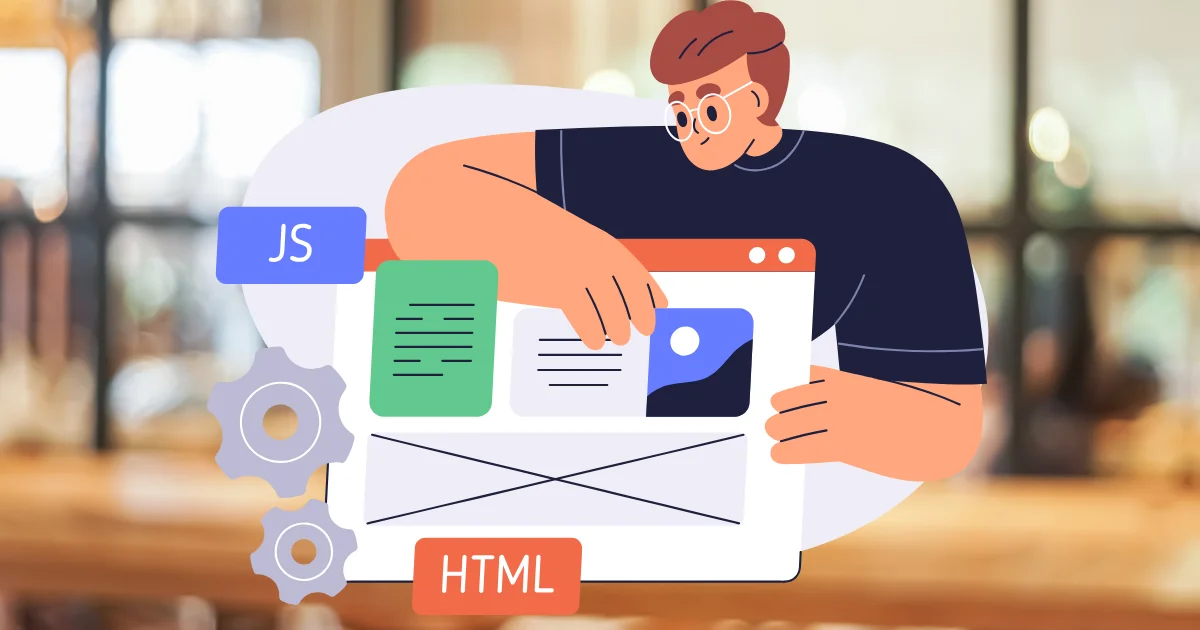
Step 1: Define Your Website’s Purpose
Before touching a design template, decide what the site actually needs to do.
- Generate leads through inquiries and contact forms.
- Sell products directly through an online store.
- Promote services and encourage bookings or consultations.
- Accept bookings for appointments or reservations.
- Showcase work for creative or portfolio-driven businesses.
- Provide information for customers researching hours, location, or offerings.
Choose your primary goal before selecting a platform or starting on design. Everything downstream, structure, content, and features, should support that one goal first.
Step 2: Choose and Register Your Domain Name
Your domain is your permanent address online, so it’s worth getting right the first time.
- Use your business name where possible, since it’s the easiest thing for customers to remember.
- Keep it short and memorable rather than clever or complicated.
- Avoid confusing spellings, hyphens, or numbers that people might mistype.
- Choose an appropriate extension, usually
.comfor broad trust, or.usif you are specifically targeting American customers. - Check availability before settling on a name you love.
- Consider registering a few related extensions to protect your brand from competitors or squatters.
Register your business domain with Truehost to lock in your name and get your site’s foundation in place.
Step 3: Choose the Right Web Hosting
Hosting is what actually keeps your website online and accessible, so it deserves real consideration.
- Performance affects how fast your pages load for visitors.
- Storage needs to match your content, especially if you’re using lots of images or video.
- Uptime and reliability determine how often your site is actually accessible.
- Security protects both your business and your customers’ data.
- Backups give you a safety net if something goes wrong.
- Scalability matters as your traffic and content grow over time.
- Customer support matters most when something breaks and you need help fast.
Shared hosting works well for most small businesses just starting out, while growing sites with heavier traffic benefit from more dedicated resources.
Step 4: Choose How You Will Build Your Website
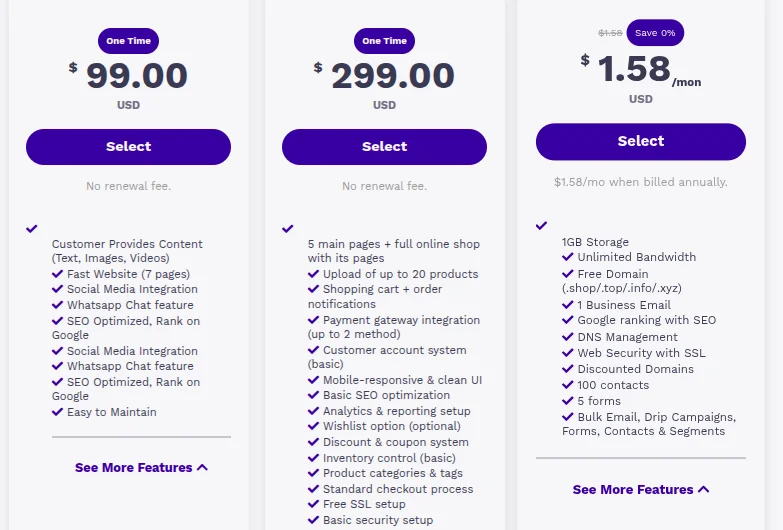
Your platform choice shapes everything from cost to how much control you’ll have later.
WordPress offers the most flexibility, with thousands of themes and plugins covering nearly any feature a small business might need. It suits businesses that want room to grow and customize over time, though it comes with a slightly steeper learning curve than a drag-and-drop builder.
Website builders prioritize speed and simplicity, letting you drag and drop your way to a finished site without touching code. They’re ideal for business owners who want something live quickly and don’t need extensive customization.
Custom website development offers the greatest design and functional flexibility, built specifically around your business needs. It requires the most time, budget, and technical involvement, making it better suited to businesses with specific, complex requirements.
| Option | Flexibility | Ease of Use | Best For |
|---|---|---|---|
| WordPress | High | Moderate | Businesses wanting long-term customization |
| Website Builders | Limited | Very Easy | Businesses wanting a fast, simple setup |
| Custom Development | Highest | Requires a developer | Businesses with complex or unique requirements |
There’s no universally “right” answer here. A local bakery that just needs hours, a menu, and a contact form is often better served by a simple website builder than by WordPress’s steeper learning curve. A growing service business planning to add booking systems, blogs, and multiple locations over the next few years may find WordPress’s flexibility worth the extra setup time from the start.
Step 5: Plan Your Website Structure
A little planning here saves a lot of restructuring later.
- Keep navigation simple, with your most important pages easy to find.
- Organize products and services logically, grouped the way customers actually think about them.
- Decide on your main calls to action before you start designing around them.
- List out every essential page your site actually needs.
- Map the user journey: how does a visitor go from landing on your homepage to actually contacting you?
Step 6: Design a Professional Website
Good design here is less about looking impressive and more about being usable and trustworthy.
- Keep branding consistent across every page, same colors, same fonts, same tone.
- Choose readable fonts at a comfortable size, especially for body text.
- Use clean layouts with enough white space to avoid feeling cluttered.
- Use high-quality images, since blurry or stretched photos undercut credibility fast.
- Make navigation intuitive, so visitors never have to guess where to click next.
- Keep calls to action visible, not buried below several scrolls of content.
- Avoid unnecessary design elements, like autoplay videos or excessive animation, that slow down the experience.
Step 7: Create the Essential Website Pages
Each core page serves a specific job in guiding visitors toward becoming customers.
- Homepage: Clearly communicate what your business offers and who it serves within the first few seconds.
- About Page: Introduce your business, your team, your experience, and the values that shape how you work.
- Products or Services Page: Explain your offerings clearly, focused on the benefits customers actually get.
- Contact Page: Make it effortless for visitors to reach you, with multiple contact options if possible.
- Testimonials and Reviews: Feature genuine customer feedback, since social proof builds trust faster than any sales copy.
- FAQ Page: Answer the questions and objections customers raise most often before they even ask.
Step 8: Add Your Business Information
Visitors should never have to hunt for basic details.
- Business name
- Phone number
- Professional email address
- Physical address
- Opening hours
- Service areas
- Social media profiles
- Relevant credentials or certifications
Keep this information accurate and consistent everywhere it appears, since mismatched details across your website, Google Business Profile, and directories can quietly undermine trust and local search rankings alike.
Step 9: Create Content That Converts Visitors
Good website content speaks to customers first and search engines second.
- Address real customer problems directly, not just generic industry talk.
- Explain the actual benefits of your products or services, not just their features.
- Use clear, descriptive headings that help visitors scan quickly.
- Keep paragraphs short and easy to read, especially on mobile.
- Include strong calls to action throughout, not just at the very bottom.
- Use relevant keywords naturally, without forcing them into awkward sentences.
- Make important information, like pricing or contact details, easy to find at a glance.
Write the way you would actually explain your business to someone standing in front of you. Customers can tell the difference between content written to inform them and content written purely to rank in search results, and the first almost always converts better anyway.
Step 10: Optimize Your Website for Search Engines
SEO helps new customers find you without paid advertising.
- Research the keywords your customers are actually searching for.
- Write clear, descriptive page titles that include your target keyword.
- Craft meta descriptions that accurately summarize each page and encourage clicks.
- Use descriptive URLs instead of random strings of numbers or characters.
- Optimize images with descriptive file names and alt text.
- Link relevant pages to each other internally, helping visitors and search engines navigate your site.
- Focus on genuinely helpful content rather than keyword-stuffed filler.
- Set up Google Search Console to monitor how your site performs in search.
- Submit your sitemap so search engines can find and index your pages efficiently.
If you serve a specific area, include your city or region naturally in your content and page titles to strengthen local search visibility.
Step 11: Make Your Website Mobile-Friendly
Most visitors will land on your site from a phone, so this isn’t optional.
- Use responsive design that adjusts automatically to different screen sizes.
- Make buttons large enough to tap comfortably with a thumb.
- Simplify navigation for smaller screens, avoiding cramped menus.
- Optimize images so they load quickly on mobile connections.
- Test your site across a few different screen sizes before launch.
- Keep forms short and easy to complete on a touchscreen.
Step 12: Secure Your Small Business Website
Security protects your business and your customers’ trust in equal measure.
- Install an SSL certificate and enable HTTPS across your entire site.
- Keep your platform, themes, and plugins updated regularly.
- Use strong, unique passwords for every admin account.
- Enable two-factor authentication wherever it’s available.
- Schedule regular backups so you can recover quickly if something goes wrong.
- Limit administrator access to only the people who genuinely need it.
Step 13: Add Features That Help Generate Leads
The right features turn casual visitors into actual prospects.
- Contact forms for general inquiries and questions.
- Quote request forms for service-based businesses with variable pricing.
- Click-to-call buttons for mobile visitors ready to talk immediately.
- Appointment booking tools for businesses that run on scheduled time.
- Live chat for answering quick questions in real time.
- Newsletter signup to stay in touch with visitors who aren’t ready to buy yet.
- Messaging options like WhatsApp or SMS for customers who prefer texting.
Step 14: Test Your Website Before Launch
A quick pre-launch check catches problems before customers ever see them.
Website Launch Checklist
- Every page loads correctly
- Navigation works as expected
- Internal and external links all function
- Contact and quote forms submit properly
- Website speed is reasonably fast
- The site displays correctly on mobile
- SSL certificate is active and showing HTTPS
- Spelling and grammar have been proofread
- Calls to action are visible and working
Step 15: Launch and Promote Your Website
Once everything checks out, it’s time to make it official.
- Connect your domain to your live hosting environment.
- Publish your website for the public to see.
- Submit your site to search engines through Search Console.
- Add your website link to every social media profile.
- Update your Google Business Profile with your new site.
- Share the launch with your existing customer base.
- Add your URL to business cards, email signatures, and marketing materials.
How Much Does It Cost to Create a Small Business Website?
Costs vary depending on your approach and your service provider, but here’s a sample breakdown.
| Expense | Estimated Cost |
|---|---|
| Domain registration | $10–$20/year |
| Web hosting | $5–$40/month |
| Website design | $0 (DIY) – $2,000+ (professional) |
| Premium themes or plugins | $0–$200 |
| Professional photography | $200–$1,000 |
| Copywriting | $0 (DIY) – $1,000+ |
| SSL certificate | Often included with hosting |
| Website maintenance | $0–$100/month |
| Marketing and advertising | Varies widely by strategy |
Ways to Reduce Your Website Costs
- Start with only the essential features you need on day one.
- Choose hosting sized appropriately for your current traffic, not projected traffic years out.
- Pick a platform that matches your comfort level, avoiding unnecessary developer costs.
- Write your initial content yourself, then refine it later as the business grows.
- Add advanced features gradually as your budget and business allow.
Common Small Business Website Mistakes to Avoid
- Choosing a confusing domain name. Keep it simple and closely tied to your business name.
- Using unreliable hosting. Slow or frequently down hosting costs you customers before they even see your site.
- Making navigation difficult. If visitors can’t find what they need in a few clicks, they’ll leave.
- Hiding contact information. Make it visible on every page, not buried in a footer link.
- Ignoring mobile users. A desktop-only design alienates the majority of your traffic.
- Using low-quality images. Blurry or stretched photos undermine credibility instantly.
- Publishing poorly written content. Typos and unclear writing quietly erode trust.
- Ignoring SEO. Without it, customers searching for your services may never find you.
- Creating slow-loading pages. Every extra second of load time costs you visitors.
- Neglecting website security. An unsecured site puts both your business and your customers at risk.
- Failing to update the website. Outdated hours, pricing, or content confuses and frustrates visitors.
FAQs
Can ChatGPT build me a website?
AI tools can help write content, generate ideas, and even assist with code, but you’ll still need a domain, hosting, and a platform to actually publish and run the site.
Do I need technical skills to manage a business website?
Not for most modern platforms. Website builders and WordPress both offer intuitive dashboards designed for non-technical business owners.
How often should I update my small business website?
Review it at least every few months, and update it immediately whenever hours, pricing, services, or contact information change.
Ready to Create Your Small Business Website?
Creating a small business website doesn’t have to be complicated or expensive. A professional domain, reliable hosting, useful content, mobile-friendly design, and a clear customer-focused structure give you a strong foundation for attracting and converting customers online.
Truehost provides the essential infrastructure small businesses need to make this happen: domain registration, reliable hosting, SSL certificates, and the tools to maintain a professional online presence as your business grows.
Ready to get started? Build your small business website with Truehost and give your business the online home it deserves.