Domain RegistrationFind and register the perfect domain for your website.
 .COM DomainChoose a widely recognized domain to build global credibility.
 Domain TransferSeamless domain transfers with zero downtime and complete control.
 All TLDsFind and register your perfect domain. Choose from local and global extensions.
 SSL CertificatesKeep your website safe with reliable SSL Certificates that protect customer data and build trust.
 whoisCheck domain ownership details, expiration dates, and registrar information.
 US DomainRegister a .US domain and build trust in the USA.
 Web HostingEverything your website needs to run smoothly
 WordPress HostingWordPress hosting that just works
 Windows HostingReliable hosting for Windows environments
 Reseller HostingTurn hosting into your business
 Email HostingEmail that looks professional and works anywhere
 cPanel HostingFull control of your hosting with cPanel
 Affiliate ProgramJoin as a partner and earn commissions on every referral you send our way.
 Vps HostingScalable virtual servers that expand as you need.
 Dedicated ServersGet complete access and full control over your dedicated physical server.
 Managed vpsNot tech-savvy? We will take care of everything with our fully managed VPS hosting for you.
 AI Website BuilderCreate stunning websites in seconds with AI.
 Online ShopSet up a professional online store. No coding required.
 Web design serviceGet a tailored website designed to match your brand and support your goals.
 BlogFind helpful guides on web hosting, online selling, digital marketing, and more.
 Contact USYou can reach us anytime, day or night, through chat or email.
 SupportBrowse helpful guides and answers for all of our services.
You spend a chunk of your day doing things a machine could handle. Copying data from one app to another, sending the same follow-up emails, updating spreadsheets that should update themselves, it adds up fast.
And when you finally decide to fix it with an automation tool, you run into a different problem. The popular ones charge you every time your workflows run, and those costs climb quietly until you’re paying more than you expected just to keep things moving.
That’s the gap n8n sits in. It’s a workflow automation tool built around giving you full control without the recurring bill that scales against you.
In this article, you will get a clear picture of what n8n is, how it works, what it costs, and whether it’s the right fit for your business.
At Truehost, we offer n8n self hosting as one of our core products, so we’ve seen firsthand how it changes the way small teams operate. Here’s everything you need to know.
What is n8n?
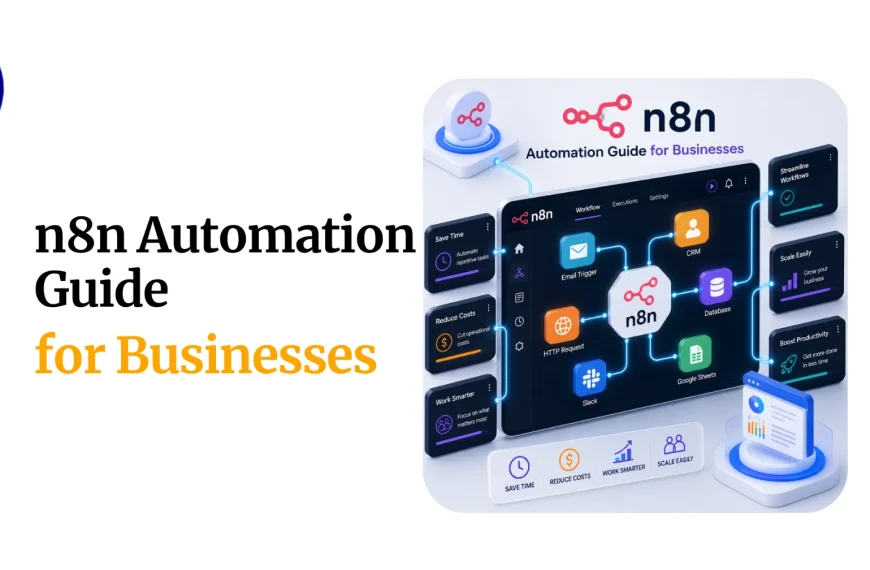
n8n is an open-source workflow automation platform. It lets you connect apps, automate repetitive tasks, and build custom workflows using a visual editor, no deep coding knowledge required for most setups.
The name is short for “nodemation,” and it describes exactly how the tool works. You connect nodes, each representing an app or action, and data flows between them based on rules you set.
What makes n8n different from most automation tools is that you can run it on your own server. That means no per-task fees, no usage caps, and full ownership of your data.
Quick Facts About n8n
- Founded: 2019 by Jan Oberhauser
- Type: Open-source workflow automation
- Hosting options: Self-hosted or cloud
- Free plan: Yes, when self-hosted
- Paid cloud plan: Starts at $20/month
- Native integrations: 400+ and growing
- Custom connections: Any app with an API
- Best for: Developers, technical teams, and cost-conscious businesses
- Open-source license: Fair-code (free for most uses)
How n8n Works
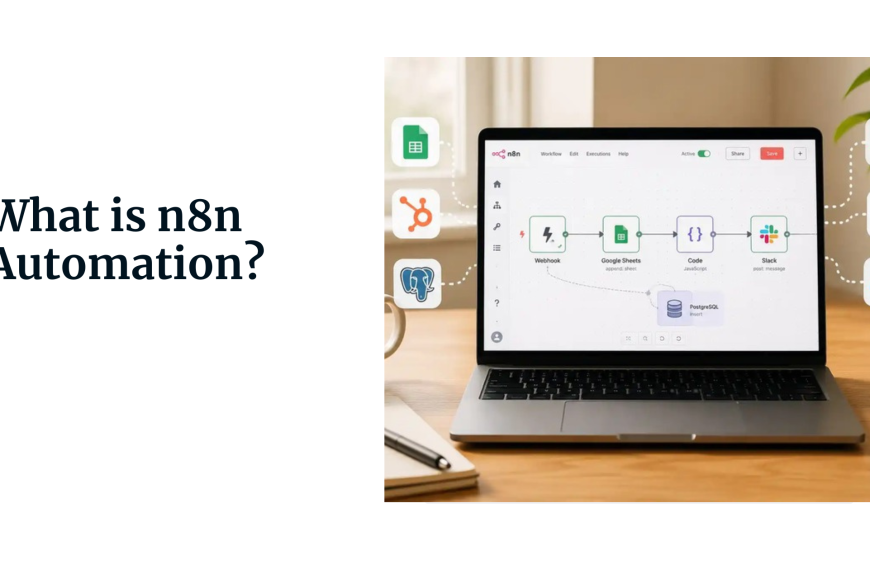
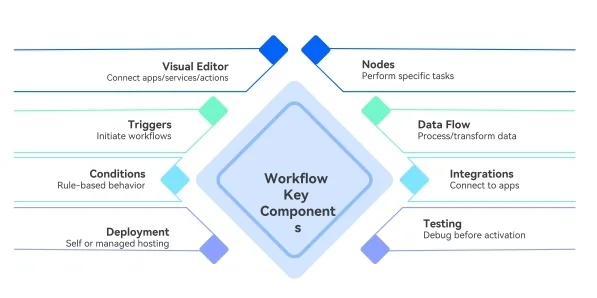
n8n runs on a visual workflow editor where everything is built using nodes. Each node represents either an app, a trigger, or an action, and you connect them together to create a flow of data from one place to another.
Think of it like a pipeline. You tell n8n where data comes from, what to do with it, and where it should end up. Once the workflow is active, it runs automatically every time the trigger fires.
1) Triggers
Every workflow starts with a trigger node. This is the event that kicks everything off. It could be a form submission, a new row in a spreadsheet, an incoming webhook, a scheduled time, or a new record in your CRM.
When the trigger fires, n8n wakes up the workflow and starts passing data through the connected nodes.
2) Nodes
Nodes are the building blocks of every workflow. There are two types: app nodes that connect to specific services like Gmail, Slack, or Shopify, and function nodes that let you transform, filter, or manipulate data as it moves through the workflow.
You can stack as many nodes as you need. A single workflow might pull data from an API, clean it up, check a condition, then send it to three different apps depending on the outcome.
3) Data Flow
When a trigger fires, n8n passes a package of data called an item from node to node. Each node can read that data, change it, add to it, or use it to decide what happens next.
This is where n8n gets powerful. You can split data into branches, loop through lists, merge results from multiple sources, or run entirely different paths based on conditions you define.
4) Execution Logs
Every time a workflow runs, n8n logs the execution. You can see exactly what data came in, what each node did with it, and where things went if something breaks.
That visibility makes it much easier to troubleshoot and improve your workflows over time, without guessing what went wrong.
5) Self-Hosted vs Cloud
When you self-host n8n, all of this runs on your own server. The workflows, the execution logs, and the data never leave your infrastructure.
When you use n8n Cloud or a managed host like Truehost’s n8n self hosting, the setup is handled for you and the platform manages the uptime, while you focus entirely on building workflows.
Why Choose n8n
1) It Cuts Costs Without Cutting Capability
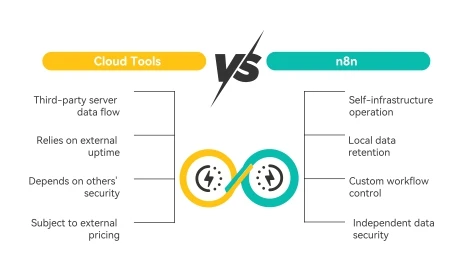
Most automation tools charge you per task. Every action your workflow runs gets counted, and those counts add up fast when you’re processing orders, syncing data, or sending messages at scale.
n8n doesn’t work that way. On the self-hosted plan, you run unlimited workflows for the cost of your server. That’s a flat, predictable number that doesn’t grow with your business.
2) It Gives You Real Control
With cloud-only tools, your data flows through someone else’s servers. You’re trusting their uptime, their security, and their pricing decisions.
n8n lets you run everything on your own infrastructure. Your data stays where you put it, and your workflows run exactly how you set them up.
3) It Handles Complex Workflows
Zapier and similar tools are great for simple trigger-and-action setups. But when you need conditional logic, loops, custom code, or multi-step processes that branch based on different outcomes, n8n handles it without forcing you into workarounds.
You can write JavaScript directly inside a workflow node, pull data from APIs, transform it, and pass it along all in one place.
4) It Grows With You
Starting with two connected apps today doesn’t mean you’re locked into a simple setup forever. n8n lets you build on top of existing workflows as your needs grow, without switching platforms or paying for a higher tier just to unlock features.
How Much Does n8n Cost?
Self-Hosted (Free)
If you host n8n on your own server, the software itself costs nothing. You pay only for the server it runs on.A basic VPS or managed hosting plan is enough for most small business workflows. Truehost offers n8n self hosting at a low fixed monthly cost, giving you a fully configured setup without having to manage the technical side yourself.
n8n Cloud Plans
If you’d rather not deal with hosting at all, n8n offers a managed cloud option:
- Starter: $20/month — 2,500 workflow executions
- Pro: $50/month — 10,000 executions
- Enterprise: Custom pricing
The cloud plans are straightforward, but self-hosting still wins on cost for businesses running high-volume automations. There’s no execution ceiling when you host it yourself.
Is n8n a Good Choice?
For most small businesses and technical teams, yes. The combination of no per-task pricing, open-source flexibility, and self-hosting options makes it hard to beat on value.
Where it earns that answer is in real use. A business automating order processing, lead follow-ups, and internal data syncing on Zapier might spend $80 to $150 a month once their task volume grows. The same setup on n8n, running on a managed server through Truehost, costs a fraction of that every month regardless of volume.
The caveat is that n8n takes more setup than Zapier. If you’re not comfortable with a short learning period, the initial experience can feel steep. But for businesses willing to invest a couple of hours upfront, the long-term payoff is clear.
Who Should Use n8n
1) Startups
If you’re building on a tight budget and need automation that won’t add to your monthly burn rate, n8n is a strong fit.
You can automate extensively from day one without committing to a recurring tool cost that scales against you.Self-hosted n8n throughTruehost gives you a ready-to-use setup for a fixed monthly price, which makes it easy to plan around.
2) Developers
n8n feels like a natural environment for developers. You can write custom JavaScript inside nodes, connect to any API using the HTTP request node, build complex logic, and integrate internal tools that most automation platforms don’t support.
If you’ve ever hit a wall with Zapier because it couldn’t do something specific, n8n usually can.
3) Small Businesses
Small businesses that are growing past the basics more customers, more data, more moving parts, often find that their automation costs grow faster than expected on per-task platforms.
n8n solves that by keeping costs flat. You can add new workflows without worrying about how many times they’ll run each month.
4) Agencies
Agencies running automations for multiple clients can self-host a single n8n instance and manage separate workflows for each client from one place.
That’s far more cost-effective than paying for multiple Zapier accounts or scaling up a cloud plan every time a new client comes on.
n8n vs Zapier vs Make
Pricing
Zapier is the most expensive of the three at scale. It charges per task, and those tasks multiply quickly across multi-step workflows. Make is more affordable, charging by operations with a lower starting price.
n8n wins on cost when self-hosted, since the software is free and your only cost is hosting.
Ease of Use
Zapier is the simplest. You can set up a two-step automation in minutes without any prior experience. Make is slightly more complex but still visual and learnable.
n8n has the steepest learning curve, though its interface has improved significantly and most basic workflows aren’t difficult once you’re familiar with the structure.
Flexibility and Customization
n8n leads here. Custom code, API connections, looping, error handling, and complex branching logic are all native features.
Make offers solid flexibility for non-coders. Zapier is the most limited, built around simplicity at the expense of depth.
Integrations
Zapier connects to 7,000+ apps. Make supports around 1,600. n8n has 400+ native integrations but can connect to virtually any API-based service through its HTTP node, making the practical ceiling much higher for technical users.
Who Each Tool Fits
- n8n: Developers, technical teams, and businesses focused on long-term cost control
- Zapier: Non-technical users who need fast, simple automations
- Make: Teams who want visual workflows with more control than Zapier
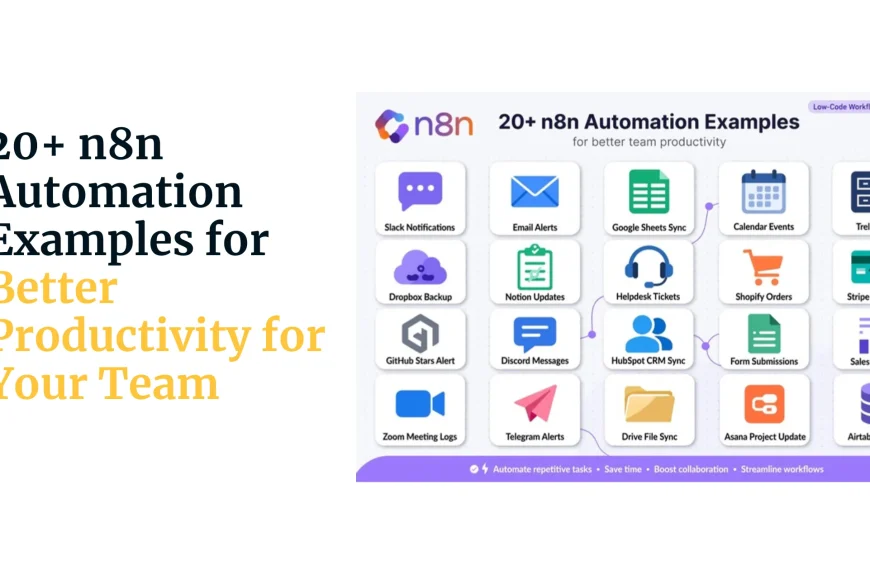
Top Use Cases of n8n
- Lead Automation When a new lead fills out a form on your website, n8n can add them to your CRM, send a welcome email, notify your sales team on Slack, and tag them based on what they selected, all without anyone stepping in.
- E-commerce Order Processing New orders can trigger stock updates, shipping notifications, customer receipts, and internal alerts to your fulfillment team. Every step runs automatically the moment a purchase is made.
- Client Onboarding Agencies and service businesses use n8n to automate the steps that come after someone signs a contract, sending welcome emails, creating project folders, scheduling kickoff calls, and updating internal records.
- Data Syncing Between Apps Keeping your CRM, invoicing tool, and project management platform in sync manually is a time drain. n8n can watch for changes in one app and push updates to the others automatically.
- Internal Reporting n8n can pull data from multiple sources on a schedule, combine it, and send a formatted summary to your team every morning, without anyone needing to log in and pull it manually.
- Customer Support Workflows Support tickets coming in from email, chat, or a form can be automatically routed, tagged, and assigned based on keywords, urgency level, or customer history.
How to Get Started with n8n
Step 1: Pick Your Hosting Method
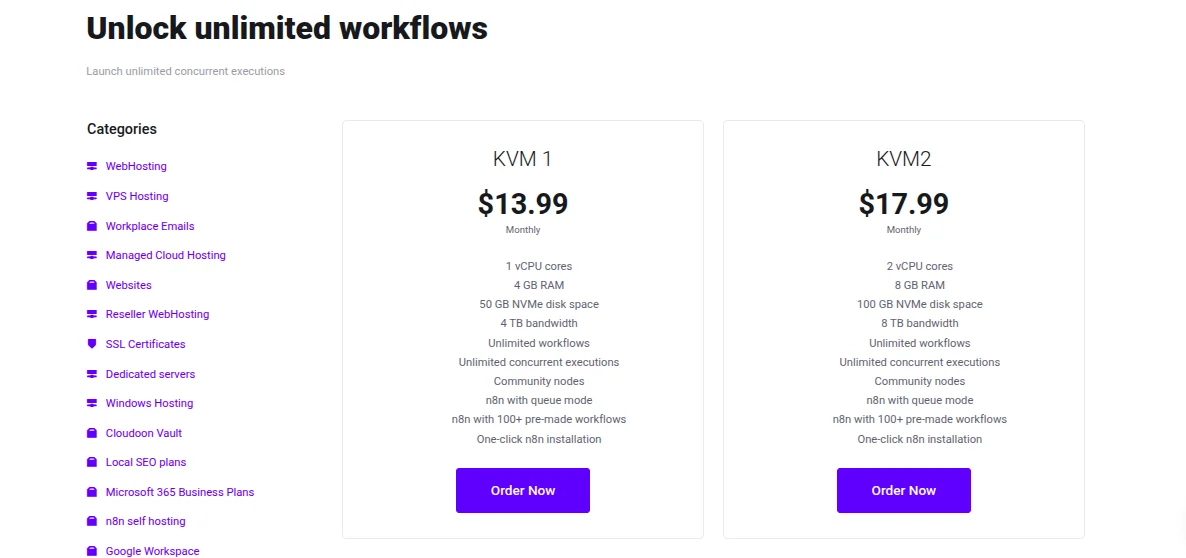
Decide whether you want to self-host or use n8n’s cloud. For businesses that want the lowest long-term cost, self-hosting through Truehost’s n8n self hosting is the fastest way to get a managed instance running without server configuration.
Step 2: Set Up Your Instance
If you’re going through Truehost, sign up for the n8n plan and your instance will be configured for you. You’ll receive login credentials and be ready to go within minutes.
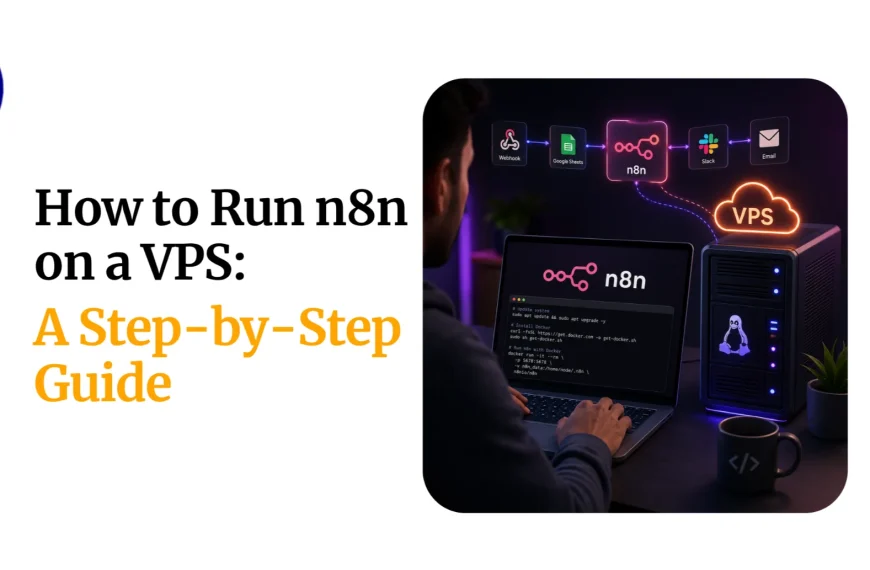
If you prefer a manual setup, install Node.js on a Linux server, run npm install n8n -g, and start it with n8n start. Your instance will be available on port 5678.
Step 3: Log In and Explore the Editor
When you first open n8n, you’ll land in the workflow editor. It’s a blank canvas with a toolbar on the left. Spend a few minutes clicking through the node library to see what’s available, you will find integrations for most tools you’re already using.
Step 4: Build Your First Workflow
Start simple. Pick one task you do manually every week and try to automate it. A good first workflow is something like: when a new row is added to a Google Sheet, send an email notification. Set a trigger node, connect your Google account, add an email node, and test it
Step 5: Test Before You Activate
n8n has a built-in test mode that lets you run a workflow with real data without it going live. Use it every time before activating a new workflow. It saves a lot of troubleshooting later.
Step 6: Activate and Monitor
Once you’re happy with how it runs, activate the workflow. n8n will keep it running and log every execution so you can see what happened and catch any errors quickly.
n8n FAQs
Is n8n free?
Yes, if you self-host it. The software is open-source and free to download and run on your own server. You only pay for the hosting. Cloud plans start at $20/month if you prefer a managed setup.
Is n8n open source?
Yes. n8n is released under a fair-code license, which means it’s free for personal and most business uses. The source code is public and can be modified.
Can beginners use n8n?
It depends on your starting point. n8n is not as beginner-friendly as Zapier, but it’s not out of reach either. If you’re comfortable following instructions and willing to spend a few hours learning the interface, most basic workflows are manageable.
Where can I host n8n?
You can host it on any Linux server, a VPS, a cloud instance, or even a local machine. Truehost offers a managed n8n self hosting plan that handles the setup and infrastructure for you.
Can I move from Zapier to n8n?
Yes. Most Zapier workflows can be recreated in n8n. Core integrations like Gmail, Slack, Google Sheets, Stripe, and HubSpot are available on both platforms. The transition takes some time upfront but is straightforward for most common setups.
How secure is n8n?
When self-hosted, your data never leaves your own server. That makes it one of the more secure options in the automation space. Cloud plans follow standard encryption and data protection practices, but self-hosting gives you complete control over where your data lives.
Should You Use n8n?
If cost control, flexibility, and data ownership matter to your business, n8n is worth serious consideration. It is not the fastest tool to set up at first, but it stands out because it does not keep charging you more as your workflows grow.
For startups that need to watch every dollar, developers who want full control, and small businesses tired of rising automation bills, n8n offers a practical alternative that scales without unnecessary cost pressure.
If you want a simple way to get started without dealing with server setup, you can deploy a self-hosted n8n instance with Truehost and start building workflows that stay affordable as your business scales.