 Domain RegistrationFind and register the perfect domain for your website.
 .COM DomainChoose a widely recognized domain to build global credibility.
 Domain TransferSeamless domain transfers with zero downtime and complete control.
 All TLDsFind and register your perfect domain. Choose from local and global extensions.
 SSL CertificatesKeep your website safe with reliable SSL Certificates that protect customer data and build trust.
 whoisCheck domain ownership details, expiration dates, and registrar information.
 US DomainRegister a .US domain and build trust in the USA.
 Web HostingEverything your website needs to run smoothly
 WordPress HostingWordPress hosting that just works
 Windows HostingReliable hosting for Windows environments
 Reseller HostingTurn hosting into your business
 Email HostingEmail that looks professional and works anywhere
 cPanel HostingFull control of your hosting with cPanel
 Affiliate ProgramJoin as a partner and earn commissions on every referral you send our way.
 Vps HostingScalable virtual servers that expand as you need.
 Dedicated ServersGet complete access and full control over your dedicated physical server.
 Managed vpsNot tech-savvy? We will take care of everything with our fully managed VPS hosting for you.
 AI Website BuilderCreate stunning websites in seconds with AI.
 Online ShopSet up a professional online store. No coding required.
 Web design serviceGet a tailored website designed to match your brand and support your goals.
 BlogFind helpful guides on web hosting, online selling, digital marketing, and more.
 Contact USYou can reach us anytime, day or night, through chat or email.
 SupportBrowse helpful guides and answers for all of our services.

The sticker price on a Windows VPS deal rarely covers a third remote user. Hosts that publish their pricing charge roughly $9 to $10 per extra user every month.
That gap catches many buyers off guard. A $10 Windows VPS can quietly become a $40 server once your team logs in.
Black Friday makes the problem worse. Discounts are loud, while licensing terms are quiet. Sale season is already underway, with Black Friday on November 27 and Cyber Monday on November 30.
This guide gives you a checklist for judging any Windows VPS deal. You will check licensing, renewal prices, uptime terms, refunds, and support before you pay. A scorecard near the end pulls it all together.
Need general VPS advice instead? Read our guide to the best Black Friday VPS deal in 2026. This article covers Windows only.
What a Reliable Windows VPS Black Friday Deal Looks Like
A reliable deal passes five checks. If it fails one, walk away or ask the host to fix it in writing.
- Licensing is clear. You know which Windows license is included and what extra users cost.
- Renewal is stated. The price after the promo term sits on the page, not behind a login.
- Uptime has terms. The host publishes an SLA and explains how credits work.
- Refunds exist. The refund window covers sale plans.
- Support answers. A real person replies to a pre-sales question.
Windows deals need more scrutiny than Linux deals. Windows carries a license fee, and that fee shows up in the price. The lowest price on a host’s site often refers to a Linux plan. A Windows plan with Remote Desktop usually costs more, since licensing and RAM needs add up.
Prices also rose this year. Truehost’s own comparison of last year’s and this year’s promos found higher prices across the board. That is a reason to compare plans carefully, not to rush.
When Windows VPS Black Friday Sales Start and End in 2026
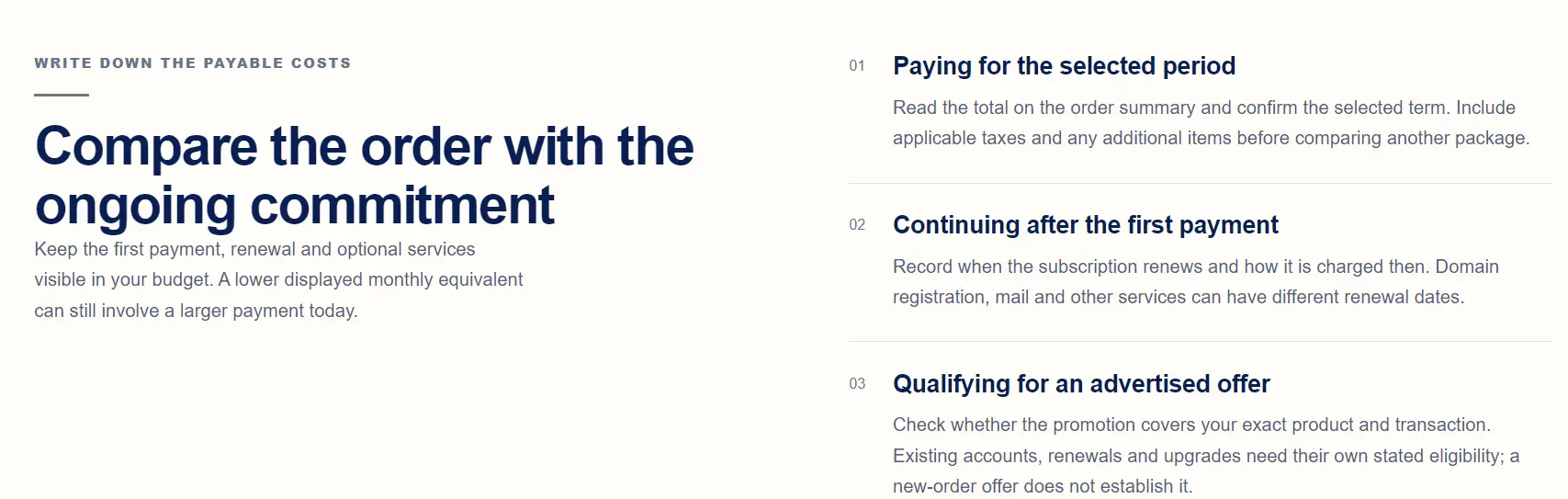
Black Friday falls on November 27, 2026. Cyber Monday follows on November 30. Some hosts do not wait for either date. One provider’s pre-launch page already lists a Windows Server VPS and opens its sale on November 15 at 12:00 AM EST.
Meanwhile, many hosts had not announced their 2026 deals by late October. Expect new offers to appear through the end of the month.
Flash deals add another wrinkle. Stock on the cheapest plans can sell out during Black Friday week. As a result, the lowest price may vanish before the official end date.
So should you buy now or wait? Buy now if the deal passes every check and your project is ready. Wait if you do not need the server yet, since more offers will appear.
Also check the year on every sale page. Some pages still show 2025 dates. Others published 2026 figures before any deal existed. A page with no verification date deserves less trust.
Check Windows Licensing Before You Check the Price
Licensing is where Windows deals get expensive. Check it first.
What the Base Price Includes
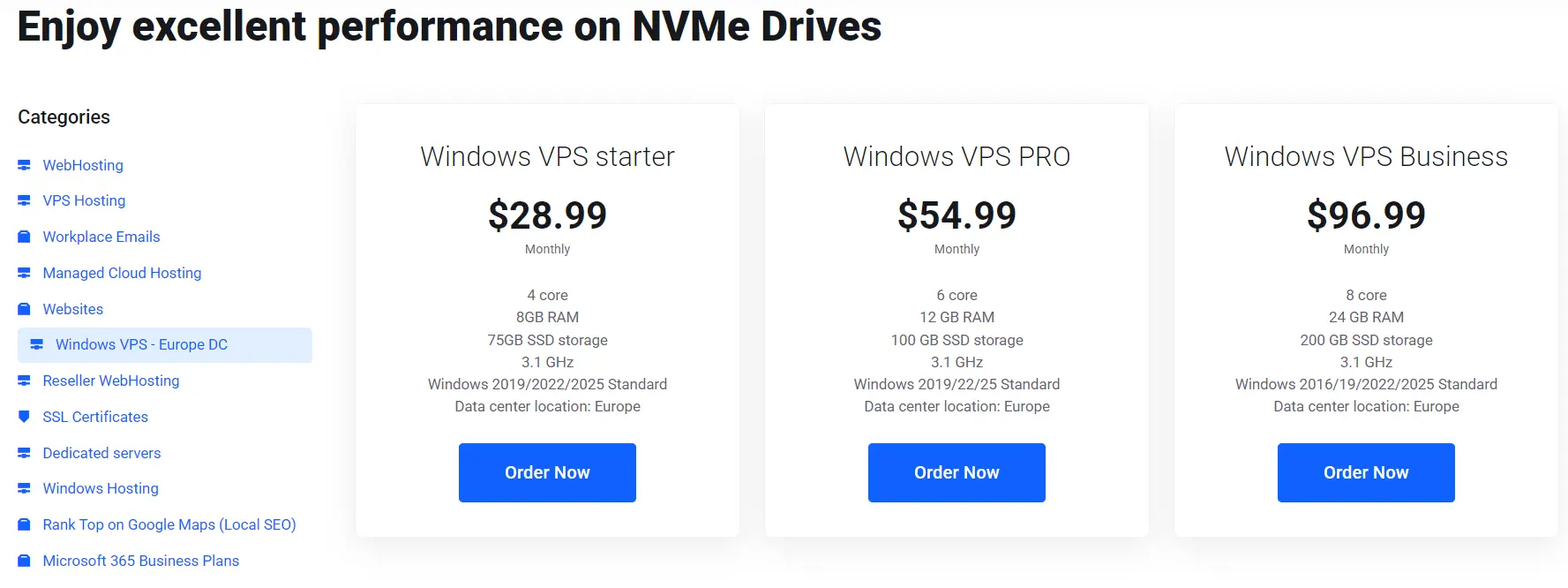
A standard Windows Server includes two administrative Remote Desktop connections. Those exist for managing the server. Microsoft treats them as an administrative exception, not two free licenses for daily work.
Many hosts license Windows through Microsoft’s service provider program. The fee often runs monthly and per core. More cores can mean a higher license cost. So the price you see reflects both your hardware and the Windows license.
Ask one question before you buy. Is this a full license or an evaluation license? Evaluation licenses are time-limited by design. One host states that its Windows VPS includes a six-month evaluation license. That works for testing. However, it is a problem for production.
RDS CALs and Extra Users
An RDS CAL is a Remote Desktop Services Client Access License. You need one for each user or device beyond the two admin sessions. Hosts that publish pricing list it at about $8.90 to $10 per user per month.
Here is a quick example. Say your host includes two sessions and charges $10 per extra user. Three more users add $30 a month. That comes to $360 a year, which can exceed the server price itself.
Some hosts bundle CALs into higher plans. For instance, one European provider includes three to ten Remote Desktop users depending on the plan. Compare the bundled price against the base price plus add-ons.
SQL Server and Other Add-On Licenses
Other licenses sit outside the base fee. SQL Server is the usual one. Accounting, ERP, and tax software may carry their own licenses too.
Ask for the full monthly cost in writing. Include Windows, extra users, database licenses, and backups. A good host answers in one email.
Also avoid any host that offers Windows with no license explanation. Unlicensed or cracked images create legal and security risks.
Read the Renewal Price and Billing Term
The biggest discount usually applies to the longest term. One pre-launch Windows VPS offer shows 34% off monthly billing and 55% off a two-year term. So a headline discount may require a two-year commitment.
Next, find the renewal price. Look for the rate after the promo ends. Then check what happens if you cancel early.
Treat “lifetime price” and “price lock” claims with care. Read which plans qualify and which billing terms count. Some locks apply only to eligible plans.
Use this formula to compare deals across three years:
(Promo price x promo months) + (renewal price x remaining months) + add-on licenses = three-year costDivide the result by 36 to get your true monthly cost. For example, take an $8 promo for 12 months, then a $20 renewal. The total is $96 plus $480, or $576. That averages $16 a month, double the headline price.
Verify Uptime, Hardware, and Network Claims
1) SLA and Credit Terms
An uptime number means little without terms. A 99.9% guarantee allows roughly 8.8 hours of downtime a year. A 99.99% guarantee allows about 53 minutes.
Check four things:
- How the host measures uptime.
- How you claim credits.
- What the SLA excludes.
- Whether a public status page exists.
A status page with incident history is a good sign. A host with no record gives you nothing to verify.
2) Virtualization, CPU, and Storage
Windows needs full virtualization such as KVM. Avoid container-based plans. Then look for NVMe storage, which responds quicker than older SATA SSDs.
Ask whether the cores are dedicated or shared. Shared cores can slow down during busy hours.
Size the RAM with Windows in mind. Microsoft’s minimum for the full desktop install is 2 GB. That leaves little room for your apps. Treat 4 GB as a practical floor for one light workload.
3) Data Center Location and Bandwidth
Pick a location near your users. For a US team, a US data center cuts lag. For a global team, look for several regions. Distance adds delay to every Remote Desktop session.
“Unmetered” bandwidth often comes with a fair-use policy. Read it before you rely on it.
Test Support and Refund Policy Before You Pay
Support is cheap to test. Send a pre-sales question about licensing. Ask how many Remote Desktop users the plan includes. A clear answer within a few hours is a good sign. A vague reply is a warning.
Check the support hours too. Look for 24/7 coverage, since servers fail at night.
Refund policies vary a lot. Some hosts offer a 30-day money-back guarantee. Others offer none at all. Some budget hosts tell buyers to start with one small plan for that reason.
Confirm that sale plans qualify for the refund. Then read the Terms of Service for resource limits and abuse rules.
Red Flags in Windows VPS Black Friday Offers
Watch for these warning signs:
- A Windows price close to a Linux promo price. Licensing costs money, so ask what was cut.
- Vague license wording, or “evaluation” buried in the specs.
- No named company, no Terms of Service, and no status page.
- Stock-limited plans with no refund.
- Countdown timers with no plan details.
- A renewal price missing from the checkout page.
Windows VPS Deal Scorecard
Score each deal before you pay.
| Check | What good looks like | Red flag |
|---|---|---|
| License type | Full license stated | “Evaluation” or no mention |
| Extra user cost | Price listed per user | No answer from sales |
| Renewal rate | Shown at checkout | Revealed after payment |
| Billing term | Month-to-month available | Deal needs two years |
| SLA | Written, with credits | Uptime claim only |
| Virtualization | KVM with NVMe | Container-based plans |
| Refund | 30 days, sale plans included | None, or sale plans excluded |
| Support | 24/7, answers pre-sales | Slow or scripted replies |
| Backups | Offered, cost listed | Not mentioned |
Give one point for each good row. Seven or more out of nine is a solid deal. Under five, keep looking.
FAQs
Is Black Friday a good time to buy a Windows VPS?
Yes, if you need the server now and the deal passes the checks above. The discounts are real, but they favor long terms. If your project is months away, wait and compare more offers.
Are Cyber Monday Windows VPS deals better than Black Friday?
Usually not. Hosts often keep the same discount through the weekend. A few add short extensions or flash deals. Check each host’s end date.
Is a Windows VPS more expensive than a Linux VPS?
Yes. Windows carries a license fee and tends to need more RAM. Remote Desktop users add CAL costs on top. Compare the full monthly cost, not the headline price.
How much RAM and CPU does a Windows VPS need?
For one admin and a light app, start at 4 GB of RAM and 2 vCPUs. Add RAM for databases or several apps. For multiple remote users, size the plan per user and ask the host for guidance.
Buy the Deal, Not the Discount
Never pay until the full monthly cost sits in writing. That one rule filters out most bad Windows deals. A host that answers it clearly has usually earned your trust.
Now put the scorecard to work. Run it on Truehost’s Windows VPS plans and compare licensing, renewal, and refund terms side by side.
Then send our team a pre-sales question about Remote Desktop users. Their answer will show you how a good host responds.
Explore Truehost Windows VPS plans.