Domain RegistrationFind and register the perfect domain for your website.
 .COM DomainChoose a widely recognized domain to build global credibility.
 Domain TransferSeamless domain transfers with zero downtime and complete control.
 All TLDsFind and register your perfect domain. Choose from local and global extensions.
 SSL CertificatesKeep your website safe with reliable SSL Certificates that protect customer data and build trust.
 whoisCheck domain ownership details, expiration dates, and registrar information.
 US DomainRegister a .US domain and build trust in the USA.
 Web HostingEverything your website needs to run smoothly
 WordPress HostingWordPress hosting that just works
 Windows HostingReliable hosting for Windows environments
 Reseller HostingTurn hosting into your business
 Email HostingEmail that looks professional and works anywhere
 cPanel HostingFull control of your hosting with cPanel
 Affiliate ProgramJoin as a partner and earn commissions on every referral you send our way.
 Vps HostingScalable virtual servers that expand as you need.
 Dedicated ServersGet complete access and full control over your dedicated physical server.
 Managed vpsNot tech-savvy? We will take care of everything with our fully managed VPS hosting for you.
 AI Website BuilderCreate stunning websites in seconds with AI.
 Online ShopSet up a professional online store. No coding required.
 Web design serviceGet a tailored website designed to match your brand and support your goals.
 BlogFind helpful guides on web hosting, online selling, digital marketing, and more.
 Contact USYou can reach us anytime, day or night, through chat or email.
 SupportBrowse helpful guides and answers for all of our services.
OpenClaw is one of the most capable AI assistants available in 2026.
Unlike many cloud-based AI tools, it’s free, open source, and self-hosted. That means you have full control over where your data is stored and how the assistant operates.
OpenClaw does much more than answer questions. It can browse the web, manage files, control your computer, automate repetitive tasks, remember past conversations, and connect with the apps you already use every day.
Its popularity has grown at an extraordinary pace. Since launching in early 2026, OpenClaw has amassed more than 384,000 GitHub stars, 80,700+ forks, and just under 3,000 contributors, making it one of the fastest-growing open-source projects in GitHub’s history.
These capabilities are a big reason why OpenClaw has attracted so much attention from developers, businesses, and AI enthusiasts.
From working across messaging platforms and running tasks autonomously to collaborating through multiple AI agents and integrating with popular productivity tools, OpenClaw goes well beyond what most conversational AI assistants can do.
They also help you determine whether it’s the right AI assistant for your workflow and how to use it securely.
1) Omnichannel Messaging Support
What It Does
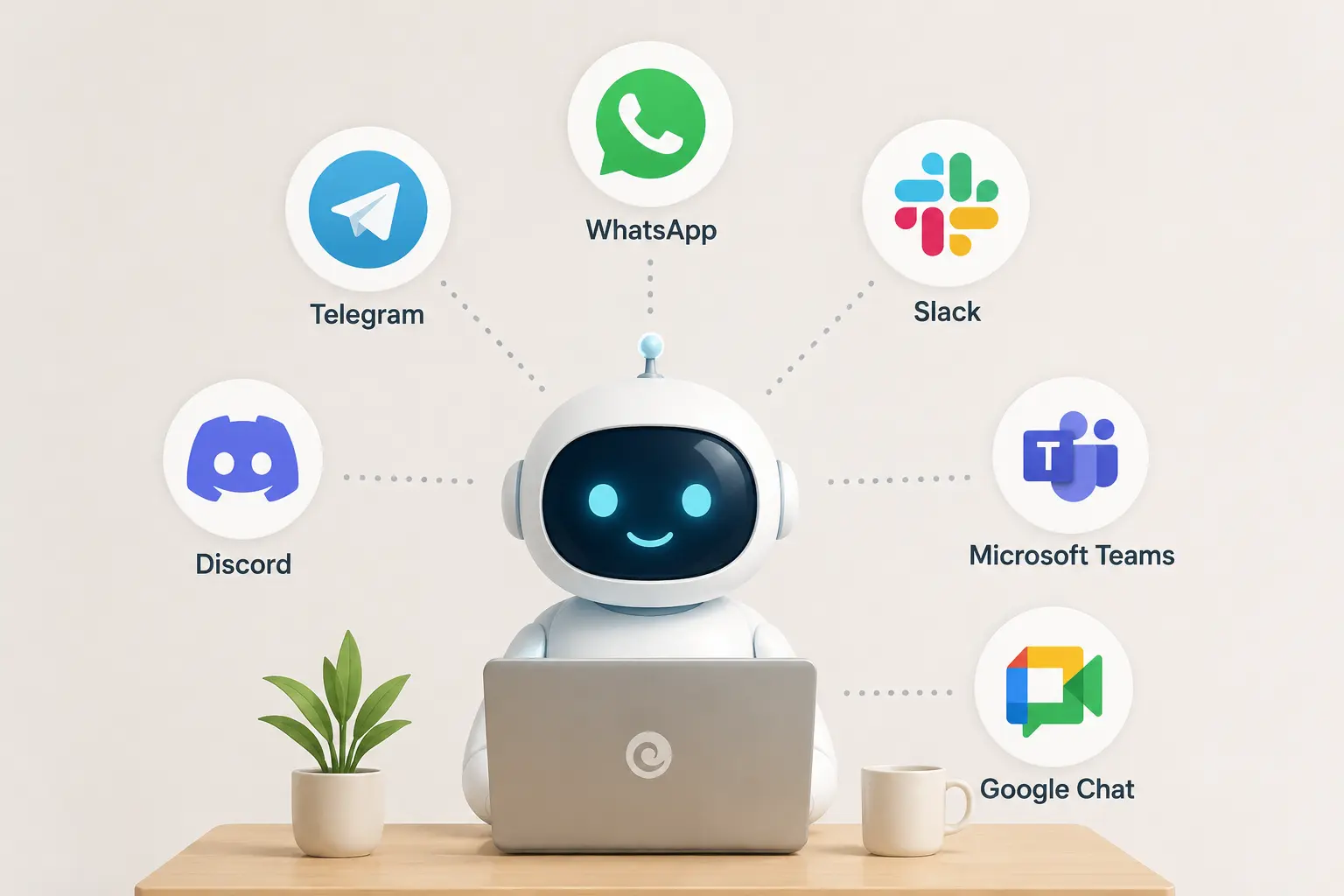
OpenClaw meets users on the messaging apps they already have open, rather than asking them to adopt a new dashboard. The project lists an unusually long roster of supported channels: WhatsApp, Telegram, Slack, Discord, Microsoft Teams, Google Chat, Signal, iMessage (via BlueBubbles or a legacy bridge), LINE, Matrix, Feishu, Mattermost, Nextcloud Talk, IRC, Nostr, Synology Chat, Twitch, Zalo, WeChat, QQ, and a built-in WebChat, among others.
A phone can be linked by scanning a QR code so a conversation started on desktop continues on mobile.
Voice input is handled through a “Wake + Talk Mode” feature, using ElevenLabs text-to-speech with a system-TTS fallback, for hands-free use on macOS, iOS, and Android.
Why This Is Powerful
Users don’t have to learn new software or keep a browser tab open. The assistant lives inside the apps people already check dozens of times a day, and a single agent can be reached from whichever channel is most convenient at the moment.
2) Autonomous Operation with the Heartbeat Engine
What It Does
Rather than waiting to be asked, OpenClaw checks in on a schedule through what the community calls the Heartbeat Engine, polling for pending work at set intervals (commonly every 30 minutes) and handling routine tasks without a prompt each time.
Why This Is Powerful
This is the difference between a chatbot and an assistant. A chatbot is idle until addressed, while OpenClaw is designed to notice what needs doing and act on it. Because it can work autonomously, it’s important to configure its permissions carefully and use secure defaults so it operates safely.
3) Long-Term Memory
What It Does
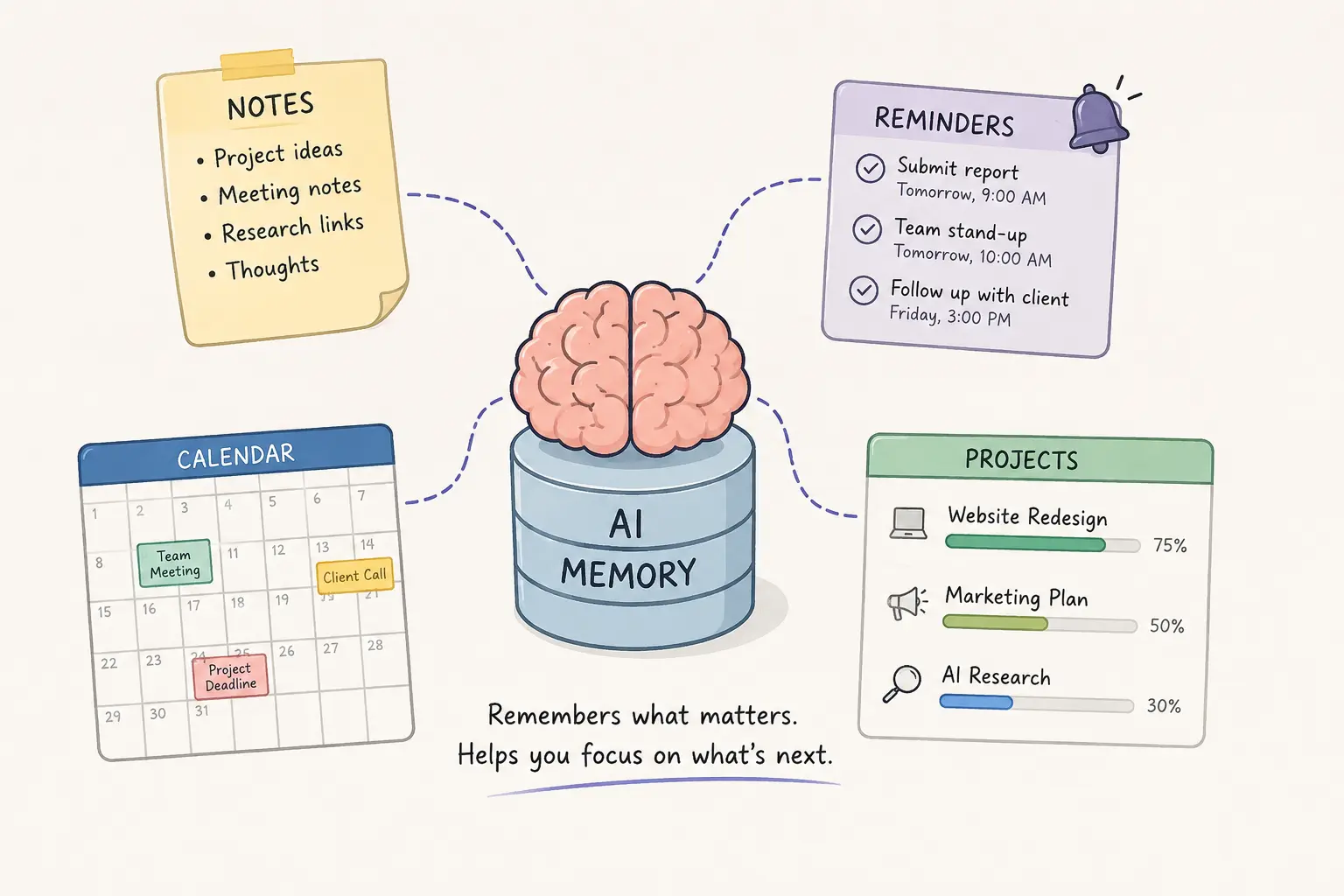
OpenClaw is built to carry context across sessions, preferences, ongoing projects, completed work, and schedules instead of resetting with every new conversation.
Its Task Brain component tracks reminders, scheduled jobs, and background processes in one place, so state doesn’t have to be re-explained each time the assistant is invoked.
Why This Is Powerful
Persistent memory is what lets an assistant get more useful with use instead of resetting to zero. It’s also, notably, one of the newer categories of attack surface security researchers now watch for in agentic AI: a memory store an attacker can quietly poison is a way to influence an agent’s behavior long after the original access point is patched.
4) Real Computer and Browser Control
What It Does
OpenClaw doesn’t just generate instructions; it executes them. It can open websites, fill out and submit forms, browse multi-step web flows, download files, organize folders, read and edit documents, and run terminal commands directly on the host machine.
Why This Is Powerful
Turning a multi-step manual process into a single instruction is the core value proposition of any computer-use agent. It’s also the reason OpenClaw’s security posture gets so much attention: an agent with terminal and file-system access that can be tricked by a malicious webpage isn’t just leaking a chat transcript; it’s potentially handing over the keys to the machine it runs on.
5) Expandable Skills Library (ClawHub)
What It Does
OpenClaw’s capabilities can be extended through Skills modular add-ons distributed via a marketplace called ClawHub covering categories like content writing, SEO research, customer support, software development, marketing, data analysis, and API integrations. Thousands of skills are listed, with new ones added continuously.
Why This Is Powerful
Rather than one monolithic model trying to do everything adequately, users can add only the specific capabilities they need. The tradeoff is real. ClawHub is an open marketplace, and many of its Skills aren’t independently audited. It has also been used as an attack vector, making it important to review any Skill before installing it.
In early 2026, researchers uncovered a supply-chain campaign known as ClawHavoc. Attackers published hundreds of malicious Skills using professional-looking, harmless names. One example was a fake “solana-wallet-tracker” Skill.
Once installed, these Skills secretly deployed credential-stealing malware. On Windows, they installed keyloggers, while on macOS they delivered Atomic Stealer to steal sensitive information.
Estimates of how much of the ClawHub registry was affected vary by source. Some researchers estimated that around 12% of the marketplace contained compromised or malicious Skills at the time.
For that reason, install every Skill with caution. Treat it the same way you would a random npm package requesting full access to your computer. Review its source, permissions, and maintainer before installing it.
6) Multi-Agent Teamwork
What It Does
OpenClaw supports routing different inbound channels, accounts, or conversation threads to separate, isolated agents, each with its own workspace, tools, and permission set so a large project can be split across several specialized agents instead of one general-purpose one.
Why This Is Powerful
Specialized agents working in parallel, each scoped to a narrower set of permissions, can move faster on large projects than a single generalist assistant. Isolation by agent is also a genuine security control: routing a low-trust channel to a low-privilege agent limits how much any single compromised conversation can touch.
7) Productivity and Developer Integrations
What It Does
OpenClaw connects to widely used productivity and developer tools including Notion, Obsidian, Trello, Apple Notes, Apple Reminders, Things 3, and GitHub and supports webhooks and scheduled jobs for more technical automation workflows.
Why This Is Powerful
Centralizing these integrations behind one conversational interface cuts down on app-switching, which is one of the more measurable productivity costs in knowledge work.
8) Email and Calendar Management

What It Does
OpenClaw can triage an inbox, prioritize messages, draft replies, and manage calendar scheduling, including daily summaries and meeting reminders.
Why This Is Powerful
Starting the day with a pre-sorted inbox and a clear schedule saves the manual triage that otherwise eats the first hour of many workdays.
This is also one of OpenClaw’s highest-risk capabilities from a security and governance perspective.
Giving an autonomous AI agent ongoing access to your email and calendar means it can access accounts that often serve as the gateway to other business applications and services. In many organizations, these accounts are connected to dozens of SaaS platforms.
Because of that, employee-installed AI integrations without IT approval have become a growing concern. Throughout 2026, enterprise security teams have paid closer attention to these “shadow AI” deployments, as they can introduce security, compliance, and data privacy risks if left unmanaged.
9) Document and Data Processing
What It Does
OpenClaw can read PDFs, analyze spreadsheets, extract text from images, process receipts, generate Excel files, and summarize reports.
Why This Is Powerful
Work that used to mean manual data entry, retyping a receipt, reformatting a scanned document, becomes close to automatic, freeing up time for judgment calls a machine can’t make.
10) AI Agents That Work Together (Moltbook)
What It Does
Moltbook, launched January 28–29, 2026 by entrepreneur Matt Schlicht, is a separate but closely linked social platform where OpenClaw agents post, comment, and interact with each other with only limited human participation, described by observers as “Reddit for robots.” It became a viral phenomenon in its own right within days of launch.
Why This Is Powerful
Moltbook demonstrated that agent-to-agent coordination at scale is now technically possible, hinting at a future where specialized agents collaborate on complex projects with less direct human orchestration.
It’s worth separating the novelty from the risk, though: Moltbook also suffered a well-documented database breach, and its emergence is frequently cited alongside OpenClaw’s other incidents as evidence that agent autonomy has outpaced the security practices built around it.
Best Practices for Using OpenClaw Safely in 2026
OpenClaw is designed to control browsers, access files, execute commands, and interact with third-party services. Those capabilities make it incredibly powerful, but they also mean security should be part of every deployment. Following these best practices can help protect your data, systems, and connected accounts while allowing you to use OpenClaw safely.
- Run OpenClaw in an isolated environment. Deploy it inside a virtual machine (VM), Docker container, or dedicated server instead of your primary workstation. This limits the impact if an agent or installed Skill behaves unexpectedly.
- Keep OpenClaw up to date. Install new releases promptly to receive security patches, bug fixes, and performance improvements. If you’re self-hosting, monitor release notes for important security updates.
- Only install trusted Skills. Before adding a Skill from ClawHub or another source, review its code, documentation, permissions, and maintainer. Install only the Skills you actually need, and remove those you no longer use.
- Apply the principle of least privilege. Give OpenClaw access only to the files, applications, APIs, and accounts required for its tasks. Avoid granting administrator or unrestricted system permissions unless necessary.
- Require human approval for sensitive actions. Configure workflows so actions such as sending emails, making payments, deleting files, or modifying production systems require confirmation before they are executed.
- Set API usage limits. If you’re using paid AI models, configure spending limits and monitor usage regularly. Autonomous workflows can consume API credits quickly if left unchecked.
- Protect the Gateway. Never expose the OpenClaw Gateway directly to the public internet without proper authentication, encryption, and network protections. Restrict access to trusted users and devices whenever possible.
- Review logs and activity regularly. Monitor task history, installed Skills, and system logs to verify that OpenClaw is performing only the actions you expect. Regular audits can help detect misconfigurations or unusual behavior early.
Why OpenClaw Stands Out in 2026
OpenClaw stands out because it combines powerful AI capabilities with the flexibility of open-source software. It supports numerous messaging platforms, offers thousands of community-built Skills, and can automate tasks, control your computer, remember information, and work independently. These features have helped it become one of the fastest-growing open-source AI projects.
With that power comes responsibility. Since OpenClaw can access your files, browser, and connected accounts, it’s important to deploy it securely and follow recommended security practices.
If you’d rather skip the complexity of setting up and securing OpenClaw yourself, Truehost’s managed OpenClaw hosting provides a ready-to-use environment so you can focus on using the AI instead of managing the infrastructure.
OpenClaw AI Assistant Capabilities FAQ
Is OpenClaw its own AI model?
No. OpenClaw is not an AI model. It’s an open-source AI assistant platform that connects to existing large language models (LLMs) such as OpenAI’s GPT models, Anthropic’s Claude, and other supported providers. OpenClaw handles the automation, memory, tools, and integrations, while the connected AI model generates the responses.
What are Skills in OpenClaw?
Skills are installable add-ons that give OpenClaw new capabilities. For example, you can install Skills for SEO research, content writing, software development, customer support, business automation, or API integrations. They work much like browser extensions or plugins, so it’s important to install Skills only from trusted sources.
Is OpenClaw safe to use?
Yes, but only when it’s deployed securely. Keep OpenClaw updated, install trusted Skills, limit its permissions, and avoid exposing its Gateway to the public internet without proper authentication. Following these best practices greatly reduces security risks.
How is OpenClaw different from ChatGPT or Claude?
ChatGPT and Claude are cloud-based AI assistants that mainly respond to prompts. OpenClaw is self-hosted software that can connect to those AI models while also controlling browsers, managing files, running scheduled tasks, remembering information, and integrating with external applications, giving it much broader automation capabilities.
How much does OpenClaw cost to run?
OpenClaw is free and open source under the MIT License. However, you’ll usually pay for the AI model you connect it to, such as OpenAI or Anthropic APIs, as well as any hosting or server costs if you self-host the platform.
Where can I get help with OpenClaw?
You can find help through the official OpenClaw documentation, GitHub repository, and community Discord server. These resources provide installation guides, troubleshooting advice, updates, and community support for common issues.