Domain RegistrationFind and register the perfect domain for your website.
 .COM DomainChoose a widely recognized domain to build global credibility.
 Domain TransferSeamless domain transfers with zero downtime and complete control.
 All TLDsFind and register your perfect domain. Choose from local and global extensions.
 SSL CertificatesKeep your website safe with reliable SSL Certificates that protect customer data and build trust.
 whoisCheck domain ownership details, expiration dates, and registrar information.
 US DomainRegister a .US domain and build trust in the USA.
 Web HostingEverything your website needs to run smoothly
 WordPress HostingWordPress hosting that just works
 Windows HostingReliable hosting for Windows environments
 Reseller HostingTurn hosting into your business
 Email HostingEmail that looks professional and works anywhere
 cPanel HostingFull control of your hosting with cPanel
 Affiliate ProgramJoin as a partner and earn commissions on every referral you send our way.
 Vps HostingScalable virtual servers that expand as you need.
 Dedicated ServersGet complete access and full control over your dedicated physical server.
 Managed vpsNot tech-savvy? We will take care of everything with our fully managed VPS hosting for you.
 AI Website BuilderCreate stunning websites in seconds with AI.
 Online ShopSet up a professional online store. No coding required.
 Web design serviceGet a tailored website designed to match your brand and support your goals.
 BlogFind helpful guides on web hosting, online selling, digital marketing, and more.
 Contact USYou can reach us anytime, day or night, through chat or email.
 SupportBrowse helpful guides and answers for all of our services.
You have probably heard about running OpenCLaw on your own computer. No monthly fees, full control, and everything stays local. Sounds good, right?
But the reality?
Running Openclaw locally means you handle the installation, setup, and maintenance yourself. It can work, but the hardware requirements are steep. Way steeper than most people realize.
For testing and small experiments, local hosting is fine.
But when you need your agent to run 24/7, handle complex tasks, or scale up, problems appear fast. Once you move beyond hobby use, the cracks show.
7 Limitations of Local Hosting for Openclaw
1) Heavy Hardware Requirements
Hardware is the first big problem. To run Openclaw comfortably, you need serious computing power. Think two fully loaded Mac Studios or a GPU rig that costs a fortune.
Even a 24 GB GPU may struggle with anything beyond basic tasks. And you cannot just use smaller models to save resources. They introduce security risks and cut down the amount of information the system can process at once.
For most people, this is simply out of reach. You need a top-tier GPU and plenty of RAM just to keep things running smoothly.
That price tag alone makes local hosting impractical for individuals and small teams.
2) Security Risk Exposure
Running Openclaw on your local machine exposes you to security threats. When you run the agent locally, it has access to your files, credentials, and other sensitive data.
The application has been shown to store sensitive information, such as API keys, in unencrypted plaintext files.
This means any other process running under your user account could potentially read them.
Worse, the security model of local hosting creates a dangerous loophole. The application can’t reliably distinguish between legitimate local access and traffic coming from the internet through reverse proxies.
Many users expose their local Openclaw instances to the internet via tools like Nginx for remote access, unintentionally leaving administrative interfaces open and unsecured.
These vulnerabilities have led to exposed control panels, stolen credentials, and even zero-click exploits being demonstrated by security researchers
3) Accessibility Issues
When you host Openclaw locally, it is tied to your machine. If you turn off your computer, leave the house, or lose your internet connection, your agent stops working.
This creates a significant problem if you rely on Openclaw to handle tasks like monitoring email or automating workflows.
Your agent is effectively only available when your machine is online and within your local network.
Third-party services and cloud-hosted applications are accessible from anywhere, but a local setup locks you in.
You cannot access your Openclaw agent on your phone while traveling or on another device at your workplace unless you go through the trouble of setting up a complex VPN or tunneling solution, which introduces additional security risks.
This defeats the purpose of having an AI assistant that should be available when you need it.
4) Frequent Timeouts and Crashes
Local machines are not designed to sustain the heavy loads that agentic workflows demand. The Openclaw documentation warns that the model server can be terminated, leading to ECONNRESET errors or the stream being closed mid-turn.
These failures result from memory pressure, where your local GPU or RAM runs out of capacity. When this happens, you lose your session, and your tasks fail.
Also, for local inference, the Openclaw gateway logs a model.call.error.failureKind along with the process RSS and heap snapshot in diagnostics.
This is essentially a technical way of saying your local machine is crashing under the weight.
The agent can run into context errors, timing out, or simply failing to process large prompts. Without a dedicated server environment designed for 24/7 uptime, you will face interruptions.
5) Limited Scalability
Scalability is essentially nonexistent with local hosting. If your work grows and you need to process more tasks or handle larger models, you cannot just add more resources.
You are restricted by the physical limits of your local machine. Upgrading your hardware is expensive and time-consuming.
For high-volume workloads, tools like vLLM or SGLang can help, but they are complex to configure and still depend on the hardware you already have.
You cannot easily connect multiple machines together to share the load when running locally. This means your Openclaw agent is stuck at whatever speed your personal computer can manage.
Heavy automation tasks need dedicated CPU time and guaranteed memory, which a local setup simply cannot provide.
6) No Automatic Updates or Maintenance
Maintaining a local Openclaw instance is a full-time job. You are responsible for updating the software, patching security vulnerabilities, and fixing configuration errors when they occur. The setup process itself is complex.
You also have to manually manage your AI models. Downloading “free” models like Mistral or Llama means transferring 4GB to 10GB files over your network. One interruption resets the download.
You are acting as your own IT department, server admin, and developer. This is an enormous burden compared to a managed service where these tasks are automated.
7) Backup Burden
Local hosting puts the entire backup responsibility on you. Your configurations, credentials, and data are stored on your local disk.
You need to implement a 3-2-1 backup strategy to ensure you do not lose everything if your hard drive fails.
This requires managing multiple copies of your data across different media, which is tedious and often neglected.
Given that Openclaw stores plaintext API keys and sensitive information, a data loss is also a significant security incident.
You need to ensure your backups are secure and encrypted. This is an overhead that most users are not prepared to handle.
A cloud-hosted VPS provides automatic daily snapshots, so you can recover in a single click, keeping your configurations protected at all times.
The Better Alternative: Truehost VPS
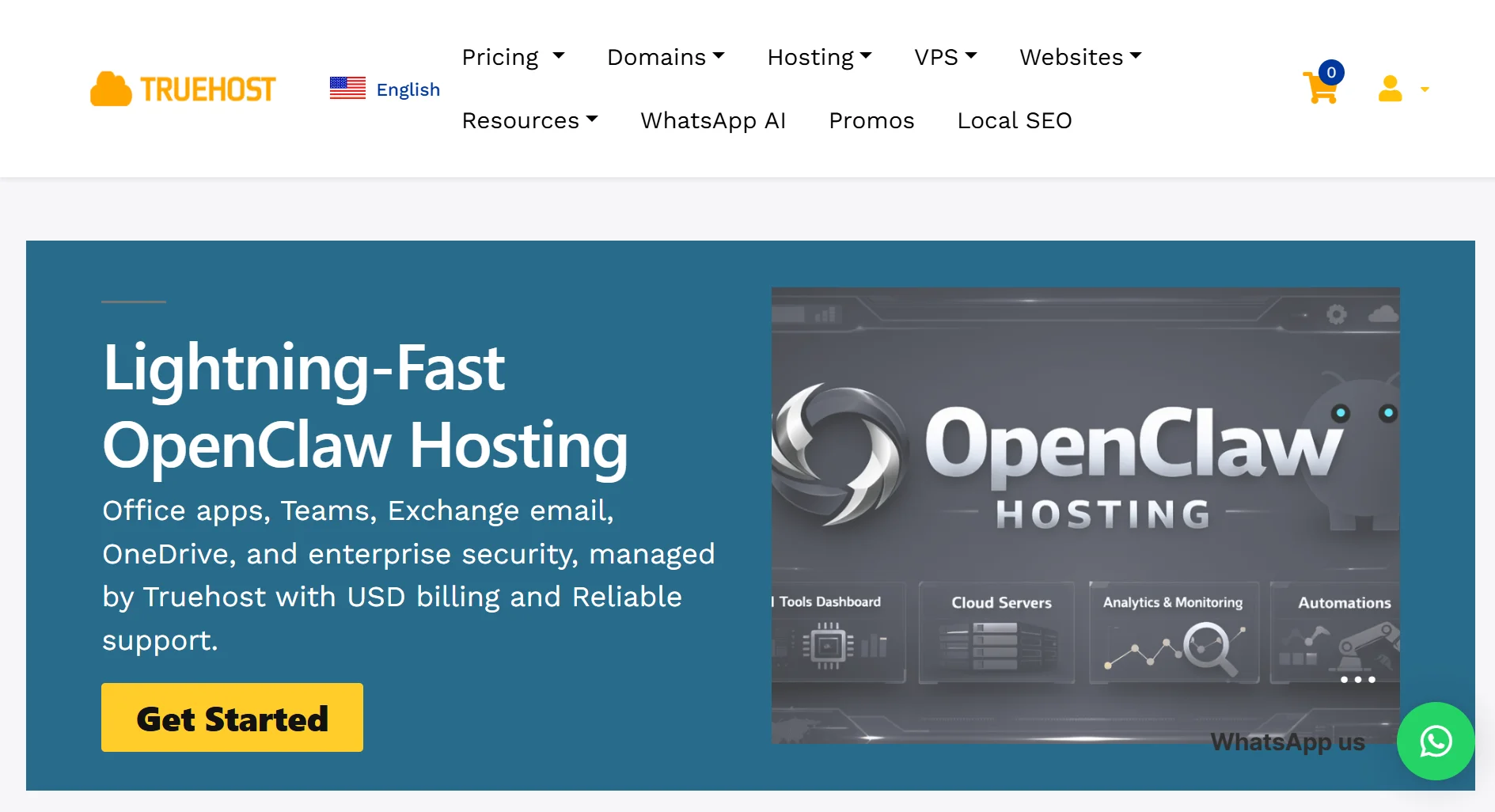
Given all these issues, what is the solution? Hosting Openclaw on a VPS solves all these problems. A VPS with Truehost runs on high-performance infrastructure in a data center.
It is purpose-built for applications like Openclaw, providing the reliability, security, and performance that local hosting lacks.
| Aspect | Local Hosting | Truehost OpenClaw VPS |
| Set up time | Takes hours | Deploys in minutes |
| Security | Plaintext credentials, exposed admin panels | Built-in firewalls, DDoS filters, and daily SSD snapshots |
| Availability | Tied to your personal machine | 24/7 uptime, accessible from anywhere |
| Performance | Frequent timeouts and crashes | Optimized to prevent slowness and script drops |
| Maintanance | Manual updates and troubleshooting | Pre-configured environment & one-click updates |
| Cost | High upfront cost, hidden power/bandwidth fees | $11/month |
Why Truehost OpenClaw VPS works:
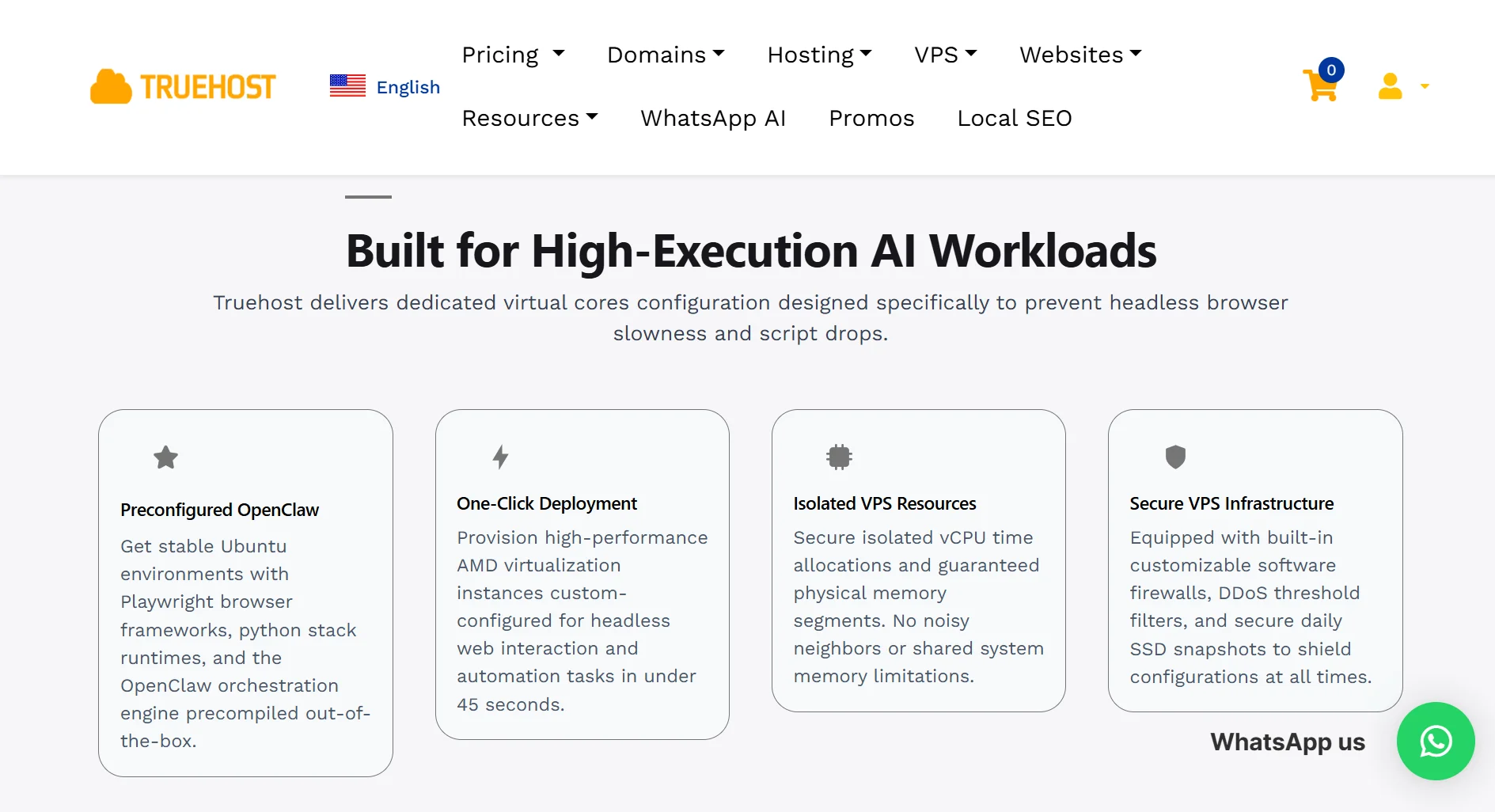
- Everything comes preconfigured. We set up Ubuntu, Playwright browser frameworks, Python runtimes, and the Openclaw engine for you.
- You are up and running in seconds. Our one-click deployment gets your instance ready in under 45 seconds.
- Your resources are dedicated. We guarantee CPU time and physical memory, so no neighbors are slowing you down.
- We keep things secure. Our infrastructure includes customizable firewalls, DDoS protection, and daily automatic SSD snapshots.
And, you only pay for what you need. We offer flexible billing in USD. Our plans scale with you:
- Starter – $11/month: 1 vCPU, 2GB RAM, 50GB NVMe, 4TB bandwidth
- Pro – $17/month: 2 vCPU, 4GB RAM, 100GB NVMe, 6TB bandwidth
- Business – $32/month: 4 vCPU, 8GB RAM, 200GB NVMe, 8TB bandwidth
Limitations of Local Hosting for Openclaw FAQs
Can I run OpenClaw on a server?
Yes. You can run OpenClaw on any server, but for the best performance and reliability, you should use a VPS designed for it, like Truehost. A server provides the isolation and resources that a local machine lacks.
What are the requirements for OpenClaw server?
To run OpenClaw effectively, you need a powerful server. At a minimum, expect to require significant RAM and GPU resources, which costs over $30,000 in hardware for maximum performance. Truehost provides optimized virtualized environments that meet these demands.
What is the best operating system for OpenClaw?
Ubuntu is the best and recommended operating system for OpenClaw. Truehost provides preconfigured Ubuntu environments that are stable and optimized for performance with the Playwright browser framework and the Python stack.
Does OpenClaw need the internet?
Yes, OpenClaw requires an internet connection. It needs to interact with web services, APIs, and potentially external models. It can run on local models but still requires network access to function as an agent.
Is it safe to run OpenClaw on a personal computer?
Running OpenClaw on a personal computer is risky due to plaintext credential storage, localhost trust assumptions, and potential zero-click prompt-injection attacks. We recommend running it on a secure VPS with proper firewalls and monitoring.
Is OpenClaw better on Mac or Windows?
OpenClaw runs on both Mac and Windows, but each platform has its challenges. Windows lacks support for Brew-based components, limiting its functionality. Mac requires expensive hardware upgrades. A Linux-based VPS, like those from Truehost, provides the most stable and complete OpenClaw experience.
How much is Openclaw VPS?
At Truehost, OpenClaw VPS plans start at $11 per month (billed triennially) for the Starter package. We offer flexible pricing to fit various workloads
Get Started with Openclaw on Truehost
You do not need to deal with hardware costs, security headaches, or a full day of setup. With Truehost, it’s easy to get started.
First, select a plan. You choose the virtual AMD processor cores and memory size that fit your workload.
Next, our active hypervisors automatically install prebuilt node packages and script extensions in under 45 seconds.
Finally, you connect to your plan. You can access your console remotely via SSH as root, paste your deployment keys securely, and activate your worker loops.
We provide reliable support whenever you need help, along with advanced security, monitoring, and compliance protection.
Truehost offers managed services, including Office apps, Teams, Exchange email, and OneDrive, all protected by enterprise-grade security.
We make it easy to run OpenClaw with lightning-fast performance and no maintenance overhead.
Move your OpenClaw deployment to a Truehost VPS today and experience the power of a hassle-free, always-on AI assistant.