Domain RegistrationFind and register the perfect domain for your website.
 .COM DomainChoose a widely recognized domain to build global credibility.
 Domain TransferSeamless domain transfers with zero downtime and complete control.
 All TLDsFind and register your perfect domain. Choose from local and global extensions.
 SSL CertificatesKeep your website safe with reliable SSL Certificates that protect customer data and build trust.
 whoisCheck domain ownership details, expiration dates, and registrar information.
 US DomainRegister a .US domain and build trust in the USA.
 Web HostingEverything your website needs to run smoothly
 WordPress HostingWordPress hosting that just works
 Windows HostingReliable hosting for Windows environments
 Reseller HostingTurn hosting into your business
 Email HostingEmail that looks professional and works anywhere
 cPanel HostingFull control of your hosting with cPanel
 Affiliate ProgramJoin as a partner and earn commissions on every referral you send our way.
 Vps HostingScalable virtual servers that expand as you need.
 Dedicated ServersGet complete access and full control over your dedicated physical server.
 Managed vpsNot tech-savvy? We will take care of everything with our fully managed VPS hosting for you.
 AI Website BuilderCreate stunning websites in seconds with AI.
 Online ShopSet up a professional online store. No coding required.
 Web design serviceGet a tailored website designed to match your brand and support your goals.
 BlogFind helpful guides on web hosting, online selling, digital marketing, and more.
 Contact USYou can reach us anytime, day or night, through chat or email.
 SupportBrowse helpful guides and answers for all of our services.
You are targeting customers in India and want a domain that feels local and builds instant trust from the moment someone sees your web address.
A .co.in domain does exactly that. It is a commercial-focused extension under India’s country code, .in, built specifically to signal that your business serves the Indian market. The .in registry is managed by the National Internet Exchange of India (NIXI), which oversees everything under the .in namespace, including .co.in.
This article covers who can register one, what it costs, and how to get yours live and connected to a working website, start to finish.
Ready to claim your .co.in domain? Search availability on Truehost and register it in minutes.
.in vs .co.in: What’s the Difference?
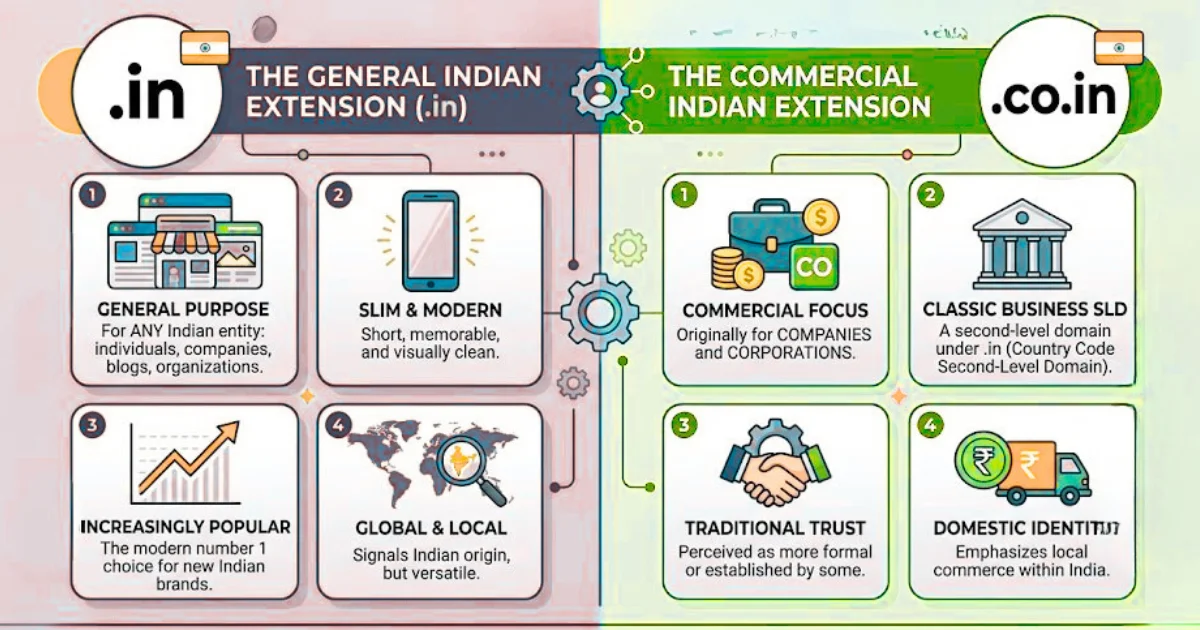
A .in domain is open to any use, by anyone, for any purpose. A .co.in domain sits under it and carries a clearer “this is a business” identity, without adding any extra registration hurdles.
Both work well. .co.in simply reads as more commercial, which matters if branding clarity is part of your strategy.
Who Can Register a .co.in Domain?
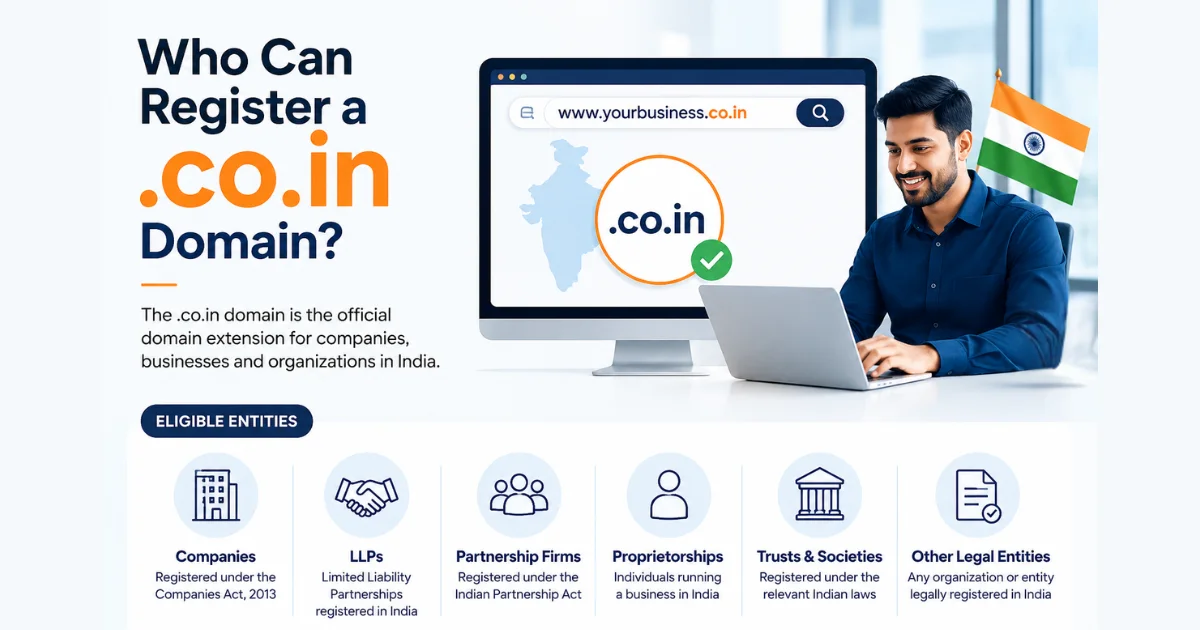
Eligibility here is more open than most people expect, which is part of what makes .co.in an easy option to act on quickly.
- Individuals and businesses can both register. You do not need to prove business registration to get one for a personal brand or freelance project. A solo consultant, a registered private limited company, and a partnership firm are all equally eligible.
- International registrants are welcome too. You do not need to be based in India or have a local address to register a .co.in domain. A company expanding into the Indian market from anywhere in the world can register one just as easily as a company based in Delhi.
- Restrictions are minimal. Unlike some country-code domains that require local presence, a local phone number, or a registered business number as proof, .co.in is accessible to almost anyone. That openness is a big part of why the extension has grown steadily in popularity among both local and international businesses.
Why Choose a .co.in Domain?
- It signals local relevance. Indian customers respond better to domains that feel native to their market rather than foreign or generic. A .co.in domain removes that small moment of hesitation a visitor might feel landing on an unfamiliar extension.
- It supports local SEO. Search engines factor domain extensions into geographic relevance, giving .co.in a potential edge in India-focused search results. With one of the largest and fastest-growing internet populations in the world, according to Statista’s India internet usage data, that local relevance carries real weight for any business competing for visibility.
- It’s affordable. Compared to premium extensions like .io or .ai, .co.in is a budget-friendly way to establish credibility in the Indian market without a big upfront investment.
- It’s flexible for international businesses. If you’re expanding into India from another country, a .co.in domain lets you build a dedicated, India-facing presence without restructuring your primary global domain.
How to Register a .co.in Domain
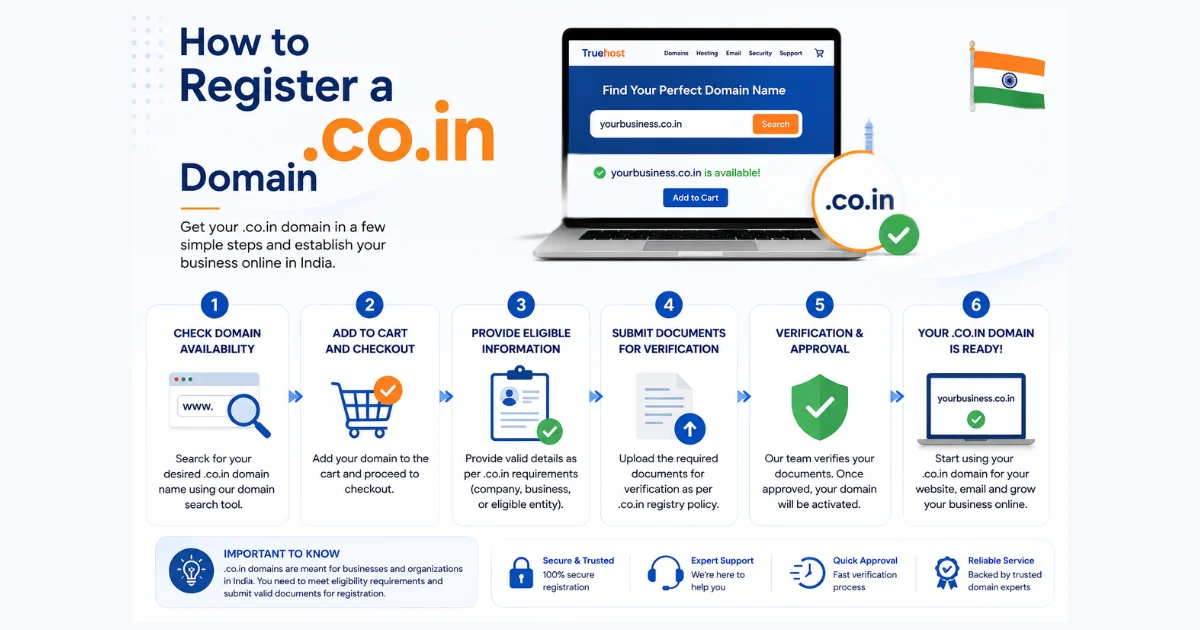
Step 1: Choose a registrar. Pick one that supports .co.in with transparent pricing and no surprise fees buried in checkout. Truehost offers .co.in alongside dozens of other extensions from a single account, which makes managing multiple domains far easier down the line.
Step 2: Search your preferred name. Enter it into the registrar’s search tool and check it against the .co.in extension specifically, since availability can differ from .in or .com.
Step 3: Confirm availability. The tool will tell you instantly. If it’s taken, most registrars suggest close alternatives right away, so you’re rarely stuck with nothing.
Step 4: Add it to your cart and select a registration period. Choose between one and ten years. Longer periods mean fewer renewals to manage and can sometimes lock in better per-year pricing.
Step 5: Enable domain privacy if offered. This hides your personal contact details, like your address and phone number, from public WHOIS records that anyone can look up.
Step 6: Complete payment. Enter your contact details, review your order, and confirm. The domain is yours the moment the transaction clears, usually within minutes.
Step 7: Verify ownership. Check your email for confirmation and log into your registrar account to see the domain listed. Keep that confirmation email somewhere safe for your records.
How Much Does a .co.in Domain Cost?
| Cost Factor | What to Expect |
|---|---|
| Registration fee | Typically $8 to $15 for the first year |
| Renewal fee | Usually similar to or slightly higher than registration |
| Promotional offers | First-year discounts are common; always check the renewal rate |
| Multi-year registration | Often discounted per year when registering 2+ years at once |
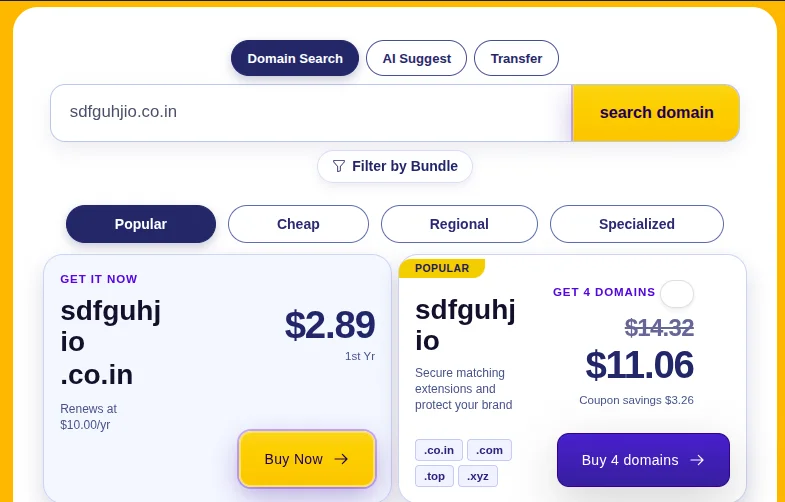
Always check the renewal price before you register, not just the first-year offer. Some providers advertise a low intro rate and raise it significantly after year one.
How to Connect Your .co.in Domain to a Website
Registering the domain is step one. Here’s how to make it functional.
- Point your nameservers to your hosting provider. This is done in your registrar’s domain management panel and tells the internet where to find your site. It’s usually a simple copy-paste of two or three nameserver addresses provided by your host. ICANN’s DNS overview explains the mechanics in more depth if you want to understand what’s happening behind the scenes.
- Configure your A record so it points to your web server’s IP address once your nameservers are set. Most hosting providers give you this IP address directly in your welcome email or dashboard.
- Connect your hosting. Truehost’s web hosting plans pair easily with any domain, including .co.in, during setup, and support typically walks you through it if anything looks unfamiliar.
- Set up business email. Add MX records to route email through your host or a dedicated email provider, giving you an address like
[email protected]that looks far more credible than a generic Gmail address on a business card.
Tips for Choosing a Good .co.in Domain Name
- Keep it under 15 characters so it’s quick to type and easy to recall
- Match it to your registered business name where possible, for consistency across your branding
- Skip numbers and hyphens, they cause confusion when shared verbally or read aloud
- Use a keyword only if it fits naturally, not because it feels necessary for search visibility
- Say the name out loud before you register it. If it sounds awkward spoken, it will feel awkward written too
Common Mistakes to Avoid
- Registering only the .co.in and skipping .in or .com. If your brand matters, secure the variations too. A competitor or squatter picking up your name on a different extension can quietly siphon traffic meant for you.
- Ignoring the renewal price. A cheap first-year deal that jumps significantly at renewal can catch you off guard a year later. Check both numbers before you commit.
- Forgetting to enable auto-renewal. A lapsed .co.in domain can be picked up by someone else once it clears the grace and redemption periods. Turn on auto-renewal the same day you register.
- Choosing a name that’s hard to type on a mobile keyboard. A large share of Indian internet users are mobile-first. A name with awkward spelling or unnecessary length creates real friction on a phone screen.
FAQs
How do I register a .co.in domain?
Choose a registrar that supports .co.in, search your preferred name, check availability, pick a registration period, and complete payment. It takes just a few minutes.
Who can register a .co.in domain?
Both individuals and businesses, with no requirement to prove Indian residency or business registration.
Can people outside India buy a .co.in domain?
Yes. There’s no local address or business registration requirement for international registrants.
How much does a .co.in domain cost?
Typically $8 to $15 for the first year, with renewal pricing in a similar range. Always confirm the renewal cost before registering.
Is a .co.in domain good for SEO?
Yes, particularly for businesses targeting an Indian audience, since domain extensions factor into geographic search relevance.
What’s the difference between .in and .co.in?
.in is open to any use. .co.in carries a clearer commercial identity while remaining just as accessible to register.
Ready to Register Your .co.in Domain?
A .co.in domain is one of the most practical ways to build credibility with customers in India, whether you’re based there or expanding into the market from abroad.
Registration is affordable and eligibility is open to almost anyone.
Don’t wait for your ideal name to get taken. Search for your .co.in domain on Truehost and register it today, along with the hosting and business email you need to bring it to life.