Domain RegistrationFind and register the perfect domain for your website.
 .COM DomainChoose a widely recognized domain to build global credibility.
 Domain TransferSeamless domain transfers with zero downtime and complete control.
 All TLDsFind and register your perfect domain. Choose from local and global extensions.
 SSL CertificatesKeep your website safe with reliable SSL Certificates that protect customer data and build trust.
 whoisCheck domain ownership details, expiration dates, and registrar information.
 US DomainRegister a .US domain and build trust in the USA.
 Web HostingEverything your website needs to run smoothly
 WordPress HostingWordPress hosting that just works
 Windows HostingReliable hosting for Windows environments
 Reseller HostingTurn hosting into your business
 Email HostingEmail that looks professional and works anywhere
 cPanel HostingFull control of your hosting with cPanel
 Affiliate ProgramJoin as a partner and earn commissions on every referral you send our way.
 Vps HostingScalable virtual servers that expand as you need.
 Dedicated ServersGet complete access and full control over your dedicated physical server.
 Managed vpsNot tech-savvy? We will take care of everything with our fully managed VPS hosting for you.
 AI Website BuilderCreate stunning websites in seconds with AI.
 Online ShopSet up a professional online store. No coding required.
 Web design serviceGet a tailored website designed to match your brand and support your goals.
 BlogFind helpful guides on web hosting, online selling, digital marketing, and more.
 Contact USYou can reach us anytime, day or night, through chat or email.
 SupportBrowse helpful guides and answers for all of our services.
Your WordPress site is painfully slow. Visitors are bouncing before the page even loads. Your host’s support team keeps you on hold, and the uptime they promised last month looks nothing like the downtime you are experiencing this week.
If any of that sounds familiar, you are not alone. Thousands of WordPress users switch hosting providers every month for exactly these reasons.
The problem is rarely WordPress itself. In most cases, it comes down to the hosting environment, the server, infrastructure, and support behind your site. Picking the wrong host is like building a store in a basement with no signage. The product may be great, but nobody gets to see it.
This article walks you through everything you need to make a confident, informed decision about web hosting for your WordPress site. We cover the key factors to look for, the types of hosting available, how to evaluate providers, and the mistakes most people make when signing up for the first time.
What Is Web Hosting and Why Does It Matter for WordPress?
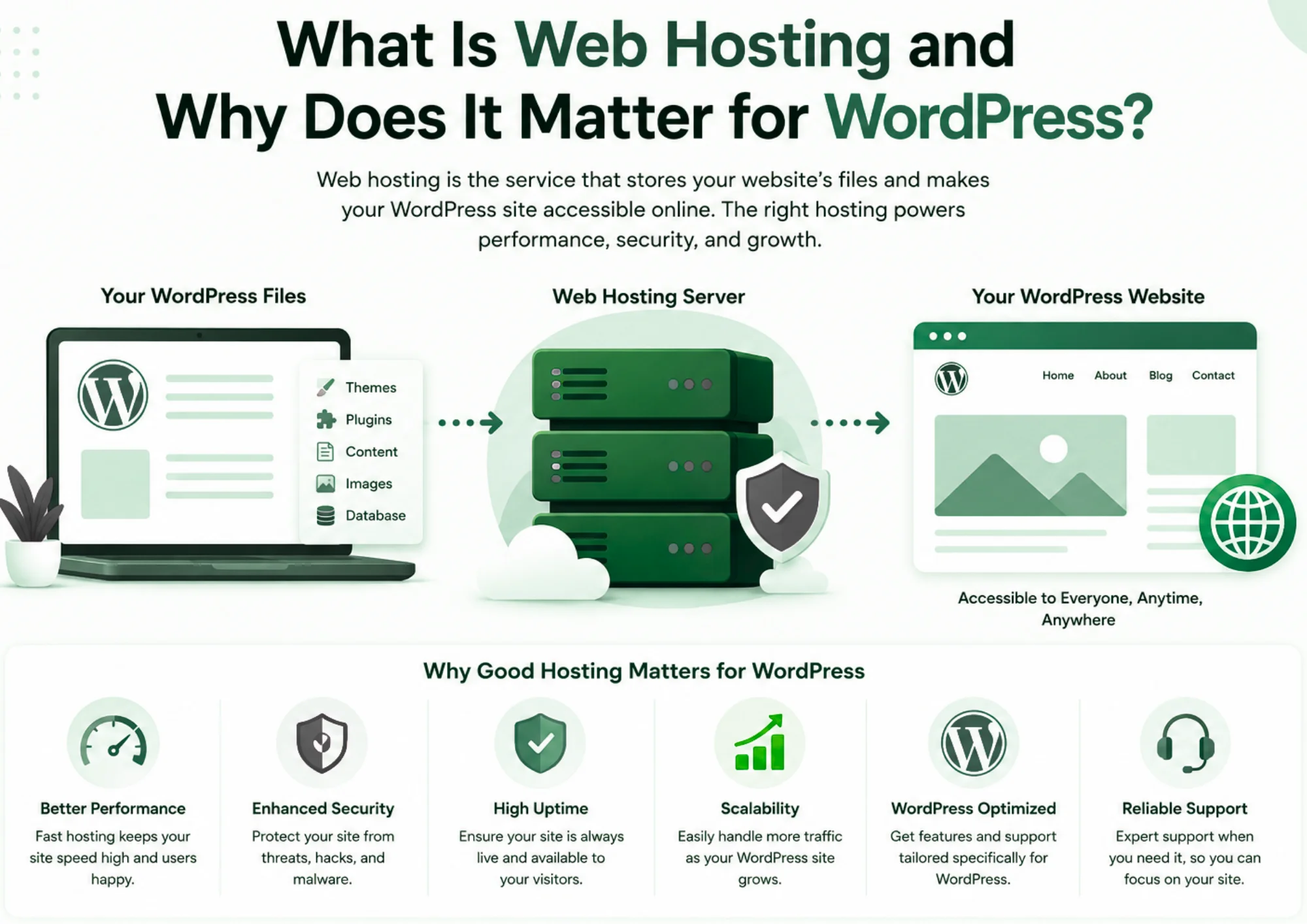
Web hosting is the service that stores your website files and makes them available to anyone who visits your URL. Every image, page, plugin, and theme you install on WordPress lives on a server managed by your hosting provider.
WordPress is a self-hosted platform, which means performance depends heavily on the server it runs on. A slow server equals a slow website. An unreliable server means your site goes offline, sometimes at the worst possible time, during a product launch, a viral post, or a client presentation.
According to Google’s Core Web Vitals research, pages that load in under 2.5 seconds perform significantly better in search rankings and user retention. Your hosting provider is the single biggest factor in hitting that benchmark.
Choosing the right web hosting for a WordPress site is not just a technical decision. It is a business decision that directly affects your traffic, conversions, and search visibility.
Types of Web Hosting for WordPress, Which One Do You Need?
Not all hosting plans are built the same. Here is a breakdown of the four main types and when each one makes sense.
1) Shared Hosting
With shared hosting, your site shares server resources CPU, RAM, and bandwidth with dozens or even hundreds of other websites. It is the most affordable entry point.
Best for: New bloggers, small personal sites, and businesses just starting out with a WordPress presence.
2) VPS Hosting (Virtual Private Server)
A VPS gives you a dedicated slice of a physical server. You get your own allocated RAM and CPU, which means the activity of other users does not directly affect your site.
Best for: Growing websites with moderate traffic, developers who want more control, and businesses that have outgrown shared hosting.
3) Cloud Hosting
Cloud hosting spreads your site across multiple servers. If one server fails, another picks up the load. This setup delivers strong uptime and the ability to scale resources in real time.
Best for: E-commerce stores, high-traffic blogs, and any site where downtime would directly cost money.
4) Managed WordPress Hosting
Managed WordPress hosting is a service built specifically for WordPress. The provider handles updates, security patches, backups, and performance tuning so you do not have to.
Best for: Non-technical users, agencies managing multiple client sites, and businesses where time is worth more than the premium price tag.
Key Factors to Consider When Choosing Web Hosting for WordPress
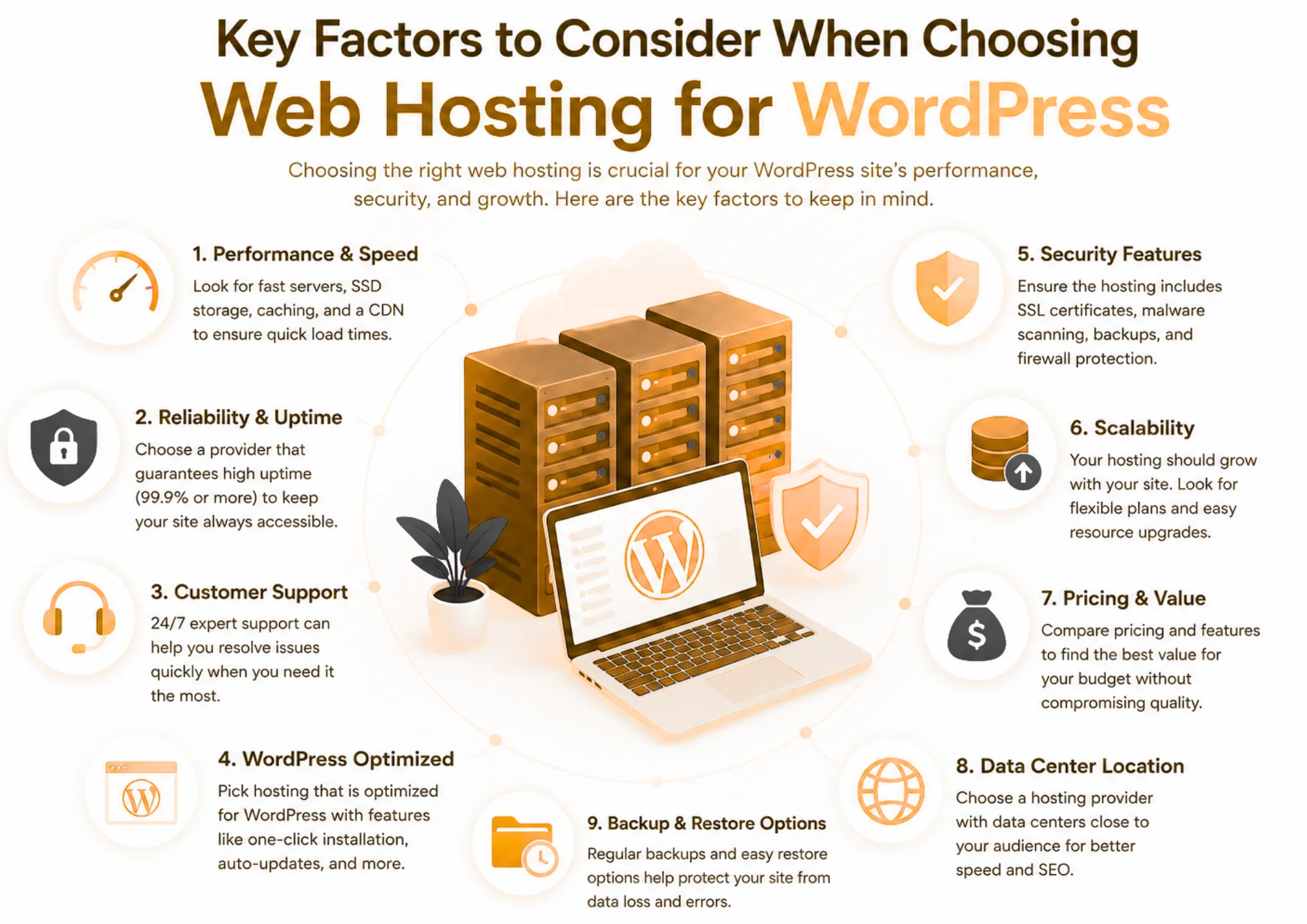
1) Performance and Speed
Speed is not just a comfort feature, it is an SEO ranking signal. Google rewards faster sites with better visibility. Your host should use solid-state drives (SSD), support PHP 8.x, and have a content delivery network (CDN) either built in or easy to integrate.
When evaluating speed, ask whether the host uses LiteSpeed or Nginx web servers, as both outperform the older Apache stack in WordPress environments. We use LiteSpeed across our plans at Truehost, which means our WordPress customers consistently see faster Time to First Byte (TTFB) scores.
2) Uptime Reliability
Uptime is the percentage of time your website is live and accessible. Anything below 99.9% is not acceptable for a business site. That is roughly 8.7 hours of downtime per year and every minute offline costs you visitors and revenue.
Look for providers that publish a Service Level Agreement (SLA) with uptime guarantees, and check third-party monitoring sites like UptimeRobot or StatusCake to verify claims before committing.
3) Security Features
WordPress powers over 40% of all websites on the internet, which makes it a popular target for hackers. Your hosting provider should be your first line of defense, not an afterthought.
Non-negotiable security features include:
- Free SSL certificate — encrypts data between your site and visitors
- Malware scanning — detects and removes threats automatically
- DDoS protection — shields your server from traffic-flood attacks
- Automatic backups — daily snapshots so you can restore in minutes
- Two-factor authentication — secures your hosting control panel login
4) Ease of Use
If you are not a developer, the last thing you want is a confusing control panel that makes simple tasks feel like rocket science. Most quality hosts use cPanel or a proprietary dashboard with one-click WordPress installation.
Check for a staging environment, a clone of your live site where you can test changes before pushing them live. This single feature can save you from a lot of painful mistakes.
5) Scalability
Your hosting needs today are not the same as they will be in 12 months. A good hosting provider lets you upgrade seamlessly as your traffic grows, without migrating to an entirely different platform.
We built Truehost with this in mind. You can start on a shared plan and upgrade to VPS or cloud hosting from the same dashboard, with zero data migration headaches.
6) Customer Support
When something breaks and eventually, something will happen, the quality of your host’s support team is what separates a 10-minute fix from a 10-hour nightmare.
Prioritise providers that offer 24/7 live chat or phone support, not just a ticketing system with 48-hour response times. Test their support before you commit. Send a pre-sales question and time the response.
7) Pricing and Value
Low introductory pricing is common in the hosting industry. The real question is: what does renewal cost? Some providers charge 3x or 4x the signup price on renewal, which catches many users off guard.
Compare the renewal rate, not just the promo price. Also check what is included, does SSL cost extra? Is the backup an add-on? At Truehost, our renewal pricing stays close to the introductory rate, and core features like SSL and backups are included at every tier.
How to Evaluate a Web Hosting Provider Before Committing
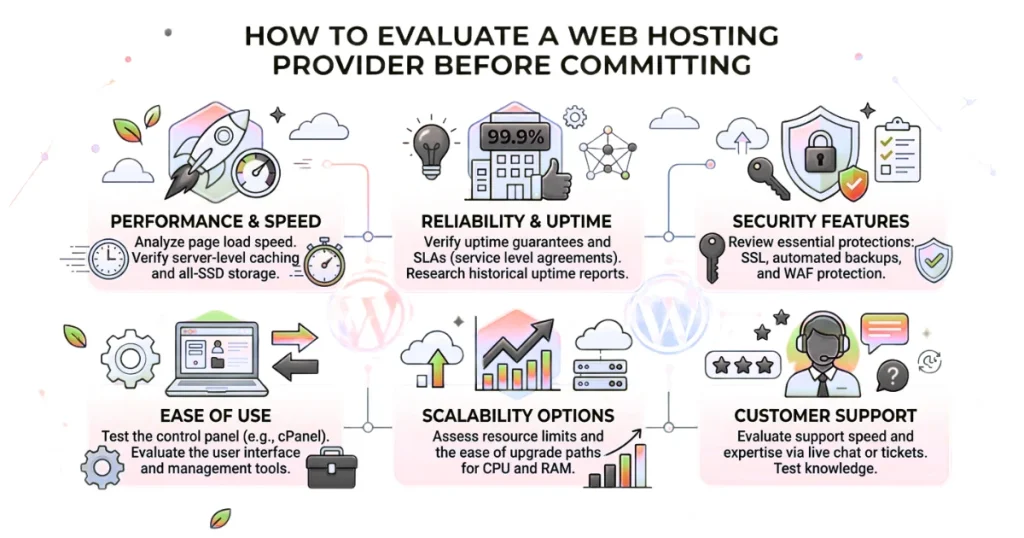
Reading a provider’s sales page tells you very little. You need to verify what they actually deliver. Use this checklist:
1) Check uptime history
Search the provider’s name plus uptime on platforms like Trustpilot or social media. Look for consistent complaints about downtime.
2) Test real-world speed
Find reviews that include results from tools like GTmetrix or Pingdom. These show actual performance, not promises.
3) Measure support responsiveness
Send a pre-sales question through live chat. Time how long it takes to get a helpful reply. This often reflects future support quality.
4) Review renewal pricing
Check the terms page or billing FAQ before signing up. Intro prices are often lower than renewal rates.
5) Confirm WordPress features
Look for essentials like staging, WP-CLI access, and automatic updates if you plan to use WordPress.
6) Check data center location
Choose a server close to your main audience to improve loading speeds.
7) Understand the refund policy
Look for at least a 30-day money-back guarantee so you can test the service with less risk.
Common Mistakes to Avoid When Choosing WordPress Hosting
Most people make at least one of these errors, often because hosting providers make their plans look identical at a glance.
- Choosing based on price alone. The cheapest plan often has the slowest servers and the worst support. Low cost hosting that delivers 97% uptime is not a bargain, it is a liability.
- Ignoring server location. A server based in the US will load faster for US visitors, but noticeably slower for users in East Africa. Truehost has data centers in Nairobi, which gives African businesses a real performance advantage.
- Not reading the resource limits. Shared plans often advertise unlimited bandwidth but cap inodes (file count) or CPU usage. Read the terms carefully.
- Forgetting about email hosting. Some plans do not include professional email. If you need [email protected], confirm this before signing up.
- Skipping the money-back guarantee test. If a host does not offer a refund window, that is a red flag. We offer a 30-day money-back guarantee at Truehost because we are confident in the product.
- Not testing the staging environment. Pushing untested changes directly to a live site is one of the most common causes of WordPress breakages. Always use staging before you deploy.
Ready to Host Your WordPress Site?
Choosing the right web hosting for a WordPress site is one of the highest-leverage decisions you will make for your online presence. Get it right, and your site is fast, secure, and ready to scale. Get it wrong, and you spend your time managing downtime instead of growing your business.
Start by identifying your current stage, are you a beginner who needs simplicity, or a growing business that needs reliability under load? Then match that need to the right hosting type, evaluate providers against the checklist above, and avoid the pricing traps that catch most people off guard.
We built Truehost for exactly this journey. From shared hosting for first-time site owners to managing WordPress for agencies handling multiple clients, we have a plan that fits where you are today and where you are headed next.