Domain RegistrationFind and register the perfect domain for your website.
 .COM DomainChoose a widely recognized domain to build global credibility.
 Domain TransferSeamless domain transfers with zero downtime and complete control.
 All TLDsFind and register your perfect domain. Choose from local and global extensions.
 SSL CertificatesKeep your website safe with reliable SSL Certificates that protect customer data and build trust.
 whoisCheck domain ownership details, expiration dates, and registrar information.
 US DomainRegister a .US domain and build trust in the USA.
 Web HostingEverything your website needs to run smoothly
 WordPress HostingWordPress hosting that just works
 Windows HostingReliable hosting for Windows environments
 Reseller HostingTurn hosting into your business
 Email HostingEmail that looks professional and works anywhere
 cPanel HostingFull control of your hosting with cPanel
 Affiliate ProgramJoin as a partner and earn commissions on every referral you send our way.
 Vps HostingScalable virtual servers that expand as you need.
 Dedicated ServersGet complete access and full control over your dedicated physical server.
 Managed vpsNot tech-savvy? We will take care of everything with our fully managed VPS hosting for you.
 AI Website BuilderCreate stunning websites in seconds with AI.
 Online ShopSet up a professional online store. No coding required.
 Web design serviceGet a tailored website designed to match your brand and support your goals.
 BlogFind helpful guides on web hosting, online selling, digital marketing, and more.
 Contact USYou can reach us anytime, day or night, through chat or email.
 SupportBrowse helpful guides and answers for all of our services.
OpenClaw and Hermes Agent let you deploy AI that can scrape websites, send messages across platforms, remember what you told it weeks ago, and run tasks while you’re offline.
But they work differently.
OpenClaw prioritizes breadth. It connects to over 20 messaging channels, supports 30+ model providers, and gives you access to thousands of community skills.
If you need something working across many platforms today, OpenClaw is your answer.
Hermes Agent, built by Nous Research under the MIT License, prioritizes growth. The longer it runs, the smarter it gets.
Instead of installing skills, it writes its own reusable skills when solving problems. It remembers your preferences across sessions, learns your workflows, and gets faster over time.
If you pick the wrong one, you waste time. OpenClaw gives you immediate reach but a higher security risk. Hermes gives you long-term learning but fewer pre-built integrations.
| Feature | OpenClaw | Hermes Agent |
| Concept | Breadth and automation | Self-improvement and memory |
| Messaging Channels | 30+ (Discord, Telegram, Slack, WhatsApp, iMessage, Signal, Teams, Matrix, and dozens more via plugins) | 15+ (Telegram, Discord, Slack, WhatsApp, Signal, Matrix, and more) |
| Skills Available | 700+ community skills in ClawHub registry | 40+ built-in skills, plus infinite auto-created skills |
| Model Providers | 35+ (OpenAI, Anthropic, Google, OpenRouter, Ollama, vLLM, and any OpenAI-compatible endpoint) | Provider-agnostic (OpenRouter, Anthropic, OpenAI, DeepSeek, local models, and 15+ others) |
| Memory | Markdown files (MEMORY.md), Mem0 plugin, per-agent isolated state | Persistent FTS5 SQLite, user profiles, auto skill creation via Honcho memory |
| Apps & UI | WebChat, browser Control UI, macOS menu bar app, iOS/Android nodes | Terminal, desktop app, browser dashboard |
| Security | Community-hardened; 137 advisories logged early 2026; CVE-2026-25253 (token exfiltration), CVE-2026-33579 (privilege escalation) | Prompt-injection scanning and credential filtering on by default; skills curated by Nous Research |
| Installation | One-line installer, requires Node v22 | One-line installer (curl bash), works on Linux, macOS, WSL2 |
| License | Open source | MIT License, open source |
Openclaw vs Hermes: What’s the Difference?
1) Skills and Tools
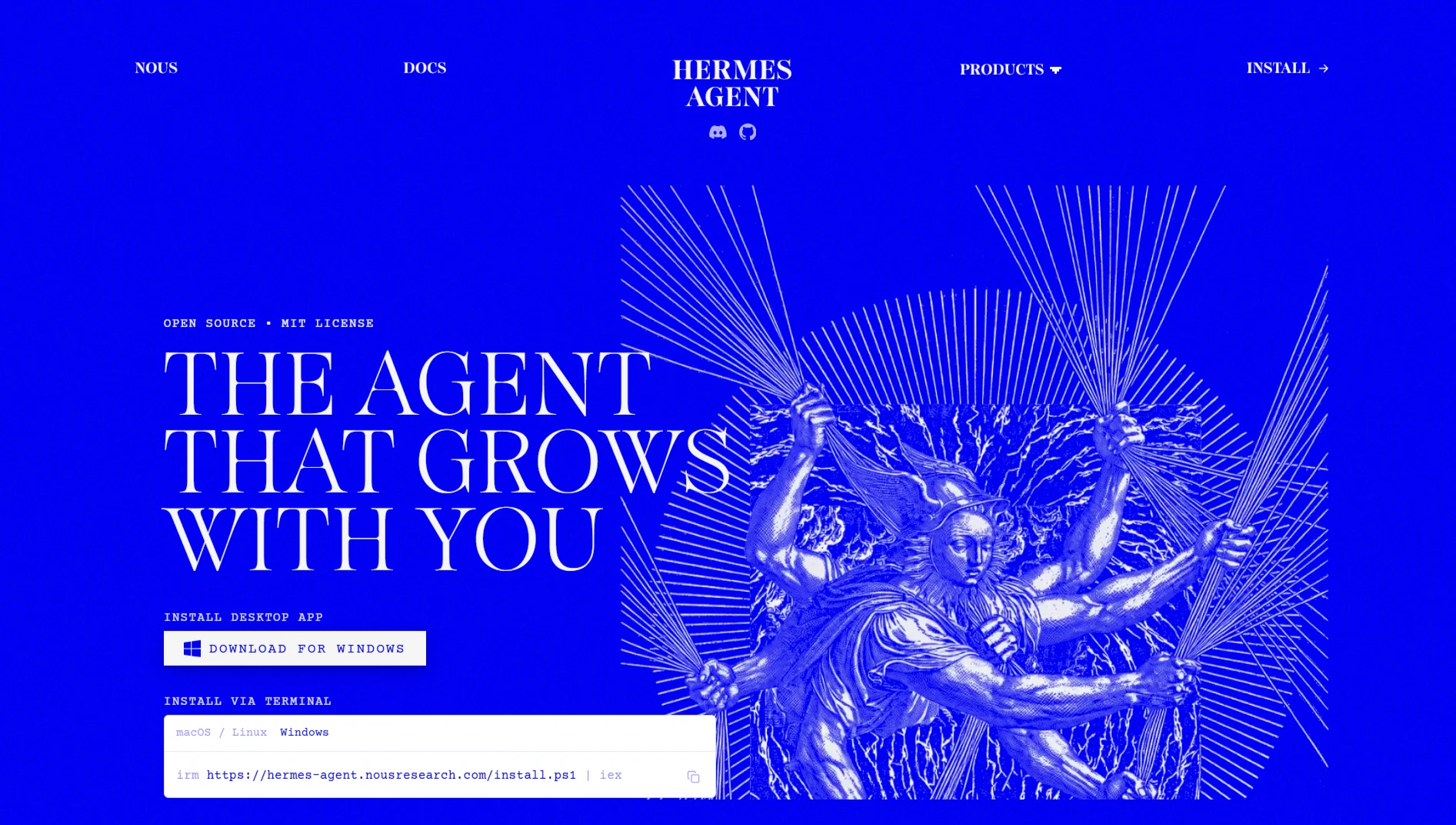
Hermes Agent learns as it works. Whenever it finishes a multi-step task, it writes a reusable skill so it never has to figure out the same thing twice.
These skills follow the agentskills.io standard, so you can share them across other agents, too. Hermes automatically generates a skill about every 15 tool calls based on what worked and what failed.
Let it run for a few weeks, and you’ll have a custom toolset built around exactly how you work.
OpenClaw takes a different path. It has a massive community registry, ClawHub, with thousands of skills.
You grab what you need and start working immediately. But there’s a catch: quality varies wildly. A supply-chain attack called “ClawHavoc” planted over 1,100 malicious skills disguised as Gmail, Notion, Slack, and GitHub integrations.
Since a bad skill runs with whatever access you’ve given the agent, credential theft is a real concern.
2) Model Support
Both let you use whatever LLM you want.
Hermes Agent connects to OpenRouter, Nous Portal, Anthropic, OpenAI, NVIDIA NIM, DeepSeek, local Ollama, and any OpenAI or Anthropic-compatible endpoint.
You can switch providers mid-workflow, and the system automatically rotates API keys across different pools. It’s built to be fully portable.
OpenClaw supports providers such as Anthropic, OpenAI, Google, DeepSeek, OpenRouter, Ollama, vLLM, SGLang, and llama.cpp.
It also supports OAuth subscriptions, such as OpenAI Codex. Similar flexibility, just slightly more options listed.
3) Security
Hermes Agent automatically turns on prompt-injection scanning and credential filtering. Nous Research curates the built-in skills, and there’s zero telemetry; everything stays on your machine in ~/.hermes/. It’s built conservatively with production use in mind.
OpenClaw has had a rocky security history. A community tracker logged 137 security advisories between February and April 2026.
Nine CVEs were announced in just four days in March, including one (CVE-2026-32922) that allowed a paired device to escalate to full admin access and execute remote code with a single API call, with a CVSS score of 9.9.
Another, CVE-2026-25253 (“ClawBleed”), gave one-click remote code execution through the agent’s WebSocket and was confirmed to have been exploited in the wild.
Early scans found over 135,000 OpenClaw instances publicly exposed, most of which lacked authentication.
If you’re connecting to sensitive accounts or running on important machines, this is crucial.
Microsoft even advised against running OpenClaw on machines holding sensitive data after these disclosures.
4) Deployment
Hermes Agent keeps it simple. One-line install works on Linux, macOS, and WSL2. No sudo needed, no prerequisites. A $5 VPS runs it fine.
It also handles GPU clusters and serverless setups with near-zero idle cost. Install, run hermes setup, pick your model, and you’re chatting.
OpenClaw also has a one-line installer but requires Node v22. Some users report installation issues with npm failures and problems with node-gyp and Sharp.
You can deploy on VPS or local machines, and providers like Truehost offer pre-configured OpenClaw environments.
5) Setup
Hermes Agent uses an interactive wizard. hermes setup walks through connecting to Nous Portal (OAuth), OpenRouter (API key), or your own endpoint. hermes model picks your provider. Takes minutes.
To add messaging platforms, hermes gateway setup guides you through Telegram, Discord, Slack, or WhatsApp.
OpenClaw uses openclaw onboard or openclaw channels add. The core install includes iMessage, Telegram, and WebChat; everything else installs as an official plugin via openclaw plugins install @openclaw/<id>.
You can also run a control UI for testing before connecting channels.
6) Memory Architecture
Hermes Agent uses persistent SQLite with full-text search across all conversations. It builds a model of who you are, what you prefer, and what’s important, and this persists across sessions, not just within one chat.
The agent can recall a discussion about authentication from weeks ago and bring it into the current context.
Honcho manages the memory layer, and you can swap in other backends, such as Mem0. Memory gets retrieved based on relevance, not stuffed indiscriminately into context.
OpenClaw stores memory in Markdown files (MEMORY.md) and supports the Mem0 plugin. Each agent maintains an isolated state in its own workspace.
It does cross-session recall but relies more on file-based persistence than the search architecture Hermes uses.
7) Platform Support
Hermes Agent runs on Linux, macOS, and WSL2. You can access it through terminal, desktop app, browser dashboard, or over 15 messaging platforms, including Telegram, Discord, Slack, WhatsApp, and Signal.
The gateway shares the same agent state across all platforms, so you can start on Telegram, continue on Discord, and finish in the CLI, all backed by the same memory and skills.
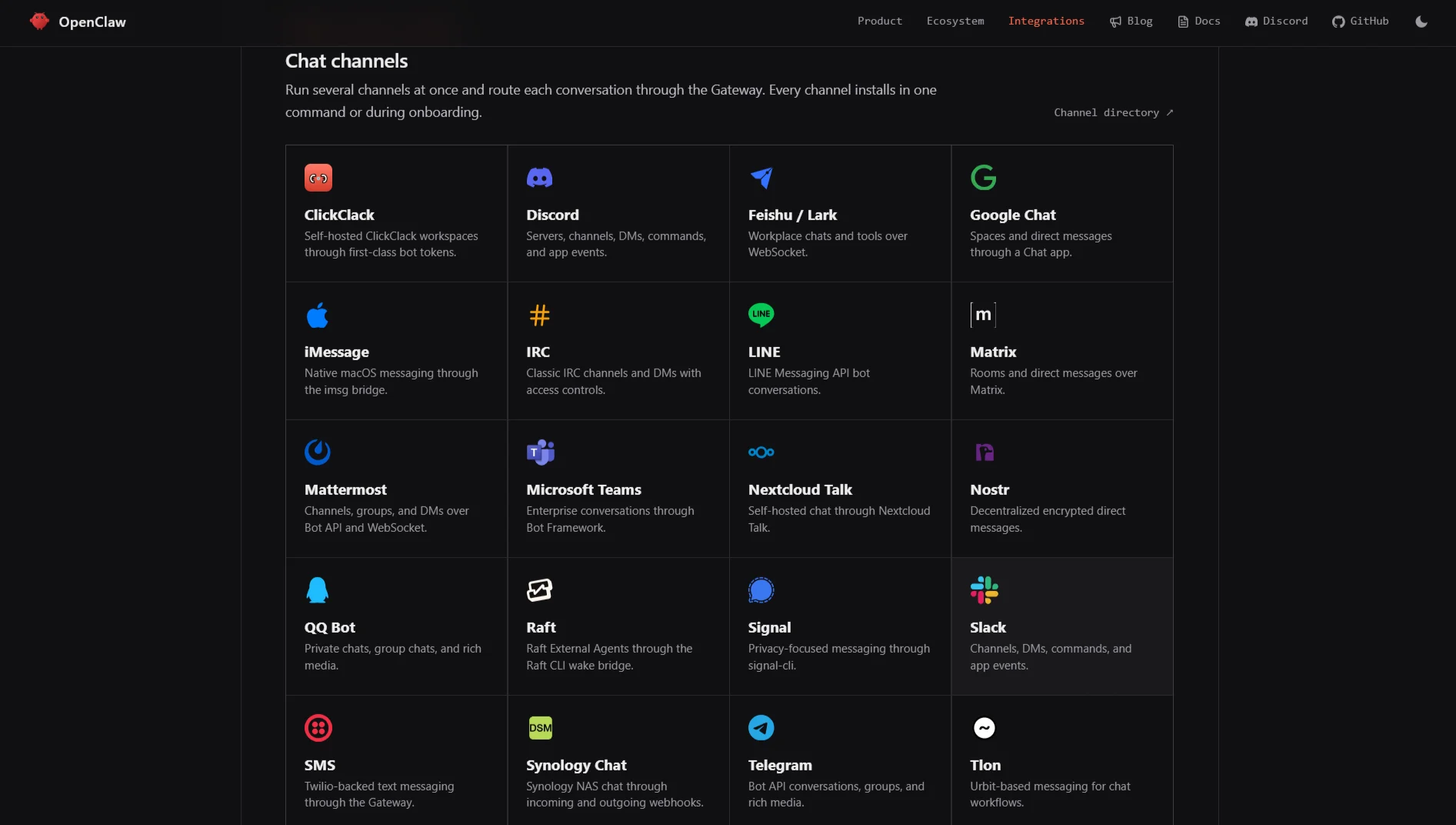
OpenClaw supports more channels: iMessage, Telegram, WebChat, Discord, Feishu, Google Chat, IRC, LINE, Matrix, Mattermost, Microsoft Teams, Nextcloud Talk, Nostr, QQ Bot, Raft, Signal, Slack, SMS, Synology Chat, Tlon, Twitch, Voice Call, WhatsApp, Zalo, and Zalo.
Personal, plus external plugins for WeChat and Yuanbao. It also has iOS and Android nodes with device commands, voice, and camera access. More reach overall.
8) Learning
Hermes Agent’s learning loop is the whole reason it exists. It persists knowledge, curates memory autonomously, and creates abstractions from experience. When it fails, it remembers the failure and adjusts.
When it succeeds, it saves the method. Over time, it gets better at your specific workflows without you having to write or install anything new.
OpenClaw doesn’t have this self-improvement built in. You install skills, use them, install more.
Learning happens externally; you find better community skills or write your own. The agent itself doesn’t adapt based on how you use it.
How Do You Know Which One to Use?
Here’s a checklist to walk through before deciding:
- Integration Needs: How many messaging platforms do you need? How many apps and services?
- Skill Requirements: Do you need a massive library of pre-built skills, or can your agent write its own over time?
- Learning Capability: Do you want the agent to learn from experience and improve, or do you prefer to install what you need upfront?
- Security Requirements: Are you handling sensitive data? Will the agent run on machines that matter?
- Performance Needs: What’s your latency tolerance? How much concurrency?
- Workflow Complexity: Simple automations or multi-step pipelines with branching logic?
- Setup & Maintenance: Who’s maintaining this? How much time can you dedicate?
- Community & Support: Do you want a curated, vetted experience or a massive community with mixed quality?
a) Choose Openclaw If:
- You need a wide range of messaging channels and want them working immediately.
- You value a massive pre-built skill library over self-improvement.
- Your team can manage the security posture, you understand the risks, and know how to lock things down.
- You’re prototyping and don’t need long-term reliability yet.
- You want mobile nodes (iOS/Android) with camera, voice, and device commands
b) Choose Hermes Agent If:
- You want an agent that learns and gets better over time without you constantly updating it.
- Security is a priority; you want prompt-injection scanning and credential filtering on by default.
- You’re running long-term, persistent workflows where memory and learning compound.
- You want a simpler setup and a curated, vetted skills environment.
- You’re fine with fewer pre-built channels because the agent learns to handle new ones as you go.
c) When to Use Both
It’s not always either-or.
You can run Hermes as your persistent personal assistant, handling scheduling, reporting, and long-term project context, and use OpenClaw for specific scraping or automation tasks that require browser automation and a massive skill library right now.
They can coexist; Hermes can even call OpenClaw via MCP or custom tools if you need to combine the two.
Leaning Towards Openclaw? Deploy On Truehost
If you’ve decided OpenClaw fits your needs, the next step is getting it running on infrastructure that won’t choke on headless browser workloads.
We offer OpenClaw-optimized VPS environments designed for high-performance AI tasks.
Our servers come preconfigured with Ubuntu, Playwright browser frameworks, Python runtimes, and the OpenClaw orchestration engine, with no manual installation required.
You deploy in under 45 seconds on dedicated virtual cores designed to prevent the browser slowdowns and script drops that plague shared environments.
You get isolated vCPU time and guaranteed RAM. No noisy neighbors affecting your automation performance.
Built-in firewalls, DDoS filtering, and daily SSD snapshots keep your configurations safe. Root SSH access gives you full control to customize anything.
Choose from Starter (1 vCPU, 2GB RAM), Pro (2 vCPU, 4GB RAM) for only $11/month, or Business (4 vCPU, 8GB RAM) plans, all pre-configured and ready to run.