Domain RegistrationFind and register the perfect domain for your website.
 .COM DomainChoose a widely recognized domain to build global credibility.
 Domain TransferSeamless domain transfers with zero downtime and complete control.
 All TLDsFind and register your perfect domain. Choose from local and global extensions.
 SSL CertificatesKeep your website safe with reliable SSL Certificates that protect customer data and build trust.
 whoisCheck domain ownership details, expiration dates, and registrar information.
 US DomainRegister a .US domain and build trust in the USA.
 Web HostingEverything your website needs to run smoothly
 WordPress HostingWordPress hosting that just works
 Windows HostingReliable hosting for Windows environments
 Reseller HostingTurn hosting into your business
 Email HostingEmail that looks professional and works anywhere
 cPanel HostingFull control of your hosting with cPanel
 Affiliate ProgramJoin as a partner and earn commissions on every referral you send our way.
 Vps HostingScalable virtual servers that expand as you need.
 Dedicated ServersGet complete access and full control over your dedicated physical server.
 Managed vpsNot tech-savvy? We will take care of everything with our fully managed VPS hosting for you.
 AI Website BuilderCreate stunning websites in seconds with AI.
 Online ShopSet up a professional online store. No coding required.
 Web design serviceGet a tailored website designed to match your brand and support your goals.
 BlogFind helpful guides on web hosting, online selling, digital marketing, and more.
 Contact USYou can reach us anytime, day or night, through chat or email.
 SupportBrowse helpful guides and answers for all of our services.
A website is not a visual style. It is a tool built to do a particular job.
A restaurant may need a business website that also accepts reservations. A photographer may combine a portfolio with an online shop. A software company may use public landing pages to attract customers, then deliver its actual service through a private web application.
These are different types of websites, but the boundaries are not rigid. Most modern sites are hybrids.
The useful question is therefore not, “Which label fits my website perfectly?” It is:
What is the most important action a visitor should take on this website?
That action, whether it is to buy, book, read, donate, join, apply, or use a tool, reveals the website’s primary type. It also tells you which features must work well from day one.
This guide covers 15 common types of websites, the job each one does, the features it needs, and a sensible way to build it.
The 15 website types at a glance
There is no official number of website types. Some classifications use five broad groups; others list dozens of industries, features, and technical structures as separate types.
This list classifies websites by their main purpose. That makes it more useful when you are deciding what to build.
Type of website | Main visitor action | Essential capability | Common build route |
|---|---|---|---|
1) Business or service | Request a quote, call, or visit | Clear offer and contact path | Website builder or CMS |
2) Ecommerce | Buy a product | Catalogue, cart, and checkout | Ecommerce platform |
3) Marketplace | Buy from or sell to other users | Multi-vendor accounts and transactions | Marketplace software or custom app |
4) Booking or reservation | Reserve a time, place, or service | Live availability and confirmation | Builder/CMS with booking software |
5) Landing page | Complete one campaign action | Focused message and conversion form | Landing-page or website builder |
6) Blog | Read or subscribe | Easy publishing and content organization | CMS |
7) News or magazine | Follow current coverage | Editorial workflow and strong navigation | Publishing CMS |
8) Educational or course | Learn or complete a lesson | Structured lessons and progress tracking | LMS or membership platform |
9) Portfolio | Review work and make contact | Strong project presentation | Website builder or CMS |
10) Personal or résumé | Understand a person’s experience | Concise profile and proof of work | Website builder or static site |
11) Nonprofit | Donate, volunteer, or learn | Trust signals and accessible donation flow | Builder or CMS |
12) Event | Register and prepare to attend | Schedule, venue details, and registration | Event platform or builder |
13) Directory or listing | Find and compare an entry | Search, filters, and structured listings | Directory software or custom app |
14) Membership or community | Join and participate | Accounts, permissions, and moderation | Membership platform or custom app |
15) Web application or SaaS | Perform a task in the browser | Application logic, accounts, and data | Custom application |
Now, let us look at what each type needs in practice.
Websites that sell or generate demand
The first five types help an organization win customers or complete transactions. They may look similar on the surface, but the visitor’s next step is different.
1) Business or service website
A business website explains what a company does, who it helps, and why a prospective customer should trust it.
This is the right starting point for consultants, contractors, clinics, restaurants, agencies, local shops, manufacturers, and most professional services. Its main job is usually to generate an enquiry, phone call, quotation request, or visit.
A useful business website normally includes:
a homepage that states the offer clearly;
separate pages for important services or products;
evidence such as case studies, credentials, reviews, or client results;
location, hours, and contact details where relevant; and
one obvious next step on every important page.
The common mistake is writing the site like a company brochure. Visitors arrive with practical questions: Can you solve my problem? Do you serve my location? What happens next?
Answer those questions before telling the full company story.
If the site mainly needs pages, forms, images, and occasional updates, a no-code AI Website Builder can be the shortest route to launch. A content management system such as WordPress makes more sense when several people will publish substantial content or the site needs a wider plugin ecosystem.
2) Ecommerce website
An ecommerce website lets a business sell its own physical or digital products online.
Unlike a simple catalogue, it completes the transaction. Shoppers can inspect products, choose options, add items to a cart, pay, and receive order confirmation without leaving the site.
The product page is the centre of this website type. It needs accurate descriptions, clear images, price and availability information, delivery or access details, and a visible purchase button.
The rest of the system must support that promise:
category pages and useful product search;
variants such as size, colour, or licence type;
secure checkout and suitable payment methods;
shipping, tax, returns, and privacy information;
inventory and order management; and
customer emails for receipts and fulfilment updates.
Amazon is an ecommerce marketplace, while a brand selling only its own products runs a conventional ecommerce store. That distinction matters: a store manages one seller’s catalogue; a marketplace coordinates many sellers.
For a straightforward catalogue, use software designed for online selling rather than assembling carts and payment forms manually. Truehost’s Online Shop combines the storefront with product, payment, order, and inventory tools.
3) Online marketplace
An online marketplace connects buyers with multiple independent sellers or service providers. Examples include Etsy, Airbnb, Upwork, and marketplaces for vehicles, property, or local services.
Here, the operator does more than display products. The website must create trust between people who may never have dealt with one another.
That usually requires:
separate buyer and seller accounts;
seller onboarding and listing controls;
search, filters, and comparison tools;
payments, commissions, or payout handling;
reviews, disputes, refunds, and fraud controls; and
rules for what can be listed and how users behave.
This is one of the hardest website types to launch because it has a two-sided problem: buyers will not stay without enough sellers, and sellers will not join without buyers.
Start narrower than the eventual vision. A curated marketplace for one category or location can initially verify sellers and approve listings manually. Custom software becomes worthwhile only after you understand the transactions, exceptions, and trust problems that the software must handle.
4) Booking or reservation website
A booking website helps a visitor reserve a service, appointment, room, table, seat, or rental item.
It suits salons, consultants, clinics, tutors, hotels, restaurants, tour companies, repair services, and venues. The defining feature is not the calendar itself. It is the promise that the availability shown to the visitor is accurate.
Before choosing booking software, map the real rules:
Can customers choose a staff member or location?
Do services have different durations or preparation times?
Is payment required in full, in part, or on arrival?
Can customers reschedule or cancel themselves?
Does availability depend on a room, vehicle, or piece of equipment?
Which reminders reduce missed appointments?
A basic service business can add a booking tool to a website builder or CMS. Hotels, multi-location clinics, and businesses with complex inventory may need specialized reservation software connected to the public website.
Do not accept bookings through a form that nobody monitors. A good booking flow confirms the reservation immediately, explains what happens next, and keeps calendars synchronized.
5) Landing page
A landing page is a focused page created for one audience, offer, or campaign.
It may ask visitors to request a demo, download a guide, register for a webinar, join a waiting list, or buy one offer. Unlike a homepage, it should not try to introduce every part of the organization.
Its structure is usually simple:
Match the promise in the ad, email, or search result that brought the visitor there.
Explain the outcome and who the offer is for.
Address the most likely doubts with proof, details, or a demonstration.
Ask for one clear action.
Removing unrelated choices can improve focus, but clarity matters more than aggressive persuasion. State what the visitor will receive and what happens after they submit the form.
A landing page is often part of a larger website rather than a complete website on its own. If a campaign succeeds, the surrounding business still needs trustworthy contact details, privacy information, and supporting pages.
Websites that publish or teach
These website types are organized around information. Their success depends on how easily people can find, understand, and return to that information, not simply how much content they contain.
6) Blog
A blog publishes articles in a repeatable format, normally with an author, date, category, and archive. It can stand alone or form the educational section of a business website.
Blogs work well for tutorials, commentary, company updates, research, recipes, travel stories, and other subjects that grow over time.
The foundation should make publishing easier, not turn every new article into a design project. Look for:
a readable article template;
categories, tags, and internal search;
author and update information;
related-article links;
image handling and descriptive alternative text;
an RSS feed or email subscription route; and
editorial permissions if several people publish.
A blog does not become useful merely because it posts frequently. A smaller collection of original, maintained articles can serve readers better than hundreds of thin pages.
WordPress is a common choice because it was built around content publishing. Read what WordPress is and how it works before comparing it with a simpler builder, or follow this practical guide to starting a blog.
7) News or magazine website
A news or magazine site is a publishing operation with more demanding editorial needs than a typical blog.
It may cover breaking news, a professional industry, culture, sport, or a narrow specialist subject. The homepage and section pages constantly change as editors decide which stories deserve attention.
That calls for an editorial system with:
writer, editor, and publisher roles;
drafts, review stages, scheduling, and corrections;
topic sections and story relationships;
search and archives;
fast pages under heavy traffic; and
prominent publication dates, update notes, bylines, and sourcing.
Readers need to distinguish reporting, analysis, opinion, sponsored material, and older coverage. Those labels are part of the product’s trustworthiness, not administrative details.
Large publishers may also need subscription management, advertising controls, live blogs, syndication feeds, or paywalls. Choose the publishing workflow first; then choose a CMS that can support it without forcing editors to work around the software.
8) Educational or course website
An educational website helps people understand a subject. An online course site goes further by arranging material into a learning path and tracking progress.
A public knowledge hub may only need well-structured lessons, exercises, and search. A formal course platform may also require:
learner accounts and enrolment;
modules, prerequisites, and progress tracking;
video, text, downloads, and interactive activities;
quizzes, assignments, or instructor feedback;
completion records or certificates; and
accessible content for different devices and abilities.
Start with the learning outcome, not the video library.
“By the end of this course, the learner can prepare and publish a five-page business website” is a usable outcome. “Twenty hours of web-design content” is only an inventory description.
If the material is public and self-directed, a CMS may be enough. Paid cohorts, assessments, instructors, and detailed learner records usually justify a learning management system. Protect learner data and test the complete experience as a student, including enrolment, password recovery, lessons, and completion.
Websites that showcase people or support groups
The following types help people assess work, understand an identity, organize around a cause, or find one another.
9) Portfolio website
A portfolio website proves what a person or studio can do. It is common among designers, photographers, writers, architects, developers, artists, and creative agencies.
The best portfolios do not display everything. They select work relevant to the kind of opportunity the owner wants next.
For each substantial project, give the viewer enough context to judge it:
the problem or brief;
your role and collaborators;
the approach or constraints;
the finished work; and
the result, where it can be shared honestly.
A grid of attractive images can demonstrate taste, but a short case study demonstrates judgment. If some work is confidential, describe the challenge and contribution without exposing protected information.
Keep contact details easy to find. A portfolio may also include an about page, résumé, testimonials, services, or a small shop, but the work should remain the main event.
10) Personal or résumé website
A personal website gives one person a place they control to present their experience, interests, publications, talks, projects, and contact information.
It can support a job search, speaking career, professional reputation, or simply provide a durable home for work scattered across other platforms.
Unlike a social profile, its structure is not controlled by an algorithm or fixed template. A useful version can be very small:
a concise introduction;
current role or area of focus;
selected work or achievements;
résumé or experience page;
links to relevant profiles; and
a safe way to make contact.
Choose a domain that is easy to say and type. Do not publish a private address, personal phone number, references’ contact details, or other information that creates unnecessary risk.
A website builder or lightweight static site is usually sufficient. Add a CMS only if you plan to publish articles, notes, or projects regularly.
11) Nonprofit website
A nonprofit website turns concern into informed action. Visitors may want to understand a cause, donate, volunteer, request help, attend an event, or review how funds are used.
Trust is central. Explain the organization’s mission in concrete terms, show current programmes and results, identify its leadership, and make financial or governance information easy to find where appropriate.
The donation journey deserves special attention:
State what the contribution supports.
Offer suitable amounts without obscuring a custom option.
Explain whether a gift is one-time or recurring.
Collect only the information the transaction needs.
Confirm the donation and provide a receipt.
Accessibility is especially important when a site serves people seeking essential support. The Web Content Accessibility Guidelines provide a shared standard for making web content more perceivable, operable, understandable, and robust.
Small organizations can begin with a builder or CMS plus a reputable donation service. Verify fees, currencies, recurring-payment support, receipts, and data handling before committing.
12) Event website
An event website gives prospective and registered attendees one reliable source of information.
It may support a conference, wedding, festival, exhibition, tournament, fundraiser, or online webinar. Before registration, it must answer: What is it, who is it for, when and where is it happening, and what does attendance cost?
After registration, different details become important:
agenda and speaker updates;
venue, transport, access, and accommodation information;
ticket or check-in instructions;
time-zone guidance for online events;
cancellation or transfer rules; and
a clear channel for urgent changes.
A one-off small event may only need a page and registration form. Events with ticket tiers, session selection, attendee badges, capacity limits, or repeated dates benefit from dedicated event software.
Keep the domain and page alive after the event long enough to publish recordings, resources, results, or the next date. Replace expired registration buttons so visitors never wonder whether the information is current.
13) Directory or listing website
A directory organizes comparable entries so visitors can find a suitable business, professional, property, job, venue, tool, or other resource.
Its value comes from structure. Every entry in a category should use consistent fields, allowing people to search and filter meaningfully.
A property directory might filter by location, price, bedrooms, and property type. A professional directory might use specialty, language, location, availability, and credentials.
Three decisions shape the product:
Coverage: Who or what is eligible to appear?
Verification: Which claims are checked, and how often?
Business model: Are listings free, paid, sponsored, or charged per lead?
Clearly label sponsored placement. Give listing owners a correction process, and remove duplicates or abandoned entries. A directory that grows without maintenance becomes less useful even as its page count rises.
Directory plugins can validate a narrow concept. Custom search, geospatial data, high listing volumes, and complex account permissions may eventually require a purpose-built application.
14) Membership or community website
A membership website restricts some content or benefits to registered users. A community website also enables those users to interact.
Examples include professional associations, paid research libraries, fan communities, customer portals, mastermind groups, and private learning networks.
The essential decisions are about access and behaviour:
What can a visitor see before joining?
Are there free and paid membership levels?
Which members can publish, comment, message, or create groups?
Who moderates discussions and handles reports?
What happens when a payment fails or a member leaves?
Can a member export or delete their data?
Do not add a forum simply because the software includes one. A community needs a reason for members to return, a moderation policy, and people responsible for welcoming participation.
A content membership can run on a CMS with membership software. Rich profiles, real-time messaging, complex permissions, or large community activity may require a dedicated platform or custom application.
Websites that are the product
The final type differs from a content or marketing site: visitors come to use software.
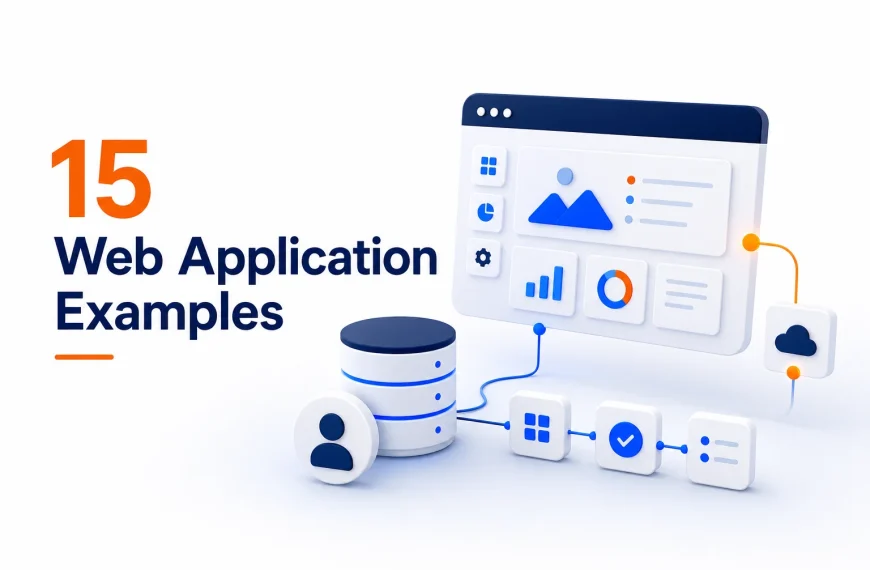
15) Web application or SaaS website
A web application allows users to perform a task in a browser. Examples include online banking, project-management tools, design editors, accounting systems, email clients, and customer dashboards.
SaaS, or software as a service, is a common business model for web applications, usually delivered through a subscription. However, not every web app is commercial SaaS. An employee portal or a government’s online application system is also a web application.
Most SaaS businesses actually operate two connected experiences:
a public marketing website that explains the product, pricing, and proof; and
the application itself, where authenticated users do the work.
Building the application requires more than designing pages. It may involve account security, permissions, databases, application logic, integrations, monitoring, backups, and a process for releasing changes safely.
Prototype the core task before building every account tier and administrative screen. Once the product needs its own server environment or deployment stack, VPS hosting offers more control than ordinary page-focused hosting. It also places more technical responsibility on the team.
Website purpose is not the same as how a website is built
People sometimes describe static, dynamic, responsive, or WordPress sites as additional website “types.” These terms answer a different question.
Purpose describes the job: ecommerce, portfolio, directory, blog, or web application.
Architecture describes how the pages and functions are produced.
Platform describes the software or service used to build and manage them.
For example, a portfolio can be a static site, a site made with a visual builder, or a dynamic WordPress site. It remains a portfolio because showcasing work is still its primary job.
Static website
A static website delivers prepared HTML, CSS, JavaScript, and media files. The server does not assemble each page from a database when someone requests it.
Static sites can be fast, secure, and inexpensive to operate. They suit small sites, documentation, portfolios, and campaign pages when content changes are controlled through code or a static-site generator.
Dynamic or CMS website
A dynamic website generates or changes content using application logic, stored data, user input, or account state. Blogs, stores, membership sites, directories, and news sites are commonly dynamic.
The distinction is not always visible to the visitor. As MDN explains, a dynamic web server usually combines normal file delivery with application software and a database.
Website builder
A website builder packages design, editing, publishing, and hosting into a managed service. It is a strong fit when the main requirement is to launch standard pages or a straightforward store without maintaining the underlying software.
Custom website or web application
A custom build gives a team control over workflows, data structures, integrations, and user experience. That control is valuable when the required behaviour is genuinely specific. It also introduces ongoing development, testing, security, hosting, and maintenance work.
If you are deciding between a managed builder and infrastructure you control, use this detailed comparison of a website builder versus web hosting.
How to choose the right type of website
You do not need to fit the entire project into one label. You do need a primary job and a clear first version.
1) Define the primary visitor action
Finish this sentence:
“The website succeeds when the right visitor ______.”
Useful answers include “requests a site survey,” “buys a product,” “books an appointment,” “completes lesson one,” or “creates a project.”
“Learns about us” is usually too vague. What should an informed visitor do next?
2) Identify the capabilities that make that action possible
Separate must-haves from later ideas.
A photographer’s first version may need a portfolio, enquiry form, and six case studies. Client galleries and print sales could follow. A clinic may need service pages, locations, and appointment booking before it needs a patient portal.
This protects the launch from becoming a collection of unrelated features.
3) Decide who will update the website
Ask how often prices, products, articles, team profiles, events, or listings will change, and who is responsible.
A developer-managed static site may be perfectly sensible for a five-page site that rarely changes. It becomes a bottleneck if an editorial team needs to publish ten stories each day.
4) Match the build route to the real complexity
If your project mainly needs… | Start by considering… |
|---|---|
Standard pages, forms, and a quick launch | A managed website builder |
Frequent articles and multiple editors | A CMS with suitable hosting |
Products, checkout, orders, and inventory | A dedicated ecommerce platform |
Lessons, progress, and assessments | A learning management system |
Accounts, structured data, and unique workflows | A specialized platform or custom web app |
Do not choose custom development merely because the website matters. Choose it when the required behaviour cannot be delivered responsibly with a maintained platform.
5) Launch the smallest complete experience
“Small” should not mean unfinished.
A small but complete business website has a clear offer, proof, working contact route, essential policies, mobile layout, and secure connection. It does not need every future service page.
Test the full visitor journey before launch. Submit the form. Place a test order. Reset a password. Book and cancel an appointment. Read the confirmation email. The most damaging problems often sit between pages rather than on them.
What every type of website still needs
Different website types require different features, but a few standards apply to all of them.
A mobile-responsive layout
Google uses the mobile version of a site for indexing and ranking and strongly recommends a mobile-friendly site. More importantly, visitors need to read, navigate, complete forms, and buy without pinching or fighting the layout. Google’s mobile-first indexing guidance explains the content and technical consistency to preserve across devices.
Accessible content and controls
Use logical headings, keyboard-accessible controls, labelled form fields, readable contrast, captions where needed, and alternative text that communicates the purpose of meaningful images. Accessibility is a design and publishing practice, not a plugin installed at the end.
Clear organization
Navigation should reflect the visitor’s tasks. Use descriptive page names and URLs, connect related pages, and avoid hiding essential information behind clever labels. Google’s SEO Starter Guide also recommends logical site organization, descriptive URLs, useful titles, and descriptive alternative text.
Security, backups, and maintenance
Use HTTPS, keep software updated, limit administrative access, and know how the website will be restored. Stores, communities, and web applications need safeguards proportionate to the customer, payment, and account data they handle.
Ownership and measurement
Know who controls the domain, website account, analytics, content, and backups. Track actions related to the site’s purpose, such as qualified enquiries, completed purchases, successful bookings, and course completion, instead of page views alone.
Start with the job your website must do
The best website type is the one that supports the visitor’s most important task without unnecessary complexity.
A consultant may start with a business website and one campaign landing page. A creator may combine a portfolio, blog, and store. A software company may need both a marketing website and a custom application. Hybrid sites are normal; unclear priorities are the real problem.
Choose the primary action first. Add the pages and features required to complete it. Then select the simplest platform that can support that experience reliably.
If your first version needs professional pages, forms, mobile-ready layouts, and no custom application logic, you can build it with the Truehost AI Website Builder. Pair it with a suitable domain name, test the entire journey, and improve it using real visitor questions rather than a speculative feature list.