Domain RegistrationFind and register the perfect domain for your website.
 .COM DomainChoose a widely recognized domain to build global credibility.
 Domain TransferSeamless domain transfers with zero downtime and complete control.
 All TLDsFind and register your perfect domain. Choose from local and global extensions.
 SSL CertificatesKeep your website safe with reliable SSL Certificates that protect customer data and build trust.
 whoisCheck domain ownership details, expiration dates, and registrar information.
 US DomainRegister a .US domain and build trust in the USA.
 Web HostingEverything your website needs to run smoothly
 WordPress HostingWordPress hosting that just works
 Windows HostingReliable hosting for Windows environments
 Reseller HostingTurn hosting into your business
 Email HostingEmail that looks professional and works anywhere
 cPanel HostingFull control of your hosting with cPanel
 Affiliate ProgramJoin as a partner and earn commissions on every referral you send our way.
 Vps HostingScalable virtual servers that expand as you need.
 Dedicated ServersGet complete access and full control over your dedicated physical server.
 Managed vpsNot tech-savvy? We will take care of everything with our fully managed VPS hosting for you.
 AI Website BuilderCreate stunning websites in seconds with AI.
 Online ShopSet up a professional online store. No coding required.
 Web design serviceGet a tailored website designed to match your brand and support your goals.
 BlogFind helpful guides on web hosting, online selling, digital marketing, and more.
 Contact USYou can reach us anytime, day or night, through chat or email.
 SupportBrowse helpful guides and answers for all of our services.
Your domain name might be the most valuable part of your online business, and most people barely think about it.
Everything seems fine until one day your website stops working, your emails disappear, or someone else takes control of your domain. By then, the damage is already done.
Domain theft, account breaches, and unauthorized transfers are more common than many website owners realize. And when your domain is compromised, your website, email, brand reputation, and revenue can all be affected.
The good news is that protecting your domain does not have to be complicated. In this article, you will learn the biggest security risks to watch for and the practical steps you can take to keep your domain safe in 2026.
Ready to secure your domain? Register or transfer your domain to Truehost and take advantage of essential security features such as domain lock, WHOIS privacy, and two-factor authentication to help keep your online assets protected from day one.
What Is Domain Name Security?
Domain name security covers everything you do to make sure your domain stays in your control and does not get stolen, redirected, or misused. It is not one single setting. It is a combination of habits and tools that work together to protect one of your most important business assets.
The Basics of Domain Security
Your domain is like the front door to your business online. Domain security means making sure only you can open it, change the locks, or hand out keys.
In practice, that means controlling who the domain is registered to, where it points, how long it stays registered, and who has access to the account managing it.
Why Domain Names Are Valuable Targets
Your domain is connected to your brand, your email, your search rankings, and years of trust you have built with your audience. That makes it worth something, and attackers know it.
A well-established domain can sell for thousands on the secondary market. A stolen domain can be used to run phishing scams targeting your customers before you even know it is gone.
Common Risks Website Owners Face
Most domain security incidents do not involve sophisticated hacking. They happen because of weak passwords, outdated contact details, or a forgotten renewal.
The main risks are domain theft, DNS manipulation, phishing attacks on your registrar account, and expired domains being picked up by someone else. None of these require a skilled attacker. They just need you to be caught off guard.
The Cost of Poor Domain Security
When a domain is compromised, your website can go offline immediately. Getting it back, if that is even possible, can take days or weeks and cost far more than the basic security measures that could have prevented it.
There is also the trust damage to consider. Customers who land on a fake version of your site or receive phishing emails that appear to come from your domain are unlikely to forget the experience.
Not sure how well your domain is protected right now? Check your security settings in your Truehost account and see what is already active.
Why Domain Security Matters More Than Ever in 2026
Here is a closer look at the specific threats that affect domain owners most often.
1) Domain Theft
Domain theft means someone takes your domain and moves it out of your account. Your website goes down, your email stops working, and your brand ends up in someone else’s hands.
It usually happens through phishing, account breaches, or social engineering where an attacker convinces your registrar’s support team that they are you.
2) DNS Spoofing
DNS spoofing is when someone corrupts DNS server data so that visitors who type your domain get sent to a fake site instead. The site can look identical to yours and ask for login credentials or payment information.
By the time anyone realizes what happened, the attacker has already collected what they came for.
3) Registrar Account Breaches
A compromised registrar account puts everything at risk: all your domains, DNS records, and any associated hosting or email accounts.
Think of your registrar account as a master key. It needs to be one of the most protected accounts you have.
4) Social Engineering Attacks
Not every attack involves technical hacking. Some attackers simply contact your registrar’s support team, pretend to be you, and request changes to your account using fabricated information.
They may have found your contact details in the public WHOIS database. This is one of the most practical reasons to enable WHOIS privacy and to choose a registrar with strict identity verification.
5) Expired Domain Risks
When a domain registration lapses, it can quickly become available for anyone to register. Competitors, squatters, and bad actors actively monitor for valuable domains that accidentally expire.
An expired domain can also damage your email deliverability and search rankings before you even notice it is gone.
6) Malware and Website Compromise
A hacked website can become an entry point for deeper attacks. Malware on your site can capture credentials or manipulate settings at the DNS or hosting level.
Keeping your website software, plugins, and themes updated is part of protecting your domain, not just your site’s performance.
The Most Common Domain Security Threats
Attacks targeting domain owners have become more frequent and more targeted. Here is what you are up against.
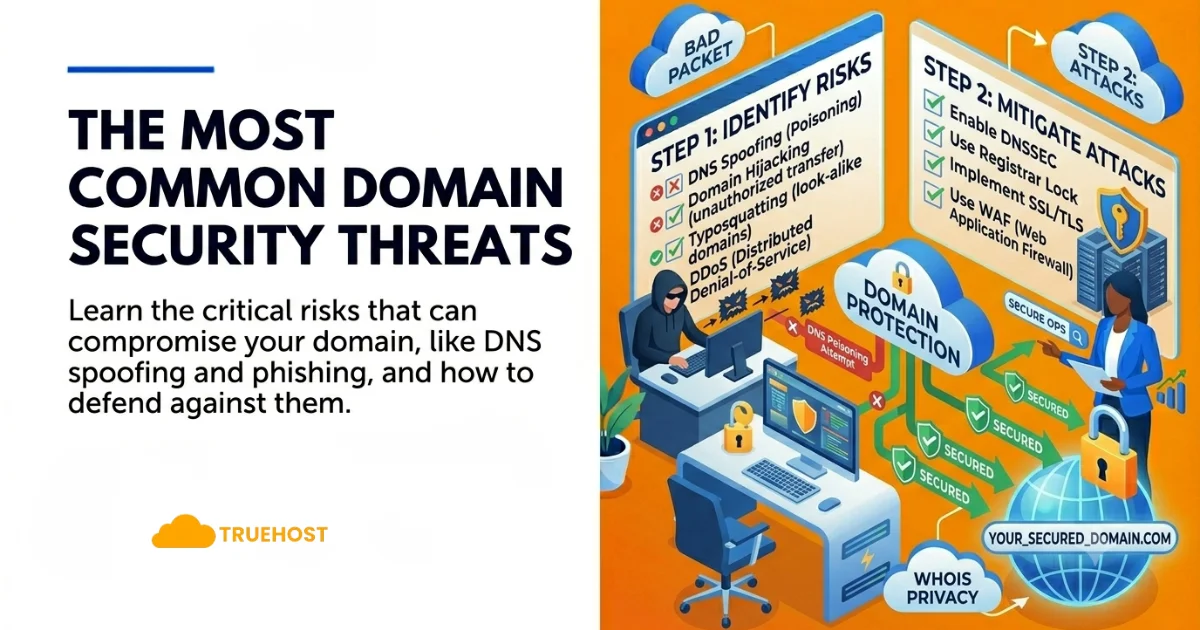
1) Domain Hijacking
Domain hijacking is when someone takes control of your domain and moves it to a different registrar or owner without your permission. Once it is gone, getting it back is a slow and uncertain process.
It usually starts with a compromised email account or a registrar account with weak security. Once someone is in, the transfer can happen faster than you would expect.
2) Phishing Attacks
You may have received an email that looked exactly like it came from your domain registrar, asking you to verify your account or update payment details. That is a phishing attack, and they have become very convincing.
If you enter your credentials on a fake login page, the attacker now has everything they need to access your real account.
3) DNS Attacks
Your DNS records connect your domain name to your website and email. If someone changes those records, they can redirect your visitors to a completely different site without anyone realizing it.
These attacks are especially dangerous because visitors see no warning signs. They type your domain, think they are on your site, and interact with something controlled by an attacker.
4) Unauthorized Domain Transfers
An unauthorized transfer moves your domain to a new registrar without your consent. Once the transfer completes, reversing it can take a long time, especially if the receiving registrar is based in another country.
Most registrars have safeguards against this, but they only work if you have actually turned them on.
5) Account Takeovers
If an attacker gets into your registrar account, they have access to everything. They can change your nameservers, disable your security settings, or initiate a transfer without you knowing.
The damage can happen in minutes. That is why your registrar account deserves stronger protection than most people give it.
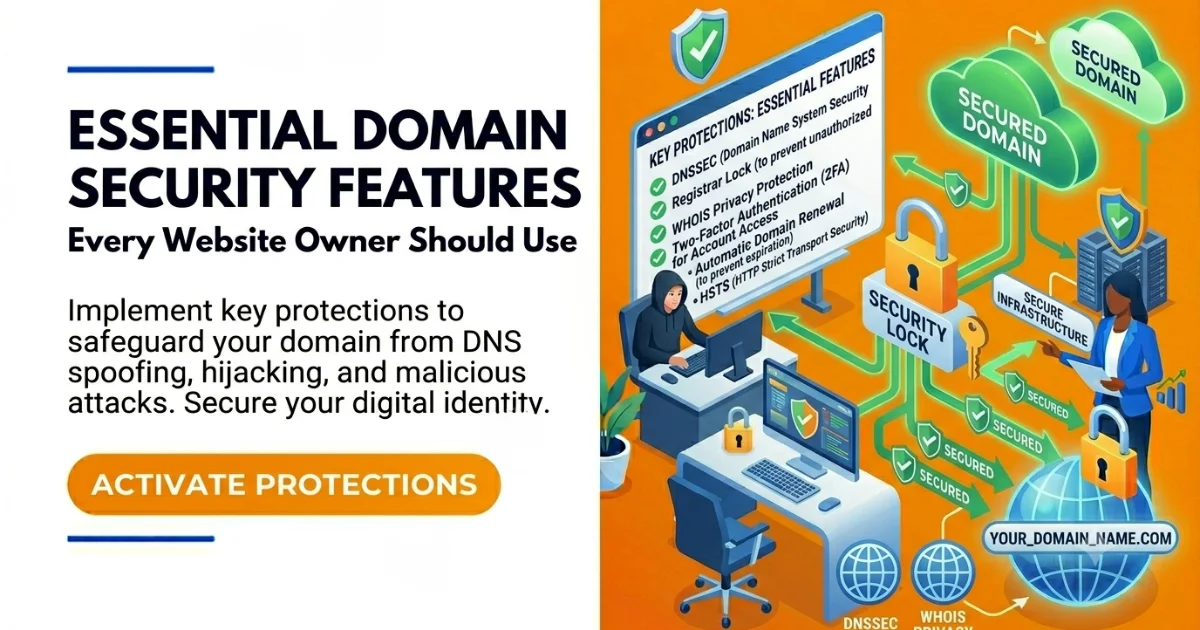
Essential Domain Security Features Every Website Owner Should Use
Most of what protects your domain is straightforward and affordable. These are the features that make the biggest difference, and most take only a few minutes to enable.
Domain Lock
Domain lock prevents anyone from transferring your domain without your permission. Even if someone gets into your registrar account, they cannot move the domain until the lock is removed, and removing it sends a notification to you.
It is one of the most effective and easiest protections available. Enable it as soon as you register a domain.
Two-Factor Authentication (2FA)
Two-factor authentication requires your password plus a second verification step, usually a code sent to your phone or generated by an app. Even if your password is stolen, an attacker still cannot get in.
This single setting blocks the majority of account takeover attempts. If your registrar supports it, there is no reason not to use it.
WHOIS Privacy Protection
When you register a domain, your name, address, phone number, and email are stored in a public database called WHOIS. Anyone can search it, and scammers regularly do.
WHOIS privacy replaces your personal details with generic registrar information. It reduces spam, phishing attempts, and social engineering attacks that rely on your publicly listed contact details.
DNSSEC
DNSSEC adds a digital signature to your DNS responses so browsers can verify the information has not been altered in transit. It makes DNS spoofing attacks significantly harder to carry out.
If your registrar supports DNSSEC, enable it, especially if your site handles customer data or payments. ICANN’s DNSSEC overview covers the technical details if you want to learn more.
Secure Registrar Accounts
Your registrar account controls everything connected to your domain. It needs a strong, unique password that you do not use on any other site.
If a password you reused elsewhere appears in a data breach, attackers will try it on your registrar account. Use a password manager to create and store something long and random.
Strong Password Practices
A strong password is long, random, and used only once. Change it periodically and immediately after any suspected breach.
If you are still using your business name plus a number, update it today.
How to Protect Your Domain Name from Hackers
Protecting your domain is not a one-time task. It is a set of habits that keep your domain safe as your business grows and the threats around it change.
1) Choosing a Trusted Registrar
Your registrar controls access to your domain. If their security practices are weak or their support is slow to respond, that gap is difficult to close on your own.
Look for a registrar that includes domain lock, WHOIS privacy, 2FA, and DNSSEC as standard features. Truehost offers all of these in one place, with support available when you need it.
2) Enabling Security Features
Do not wait for a problem to appear before turning on your security settings. Enable domain lock, two-factor authentication, and WHOIS privacy the same day you register a domain.
Each of these takes a few minutes to set up. The incidents they prevent can take weeks to resolve.
3) Monitoring Domain Activity
Check your domain account regularly for changes you did not make. If your registrar offers login alerts or an activity log, turn them on.
An unexpected nameserver change or a login from an unfamiliar location is a warning sign worth acting on immediately.
4) Protecting Email Accounts
The email address linked to your registrar account is a critical access point. If someone gets into that inbox, they can reset your registrar password and bypass your other security measures.
Use a dedicated address for your registrar account, secure it with 2FA, and keep it separate from email you use for general communication.
5) Updating Contact Information
If your registrar has outdated contact details, renewal notices and security alerts may never reach you.
Review your account information at least once a year and update it whenever your email address or phone number changes.
How to Recover a Stolen or Compromised Domain
If something does go wrong, the speed of your response matters more than almost anything else. Here is what to do.
Contacting Your Registrar
Call or contact your registrar immediately. Tell them what happened and ask them to flag the account, freeze any pending transfers, and escalate to their security team.
Do not wait to gather information first. Time is the most important variable in a domain recovery situation.
Verifying Ownership
Your registrar will need to confirm you are the legitimate owner before they can help you reclaim control. Have your original registration records, payment history, and any other documentation ready.
Keep copies of this information in a place you can access even if you are locked out of your account.
Recovering Account Access
If you cannot get into your account, work through the registrar’s official identity verification process to regain access. Do not be tempted by third-party services that promise fast domain recovery.
Some of those services are scams that specifically target people in exactly this stressful situation.
Reporting Unauthorized Transfers
If the domain has already been transferred, report it to both your original registrar and the registrar that received the transfer. You can also file a formal complaint through ICANN’s Transfer Dispute Resolution Policy.
The ICANN dispute resolution page walks through the official process for challenging an unauthorized transfer.
Preventing Future Incidents
Once you have your domain back, treat the experience as a wake-up call. Go through the security checklist in this article and enable every protection you had not set up before.
Change every password connected to your domain and hosting, and make sure 2FA is active on all of them.
Common Domain Security Mistakes to Avoid
Most domain security problems come down to avoidable mistakes. Here are the ones that come up most often.
- Using a weak or reused password is how most registrar accounts get compromised. If your password appeared in a data breach elsewhere, attackers will try it on your domain account too.
- Skipping two-factor authentication means a stolen password is all someone needs to get in. There is no second barrier to stop them.
- Forgetting to renew your domain can be devastating. Set auto-renewal on and check expiration dates as a backup, even if you think it is handled.
- Sharing your account login with team members multiplies the risk. Set up separate user accounts with the right permissions instead.
- Not enabling domain lock leaves your domain open to unauthorized transfers that can be very difficult to reverse.
- Outdated contact information means renewal notices and security alerts go to an address you no longer check. If your registrar cannot reach you, you are the last to know when something goes wrong.
Domain Security Checklist for 2026
Run through this list every time you register a new domain, and revisit it once a year for every domain you already own.
1) Enable Two-Factor Authentication
Log into your registrar account and turn on 2FA using an authenticator app. Authenticator apps are harder for attackers to intercept than SMS codes, though either is better than nothing.
2) Turn On Domain Lock
Lock every domain you own. The only reason to remove it is when you are actively transferring a domain to a different registrar.
3) Use WHOIS Privacy
Enable WHOIS privacy to keep your personal details out of the public domain database. It takes one click and removes a significant source of spam and phishing exposure.
4) Monitor Domain Expiration Dates
Even with auto-renewal active, check your expiration dates every few months. Payment failures happen, and losing a domain to expiration is entirely avoidable.
5) Enable DNSSEC
Check whether your registrar supports DNSSEC and turn it on if they do. It is especially worth enabling if your site handles customer data, logins, or payments.
6) Secure Associated Email Accounts
The email address on your registrar account needs the same level of protection as the domain itself. Use a strong unique password, enable 2FA, and ideally keep it as a dedicated address used for nothing else.
Domain name security FAQs
What is domain name security?
Domain name security covers everything you do to keep your domain from being stolen, redirected, or misused. That includes securing your registrar account, enabling domain lock and 2FA, keeping your contact details current, and watching for unexpected changes.
How can I protect my domain name?
Enable domain lock, turn on two-factor authentication, activate WHOIS privacy, and keep your contact information up to date. Choose a registrar with strong security practices and check your account regularly for anything you did not authorize.
What is domain hijacking?
Domain hijacking is when someone takes unauthorized control of your domain and transfers it away from your account. It usually happens through phishing, a compromised registrar account, or social engineering. Domain lock and 2FA are the most effective defenses against it.
What is a domain lock?
Domain lock prevents your domain from being transferred to another registrar without your permission. Even if an attacker accesses your account, they cannot move the domain while the lock is active. It is one of the simplest and most effective protections available.
What is DNSSEC and do I need it?
DNSSEC adds verification to DNS responses so visitors get accurate results that have not been tampered with. It protects against DNS spoofing. If your registrar supports it, it is worth enabling, especially if your site handles logins, payments, or sensitive customer data.
How do I know if my domain is secure?
Log into your registrar account and verify that domain lock is on, two-factor authentication is active, WHOIS privacy is enabled, your contact information is current, and your DNS records match what you originally set up. If any of those are off, address them now.
What happens if my domain expires?
Most registrars provide a short grace period after expiration where you can still renew, often at a higher cost. After that, the domain can go to auction or become available for anyone to register. Auto-renewal is the simplest way to make sure this never happens.
Ready to Lock Down Your Domain Security?
Domain security is not something reserved for large businesses with IT teams. If you have a website, an online shop, a blog, or even a domain you plan to build on later, you have something worth protecting.
The steps in this guide are not complicated or expensive. Most take a few minutes to set up. What they protect against can take weeks and real money to recover from.
Enable domain lock. Turn on two-factor authentication. Keep your contact information current. And make sure your domain is registered with a provider that takes security seriously.
Secure your domain with Truehost today and get domain lock, WHOIS privacy, and two-factor authentication working for you from day one.