Domain RegistrationFind and register the perfect domain for your website.
 .COM DomainChoose a widely recognized domain to build global credibility.
 Domain TransferSeamless domain transfers with zero downtime and complete control.
 All TLDsFind and register your perfect domain. Choose from local and global extensions.
 SSL CertificatesKeep your website safe with reliable SSL Certificates that protect customer data and build trust.
 whoisCheck domain ownership details, expiration dates, and registrar information.
 US DomainRegister a .US domain and build trust in the USA.
 Web HostingEverything your website needs to run smoothly
 WordPress HostingWordPress hosting that just works
 Windows HostingReliable hosting for Windows environments
 Reseller HostingTurn hosting into your business
 Email HostingEmail that looks professional and works anywhere
 cPanel HostingFull control of your hosting with cPanel
 Affiliate ProgramJoin as a partner and earn commissions on every referral you send our way.
 Vps HostingScalable virtual servers that expand as you need.
 Dedicated ServersGet complete access and full control over your dedicated physical server.
 Managed vpsNot tech-savvy? We will take care of everything with our fully managed VPS hosting for you.
 AI Website BuilderCreate stunning websites in seconds with AI.
 Online ShopSet up a professional online store. No coding required.
 Web design serviceGet a tailored website designed to match your brand and support your goals.
 BlogFind helpful guides on web hosting, online selling, digital marketing, and more.
 Contact USYou can reach us anytime, day or night, through chat or email.
 SupportBrowse helpful guides and answers for all of our services.
Before you get here…
Two years later, when you look at the domain name you were first excited about, it no longer serves its purpose. It sounds cool, but now you realize it was a terrible mistake?
So, before you settle on a domain name, ensure it’s not a “bad” one.
When I say bad, I mean
- Customers can’t spell
- It accidentally infringes on trademarks, and you’ll face legal threats
- Has hidden spam histories that tank your SEO before you even launch
- A perfect domain name that means something embarrassing in another language.
- And one that realizes too late that the name boxes you into a corner as your business grows.
These mistakes cost real money.
Yes, you can expect to pay $100,000 and $1 million on rebranding when you need to escape a bad domain name. That’s not counting the lost customers, damaged reputation, and months of momentum you’ll never get back.
The good news? Every single one of these disasters is entirely avoidable.
Let’s protect your business from these expensive traps.
What Makes a Domain Name “Bad”?
A bad domain name creates friction between your business and your customers. Simple as that.
- It could be impossible to spell after hearing it once.
- Perhaps it’s so long that people give up typing halfway through on their phones.
- It could violate someone’s trademark and put you in legal crosshairs.
- Or it might have a spam history that Google will never forget.
Bad domains fall into three main categories.
1.1 Communication failures
These are domains people can’t remember, spell, or pronounce. If you have to explain your domain every time you mention it, that’s a massive red flag. Think about it.
“That’s best hyphen cheap hyphen laptops hyphen review dot info (best-cheap-laptops-review.info).”
Nobody’s remembering that.
1.2 Legal Landmines
These domains violate trademarks, include protected terms, or attract legal problems you never saw coming. One cease-and-desist letter can force you to abandon everything you’ve built on that domain.
1.3 Technical problems
Domains with spam histories, blacklist issues, or toxic backlink profiles start your SEO journey in a deep hole. Some domains are so damaged that starting fresh is easier than trying to recover.
Here’s something that should grab your attention.
The World Intellectual Property Organization (WIPO) resolves over 3,500 domain dispute cases every year, and that number keeps climbing. Each case represents someone who thought their domain was fine until a trademark owner came knocking.
The impact goes beyond legal fees.
When users see a confusing or suspicious-looking domain, 73% abandon the site immediately. You’re losing nearly three out of four potential customers before they even know what you offer.
So what makes a domain name bad?
1) Length and Complexity
Long domains feel safe. You can stuff in keywords, describe what you do, and make everything crystal clear, right?
Wrong.
1.1 The “Too Long” Trap
When you create a domain name like “bestcheaplaptopsreviewsonline.com” or “thebestandfastesthostingaroundtheglobe.com.” Those are monsters.
These domains look like jumbles of letters.
They’re nightmares to type on mobile devices.
They increase typo probability with every extra character.
The sweet spot sits between 6 and 15 characters. Go beyond 15 characters, and you’re fighting an uphill battle that gets steeper every day.
1.2 Consecutive Double Letters
Double letters create another sneaky problem. Look at “suziesscents.com” and tell me: is that one S or two between “suzies” and “scents”?
Users can’t count repeated letters instantly. This leads to misspellings, lost traffic, and customers ending up at your competitor’s site instead.
The same goes for commonly misspelled words.
1.3 Difficult-to-Spell Words
If your domain includes words with silent letters, British versus American spellings, or homophones (words that sound the same but spell differently), you’re creating unnecessary barriers.
Here’s the test.
Say your domain out loud to ten people. If even one person spells it wrong, you need to reconsider. Your domain should be so clear that hearing it once is enough.
2) Numbers and Hyphens
Let me make this simple.
2.1 Numbers Destroy Domains
Never use numbers or hyphens in your domain. Ever.
Numbers create immediate confusion. Is it “4you.com” or “foryou.com” or “fouryou.com“?
When someone hears your domain, they have to guess. Guessing means losing traffic flowing to whoever owns the other versions.
Try explaining “coffee4u.com” on the phone. “That’s coffee, the number four, the letter U, dot com.” See how awkward that feels?
Now imagine doing that hundreds of times as your business grows.
The professional world moved away from numbers years ago. In 2026, with voice search dominating how people find websites, number confusion is worse than ever. When someone says, “Alexa, go to coffee for you,” which version does the assistant choose?
2.3 The Hyphen Curse
Hyphens might seem better, but they’re equally destructive. Imagine telling someone: “Visit best hyphen coffee hyphen shop dot com.” It sounds ridiculous because it is ridiculous.
Hyphens carry another problem.
They’re strongly associated with spam domains from the 2000s. A name with hyphens sends immediate trust signals that scream “low quality” or “sketchy website.” Most users will forget the hyphen and end up at the non-hyphenated version, which your competitor probably owns.
The traffic leak is real and constant.
Every mention of your domain sends a percentage of people to the wrong place. That’s customers and revenue disappearing into someone else’s pocket.
3) The Lawsuit Waiting to Happen
This is where a domain name choice can become genuinely dangerous, and so count as bad.
3.1 The Trademark Minefield
Here’s what many people don’t know when it comes to owning a domain name.
Registering a domain doesn’t give you trademark rights. You can successfully register “StarbucksCoffee.com” through a domain registrar. The registration will go through. You’ll own the domain.
Then Starbucks’ lawyers will show up.
The process is called the Uniform Domain-Name Dispute-Resolution Policy (UDRP), and it’s designed to take domains away from people who infringe on trademarks. The trademark owner must prove three things:
- Your domain is confusingly similar to their trademark
- You have no legitimate rights to use it
- You registered it in bad faith
Legal fees for these disputes typically run between $5,000 and $50,000, even if you win. Most people lose. The domain gets transferred to the trademark owner, and you’ve wasted months or years building a brand you can’t keep.
Recent trends make this worse.
Automated systems now monitor trademark filings. The moment someone files a trademark with the USPTO (United States Patent and Trademark Office), bad actors register matching domains within minutes. They’re hoping to sell it back to the trademark owner or use it to divert traffic.
Before registering any domain, you need to search:
- USPTO database for federal trademarks
- State trademark databases
- Google the name extensively with terms like “trademark,” “lawsuit,” and “cease and desist.”
- WIPO Global Brand Database for international conflicts
- Industry publications and competitor websites
Famous trademarks get extra protection.
You can’t use Nike, Apple, Disney, or McDonald’s in your domain, even if you’re in a completely different industry. Courts protect “famous marks” more aggressively because dilution damages their brand value.
The smart move?
Spend $500 to $2,000 consulting a trademark attorney before committing to valuable domains. It’s cheap insurance against losing everything you build.
4) Domain History and Reputation Problems
Around 40% of previously owned domains carry negative baggage that hurts new owners. That’s a staggering number.
4.1 The Hidden Danger of Bad History
When you register a domain that someone else owned before, you inherit their history. Google penalties don’t disappear with ownership changes. Spam associations linger in the algorithm. Blacklists persist.
Bad backlink profiles tank your SEO from day one.
Previous owners might have:
- Run email spam campaigns from that domain
- Hosted phishing sites or distributed malware
- Built link farms or private blog networks (PBNs)
- Operated adult content sites
- Run scams that generated customer complaints
- Received manual penalties from Google
All of this follows the domain like a criminal record. You’re guilty by association even though you’re innocent.
Research Domain History
a) The Wayback Machine
archive.org becomes your best friend here. This free tool shows you previous versions of websites on that domain.
Look at different time periods. Check what content was there. If you see spam, adult content, or sketchy operations, walk away immediately.
b) WHOIS History
Check WHOIS history too.
Look at previous owners and how many times the domain changed hands. Frequent ownership changes often signal problems. Legitimate domains typically stay with one owner for years.
c) Google Search
Google Safe Browsing tells you if the domain is currently flagged for malware or phishing. If it shows up here, don’t touch it.
Paid tools for serious due diligence.
For serious due diligence, paid tools like Ahrefs, Moz, and SEMrush analyze backlink profiles. They’ll show you the quality of links pointing to the domain.
Spam scores above 30% indicate high risk. If the majority of backlinks come from obvious spam sites, that domain is poisoned.
Can you recover a domain with a bad history? Sometimes.
But recovery takes 12 to 24 months of consistent work, with no guarantees of success. Starting fresh with a clean domain is usually smarter and cheaper.
5) Poor Extension (TLD) Choices
The extension (or TLD) counts, but you don’t think about it, right?
5.1 The Extension Hierarchy
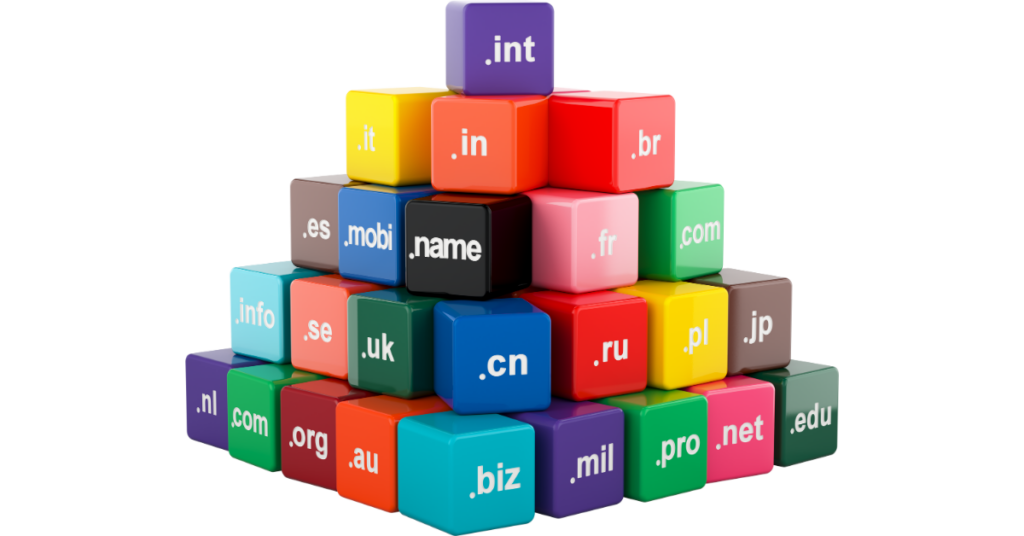
The .com extension remains king with 157.2 million registrations globally. It’s what people default to when they hear a domain name. If you own “YourBrand.io” but someone else owns “YourBrand.com,” you’re constantly losing traffic to them.
Users automatically try the .com version first.
Some extensions are acceptable alternatives.
The .io extension works for tech startups and SaaS companies. It signals innovation and technical credibility within that specific community.
The .co serves as a clean alternative when .com isn’t available. Country-code domains like .us, .uk, and .ca work perfectly for local businesses targeting specific regions.
But other extensions destroy trust instantly.
Spammers have hammered the .info, .biz, .xyz, and .top extensions for years. Users instinctively distrust them. Email providers flag messages from these domains. Some browsers even warn users about risky TLDs.
If you’re running a professional business and your domain ends in .info or .biz, you’re fighting an uphill credibility battle before anyone even visits your site.
Trendy extensions present another risk.
The .crypto and .nft extensions were hot during the blockchain boom. Now they feel gimmicky and dated. Buzzword extensions age poorly. Choose timeless over trendy every single time.
Here’s a practical strategy.
Secure the .com if it’s available and affordable. If the .com is taken, evaluate whether an alternative extension (.io, .co, .ai) is a better fit for your brand and industry. Never choose an extension that confuses your target audience or damages your credibility.
6) Negative Meanings and Cultural Problems
Imagine launching your business, investing in marketing, and then discovering your domain name means something offensive in Spanish. Or German. Or Mandarin.
This happens more often than you’d think.
6.1 The Global Language Trap
Your domain might sound perfectly fine in English, but it translates to something embarrassing, inappropriate, or downright offensive in another language. Sometimes it’s a direct translation problem.
Other times, it’s phonetic. Your domain sounds like something offensive when spoken in another language.
Check International Meanings
The Mazda “La Puta” example is famous. They intended it to mean “The Pointer” for a marketing campaign. Unfortunately, in Spanish, it means “The Whore.” The campaign was pulled immediately, but the damage was done.
Google Translate
Before committing to any domain, run it through Google Translate in at least ten major languages: Spanish, French, German, Italian, Portuguese, Mandarin, Japanese, Arabic, Hindi, and Russian. Check both the written words and phonetic sound-alikes.
Slang and Urban Dictionary searches
Urban Dictionary and country-specific slang dictionaries catch issues that formal translation misses. A word that’s innocent in formal language might be offensive slang in specific regions or age groups.
Native speaker review
For $50 to $200, you can hire native speakers on platforms like Upwork or Fiverr to review your domain name. They’ll catch cultural sensitivity issues, pronunciation problems across accents, and regional concerns you’d never think of.
This small investment protects you from launching a bad domain name that limits your international growth or creates embarrassing PR disasters. If you’re a global business, you can’t afford to ignore how your name translates and sounds across cultures.
7) Social Media Handle Mismatches
Here’s a statistic that surprises many business owners: 37% of users aged 18 to 34 consider matching domain and social media handles important for credibility.
7.1 The Consistency Problem
More than one-third of your potential customers, especially younger demographics, judge your professionalism by whether you use consistent naming across platforms.
The nightmare scenario looks like this:
- Domain:
YourBrand.com - Instagram: @YourBrandHQ (someone else took the original)
- Twitter: @YourBrand_Official
- TikTok: @TheRealYourBrand
- Facebook: @YourBrandPage
Customers can’t find you reliably. Your brand identity gets diluted across platforms. Competitors or squatters confuse your audience. The inconsistency makes you look unprofessional and disorganized.
Check Social Media Availability
Before registering any domain, check social media availability on all major platforms. Use tools like Namechk or Knowem to search 90+ platforms simultaneously. Manually verify the big ones: Instagram, Facebook, Twitter/X, TikTok, LinkedIn, YouTube, and Pinterest.
If your preferred domain name has social handles already taken by active users, you face a tough choice. You can try buying the handles from current owners, but that gets expensive fast. You can add a consistent modifier like “Get” or “Shop” before your name across all platforms. Or you can choose a different domain where everything is available.
The best practice?
Register social media handles before you even buy the domain. Most platforms are free. Secure your name everywhere, then register the matching domain. This prevents squatters and gives you complete control over your brand identity.
8. Difficult to Pronounce or Spell
If you can’t say your domain once on the radio and have listeners type it correctly, you’ve got a bad domain name.
This is called the radio test, and it’s your first line of defense against communication failures.
8.1 The Radio Test Failure
Common pronunciation problems include multiple possible pronunciations, silent letters creating ambiguity, unusual letter combinations, and made-up words with unclear pronunciation.
The Flickr-style vowel dropping that seemed clever in the 2000s now feels dated and confusing. But wait. They have done good marketing around that, which means some cash has come out. Do you have the money?
Spelling nightmares come from patterns like:
- PH versus F (photo or foto?)
- C versus K versus CK (coffee or koffee?)
- S versus C (sense or cense?)
- and double versus single letters (office or ofice?).
Intentional misspellings were trendy fifteen years ago.
Companies like Flickr (instead of Flicker) and Tumblr (instead of Tumbler) made it work with massive marketing budgets. For everyone else, misspellings send traffic to the correctly spelled version that a competitor probably owns.
8.2 Voice Search Considerations
Voice search makes pronunciation more critical than ever. Think about this.
When someone says, “Hey Google, go to…” your domain needs to work flawlessly. Smart speakers can’t handle ambiguous spellings. Users won’t struggle with complex pronunciations when they can simply choose a competitor with a simpler name.
Voice-friendly domains have clear single pronunciations, use common word patterns, avoid spelling ambiguity, and work across different accents.
Test your domain by asking Siri, Alexa, and Google Assistant to navigate to it. If they can’t figure it out, neither will your customers.
9. Names That Box You Into a Corner
The location-specific domain seems smart when you start. “ChicagoPlumber.com” clearly communicates what you do and where you do it.
Then your business grows.
You expand to the suburbs. You start serving Milwaukee. Now your domain is lying to customers about your service area, and changing it means losing all the SEO authority you’ve built.
Product-specific domains create the same trap.
Remember “DVD-rental-online.com“? That domain became obsolete the moment streaming took over. “iPhone-cases.com” limits you when you want to sell Android accessories, too.
These overly specific domains force expensive rebrands down the road. You either accept the limitation and cap your growth, or you invest tens of thousands of dollars (often hundreds of thousands for established businesses) to change your domain and rebuild your brand recognition.
The smarter approach?
Choose a domain broad enough for growth but specific enough for relevance. Use a brandable name and let your website content explain your specific offerings. When you expand into new services or locations, your domain doesn’t become a liability.
Buzzword domains age just as poorly. Anything with “Web 2.0” or “Social Media” in it feels ancient now. Current tech buzzwords like “metaverse” and “blockchain” will likely feel dated in a few years, too.
Ask yourself: Will this domain make sense in ten years? If you’re not confident about the answer, keep looking.
Testing Before You Commit
Smart business owners test domains before buying them. Here’s your essential pre-registration checklist.
Trademark checks.
This takes one to two weeks but saves you from legal disasters. Search the USPTO database, state trademark databases, and the WIPO Global Brand Database.
Google your proposed name with terms like “trademark,” “lawsuit,” and “cease and desist.” Research your industry competitors thoroughly.
History and reputation checks.
This takes two to three days. Review the Wayback Machine for previous versions of the site. Check WHOIS history for previous owners. Verify Google Safe Browsing status. Run spam blacklist checks.
If the domain was previously owned, analyze its backlink profile using tools like Ahrefs or Moz.
Language and cultural checks.
This takes one to two days. Translate your domain into ten or more major languages. Search Urban Dictionary and slang databases. Test pronunciation across different accents. Review for cultural sensitivity issues.
Social media availability checks.
This takes about an hour. Use Namechk.com for comprehensive searches. Manually verify Instagram, Facebook, Twitter/X, TikTok, LinkedIn, YouTube, and Pinterest. Check industry-specific platforms relevant to your business.
Usability tests.
This takes two to three days. Perform the radio test with ten different people. Test spelling after verbal communication. Try typing it quickly on mobile devices.
Ask voice assistants (Siri, Alexa, Google) to navigate to it.
Business fit assessment.
This is ongoing. Evaluate ten-year scalability. Check alignment with brand personality. Assess competitive differentiation. Get consensus from your team or key stakeholders.
Red Flags That Mean “Don’t Buy
They include;
- Active trademarks in your industry
- Current blacklisting
- Obvious previous spam or adult content
- Failing the radio test
- Offensive meanings in major languages
- All social media handles taken by active users
- Multiple cease-and-desist letters are visible online
Sleep on your decision for at least 48 hours. Say the domain name out loud fifty times. Show it to twenty people and get their honest reactions.
Write it down twenty times. Imagine it on billboards, business cards, and email signatures.
Ask yourself honestly:
- Am I settling because of limited availability?
- Would I choose this if my perfect name were available?
- Can I confidently defend this choice in five years?
What If You Already Have a Bad Domain?
You may be reading this and realizing your current domain has problems. Don’t panic. You have options.
A. Assess the severity
Minor issues like being slightly longer than ideal or using .net instead of .com are manageable. These are cosmetic problems that don’t require immediate action.
Moderate
Moderate issues include domains with some negative history, suboptimal TLD choices, or unavailable social media handles. These require effort to work around, but aren’t necessarily deal-breakers. You can often mitigate these problems through smart marketing and reputation building.
Severe
Severe issues require action. Active trademark conflicts, blacklisting, offensive meanings, or major credibility problems mean you should seriously consider changing domains. Legal threats definitely fall into this category.
When should you rebrand versus stick it out?
Change immediately if you face trademark infringement risk, active penalties or blacklisting, severe trust or credibility issues, business growth severely limited by the name, or legal action threatened or filed.
Keep your current domain if you only have minor cosmetic issues, you’ve already built significant brand equity, the cost of change exceeds the benefits, you can mitigate issues through marketing, or there are no legal or technical problems.
Rebranding costs range from $10,000 to over $1 million, depending on your business size and how established you are. Factor in lost SEO rankings, customer confusion during transition, updated marketing materials, and time investment.
Sometimes the investment is worth it. Sometimes working with what you have makes more sense.
The Bottom Line on Bad Domain Names
A bad domain name creates unnecessary friction, costs you customers, and limits your business growth. The good news? Every single mistake we’ve covered is completely preventable with proper research and testing.
The critical mistakes to avoid:
- Domains that are too long or complex
- Numbers and hyphens that confuse people
- Trademark infringement that triggers legal action
- Hidden spam history that tanks your SEO
- Extensions that destroy credibility
- Negative meanings in other languages
- Social media handle mismatches
- Pronunciation nightmares
- Names that box you into a corner
Your domain is the foundation of your digital identity. It’s worth investing time to get it right from the start. Run through the testing checklist. Check for trademarks. Research history. Test pronunciation and spelling. Verify social media availability.
The perfect domain might not exist. But a solid, professional domain that avoids these critical mistakes? That’s absolutely achievable.
Ready to start your perfect domain search? Truehost is your best solution.