Domain RegistrationFind and register the perfect domain for your website.
 .COM DomainChoose a widely recognized domain to build global credibility.
 Domain TransferSeamless domain transfers with zero downtime and complete control.
 All TLDsFind and register your perfect domain. Choose from local and global extensions.
 SSL CertificatesKeep your website safe with reliable SSL Certificates that protect customer data and build trust.
 whoisCheck domain ownership details, expiration dates, and registrar information.
 US DomainRegister a .US domain and build trust in the USA.
 Web HostingEverything your website needs to run smoothly
 WordPress HostingWordPress hosting that just works
 Windows HostingReliable hosting for Windows environments
 Reseller HostingTurn hosting into your business
 Email HostingEmail that looks professional and works anywhere
 cPanel HostingFull control of your hosting with cPanel
 Affiliate ProgramJoin as a partner and earn commissions on every referral you send our way.
 Vps HostingScalable virtual servers that expand as you need.
 Dedicated ServersGet complete access and full control over your dedicated physical server.
 Managed vpsNot tech-savvy? We will take care of everything with our fully managed VPS hosting for you.
 AI Website BuilderCreate stunning websites in seconds with AI.
 Online ShopSet up a professional online store. No coding required.
 Web design serviceGet a tailored website designed to match your brand and support your goals.
 BlogFind helpful guides on web hosting, online selling, digital marketing, and more.
 Contact USYou can reach us anytime, day or night, through chat or email.
 SupportBrowse helpful guides and answers for all of our services.
Your domain name is more than just a web address. It is a piece of digital real estate your business can own, one that shows up in search results, on your email, and on every piece of communication you send. Customers type it, share it, and use it to decide whether they trust you before they even land on your site.
If setting up a domain has felt technical or expensive, you are not alone. The truth is it is far simpler than it looks once you know what to expect. This guide covers everything, from what a domain name actually is and how it works behind the scenes, to how to choose one, what it costs, and what to do the moment you have registered it.
By the end, you will know exactly how to find the right domain, register it, connect it to your website, and keep it protected as your business grows. Ready to get started? Search for an available domain name on Truehost and skip straight to the good part
What Is a Domain Name?
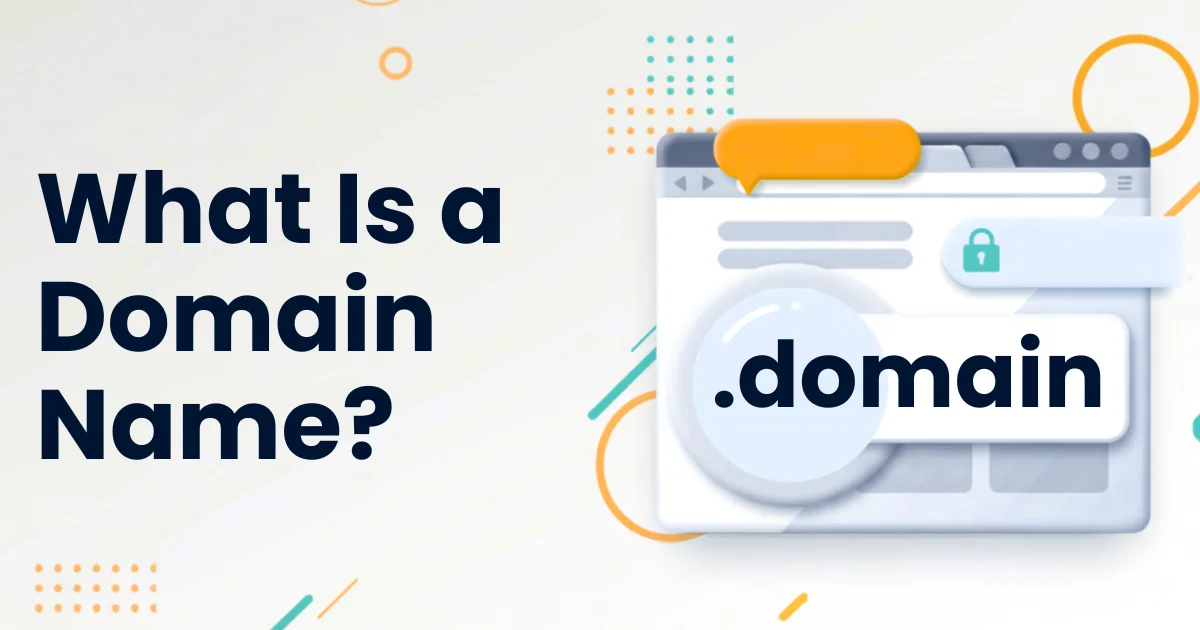
A domain name is the unique name and address that identifies a website on the internet. If you want to visit a site, you type its domain name into your browser and it takes you there.
Think of your website as a building. The domain name is its street address. Every domain is entirely unique, so no two websites can share the same one.
Technically, what a domain name does is simplify navigation. Every website actually lives at a numerical IP address, something like 192.153.2.46, which is what computers use to find it. A domain name swaps that string of numbers for something a person can actually read, type, and remember.
Parts of a Domain Name?
A domain name has two main components: the second-level domain and the top-level domain.
1. Second-Level Domain (SLD)
The second-level domain is the core part of a domain name, the word or phrase you actually choose when registering. In truehost.com, the word “truehost” is the SLD.
It can technically be up to 63 characters long, but shorter is always better. A good SLD is brandable, easy to spell, and quick to remember.
2. Top-Level Domain (TLD)
The top-level domain is the suffix at the end of the name. The most familiar example is .com, but there are many others including .org, .net, .us, and many more.
TLDs are also called domain extensions or domain suffixes. The one you choose can say something about the type of site you run or the audience you serve.
Subdomains
A subdomain appears to the left of the main domain name, separated by a dot. Common examples include blog.yourbusiness.com or shop.yourbusiness.com.
Subdomains let you organize different sections of your site without registering a separate domain. They are managed through your DNS settings and sit under your root domain.
Domain Name vs URL: What Is the Difference?
These two terms often get used interchangeably, but they are not the same thing.
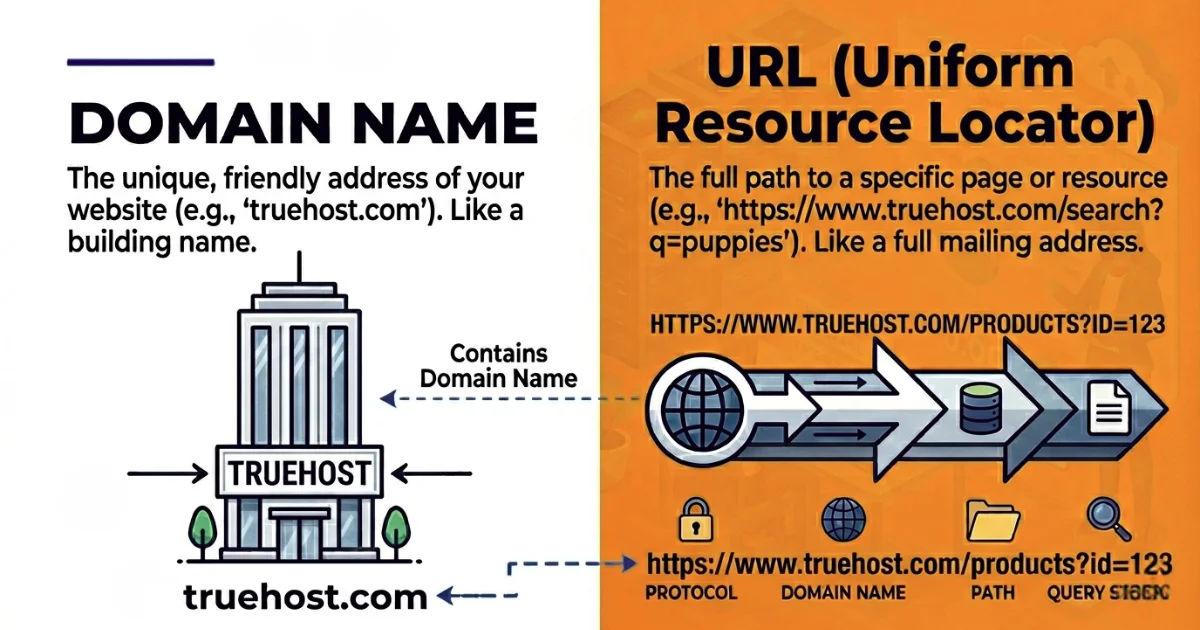
A domain name is the main address of a website, such as truehost.com. A URL, which stands for Uniform Resource Locator, is the full address of a specific page within that website.
Take this example: https://www.truehost.com/blog/what-is-web-hosting
The domain name here is truehost.com. The URL is everything, including the protocol (https://), the domain, and the path that leads to a specific page or resource.
The domain serves as the homepage or front door of a website. The URL points to a specific room inside. You need a domain to have URLs, but a domain on its own just points to the front page.
One more thing worth noting: URLs that start with https rather than http are secured with an SSL certificate. That small difference matters because visitors are increasingly cautious about unsecured sites, and browsers now flag them as potentially unsafe.
How Do Domain Names Work?
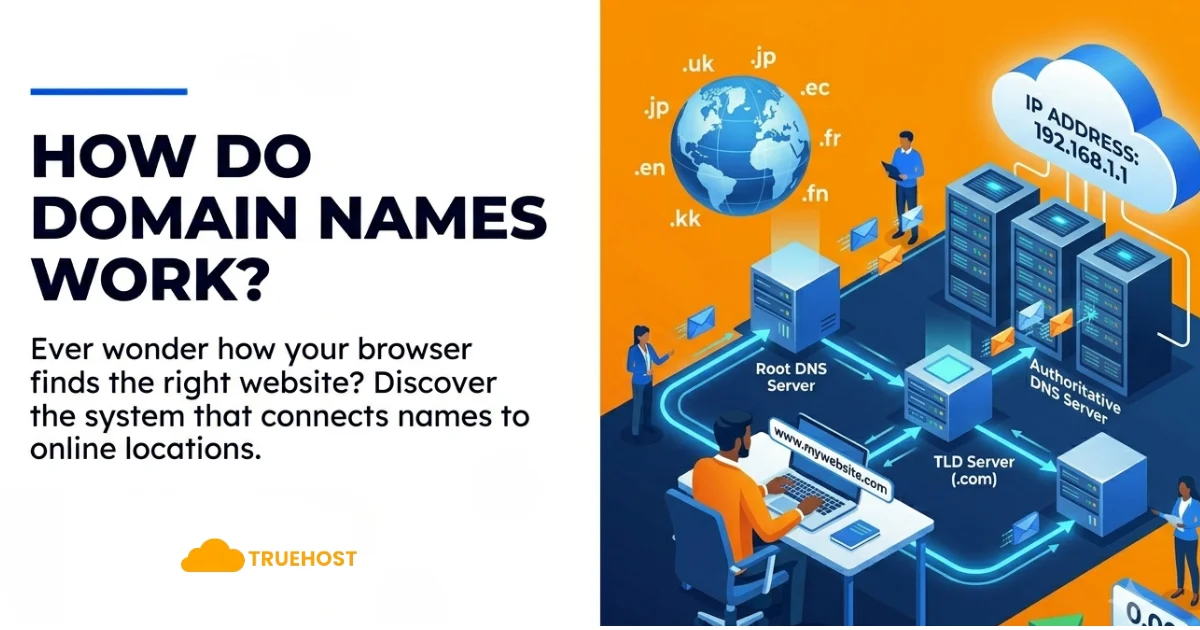
When you type a domain name into your browser, a process called DNS resolution kicks in almost instantly to connect you to the right website.
The Role of DNS
DNS stands for Domain Name System. It is essentially the internet’s address book, a global network of servers that match domain names to their corresponding IP addresses.
When your browser receives a domain name, it checks the nearest DNS server to find the matching IP. If that server does not have the answer, the request passes along the chain until the right record is found. The whole process typically happens in milliseconds.
What Happens When You Type a Domain Name
Your browser first checks its own saved cache to see if it already knows the IP address for that domain. If not, it asks a DNS resolver, which works through a hierarchy of DNS servers to track down the answer.
Once the IP address is returned, your browser connects to the hosting server at that address, retrieves the website files, and renders the page on your screen. By the time you notice anything, it is already done.
Memorizing IP addresses for every site you visit would be completely impractical. DNS makes the internet usable by handling all of that behind the scenes. Learn more from ICANN’s beginner guide to DNS.
The Different Types of Domain Extensions
The Internet Corporation for Assigned Names and Numbers (ICANN) oversees the domain name system and recognizes several categories of top-level domains.
Generic Top-Level Domains (gTLDs)
These are the most widely used extensions. They include .com, .net, .org, .gov, and .edu, each originally designed to signal the type of organization running the site.
Today .com is used across nearly every industry and is the default choice for most websites. If the .com version of your name is available, it is almost always worth taking.
New Generic Top-Level Domains (New gTLDs)
In recent years, hundreds of new extensions have been introduced to give businesses and individuals more creative options. These include .online, .store, .tech, .blog, .app, .studio, and many more.
New gTLDs can be a smart choice when your preferred .com is taken or when a niche extension clearly suits your brand. A bakery might use .cafe, a developer might use .dev, and an online shop might use .store.
Country-Code Top-Level Domains (ccTLDs)
Country-code domains are two-letter extensions tied to specific countries. Examples include .uk for the United Kingdom, .ca for Canada, and .us for the United States.
If your business primarily serves a local market, a ccTLD can signal relevance to that audience and may support local search visibility. Some ccTLDs also have branding appeal beyond their country, such as .ai for artificial intelligence businesses.
Internationalized Domain Names (IDNs)
Internationalized domain names allow websites to use non-Latin characters in their addresses, covering scripts like Arabic, Chinese, Cyrillic, and others. This makes the web more accessible to users across different languages and regions.
IDNs use a system called Punycode to translate those characters into a format the DNS can process, so they work seamlessly across the global internet.
Why Domain Names Matter for Your Business
Having your own domain name is one of the most important steps you can take when building an online presence. Here is why it carries so much weight.
You Own Your Space Online
Social media profiles and marketplace listings have their place, but they are rented space. The platform sets the rules and can change them at any time.
A domain name gives you a permanent address that you fully control. Your website, your email, and your brand all live under one roof that belongs to you.
It Builds Credibility and Trust
Customers notice the difference between a business with its own domain and one using a free subdomain or a generic email provider. A custom domain signals that you are serious about what you do.
A professional email address like [email protected] adds to that impression. It keeps your brand consistent across every message you send.
It Supports Search Visibility
A clean, brandable domain that matches your business name builds recognition over time. Users are more likely to click on a familiar-looking result, and that behavior can contribute to stronger search performance.
Keywords in a domain name carry limited direct SEO weight today, but a relevant, memorable domain helps users understand what you offer and where you operate, which supports long-term discoverability.
It Anchors Your Brand
Your domain name shows up everywhere: on your website, in your email address, on business cards, in social bios, and in search results. A well-chosen name ties all of those touchpoints together into a consistent identity.
That consistency is hard to build without a domain, and once you have built it, it becomes a real asset.
Ready to lock in yours? Register your domain name with Truehost and start building that identity today.
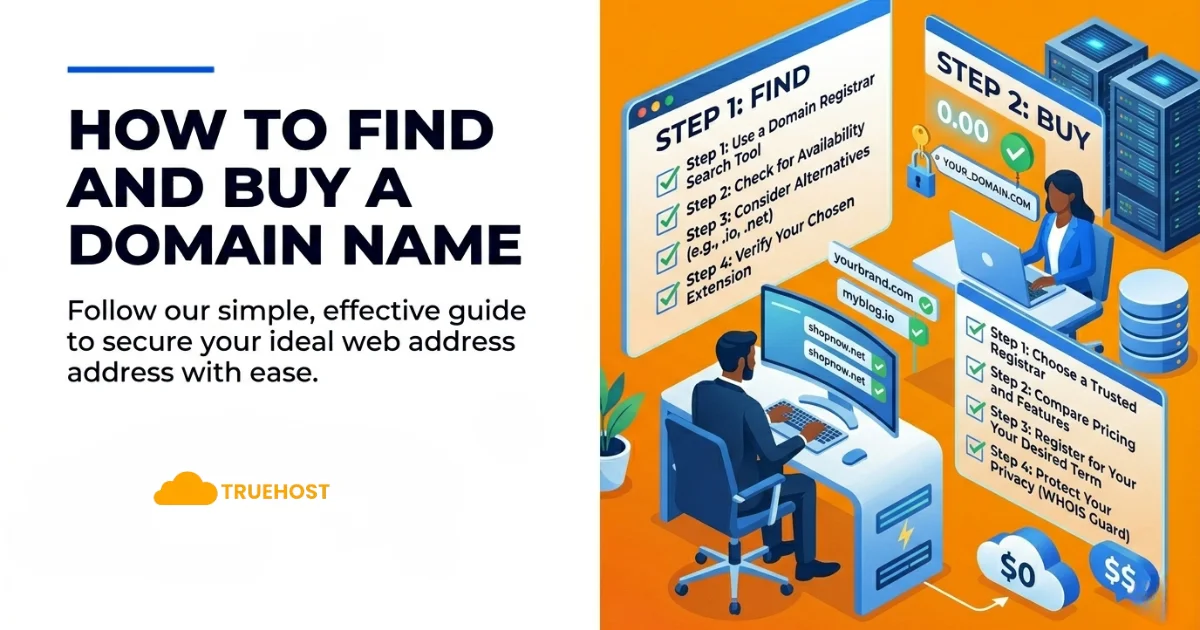
How to Find and Buy a Domain Name
Once you have a feel for what you want, the actual process of buying a domain name is straightforward. Here is how to approach it.
Step 1: Keep It Simple and Memorable
Choose a name that is short, easy to say aloud, and directly connected to your brand or topic. If someone hears your domain name in conversation, they should be able to type it correctly without thinking twice.
Step 2: Avoid Hyphens, Numbers, and Unusual Spellings
These make a domain harder to share verbally and easier to mistype. They can also make a name look less trustworthy at first glance.
Step 3: Consider Your Location
If your business serves a specific city, region, or country, including that in your domain or choosing a country-code extension can help signal local relevance to your audience.
Step 4: Register More Than One Extension
If you can, register your name across multiple extensions. Securing yourname.com, yourname.net, and yourname.co.ke protects your brand from competitors or squatters picking up similar addresses.
Step 5: Check Availability and Register
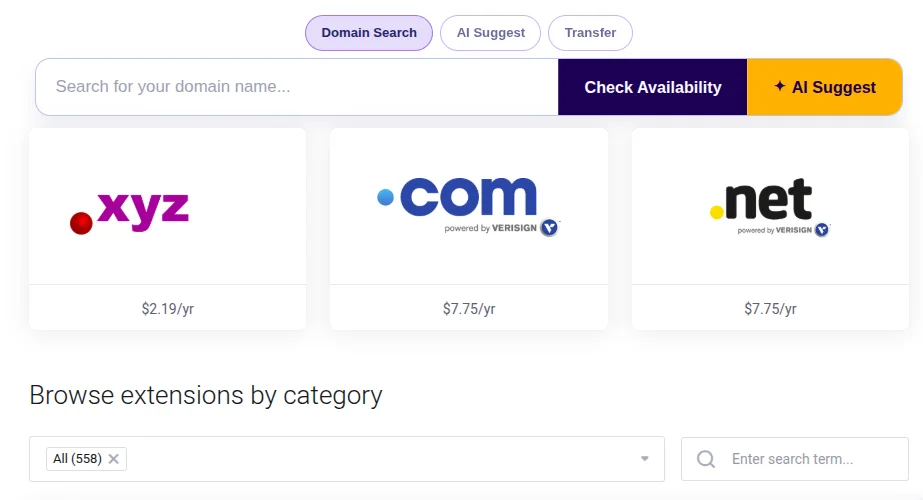
Head to Truehost’s domain search, enter the name you want, and see what is available. If your first choice is taken, the search tool will suggest alternatives so you are not stuck.
If a domain you really want is already registered by someone else, it may still be available for purchase. Some registrars offer a broker service to approach the current owner on your behalf and negotiate a price.
How to Keep Your Domain Name Secure
Your domain name is a business asset, and like any asset, it needs to be protected.
Enable Domain Privacy
When you register a domain, your contact details are added to a public database called WHOIS. Anyone can look them up. Domain privacy replaces your personal information with generic registrar details, keeping your name, address, and email out of public view.
It also reduces the risk of targeted spam, phishing attempts, and social engineering attacks aimed at gaining access to your domain account.
Watch Out for Domain Squatting
Domain squatting happens when someone registers a name that closely resembles your brand, either to resell it to you at a high price or to mislead your customers. Common tactics include registering common misspellings or your name with a different extension.
The best defense is to act early. Register your primary domain as soon as you settle on a name, and secure the most obvious variations before someone else does.
Set Up Auto-Renewal
Accidentally letting a domain expire is more common than most people realize. Once a domain lapses, it can be picked up by someone else within days.
Turn on auto-renewal the moment you register. It takes one click and removes the risk of losing your address because a payment slipped through the cracks.
Keep Everything in One Place
Managing your domain, hosting, and email through a single provider makes it far easier to stay on top of renewals, DNS settings, and security options. Truehost offers domain registration alongside hosting and business email so everything stays centralized and simple to manage.
What to Do After Registering Your Domain Name
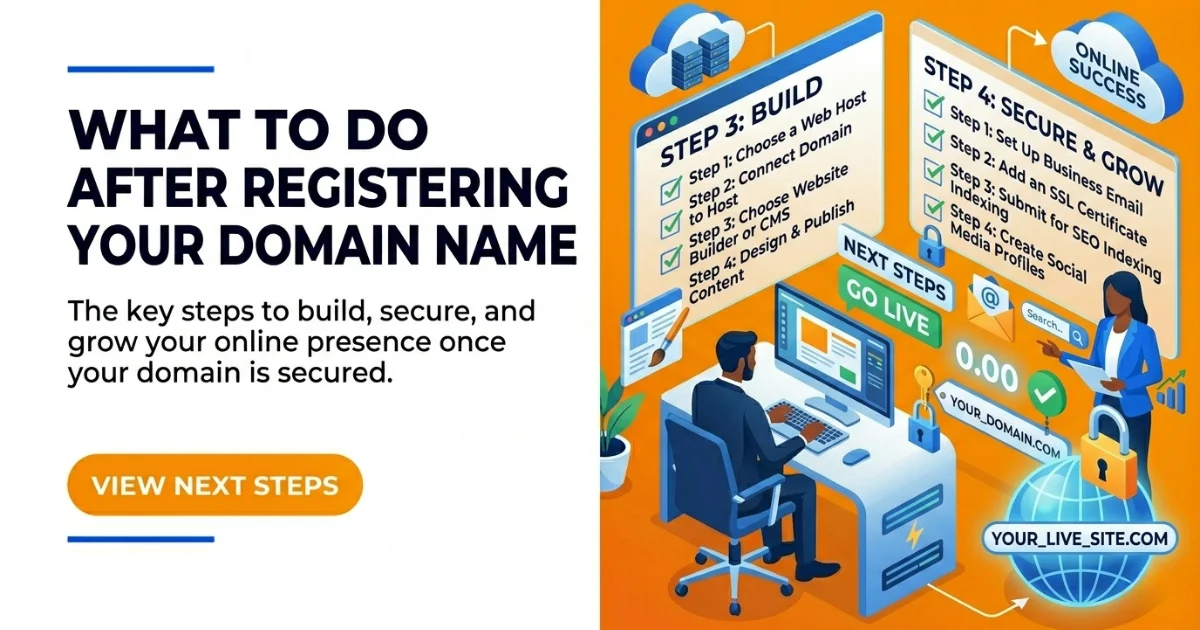
Registering a domain is step one. Here is what comes next.
- Connect it to a website. Update your domain’s nameservers to point to your hosting provider. Once DNS propagates, anyone who types your domain will land on your site. Truehost’s hosting plans include easy nameserver setup for new customers.
- Set up a professional email address. An email like
[email protected]looks far more credible than a free provider. Most hosting plans include business email as part of the package. - Add an SSL certificate. HTTPS is now expected by both visitors and search engines. Many registrars include a free SSL certificate, so check whether yours is already covered before buying one separately.
- Forward any extra domains. If you registered multiple extensions or variations of your name, point them all to your main domain. That way, anyone who types a variation still lands in the right place.
- Consider domain parking. If you are not ready to launch a site yet, parking your domain holds your address and can display a placeholder page while you get everything ready.
How Much Does a Domain Name Cost?
Domain pricing depends on a few key factors. Here is what to expect at each level.
Standard Domains
Most standard .com domains cost between $10 and $20 per year. Extensions like .net and .org fall in a similar range. Newer extensions such as .online or .store are sometimes offered at a lower promotional rate for the first year, though renewals can be higher.
Premium Domains
Premium domains are short, high-demand names that someone has already registered and is selling at a marked-up price. These can range from a few hundred dollars to thousands or more, depending on how desirable the name is.
If the name you want carries a premium price tag, weigh it against the long-term brand value before deciding whether to pay it or find an alternative.
Renewal Fees
Every domain needs to be renewed on a regular schedule, usually annually. Renewal rates are sometimes higher than the first-year promotional price, so always check the renewal cost before registering.
Domain Privacy Protection
Privacy protection typically costs a few dollars per year and is worth adding from day one. It keeps your personal contact details out of the public WHOIS database.
Bundled Services
Some registrars bundle extras like business email, SSL certificates, or website builders with domain registration. Compare what is included across providers before deciding where to buy. Truehost’s domain and hosting packages include several of these extras so you can get everything set up without jumping between different services. You can also visit IANA’s domain registry resources for authoritative information on how the global domain system is structured.
Domain Name FAQs
What is the difference between a domain name and a website?
A domain name is the address. A website is the actual collection of pages and content that lives at that address. The domain tells browsers where to go. The website is what they find when they get there.
Is a domain name the same as web hosting?
No. A domain name is your web address, and hosting is the service that stores your website files on a server. You need both. Think of the domain as the address on a building and hosting as the building itself.
Can I get a free domain name?
Some hosting providers include a free domain for the first year as part of a hosting package. After the promotional period, standard renewal rates apply. It is worth looking for these deals if you are setting up hosting and a domain at the same time.
What is the best domain extension?
For most websites, .com remains the most trusted and widely recognized extension. If .com is not available for your preferred name, consider a country-code extension that matches your audience or a newer extension that fits your niche.
How long can I register a domain name for?
Most registrars let you register for one to ten years. Registering for multiple years at once can lock in the current rate and removes the risk of accidentally letting it expire.
Can I change my domain name later?
You can register a new domain at any time, but changing your primary domain after you have built an audience means updating every link that points to your site and rebuilding search engine rankings from scratch.
How do I choose the best domain registrar?
Look for a registrar with transparent renewal pricing, strong security features like two-factor authentication and domain lock, easy DNS management, and responsive support. It also helps if they offer hosting, SSL, and email in the same place so you are not managing multiple accounts. Truehost checks all of those boxes and keeps everything under one roof.
Ready to Get Started with Your Domain Name?
Now you know what a domain name is, how it works, what it costs, and what to look for when choosing one. The only thing left is to actually claim yours.
Pick a name that reflects your brand, register it before someone else does, and set up privacy and auto-renewal from the start. Then connect it to your website and email and you are in business.
Search for your domain name on Truehost and take ownership of your space online today.