Domain RegistrationFind and register the perfect domain for your website.
 .COM DomainChoose a widely recognized domain to build global credibility.
 Domain TransferSeamless domain transfers with zero downtime and complete control.
 All TLDsFind and register your perfect domain. Choose from local and global extensions.
 SSL CertificatesKeep your website safe with reliable SSL Certificates that protect customer data and build trust.
 whoisCheck domain ownership details, expiration dates, and registrar information.
 US DomainRegister a .US domain and build trust in the USA.
 Web HostingEverything your website needs to run smoothly
 WordPress HostingWordPress hosting that just works
 Windows HostingReliable hosting for Windows environments
 Reseller HostingTurn hosting into your business
 Email HostingEmail that looks professional and works anywhere
 cPanel HostingFull control of your hosting with cPanel
 Affiliate ProgramJoin as a partner and earn commissions on every referral you send our way.
 Vps HostingScalable virtual servers that expand as you need.
 Dedicated ServersGet complete access and full control over your dedicated physical server.
 Managed vpsNot tech-savvy? We will take care of everything with our fully managed VPS hosting for you.
 AI Website BuilderCreate stunning websites in seconds with AI.
 Online ShopSet up a professional online store. No coding required.
 Web design serviceGet a tailored website designed to match your brand and support your goals.
 BlogFind helpful guides on web hosting, online selling, digital marketing, and more.
 Contact USYou can reach us anytime, day or night, through chat or email.
 SupportBrowse helpful guides and answers for all of our services.
Have you been thinking about starting a blog or online store, and you’re hearing the term domain name a lot? I know you’re confused about what a domain name actually is.
I feel you.
You can get lost in the tech jargon when you first start building your online presence. You’ll hear terms like DNS, hosting, and IP addresses, and your eyes glaze over.
You may choose the wrong domain name and regret it later. Or pay too much because you don’t understand what you’re buying.
I’m here to ensure that never happens. So, my guide today, we will cover:
- What a domain name really is
- How domain names connect people to your website
- The different types of domain names you can choose from
- Step-by-step tips for picking the perfect domain name
- Where to buy your domain and what it should cost
- How to avoid common mistakes that trip up beginners
Ready to become a domain name expert?
Let’s jump right in.
What Is a Domain Name? The Simple Definition
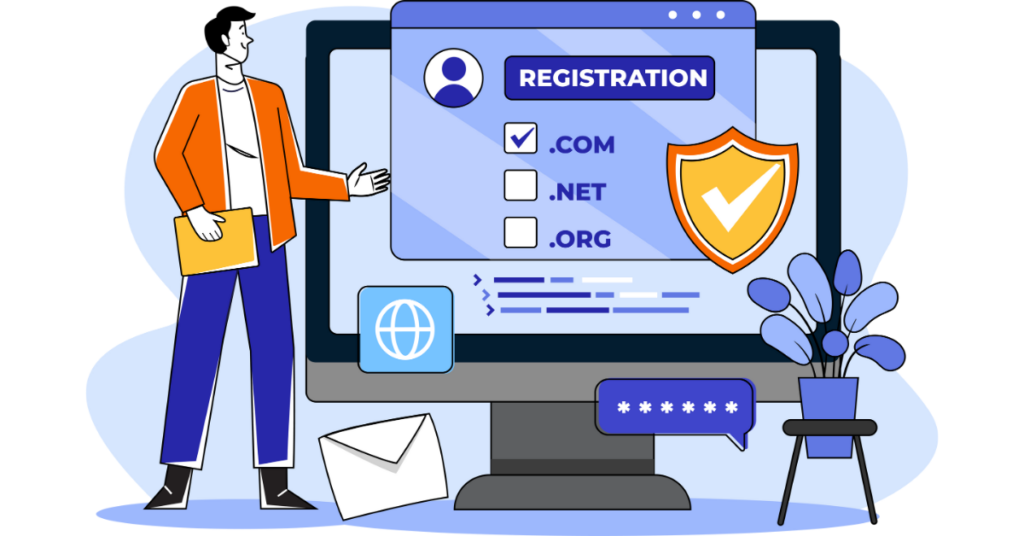
Think of a domain name as your website’s street address. Just like your home has an address that helps people find you, your website needs an address too. That address is your domain name.
When you type “google.com” or “amazon.com” into your browser, you’re using a domain name. It’s the friendly, easy-to-remember name that takes you to a specific website.
But here’s what’s happening behind the scenes.
Every website lives at a numbered address called an IP address. These IP addresses look like this: 192.168.1.1. Imagine trying to remember numbers like that for every website you visit!
It would be impossible.
That’s where domain names come in.
They’re the human-friendly version of those confusing numbers.
Let’s break down a simple example: www.example.com
- “www” is the subdomain (we’ll explain this soon)
- “example” is the actual name you choose
- “.com” is the extension or domain type
When you type this into your browser, something called the Domain Name System (DNS) works like a phone book. It looks up “example.com” and finds the right numbered address.
Then it connects you to that website. All of this happens in less than a second.
In the simplest terms, a domain name is the easy-to-type address that takes you to a website. It replaces the complicated numbers that computers use to find each other on the Internet.
The Anatomy of a Domain Name

Now that you know what a domain name is, let’s look at all the different parts
Protocol (HTTP/HTTPS)
You’ve probably seen “https://” at the start of web addresses. This is the protocol, which is just a fancy word for “the way information travels.”
Think of it like choosing between regular mail and certified mail.
- HTTP is like regular mail. It gets there, but anyone could peek inside.
- HTTPS is like certified mail with a lock on it. The “S” stands for “secure,” and it means the information traveling between you and the website is encrypted (scrambled so no one else can read it).
These days, HTTPS matters a lot. Search engines like Google favor secure websites.
Browsers show “Not Secure” warning messages if a site isn’t secure. Plus, customers trust you more when they see that little padlock icon in their browser.
Subdomain
A subdomain is like an apartment number in a building. The building has one main address, but each apartment has its own number.
The most common subdomain is “www” (which stands for World Wide Web). But you can create others too:
blog.yoursite.comfor your blogshop.yoursite.comfor your online storesupport.yoursite.comfor customer help pages
You use subdomains when you want to organize different sections of your website. They’re helpful, but you don’t need to use them.
Many modern websites skip the “www” entirely and just use “yoursite.com.”
Second-Level Domain (SLD)
This is the star of the show. The part you actually get to choose. It’s your unique brand name on the Internet.
In “google.com,” the word “google” is the second-level domain. In “nike.com,” it’s “nike.” This is the part that makes your domain name yours, and nobody else’s.
Your SLD should represent your business, your name, or what your website is about. Choose carefully because changing it later is difficult and can confuse your visitors.
Top-Level Domain (TLD)
The TLD is the part that comes after the dot. It’s the extension that completes your domain name.
The most popular TLD is “.com,” but there are hundreds of others: .org, .net, .store, .blog, and many more.
Each one was created for different purposes, though people don’t always follow these original intentions anymore.
Your TLD choice affects how people perceive your website. We’ll talk more about choosing the right one in a bit.
Types of Domain Names Explained
Not all domain extensions are created equal. Let’s explore the main types so you can understand what options you have.
1) Generic Top-Level Domains (gTLDs)
These are the classic domain extensions that have been around since the early days of the Internet. They’re called “generic” because anyone can register them for any purpose.
a) .com (commercial)
This is the king of domain extensions.
Initially meant for commercial businesses, .com now represents about 52% of all websites on the Internet. It’s the most trusted and most remembered extension.
b) .org (organization)
Created for non-profit organizations, .org is still used mainly by charities, educational groups, and community organizations. It gives off a trustworthy, mission-driven vibe.
c) .net (network)
This was initially meant for internet service providers and network companies. Today, it’s often used as an alternative when your preferred .com isn’t available.
d) .info (information)
Designed for informational websites, .info is often used for resource sites, wikis, and informational blogs.
The best use case?
If you’re running any kind of business, go for .com first. It’s what people automatically type when they try to remember your website.
2) Country Code Top-Level Domains (ccTLDs)
Every country has its own domain extension. These help identify where a website is based or where it primarily serves customers.
- .us for the United States
- .uk for the United Kingdom
- .ca for Canada
- .de for Germany (Deutschland)
- .au for Australia
When should you use a country-specific domain?
If you only do business in one country, a ccTLD can help you rank better in local search results. For example, a bakery in London might choose .co.uk because all their customers are British.
However, if you plan to expand internationally, stick with .com. It’s recognized everywhere.
3) New Generic Top-Level Domains (nTLDs)
In 2013, the internet organization that manages domain names opened the floodgates. They released hundreds of new extensions to give people more choices.
Now you can get creative:
- .tech for technology companies
- .blog for bloggers
- .store for online shops
- .app for mobile applications
The pros? These new extensions are descriptive.
They immediately tell visitors what your site is about. Plus, you’re more likely to get the exact name you want because they’re less crowded than .com.
The cons? They’re newer, so some people don’t trust them as much.
Older internet users might not recognize them as real websites. And .com is still so dominant that people might type “.com” automatically instead of your actual extension.
4) Sponsored Top-Level Domains (sTLDs)
Some domain extensions have restrictions. You can’t just buy them; you need to meet specific requirements.
.edu
Only accredited educational institutions can register these domains. You can’t buy harvard.edu for your personal website.
.gov
Reserved exclusively for government agencies. Only official government entities can use these.
.mil
Restricted to the United States military.
These restricted domains create instant credibility. When you see a .gov or .edu website, you know it’s official.
How Domain Names Actually Work
Let’s walk through what happens when someone types your domain name into their browser.
The process will help you appreciate why domain names matter so much.
Step 1: Someone types “yourwebsite.com” into their browser and hits Enter.
Step 2: Your browser asks, “Where does this website live?” It sends a request to a DNS server (Domain Name System server). Think of DNS servers as the Internet’s phone book.
Step 3: The DNS server looks up “yourwebsite.com” and finds the IP address where your website is stored. Remember, that’s the numbered address like 192.168.1.1.
Step 4: The DNS server tells your browser, “Here’s the address you’re looking for.”
Step 5: Your browser connects to that IP address and requests the website.
Step 6: The web server at that address sends back your website’s files.
Step 7: The browser displays your website on the screen.
All of this happens in less than a second.
Pretty impressive, right?
How a Domain Name Connects People to Your Website
Your domain name is the bridge between people’s memories and your website’s location.
Let’s see how this connection works in real life.
How browsers use it
When someone wants to visit your website, they rely on your domain name. They might type it directly into the browser’s address bar. Or they might click a link that contains your domain name. Either way, the browser uses that domain name to start the journey to your website.
Modern browsers are smart, too. If someone types just “yoursite” without the “.com,” many browsers will automatically try “yoursite.com” first.
This makes domain names even more powerful. They work even when people don’t type them perfectly.
How DNS fits in
The DNS (Domain Name System) is always working behind the scenes. Every domain name points to a specific set of DNS records. These records are like instructions that tell browsers where to find your website, where to send your emails, and other important information.
When you register a domain name, you also get control over these DNS records. This means you can point your domain to any web hosting service you choose. You can also change where it points later if you switch hosting companies.
Why it makes your site easy to reach
Here’s a real-world comparison.
Imagine telling someone to visit your store, but instead of saying “123 Main Street,” you had to say “40.7128 degrees North, 74.0060 degrees West.”
No one would ever find you!
Domain names make your website accessible.
They’re:
- Easy to remember
- Simple to spell (when chosen well)
- Convenient to share in conversation
- Perfect for printed materials like business cards
Without a good domain name, you’d lose visitors before they even reach your site.
In fact, studies show that 77% of consumers prefer to shop with brands they recognize. Your domain name is a huge part of building that recognition.
How a Domain Name Helps Your Business
A good domain name is a powerful business tool. Let’s look at the specific ways it helps you succeed.
A. Trust and branding
Your domain name is often the first impression people have of your business. A professional domain name builds instant credibility.
Compare these two scenarios:
- Scenario A: You tell someone your website is “
mybusiness.freewebsite.com“ - Scenario B: You tell them it’s “
mybusiness.com“
Which one sounds more professional? Which business would you trust more with your money?
Having your own domain name shows you’re serious about your business. It signals that you’ve invested in your online presence.
This matters because people make snap judgments about websites in just 50 milliseconds.
Your domain also reinforces your brand every time someone sees it. When people visit “cocacola.com,” it strengthens their memory of the Coca-Cola brand.
When they email you at [email protected], they’re reminded of your business name.
B. Email identity
Here’s something many beginners don’t realize: your domain name affects your email address, too.
Instead of using [email protected], you can use [email protected]. This small change makes a massive difference in how clients perceive you.
Professional email addresses:
- Look more credible in business communications
- Reinforce your brand in every message
- Help you stand out in crowded inboxes
- Make it clear you’re a legitimate business
Think about it from a customer’s perspective.
If you received a bill from “[email protected]” versus “[email protected],” which would you trust more?
C. Search visibility benefits (factual only)
Your domain name plays a role in how easily people find you on search engines, though it’s just one of many factors.
Search engines use your domain name as part of understanding what your website is about. If your domain is “chicagoplumber.com,” search engines get a clear signal about your location and services.
However, the impact is more negligible than it used to be. Years ago, having exact keywords in your domain name gave you a big advantage.
Today, search engines are smarter. They care more about your content quality and user experience.
That said, domain names still matter for search visibility in these ways:
- Branded domains build trust, and trust affects rankings
- Older domains (that have been around for years) tend to have more authority
- Your domain extension can influence local search results
The bottom line?
Choose a domain name that represents your brand well, and the search visibility benefits will follow naturally.
Domain Names vs Web Hosting: What’s the Difference?
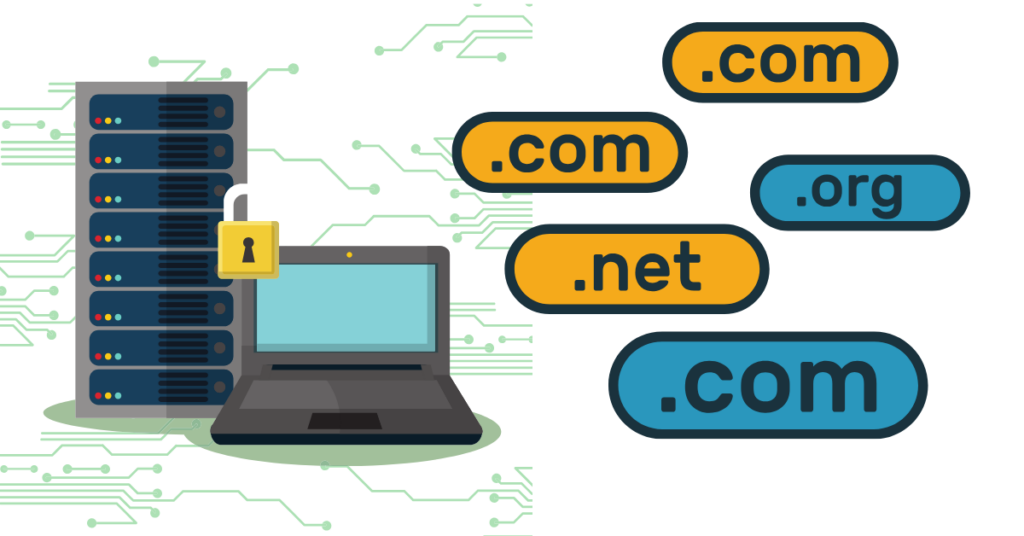
This confuses almost everyone at first, so let’s clear it up with a simple analogy.
Your domain name is like your home’s street address. It tells people where to find you.
Web hosting is like the actual house itself. It’s the physical space where your website lives.
You need both to have a functioning website.
The domain name points to the hosting, and the hosting contains all your website’s files (text, images, videos, and code).
Here’s another way to think about it.
Your domain name is the sign on your store that says “Joe’s Coffee Shop.” Web hosting is the actual building where you brew coffee and serve customers.
Why Have a Domain Name?
Now let’s dig deeper into why your choice of domain name can make or break your online success.
1.1 Brand Identity
Your domain name is a core part of your brand identity. It’s how people remember you, refer you to others, and find you again.
When you pick a domain name that matches your business name, you create consistency. This consistency makes your brand stronger.
Think about successful companies. Their domain names match their brand names. Nike.com. Apple.com. Amazon.com.
A memorable domain name also makes word-of-mouth marketing easier.
If someone loves your product, they’ll tell their friends. Your domain is simple and memorable, their friends will actually remember it and visit.
It’s complicated or hard to spell, you’ll lose potential customers.
Professional image matters too.
Your domain name appears everywhere: on your website, in your emails, on your business cards, in social media bios, and in advertisements.
A strong domain name makes you look established and trustworthy.
1.2 SEO Impact
Let’s talk about search engine optimization (SEO) and domain names. The relationship is more nuanced than many people think.
a. Keywords in domains
Having keywords in your domain used to be a big ranking factor. If you sold shoes and had “shoes.com,” you’d rank well for shoe searches. Today, search engines look at your entire website, not just your domain name.
That doesn’t mean keywords are useless in domains. They still provide a small benefit.
More importantly, they help users understand what your site is about before they even click.
b. Domain age and authority
This is where domain names really matter for SEO. Search engines tend to trust older domains more.
A domain that’s been around for ten years has more authority than one registered last week.
This doesn’t mean new websites can’t rank well. They absolutely can. But it explains why some established websites have an advantage.
Their domains have been building trust over time.
c. TLD influence on rankings
Does your domain extension affect your search rankings? The short answer is: it depends.
For international searches, .com domains perform well everywhere. For local searches, country-specific domains (.uk, .ca) can help you rank better in that country.
The newer extensions (.tech, .blog, .store) work fine for SEO. Search engines treat them the same as .com.
However, users might not trust them as much yet, which can affect your click-through rates.
1.3 Credibility and Trust
Consumer perception is powerful. People make instant judgments about whether they trust a website.
Research shows interesting patterns. When consumers see a .com domain, they generally trust it more than other extensions. This isn’t because .com is technically better. It’s purely psychological.
We’ve been trained to see .com as “normal” and “legitimate.”
Professional domains versus free subdomains make an even bigger difference.
Compare:
yourstore.com(your own domain)yourstore.wordpress.com(free subdomain)
The first option looks professional. The second looks like a hobby or a temporary project.
If you’re asking people to buy from you or share personal information, an experienced domain is essential.
1.4 Marketing and Advertising
From a marketing perspective, your domain name is pure gold when chosen well.
a) Easy to share and remember
Great domain names spread easily. When you tell someone, “Visit Smile.com,” they’ll remember it. When you say “Visit SmileDentalCareAndCosmeticDentistrySpecialists.com,” they’ll forget it before the conversation ends.
Short, punchy domain names are marketing magic.
They fit perfectly in:
- Social media posts (where character counts matter)
- Radio ads (where listeners can’t write things down)
- Billboard advertisements (where people have seconds to read)
- Casual conversations
b) Offline marketing considerations
Your domain name doesn’t just live online. It appears on:
- Business cards
- Brochures and flyers
- Product packaging
- Vehicle wraps
- Promotional items
In all these places, you want a domain that’s instantly clear. Avoid anything that requires explanation. If someone needs to ask, “Is that spelled with a C or a K?” you’ve chosen poorly.
Think about pronunciation too.
If you run radio ads or appear on podcasts, people need to hear your domain name and spell it correctly. “FreshBaked.com” works great. “FreshBakedGoods4You.com” gets messy fast.
How to Choose the Perfect Domain Name
Ready to pick your domain name? Follow these proven strategies to make the right choice.
1. Keep It Short and Simple
Shorter is almost always better with domain names. Why?
Because short names are:
- Easier to remember
- Faster to type
- Less likely to be mistyped
- Better for mobile users
The ideal length? Aim for 6-14 characters if possible. Single-word domains like “Amazon” or “Nike” are gold, but they’re almost all taken.
Two-word combinations like “BlueApron” or “DollarShave” work great too.
Avoid hyphens and numbers.
Here’s why:
- Hyphens create problems.
When you tell someone your domain is “best-pizza-shop.com,” they’ll forget the hyphens and type “bestpizzashop.com” instead. Now they’re on someone else’s website (or a “site not found” error page).
- Numbers cause confusion.
Is your site “4you.com” or “foryou.com“? Is it “123main.com” or “onetwothreemain.com“? People will guess wrong, and you’ll lose traffic.
The exception?
If numbers are part of your brand name (like “24/7 Fitness”), you might need them. Even then, consider registering both versions.
2. Make It Memorable
Your domain name needs to stick in people’s minds. How do you create a name that people can’t forget?
- Use familiar words
Names built from real words are easier to remember than made-up words. “TreeHouse” beats “Trexify.”
- Create mental images
Good domain names paint a picture. “Buffalo Wild Wings” makes you think of buffalo and wings. “Red Bull” creates a vivid image.
- Keep pronunciation simple
If people can’t say it, they can’t remember it. Avoid complex spellings or unusual letter combinations.
- Avoid common spelling mistakes.
Don’t choose a domain that people will naturally spell wrong.
If your business name is “Doughnuts,” consider that many people spell it “Donuts.” You might need to buy both versions.
Some techniques for creating sticky names:
- Alliteration (PayPal, Coca-Cola)
- Rhyming (YouTube)
- Combining two words (Facebook, Instagram)
- Using unexpected word pairs (Amazon, Apple)
3. Use Keywords Strategically
Keywords in your domain name can help, but they’re not everything. You need to find the right balance.
When keywords help
If you run a local business, keywords can be powerful. “BostonPlumber.com” immediately tells visitors and search engines what you do and where you’re located.
Keywords also help with clarity. If someone sees “GreenCleaners.com,” they know you’re in the cleaning business.
When keywords hurt
If you stuff too many keywords into your domain, it looks spammy. “BestCheapAffordablePlumberBoston.com” looks desperate and unprofessional.
Keyword-heavy domains also lack personality. They’re forgettable. Compare “SeattleCoffee.com” to “Starbucks.com.” Which has more brand power?
The sweet spot?
If you can incorporate one relevant keyword naturally, great. But building a memorable brand name matters more than checking SEO boxes.
4. Choose the Right Extension
Should you stick with .com, or try something different?
.com is still king
Here’s why: In 2024, there are over 1.5 billion websites on the Internet, and .com domains make up more than half of them. People trust .com. When they can’t remember your exact domain, they’ll guess “.com” first.
If your preferred .com is available, grab it. Don’t overthink this decision.
When alternatives make sense
If your .com is taken or too expensive, consider alternatives based on your situation:
- .org if you’re a non-profit or community organization
- .net as your second choice if .com is unavailable
- .co for startups and tech companies (it’s short and modern)
- .io for tech and software companies
- Country extensions (.co.uk, .ca) if you only serve one country
The newer, specific extensions (.store, .tech, .blog) work well if they perfectly match what you do. Just know that some older visitors might not recognize them as legitimate websites.
5. Check Trademark Issues
Before you fall in love with a domain name, make sure you’re legally allowed to use it. Trademark issues can shut down your website and cost you thousands in legal fees.
How to research existing trademarks
- Search the USPTO database (trademark.gov for US businesses)
- Google the name and see what comes up
- Check if similar companies are using the name
- Search social media platforms for the name
Avoiding legal problems
The basic rule is simple.
Don’t use someone else’s brand name or anything confusingly similar. Even if a domain is available for purchase, that doesn’t mean it’s legal to use.
For example, if “ApplePizza.com” is available, buying it might seem fine. But if Apple Computer decides your pizza shop could confuse their customers, they can take legal action.
When in doubt, consult a trademark attorney. It’s a small investment that could save you from huge problems later.
6. Think Long-Term
Your domain name should grow with your business.
Avoid these common mistakes that limit your future.
Geographic limitations: If you name your business “DenverPlumber.com” but later want to expand to other cities, you’ve painted yourself into a corner.
Product limitations: “DVDsByMail.com” worked great for Netflix at first, but they had to build an entirely new brand name because their domain didn’t fit streaming.
Trend-based names: Using current slang or trendy words might seem clever now, but will they age well? “RadicalSkateboards.com” might sound dated in a few years.
Ask yourself these questions:
- Could my business expand to new locations?
- Might I offer additional products or services later?
- Will this name still make sense in 10 years?
- Does this name work for the company I want to become, not just what I am today?
Think big. Choose a domain name that gives you room to grow.
Where to Buy a Domain Name
Ready to purchase your domain? Let’s talk about where to buy and what to look for.
What is a domain registrar?
A domain registrar is a company authorized to sell domain names. They act as the middleman between you and the organizations that manage domain extensions.
When you buy a domain from a registrar, they register it in your name and manage the technical details.
You pay them an annual fee, and they keep your domain active.
Popular registrars comparison (Truehost)
There are hundreds of domain registrars out there, but let’s focus on a solid option for beginners: Truehost.
At Truehost, we offer domain registration along with web hosting services. This can be convenient because you can manage everything in one place. Our customer support will help you through the process, which matters a lot when you’re just starting out.
What makes a good registrar?
Look for these features:
- Transparent, honest pricing (no hidden fees)
- Easy-to-use control panel
- Reliable customer support
- Domain privacy protection options
- Simple domain management tools
- Good reputation and reviews
Typical pricing expectations
Domain prices vary depending on the extension you choose. Here’s what you can expect at Truehost.
Standard pricing ranges:
- .com domains: usually $10-15 per year
- .net domains: around $12-15 per year
- .org domains: approximately $10-13 per year
- .info domains: often $3-5 the first year, but watch the renewal price
- Newer extensions (.tech, .store, etc.): $20-40 per year
Many registrars offer introductory discounts. You can see.com for $2 for the first year.
Pay attention to the renewal price. That’s what you’ll pay every year after.
Domain privacy protection explained.
Here’s something important most beginners don’t know about: when you register a domain, your personal information becomes public.
WHOIS is a database that lists who owns every domain name. Anyone can look up your domain and see:
- Your full name
- Your address
- Your phone number
- Your email address
This can lead to spam, unwanted marketing calls, and even identity theft.
Domain privacy protection (also called WHOIS protection or private registration) solves this problem. For a small fee (usually $10-15 per year), the registrar lists their information instead of yours.
Is it worth it?
For most people, yes. It keeps your personal information private and reduces spam significantly.
How to Register Your Domain Name
Let’s walk through the actual registration process step by step.
Step-by-step registration process
Step 1: Go to your chosen domain registrar’s website (like Truehost).
Step 2: Use their domain search tool to check if your desired domain is available. Type in the name you want without the extension, then see what’s available.
Step 3: If your first choice is taken, the site will suggest alternatives. You might find something even better!
Step 4: Add your chosen domain to your cart.
Step 5: Decide on add-ons like privacy protection or email services.
Step 6: Create an account with the registrar (if you don’t have one already).
Step 7: Enter your payment information and complete the purchase.
Step 8: You’ll receive a confirmation email with important information about your domain. Save this email!
The whole process takes about 10-15 minutes. It’s straightforward once you’ve decided on your domain name.
What information will you need?
Be prepared to provide:
- Your full legal name
- Your physical address
- A phone number
- An email address
This information is required by ICANN, the organization that oversees domain names. As mentioned earlier, you can hide this information from public view by purchasing privacy protection.
Registration period options (1 year vs multiple years)
When you register a domain, you choose how long to register it for. Most registrars offer these options:
- 1 year (the most common choice)
- 2 years
- 5 years
- 10 years
Should you register for multiple years? There are pros and cons:
Pros:
- You lock in the current price
- You won’t forget to renew and lose your domain
- Some believe longer registrations help slightly with SEO
Cons:
- Higher upfront cost
- You’re committed even if you change your mind
- Technology and business needs change
For most people, starting with one year makes sense. Once you’re sure about your domain, you can extend it for multiple years.
Auto-renewal considerations
Auto-renewal is a feature that automatically charges your card and renews your domain before it expires.
Should you enable auto-renewal? In most cases, yes. Here’s why: if your domain expires, someone else can register it.
You could lose your entire online presence.
However, keep these tips in mind:
- Make sure the payment method on file stays current
- Set a calendar reminder to review your domain annually
- Check that you’re still getting the renewal notification emails
Some registrars set auto-renewal as the default. Others make you opt in. Check your settings after registration to be sure.
Domain Name Costs: What to Expect
Let’s break down the real costs of owning a domain name so you can budget appropriately.
Average registration costs by TLD
Different domain extensions come with different price tags. Here’s what Truehost charges for popular options:
Domain Extensions Pricing:
.com (Hot & Popular)
- Register: $7.79
- Renew: $11.40
- Transfer: $13.55
.info (Popular)
- Register: $3.58
- Renew: $29.27
- Transfer: $26.87
.net (New & Popular)
- Register: $13.62
- Renew: $13.62
- Transfer: $12.90
.org (Sale & Popular)
- Register: $10.67
- Renew: $12.23
- Transfer: $12.23
Notice how registration and renewal prices can differ significantly? That’s important to understand.
Renewal pricing vs introductory offers
Many registrars offer eye-catching introductory prices to attract new customers. You might see “.com for only $2.99!” But read the fine print.
That $2.99 is usually only for the first year. The renewal price might be $15.99 or higher. This isn’t necessarily bad; you still get a deal on year one, but don’t be surprised when the bill comes in the second year.
Always check the renewal price before buying. That’s the real cost of owning the domain long-term.
Additional costs (privacy protection, email, SSL)
Beyond the domain itself, you might encounter these additional costs:
Privacy protection: $10-15 per year. Highly recommended to keep your personal information private.
Professional email: $5-10 per month per email address. This lets you have [email protected] instead of using Gmail or Yahoo.
SSL certificate: $0-100 per year. SSL certificates create the “https” secure connection on your website. Many hosting companies now include this for free, but some registrars charge for it.
Premium domain pricing
Some domains cost way more than the standard price. These are called premium domains.
Premium domains are usually:
- Short, memorable words (
Cars.com) - Common phrases (
Insurance.com) - Previously owned and developed (gaining value over time)
Premium domains can cost hundreds, thousands, or even millions of dollars. The most expensive domain ever sold was “Voice.com” for $30 million.
As a beginner, you don’t need a premium domain. Focus on finding a good available domain at standard pricing.
Hidden fees to watch for
Read the pricing details carefully. Some registrars add sneaky charges:
- Transfer fees (charging you to move your domain elsewhere)
- “Free” domains that require you to buy expensive hosting
- Mandatory add-ons bundled with your purchase
- Setup fees or service charges
Reputable registrars like Truehost are transparent about costs. If pricing seems confusing or unclear, that’s a red flag.
Conclusion
So there you have it. Domain names aren’t nearly as complicated as they sound, are they? Sure, there’s some technical stuff happening behind the scenes, but at the end of the day, it’s just your website’s address, the one thing people type to find you.
And now you know exactly how to pick a good one, where to buy it, and how to avoid the mistakes that trip up beginners.
Here’s my advice: don’t wait too long. That perfect domain name you’re thinking about? Someone else might be thinking about it too.
Start your domain name search now with Truehost.
Check if it’s available, grab it while you can, and start building.
Domain Names FAQs
Yes. You can buy a new domain and point your site to it. But search engines treat it like a new address, so you must set 301 redirects to protect rankings and avoid traffic loss.
No. You rent it. As long as you keep renewing it every year (or for multiple years), it stays yours.
Yes, if your account is weak or your email gets hacked. Use strong passwords, two-factor login, and keep your WHOIS and registrar details secure.
A domain is the name (example.com). A URL is the full path to a page (https://example.com/blog).
No. It can trigger legal action. If the name is protected, avoid it even if it’s available to register.
Buy your main name plus common variations to protect your brand. This stops others from copying or misusing your identity.
It expires, enters a grace period, then a redemption period, and finally becomes public again. Someone else can buy it when it drops.
Yes, but they come with limits. Free domains often look unprofessional, have restrictions, or can be taken back by the provider.
Not directly. Speed depends on hosting, code, and server setup—not the domain itself.
Yes. Many people buy domains and resell them. This is called domain flipping.