 Domain RegistrationFind and register the perfect domain for your website.
 .COM DomainChoose a widely recognized domain to build global credibility.
 Domain TransferSeamless domain transfers with zero downtime and complete control.
 All TLDsFind and register your perfect domain. Choose from local and global extensions.
 SSL CertificatesKeep your website safe with reliable SSL Certificates that protect customer data and build trust.
 whoisCheck domain ownership details, expiration dates, and registrar information.
 US DomainRegister a .US domain and build trust in the USA.
 Web HostingEverything your website needs to run smoothly
 WordPress HostingWordPress hosting that just works
 Windows HostingReliable hosting for Windows environments
 Reseller HostingTurn hosting into your business
 Email HostingEmail that looks professional and works anywhere
 cPanel HostingFull control of your hosting with cPanel
 Affiliate ProgramJoin as a partner and earn commissions on every referral you send our way.
 Vps HostingScalable virtual servers that expand as you need.
 Dedicated ServersGet complete access and full control over your dedicated physical server.
 Managed vpsNot tech-savvy? We will take care of everything with our fully managed VPS hosting for you.
 AI Website BuilderCreate stunning websites in seconds with AI.
 Online ShopSet up a professional online store. No coding required.
 Web design serviceGet a tailored website designed to match your brand and support your goals.
 BlogFind helpful guides on web hosting, online selling, digital marketing, and more.
 Contact USYou can reach us anytime, day or night, through chat or email.
 SupportBrowse helpful guides and answers for all of our services.
No business individual wants to wake up to their website suddenly offline because their domain expired.
Losing customers overnight just because you forgot to renew a domain can be frustrating.
It happens more often than you think, especially if you’re juggling a busy business in Brazil or from the US.
Many website owners face confusion with different domain types like .br or .com. The rules vary, and missing a deadline can cost you time and money.
This guide simplifies everything for you. You’ll get clear steps to renew a domain without hassle. We focus on .br for local Brazilian sites and .com for global reach.
Renew a domain early to keep your online presence strong. Delays can lead to extra fees or even losing your name forever.
Here’s what you’ll discover:
- Easy ways to find your registrar
- Step-by-step renewal for .br and .com
- Tips for expired domains
- Smart choices like auto-renewal
Let’s get started and ensure your domain is secured today.
Why Domain Renewal Matters
Domains aren’t yours forever. You lease them for a set time, usually one year. Renew a domain to extend that lease and keep your site live.
Skip renewal, and your site goes dark. Emails stop working. Search rankings drop.
For businesses in Brazil or US-based ones targeting there, this means lost sales.
Think about it: A simple renewal keeps your brand safe. It protects against others grabbing your name.
In Brazil, .br domains follow local rules, while .com uses global standards.
Costs add up if you wait. Grace periods give you a buffer, but fees rise after that.
Stay ahead. Renew a domain on time to avoid stress.
Identifying Your Domain Registrar
First, know who handles your domain. Your registrar is the company you bought it from.
Check this with a quick search. Visit whois.icann.org for .com domains. Enter your domain name to see the registrar details.
For .br domains, head to registro.br. Log in with your CPF or CNPJ if you’re in Brazil. US users might use a reseller.
Can’t remember? Look in old emails for registration confirmations.
We at Truehost make this easy. If you registered through us, log into your account at Truehost domains for instant info.
Get this right to start renewal smoothly.
Checking Your Domain Renewal Status
Now, verify when your domain expires. Log into your registrar’s site.
For .com, find the domain in your dashboard. It shows the expiration date clearly.
.br domains need your Registro.br account. Check the status there. Set alerts for 30 days before expiry.
Use WHOIS tools again. They list expiration dates publicly.
Spot issues early. This prevents last-minute rushes.
Renew a domain before it hits zero to keep things running.
Step-by-Step Guide to Renew a Domain
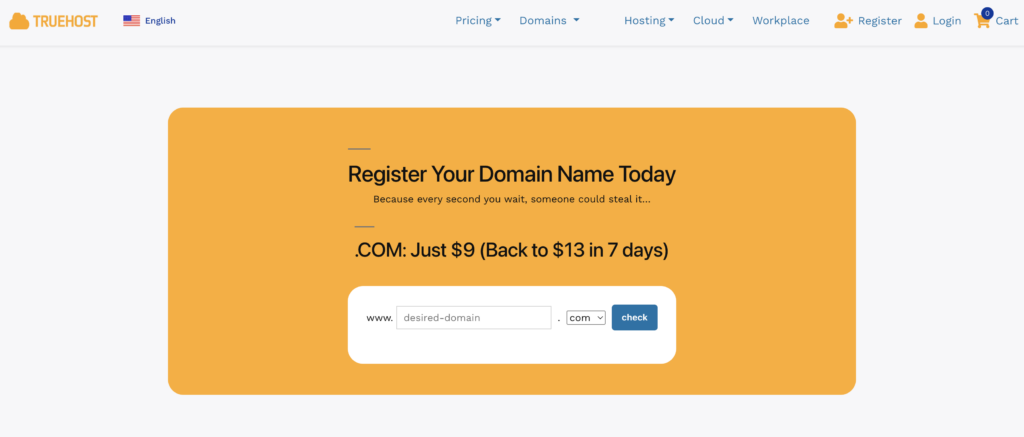
Ready to act? Follow these steps. They work for both manual and auto options.
We break it down by domain type. Pick what fits yours.
Renewing .com and Other Global Domains
You handle .com through ICANN-accredited registrars.
- Log into your account. Use your email and password.
- Find your domain list. Click the one to renew.
- Choose the renewal length. Options range from 1 to 10 years.
- Pay up. Use credit cards or other methods.
- Confirm. Check for email verification.
Costs start at $10-15 per year. Truehost offers competitive rates for US users.
Renewing .br Domains (Including .com.br, .net.br)
.br follows Brazilian rules via Registro.br.
- Access registro.br. Sign in with CPF for individuals or CNPJ for businesses.
- Search your domain. Click renew.
- Select period. Usually 1 year.
- Complete payment. Options include boleto or cards. Cost around R$40 (~$7 USD).
- Verify. Status updates in your account.
US users: Use resellers if direct access is tricky. They handle local requirements.
Differences? .br needs Brazilian ID proof. .com is simpler worldwide.
| Domain Type | Renewal Cost (Approx.) | Key Requirement | Grace Period |
| .com | $10-15/year | None specific | 30-45 days |
| .br | R$40/year | CPF/CNPJ | 15 days |
| .com.br | Similar to .br | Same as .br | 15 days |
Use this table to compare. Renew a domain based on your needs.
Real example: A US e-commerce site with .com.br renews via reseller to avoid ID hassles.
Trouble? Contact support fast.
Setting Up Auto-Renewal for Hassle-Free Management
Want to forget deadlines? Turn on auto-renewal.
For .com, enable it in your registrar settings. It charges your card automatically.
.br offers this on Registro.br. Set it 30 days before expiry.
Pros: No missed dates. Cons: Watch for price changes.
At Truehost, we simplify auto-renew for .com. Visit our domains page to set it up.
This keeps your site always on.
What to Do If Your Domain Has Expired
Act quick if it’s past the date.
Contact your registrar right away. They guide you on options.
For .com: 30-day grace period. Renew at normal cost.
After that, redemption adds $80+ fees.
.br: 15-day grace, then freeze. Liberation process follows, risking auctions.
Steps:
- Log in and check status.
- Pay renewal plus any extras.
- Provide ownership proof if needed.
Avoid this by renewing early.
US businesses: Truehost helps recover .com domains smoothly.
Don’t let expiration catch you off guard.
Important Considerations When Renewing a Domain
Think about domain type first. .br ties to Brazil laws. .com is flexible.
Watch expiration dates closely. Set calendar reminders.
Auto-renewal saves time, but monitor payments.
Security matters. Use strong passwords. Add privacy protection to hide details.
Legal tips: For .br, resolve trademark issues early.
Costs vary. Shop around, but stick with trusted providers.
Renew a domain longer for discounts. Up to 10 years for .com.
These points ensure smart choices.
Leveraging Truehost for Domain Renewal in the US Market
Need reliable help? Truehost stands out for US users.
We offer easy .com renewals starting low. Our dashboard simplifies everything.
Target Brazil? We support international domains. Get started at Truehost domains.
24/7 support means quick fixes. No hidden fees.
Choose us for seamless service.
Conclusion
You’ve got the tools now. Identify your registrar, check status, and renew a domain step by step.
Stay proactive. Set auto-renewal and avoid expirations.
Your online home stays secure this way.
Ready to act? Head to Truehost domains and renew today.
Share your experiences below. What’s your biggest renewal tip?