 Domain RegistrationFind and register the perfect domain for your website.
 .COM DomainChoose a widely recognized domain to build global credibility.
 Domain TransferSeamless domain transfers with zero downtime and complete control.
 All TLDsFind and register your perfect domain. Choose from local and global extensions.
 SSL CertificatesKeep your website safe with reliable SSL Certificates that protect customer data and build trust.
 whoisCheck domain ownership details, expiration dates, and registrar information.
 US DomainRegister a .US domain and build trust in the USA.
 Web HostingEverything your website needs to run smoothly
 WordPress HostingWordPress hosting that just works
 Windows HostingReliable hosting for Windows environments
 Reseller HostingTurn hosting into your business
 Email HostingEmail that looks professional and works anywhere
 cPanel HostingFull control of your hosting with cPanel
 Affiliate ProgramJoin as a partner and earn commissions on every referral you send our way.
 Vps HostingScalable virtual servers that expand as you need.
 Dedicated ServersGet complete access and full control over your dedicated physical server.
 Managed vpsNot tech-savvy? We will take care of everything with our fully managed VPS hosting for you.
 AI Website BuilderCreate stunning websites in seconds with AI.
 Online ShopSet up a professional online store. No coding required.
 Web design serviceGet a tailored website designed to match your brand and support your goals.
 BlogFind helpful guides on web hosting, online selling, digital marketing, and more.
 Contact USYou can reach us anytime, day or night, through chat or email.
 SupportBrowse helpful guides and answers for all of our services.

Trusting email communication on the internet has become increasingly difficult.
The email protocol was never intended to be used on insecure networks and can be relatively simple to spoof, forge, or abuse by attackers.
This leaves businesses in a difficult position.
There are, however, three important email authentication security frameworks used by domain owners:
- DKIM,
- SPF,
- and DMARC,
which verify whether emails really come from the sender’s addresses.
Each takes a slightly different approach to solving the problem.
They help organizations establish a trustworthy email-sending infrastructure. Authentication is only one part of email deliverability.
What Is Email Authentication?
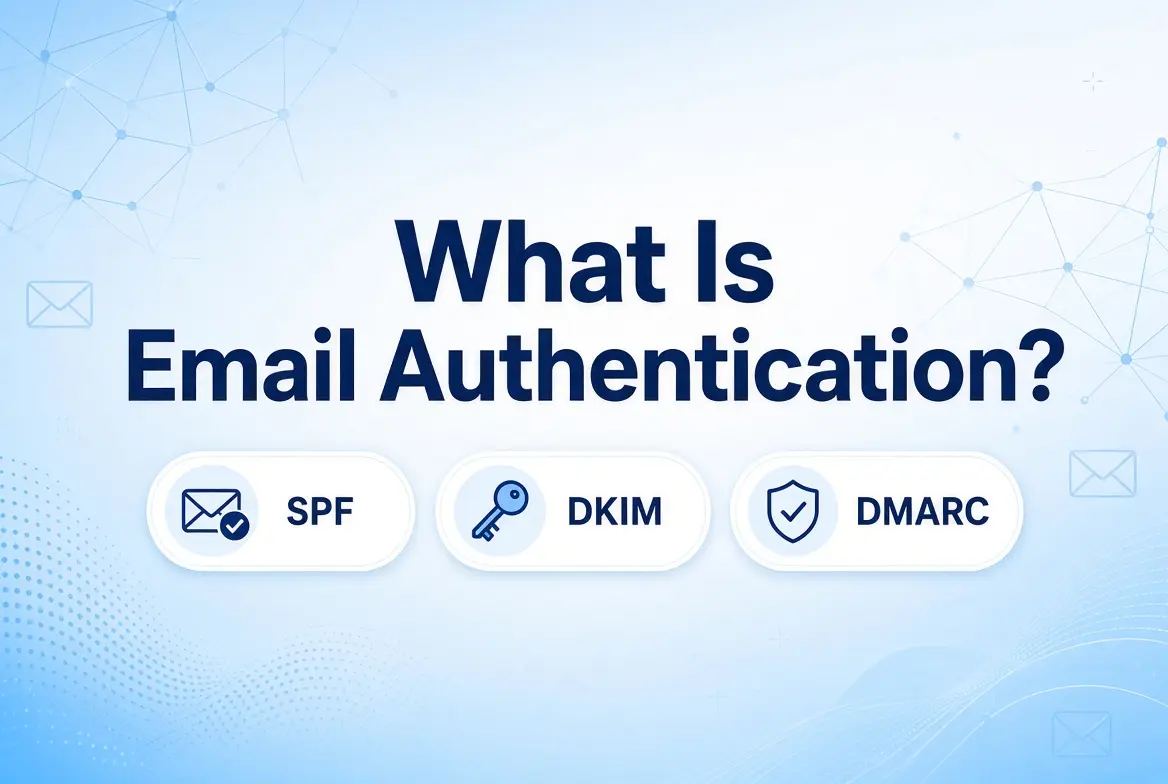
Email authentication helps receiving mail servers determine whether a message is legitimately from the claimed sending domain.
It reduces spoofing and fraudulent emailing through identification.
SPF, DKIM, and DMARC operate slightly differently.
SPF is focused on the server from which the email is sent, DKIM is focused on the message’s digital signature, and DMARC binds the two together, giving explicit instructions to the domain recipient.
When compared to a business office, SPF is like the list of approved drivers allowed on the premises.
DKIM is an untampered, sealed, and signed package verifying its contents, whereas DMARC supplies the rules for handling packages that fail verification.
How does SPF verify sending servers?
Sender Policy Framework (SPF): It’s the basic record that proves domain ownership.
It is a public DNS record for a domain that specifies what servers/IP addresses are allowed to send email on a domain’s behalf.
The receiving mail server checks the IP address of the sending server against the domain’s SPF. If the sending server is approved, SPF passes; if it is not, SPF fails.
Many companies tend to make these common mistakes when configuring SPF records:
- Missing SPF records
- Publishing multiple SPF records
- Incorrect or outdated IP addresses
- Incorrect include mechanisms for third-party tools
- Exceeding the strict 10-DNS-lookup limit
Businesses creating or updating their SPF configuration can use an SPF record generator tool to help build an appropriate DNS record.
How Does DKIM Verify Message Integrity?
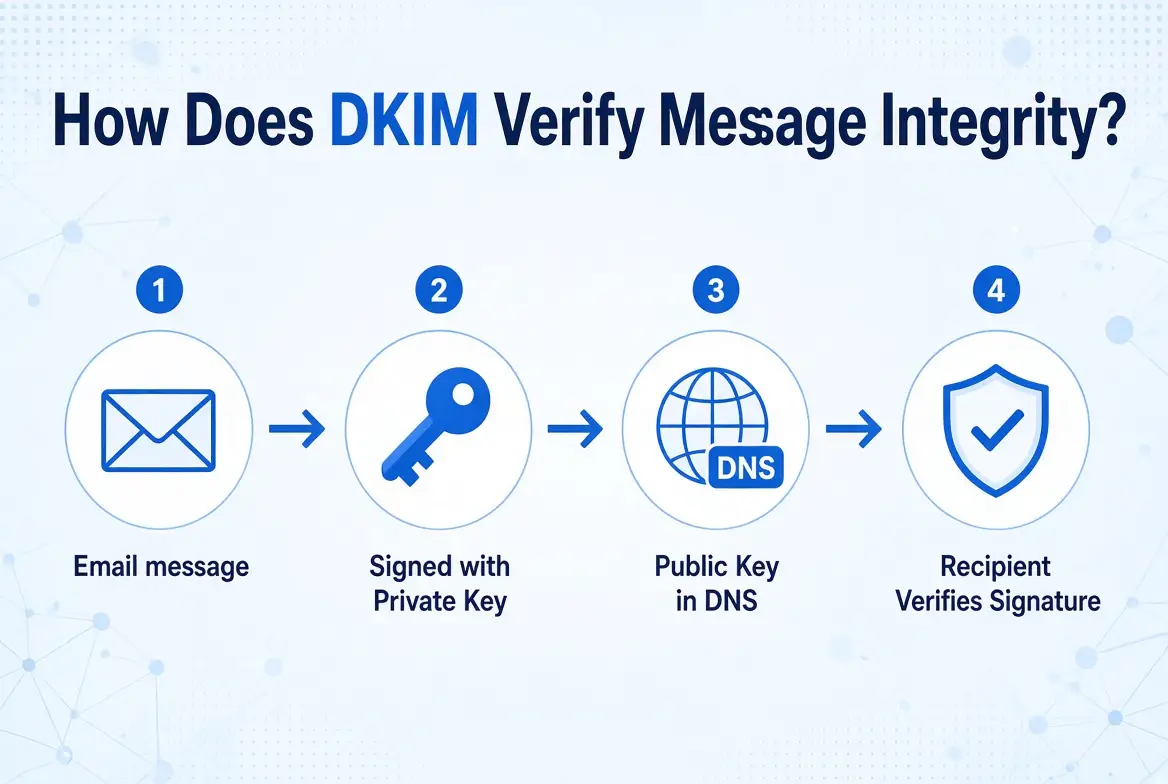
DKIM (DomainKeys Identified Mail) adds cryptographically signed identification to messages without getting too technical.
A unique signature is added to the headers of messages sent.
The sending server encrypts this signature.
It uses a secret private key to provide the web address for the domain’s publicly available key (in DNS records).
The recipient’s server then decrypts the signature, checks whether it belongs to that domain, and verifies the message hasn’t been modified.
Common DKIM issues typically stem from missing public key DNS records, incorrect record formatting, or mismatched selectors.
Other frequent problems include failing to enable signing within the email provider’s settings and unreviewed infrastructure changes that trigger authentication failures.
DKIM provides a reliable way to verify the message’s signature and structural integrity while SPF checks the sending source.
How Does DMARC Add Alignment and Policy?
DMARC (Domain-based Message Authentication, Reporting, and Conformance) acts as the key policy layer that binds SPF and DKIM authentication.
In addition to the basic authentication specified above, DMARC specifies a check of identifier alignment.
In other words, the domain passed to SPF and DKIM needs to align with the “From” domain that matches the “From” domain visible to the recipient.
Domain owners publish a DMARC policy via DNS that tells the recipient mail server what to do if the message fails the DMARC check.
There are three main policy options.
i) None (p=none):
Monitors authentication results and generates reports without requesting rejection or quarantine.
ii) Quarantine (p=quarantine):
Asks receiving providers to treat failing messages as suspicious, placing them in the spam or junk folder.
iii) Reject (p=reject):
Asks receiving providers to block and reject messages that fail the required DMARC checks entirely.
How SPF, DKIM, and DMARC Work Together?
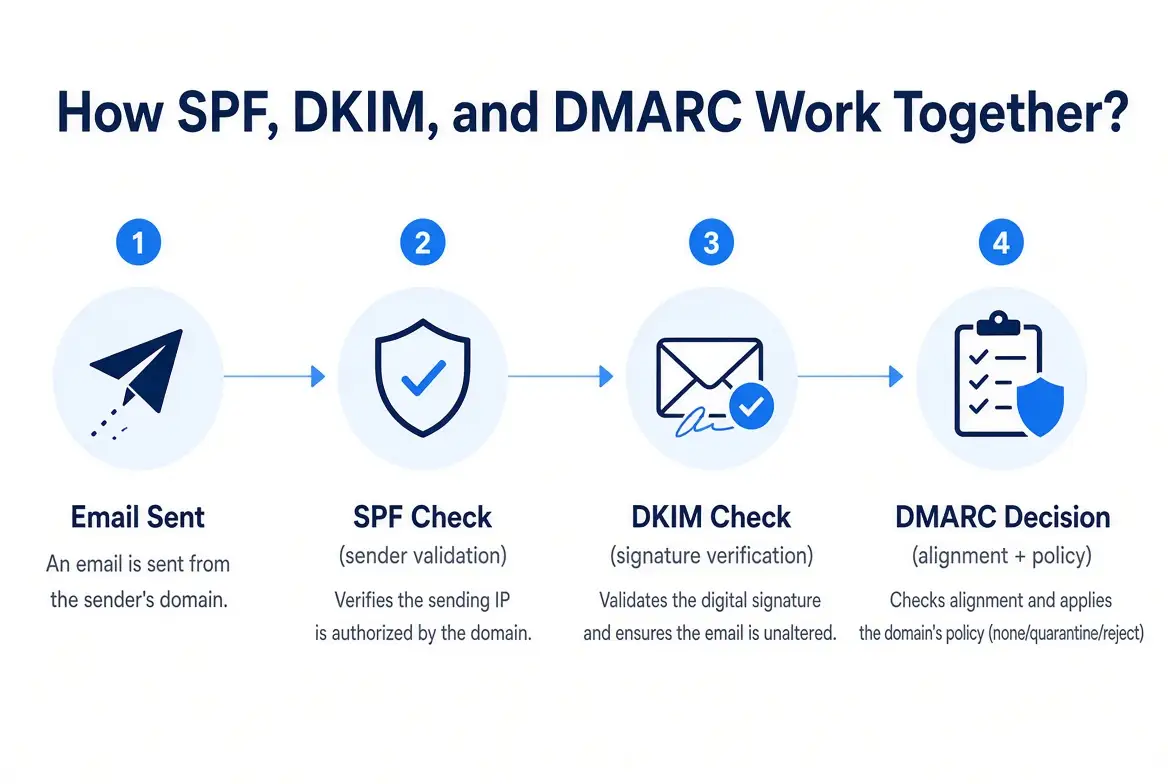
How do they work together to provide security?
First, the business sends an email to a recipient; next, the receiving mail server checks SPF to ensure the sender’s source is valid.
Then, the receiving server checks DKIM to ensure authenticity.
After that, DMARC analyzes the outcome of the SPF and DKIM tests, as well as the visible “From” address, and checks whether they are aligned with the domain’s records.
Finally, the receiving provider examines the domain’s specified DMARC policy in case of failure and follows the instructions.
Ask yourself:
- SPF – Who is allowed to send?
- DKIM – Is the message associated with the domain, and is the signature valid?
- DMARC – Do the authentication results align, and what happens if they don’t?
What Happens When Email Authentication Fails?
An authentication failure does not automatically mean an email will disappear into thin air.
SPF, DKIM, or DMARC can fail when authentication or alignment requirements are not met.
When this happens, the receiving provider may accept, filter, quarantine, or reject the message depending on various security signals and applicable domain policies.
Incorrect authentication can also create legitimate deliverability problems when a business changes email providers or sending infrastructure.
It is important to note that authentication failure does not equal automatic spam placement in every situation; receiving providers consider multiple signals alongside authentication when making final filtering decisions.
How Authentication Affects Email Deliverability and Inbox Placement?
To enable receiving providers to distinguish legitimate business communications from spoofed or unauthorized messages, proper authentication is used.
This directly supports a healthier overall email infrastructure.
SPF, DKIM, and DMARC do not guarantee placement in the inbox.
Receiving algorithms evaluate critical performance factors, including:
- Sender reputation
- Bounce rates
- Spam complaint rates
- Recipient engagement (opens, clicks, replies)
- Email content quality
- Sending volume and consistency
Businesses preparing new mailboxes or sending infrastructure can learn more about email warmup on this page.
Common SPF, DKIM, and DMARC Configuration Mistakes
Configuring email protocols often leads to subtle errors that harm deliverability.
Common setup mistakes include
- publishing multiple SPF records,
- failing to update SPF when adding new third-party vendors,
- or using incorrect DKIM selectors and misconfigured public keys.
Organizations also frequently forget to enable DKIM signing, publish strict DMARC policies without understanding their impact, leave legitimate sending services unaccounted for, or alter email infrastructure without reviewing existing records.
Businesses should systematically test their authentication setup whenever making DNS or email provider changes.
Best Practices for Maintaining Email Authentication
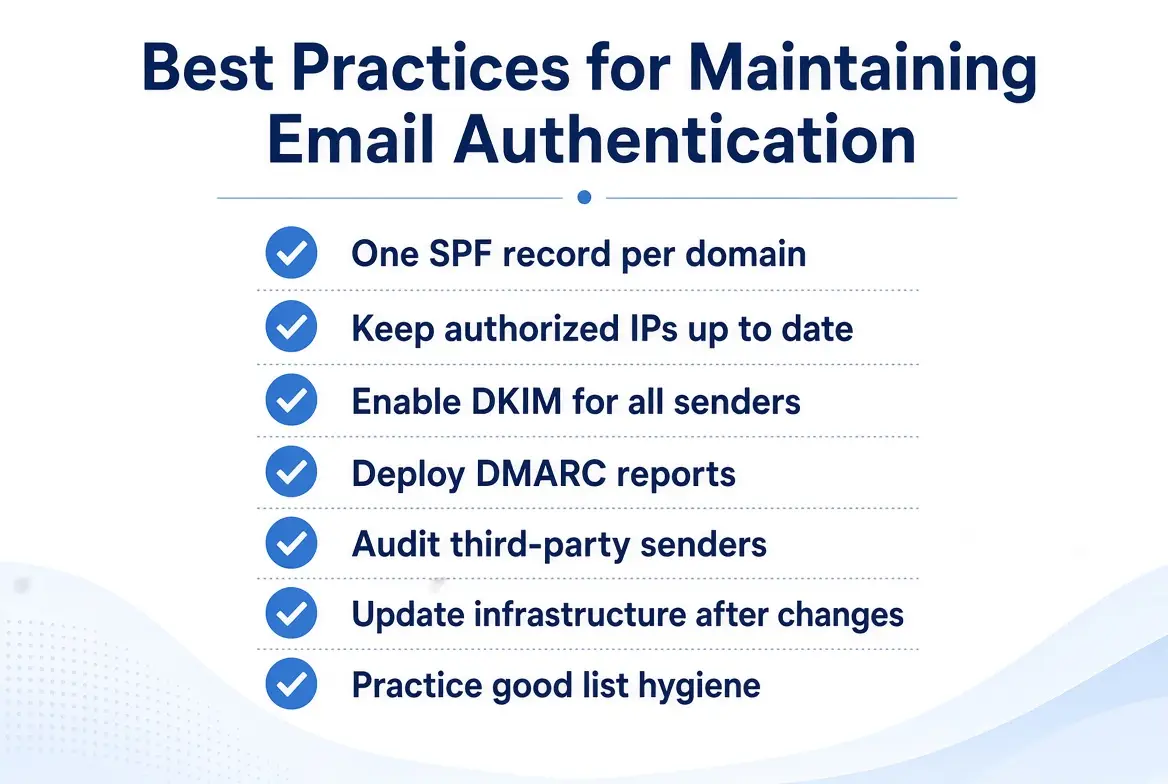
Ensure email deliverability and domain safety with the following SPF authentication checklist.
- One SPF record should be kept for a domain.
- Keep open relays and authorized IP addresses up to date.
- Implement DKIM for all authorized senders.
- Deploy DMARC aggregate reports and forensic message analysis.
- Audit third-party email senders and platforms.
- Check and update receiving and sending infrastructure after any changes.
- Combine authentication with good list hygiene and responsible sending practices.
Authentication Is the Foundation, Not the Whole Strategy
SPF, DKIM and DMARC each play a distinct role.
SPF validates sending sources, DKIM provides cryptographic message integrity and DMARC enforces domain alignment and policy.
Together, they give receiving providers a clear way to tell your real messages from forged ones.
Setup alone doesn’t guarantee inbox placement, though.
That also depends on sender reputation, engagement, list quality and content.
Proper authentication builds trust, and responsible sending practices keep it.
A good place to start is a professional mailbox on your own domain, hosted with a provider that gives you the exact values for each DNS record.
Truehost’s email hosting lets you set up business addresses like [email protected].
And according to Truehost, spam filtering, antivirus checks and two-factor authentication come with its Workplace plans.
Once your mailboxes are live, add the SPF, DKIM and DMARC records exactly as your provider specifies, test them after every change and begin DMARC at p=none before you move to quarantine or reject.
Set up professional email on your own domain with Truehost, then publish your SPF, DKIM and DMARC records to protect your sending reputation.