Domain RegistrationFind and register the perfect domain for your website.
 .COM DomainChoose a widely recognized domain to build global credibility.
 Domain TransferSeamless domain transfers with zero downtime and complete control.
 All TLDsFind and register your perfect domain. Choose from local and global extensions.
 SSL CertificatesKeep your website safe with reliable SSL Certificates that protect customer data and build trust.
 whoisCheck domain ownership details, expiration dates, and registrar information.
 US DomainRegister a .US domain and build trust in the USA.
 Web HostingEverything your website needs to run smoothly
 WordPress HostingWordPress hosting that just works
 Windows HostingReliable hosting for Windows environments
 Reseller HostingTurn hosting into your business
 Email HostingEmail that looks professional and works anywhere
 cPanel HostingFull control of your hosting with cPanel
 Affiliate ProgramJoin as a partner and earn commissions on every referral you send our way.
 Vps HostingScalable virtual servers that expand as you need.
 Dedicated ServersGet complete access and full control over your dedicated physical server.
 Managed vpsNot tech-savvy? We will take care of everything with our fully managed VPS hosting for you.
 AI Website BuilderCreate stunning websites in seconds with AI.
 Online ShopSet up a professional online store. No coding required.
 Web design serviceGet a tailored website designed to match your brand and support your goals.
 BlogFind helpful guides on web hosting, online selling, digital marketing, and more.
 Contact USYou can reach us anytime, day or night, through chat or email.
 SupportBrowse helpful guides and answers for all of our services.
You need a website, and you do not want to learn code to get one. You also do not want to hand a developer a four-figure invoice for a few pages. Black Friday makes the choice louder, because every builder now claims to be the fastest and the cheapest.
Truehost AI Website Builder answers a simple promise: describe your business, and the AI builds the site. This guide shows what you get, what each plan costs, and who should buy. It also shows the cheapest way to start this Black Friday.
Every figure comes from Truehost’s own pages, checked on 27 October 2026. Offers shift in November, so confirm the final price at checkout.
What You Get With Truehost AI Website Builder
Nobody buys a builder for its tools. They buy a site that makes them look credible, without the stress of building it. Here is what the builder removes from your plate.
- No blank page. You answer a few questions about your business. The AI builds the design, structure, text, and images for you.
- A same-day launch. Truehost says most owners go live in under an hour, after a few quick edits and a domain connection.
- Hosting without a second bill. Free hosting comes with the builder, so you do not shop for a host.
- Security from day one. Every site includes a free SSL certificate, which protects your customers’ information and builds trust.
- Business email that matches your brand. Plans include free business emails, so customers see [email protected], not a free inbox.
- Customer chat where people already talk. WhatsApp, SMS, and messenger integrations let buyers reach you in the app they open daily.
- Selling tools built in. Ecommerce features, payment acceptance, and shipping options sit in the same dashboard.
- Marketing without extra software. SEO controls, email campaigns, forms, and social media integrations come with the plans.
- A look that fits your trade. More than 100 AI-created templates give you a starting design for your industry.
- Edits you can handle. Reusable components and a simple editor let you change text, photos, and layouts yourself.
The result is a professional site that works on phones, tablets, and laptops. You never touch a line of code.
Pricing at a Glance
Truehost lists plans in US dollars on its global site. The monthly figure below applies when you pay for a year upfront. The regular price is the monthly rate without that discount.
| Plan | Price per month, billed annually | Storage and email | Best for |
|---|---|---|---|
| Online Shop Hobby | $0.83 (regular $1) | 1 GB, unlimited products | A first small shop |
| Website Builder Starter | $3 (regular $6.99) | 1 GB, 1 business email | Freelancers and simple sites |
| Website Builder Pro | $4.92 (regular $9.99) | 10 GB, 3 business emails | Small businesses that sell |
| Online Shop Pro | $4.92 (regular $9.99) | Unlimited storage and products | Growing online stores |
| Website Builder Business | $13.25 (regular $19.98) | 50 GB, 7 business emails | Busy businesses with big lists |
| Done-for-you designs | $99 or $299 one time | Built by Truehost | Owners who want no setup |
Source: truehost.com/website-builder, checked 27 October 2026. Confirm renewal prices at checkout.
Do the maths before you click. Starter at $3 a month costs about $36 for the year. Pro at $4.92 costs about $59. Business at $13.25 costs about $159. Those totals help you compare against any rival’s “from” price.
Black Friday: How to Get the Best Price
Truehost rolls out promotions as the season moves, so check its offers page before you pay. Meanwhile, these moves lower your cost today.
- Start with the free plan. Truehost offers a 30-day free plan. Build your site and publish it at no cost before you decide.
- Pay annually. The discounted monthly prices apply to annual billing. That is where the 33% to 57% savings sit.
- Add a .com for $6.99. The current offers page lists a .com for $6.99 a year with code TLDBEECOM2, against a regular $7.75. It runs until 31 December 2026.
- Know the free-domain limit. Starter includes a free domain, but only in .shop, .top, .info, or .xyz. A .com is a paid add-on.
- Use the free subdomain first. Every site gets an address such as mybusiness.olitt.com while you test.
- Check the renewal line. Note the second-year price before you commit to any plan.
A realistic first-year cost for a small business is simple. Starter at about $36 plus a .com at $6.99 comes to roughly $43. That includes hosting, SSL, and one business email.
Plan by Plan: Which One Fits You?
1) Website Builder Starter
Starter is the entry plan for a business site. It gives you the AI builder, hosting, and the basics a new brand needs.
Pricing: $3 a month when billed annually, against a regular $6.99.
Features
- Get the essentials included. 1 GB of storage, unlimited bandwidth, SSL, DNS management, and one business email.
- Pick a free domain. Choose a .shop, .top, .info, or .xyz name at no cost, or buy a .com for $6.99.
- Start your list. Forms, contacts, and email tools let you collect leads from day one, with room for 100 contacts and 5 forms.
- Rank from the start. SEO controls let you add keywords and meta descriptions to each page.
Pros
- Lowest cost for a full business site
- Free domain option and business email included
- Marketing tools included from the first day
Cons
- The free domain excludes .com
- 1 GB of storage and one mailbox suit small sites only
- Shop tools sit in higher plans
Best For: Freelancers, consultants, and local service businesses that need a clean site fast.
2) Website Builder Pro
Pro adds room, shop tools, and more email. It suits a business that has started to sell.
Pricing: $4.92 a month when billed annually, against a regular $9.99.
Features
- Get everything in Starter. All the builder, hosting, SSL, and SEO tools carry over.
- Store more. 10 GB of storage handles photo-heavy pages and product galleries.
- Sell online. The shop and payment tools let you accept orders on your site.
- Email your team. Three business emails give each person a branded address.
- Grow your list. Room for 500 contacts and 25 forms, plus a marketing suite and auto prospecting.
Pros
- Selling tools and more email at a low monthly cost
- A marketing suite included
Cons
- 10 GB can fill up with large media libraries
- Check the renewal price before you commit
Best For: Small businesses that sell products or services online and need a few team inboxes.
3) Website Builder Business
Business removes the limits. It suits a company with a larger audience and a team that emails customers often.
Pricing: $13.25 a month when billed annually, against a regular $19.98.
Features
- Get everything in Pro. All shop, marketing, and builder tools carry over.
- Store a lot. 50 GB of storage covers large catalogs and media.
- Remove form limits. Unlimited forms let you run quotes, bookings, and signups together.
- Reach more people. Space for 2,000 contacts and a drip marketing suite keeps customers engaged.
- Equip the team. Seven business emails give each staff member a branded address.
Pros
- Generous storage, contacts, and mailboxes
- Drip marketing automates follow-ups
Cons
- Costs more than a basic site needs
- Compare the renewal price at checkout
Best For: Established small and mid-size businesses with larger lists and a team.
4) Online Shop Hobby
Hobby is the lowest-cost way to open a store. It suits a seller who wants to test a product before they invest.
Pricing: $0.83 a month when billed annually, against a regular $1.
Features
- Sell without limits. List unlimited products in your first online shop.
- Take payments. Accept online payments and offer multiple shipping options.
- Use your own address. Connect a custom domain to look professional.
- Promote your store. SEO tools, marketing tools, and social media integrations come with the plan.
Pros
- Almost no upfront cost to open a store
- Unlimited products from day one
Cons
- 1 GB of storage limits large photo catalogs
- Entry hosting suits low traffic
Best For: Hobby sellers, makers, and first-time store owners who want to test an idea.
5) Online Shop Pro
Shop Pro supports a store that has proved itself. It gives you room and speed to grow.
Pricing: $4.92 a month when billed annually, against a regular $9.99.
Features
- Run on stronger hosting. The plan includes Pro hosting for more traffic.
- Store everything. Unlimited storage and unlimited products remove catalog limits.
- Sell everywhere. Social media integrations let you sell where customers already scroll.
- Accept payments and ship. Online payments and multiple shipping options come built in.
Pros
- Unlimited storage and products at a low price
- Selling tools tuned for stores
Cons
- It focuses on selling, not on a content-heavy site
- Check the renewal price before you commit
Best For: Store owners whose catalog and traffic have outgrown a starter plan.
6) Done-for-You Designs
Some owners do not want to build anything. Truehost also designs the site for you, at a one-time price.
Pricing: The developer plan costs $99 one time. The ecommerce web design plan costs $299 one time. Both list no renewal fee for the design work.
Features
- Get a 7-page site for $99. You provide the text, images, and videos. Truehost builds a fast site with WhatsApp chat and SEO setup.
- Get a full shop for $299. The plan covers five main pages and a shop with up to 20 products, a shopping cart, and order notifications.
- Connect payments. The shop plan integrates up to two payment methods.
- Launch with support. The shop plan includes one week of support after delivery and two revision cycles.
Pros
- No setup work on your side
- A fixed price you can plan around
Cons
- You still supply the content for the $99 plan
- Hosting and domain costs sit outside the design price
Best For: Busy owners who want a finished site and prefer to hand off the build.
Features in Depth: What Each One Does for You
A feature list tells you what exists. This section tells you why each piece earns its place.
The AI builder
It does the first draft for you. You answer questions about your business, your style, and your services. The AI then builds a complete site with design, structure, images, and text. You edit what you like, and you skip the blank-page stress.
The difference from a page builder
Page builders such as Elementor live inside WordPress. They hand you blocks and templates, and you assemble each page piece by piece. An AI builder gives you a finished draft to adjust. Choose the AI builder to launch fast. Choose a page builder when you want total control after launch.
SEO controls
The builder handles the technical SEO for you. You add keywords and meta descriptions yourself, using simple fields. That gives your pages a better chance to appear when customers search for what you sell.
Mobile design
Your site adjusts to phones, tablets, and laptops without extra setup. You can preview each device before you publish. Most visitors arrive on a phone, so this saves you from losing them.
Security
Every site includes a free SSL certificate. Visitors see a secure connection, and their details travel safely. That small padlock builds trust before anyone reads your first line.
Messaging and email
WhatsApp, SMS, and messenger integrations put you where customers already chat. Business emails and campaign tools keep them coming back. Together they turn a visit into a conversation.
What Your First 30 Days Can Look Like
The free plan gives you a month to test the builder with no payment. Use it well.
- Days 1 to 3. Build your first draft, edit the wording, and add your photos.
- Days 4 to 7. Add SEO titles, connect your WhatsApp link, and test every form.
- Week 2. Share the site with three trusted people. Ask what confused them.
- Week 3. Fix what they found, and set up your business email.
- Week 4. Choose a paid plan, connect your .com, and publish under your own name.
Mistakes to Avoid When You Buy
- Buying the biggest plan first. Start with Starter or Pro. You can move up when your list and storage grow.
- Assuming free means .com. The free domain on Starter covers .shop, .top, .info, and .xyz only. Decide whether a .com is worth $6.99 to you.
- Skipping the renewal check. Discounts cover the first term. Write down the second-year price before you pay.
- Launching without a phone test. A site that looks great on a laptop can fail on a small screen. Check both.
- Forgetting the contact test. Submit your own form and click your own WhatsApp link before customers do.
- Ignoring the free subdomain. Test on the free address first. You publish under your .com only when the site feels ready.
- Overloading the homepage. One clear message and one clear button beat ten competing offers.
Payment and Support: What to Expect at Checkout
Checkout should feel safe and familiar. Truehost lists many ways to pay, and it routes card payments through Stripe.
- Cards and wallets. Visa, Amex, and Google Pay appear on the checkout list.
- Pay-over-time options. Klarna, Affirm, and Afterpay appear, which helps if you prefer to spread a larger purchase.
- Other methods. Cash App, Alipay, Pix, and M-Pesa also appear on the payment list.
- Support when you stall. You can reach the team by phone, live chat, or email, and the contact page promises help day or night through chat or email.
A friendly voice on the other end calms the nerves of a first-time site owner. Test the chat before you buy, and see how fast it answers.
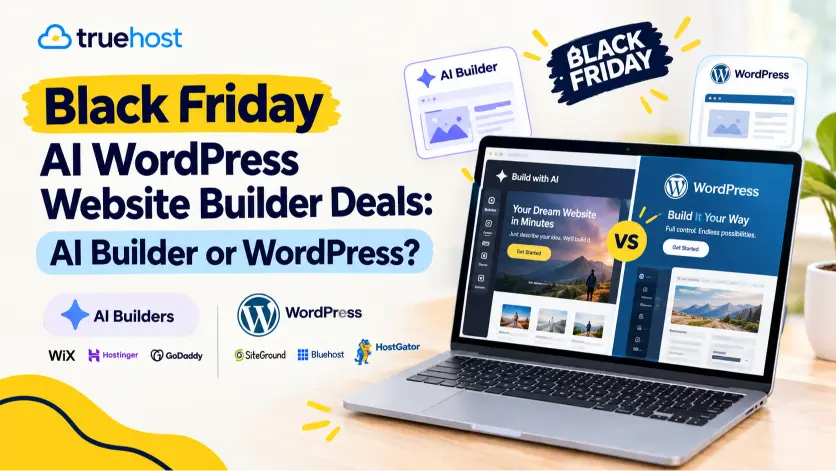
AI Builder or WordPress Hosting at Truehost?
Truehost sells both routes, so you do not need to guess. Pick based on the job your site must do.
- Choose the AI builder when you want to launch this week and avoid maintenance.
- Choose WordPress hosting when you plan to publish often, add plugins, or want full control of your files.
If your needs change, you can move between routes without switching provider. That flexibility protects you from a rebuild with a stranger’s platform.
Who Truehost AI Website Builder Fits
The builder works best for people who value speed and clarity over deep customization.
- Small and medium business owners. You need a professional, working site without hiring a developer.
- Freelancers. You want to show your skills, services, and contact details in a clean portfolio.
- Creators. You grow a personal brand and need a home for your content and offers.
- Nonprofits, churches, and local groups. You want a solid site that does not strain a tight budget.
- Anyone short on time. You want a great-looking site this week, not next quarter.
Who Should Look Elsewhere
No builder suits everyone. Be honest about your needs before you buy.
- Large enterprises with custom needs. Truehost’s own guidance says custom development may fit them better.
- Content-heavy publishers. If you plan hundreds of posts and plugins, WordPress hosting gives you more control.
- Owners who want total code control. An AI builder trades some freedom for speed.
Pick Your Plan in Two Minutes
- A simple business site: choose Starter.
- Sell online and need a few inboxes: choose Pro.
- Email thousands of customers: choose Business.
- You want to test one product: choose Online Shop Hobby.
- The store is growing: choose Online Shop Pro.
- You want someone else to build it: choose a done-for-you design.
Still unsure? Start the free plan. You lose nothing, and you see the AI’s first draft before you pay.
Launch Your Site in One Afternoon
A good launch takes a few hours. Follow these steps in order.
- Gather your content. Collect your business name, services, contact details, logo, and best photos.
- Answer the AI’s questions. Describe your business, your style, and your services. Specific answers produce a better draft.
- Review every page. Fix wording that does not sound like you, and swap in your own photos.
- Add SEO details. Write a title and description for each page, using words your customers search.
- Check the phone view. Most visitors arrive on a phone, so scroll every page.
- Connect your domain. Use your .com, or start on the free subdomain while you test.
- Test your contact points. Send a form, click the WhatsApp link, and place a test order if you sell.
- Publish and share. Send the link to customers and add it to your social profiles.
The Bottom Line: Start Free, Then Pick the Plan That Fits
A website should make you look credible and save you time. Truehost AI Website Builder puts the design, hosting, SSL, email, and marketing tools in one place. That means fewer bills, fewer logins, and fewer things that can break.
Start with the 30-day free plan, and see your site before you pay. Then choose the plan that matches your size, and add a .com while the $6.99 offer lasts. Open the builder today, describe your business, and let the AI handle the first draft.