Domain RegistrationFind and register the perfect domain for your website.
 .COM DomainChoose a widely recognized domain to build global credibility.
 Domain TransferSeamless domain transfers with zero downtime and complete control.
 All TLDsFind and register your perfect domain. Choose from local and global extensions.
 SSL CertificatesKeep your website safe with reliable SSL Certificates that protect customer data and build trust.
 whoisCheck domain ownership details, expiration dates, and registrar information.
 US DomainRegister a .US domain and build trust in the USA.
 Web HostingEverything your website needs to run smoothly
 WordPress HostingWordPress hosting that just works
 Windows HostingReliable hosting for Windows environments
 Reseller HostingTurn hosting into your business
 Email HostingEmail that looks professional and works anywhere
 cPanel HostingFull control of your hosting with cPanel
 Affiliate ProgramJoin as a partner and earn commissions on every referral you send our way.
 Vps HostingScalable virtual servers that expand as you need.
 Dedicated ServersGet complete access and full control over your dedicated physical server.
 Managed vpsNot tech-savvy? We will take care of everything with our fully managed VPS hosting for you.
 AI Website BuilderCreate stunning websites in seconds with AI.
 Online ShopSet up a professional online store. No coding required.
 Web design serviceGet a tailored website designed to match your brand and support your goals.
 BlogFind helpful guides on web hosting, online selling, digital marketing, and more.
 Contact USYou can reach us anytime, day or night, through chat or email.
 SupportBrowse helpful guides and answers for all of our services.
You do not really notice your email setup until it starts getting in the way. One day everything works smoothly, and the next you are dealing with storage limits, user restrictions, or features you suddenly cannot access.
If you have been using the Zoho Mail free plan for a while, this might sound familiar. The five user limit can feel restrictive as your team grows. The five GB storage fills up faster than expected. Basic features like POP or IMAP access and email forwarding are also locked behind a paid plan.
Zoho Mail free plan is a solid starting point, especially for small teams getting off the ground. But as your business grows, those early limits begin to slow things down.
That is usually when you start looking at other options. The good news is that you are not stuck. There are reliable alternatives available, both free and affordable, that offer more flexibility and room to grow. And when you are ready for something more stable, providers like Truehost make the switch simple without adding unnecessary complexity or cost..
Why Look for an Alternative to Zoho Mail Free Plan?
The free plan isn’t broken. It does what it promises, which is a clean, ad-free inbox for up to 5 users with 5 GB of storage each. For a very early-stage business, that’s often enough.
But here’s where it tends to fall apart as things pick up.
- The 5-user cap becomes a wall. Five users sounds like plenty at first. But once you bring on a part-time team member, a contractor, or a dedicated support account, you’re already looking at an upgrade conversation. There’s no flexibility on the free tier.
- Storage fills up faster than most people expect. Five gigabytes per user sounds reasonable until you factor in file attachments, invoice threads, client proposals, and months of back-and-forth correspondence. Once you start approaching that limit, your only options are to delete emails or start paying.
- Key features are locked behind a paywall POP/IMAP access is restricted on the free plan, which means you can’t connect your Zoho inbox to a desktop client like Thunderbird or Outlook without upgrading. Email forwarding is also unavailable, which creates friction when you’re managing communication across different inboxes or automating workflows.
- No AI assistance on the free tier Zia, Zoho’s AI writing assistant, is a paid-only feature. If faster email drafting is something your team would benefit from, the free plan simply won’t get you there.
- Limited support when something breaks Free plan users rely on documentation and community forums. There’s no priority support line, and if something goes wrong during a critical period, that’s a problem.
What to Look for in a Zoho Mail Alternative
Here are the things to prioritize when evaluating options.
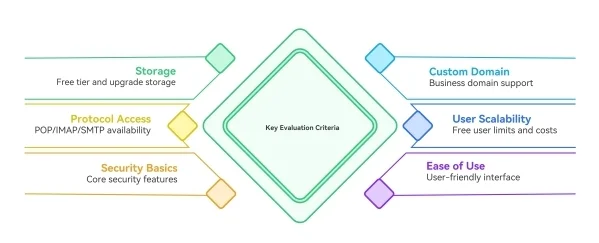
- Storage headroom Look at how much storage the free tier offers and what the upgrade path looks like. If you’re switching because you’ve been hitting storage limits, make sure the alternative actually fixes that problem rather than just delaying it.
- Custom domain support This is non-negotiable for a business inbox. Any alternative worth considering should let you connect your own domain or help you register one. An address like [email protected] doesn’t carry the same weight as [email protected] when you’re dealing with clients.
- POP/IMAP and SMTP access If you use a desktop email client or want to connect your inbox to third-party tools, check that these protocols are available without an additional fee. This is one of the biggest frustrations on Zoho’s free tier, so it’s worth confirming upfront.
- User limits and scalability Check how many accounts the free tier supports and what adding more users actually costs. Some providers are more generous than Zoho here, others less so.
- Security basics Look for spam filtering, encryption, two-factor authentication, and DKIM support as a baseline. Anything less than that is a step backward, not a step forward.
- Ease of use A tool that your team finds confusing creates its own problems. Look for a clean interface, solid mobile apps, and a setup process that doesn’t require a technical background to get through.
Best Alternatives to Zoho Mail Free Plan
1) Neo Mail (Free Plan)
Neo Mail is probably the closest thing to a direct upgrade from Zoho Mail’s free plan for small businesses that want to stay in the free tier a little longer without sacrificing features. It’s modern, thoughtfully designed, and comes with tools you’d usually expect to pay for.
The biggest draw is a 15-day free trial with full access to every feature, and no credit card is required to get started. That’s enough time to properly test the platform and decide before committing to anything.
Key features:
- Free custom domain creation (.co.site) or connect your own domain
- 15-day full-access trial with no credit card required
- AI Smart Write for drafting and refining emails
- Priority inbox, follow-up reminders, read receipts, and email rules
- Integrated calendar, appointment booking, and meeting scheduling
- AI-powered website builder (Neo Sites) included with every plan
- 100 GB of email storage with a 100% uptime guarantee
Limitations:
- The free access period lasts only 15 days
- A paid subscription is required to keep the account active after the trial ends
- No permanently free tier like Zoho’s forever-free plan
Best for small businesses and solopreneurs who want more features than Zoho’s free plan offers, particularly AI tools and a modern interface, without jumping to an expensive enterprise platform.
2) Gmail (Google Workspace Free Options)
Gmail needs no introduction. It’s the most widely used email platform in the world, and for good reason. While Google Workspace is a paid product, Gmail itself is free and remains one of the most capable free email options available.
Key features:
- 15 GB of free storage across Gmail, Drive, and Photos
- Powerful spam filtering and phishing detection
- Access to Google Docs, Sheets, Meet, and Drive on the free tier
- Excellent iOS and Android mobile apps
- POP and IMAP access available on free accounts
- Two-factor authentication and strong account security built in
Limitations:
- Free accounts use @gmail.com, not your own domain name
- Custom domain support requires a paid Google Workspace plan starting at around $6 per user per month
- Storage is shared across Google services, so heavy Drive or Photos usage reduces what’s available for email
- Google’s data practices may be a concern for businesses handling sensitive information
Best for teams already using Google’s tools who want a reliable, high-storage inbox with strong spam protection and easy access to Docs, Sheets, and Meet.
3) Outlook (Microsoft 365 Free Tier)
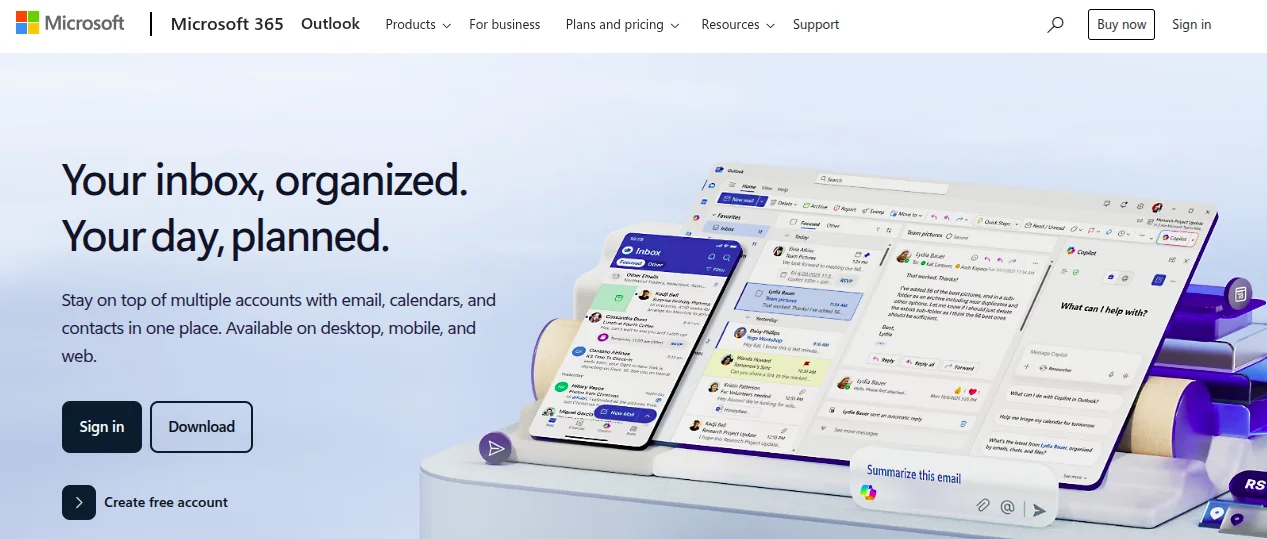
Outlook has come a long way from its older desktop reputation. The web and mobile versions are polished, fast, and genuinely competitive with Gmail. Microsoft offers a free personal Outlook account at Outlook.com, which gives you a capable inbox without needing a Microsoft 365 subscription.
Like Gmail, the free tier comes with a @outlook.com or @hotmail.com address rather than your own domain. But it’s worth considering if your business already uses or plans to use Microsoft tools.
Key features:
- 15 GB of free email storage
- Clean, modern web and mobile interface
- Access to web versions of Word, Excel, and PowerPoint plus 5 GB OneDrive storage
- Focused Inbox that separates important emails automatically
- Strong calendar and contacts integration
- POP, IMAP, and SMTP support on free accounts
Limitations:
- Free accounts use @outlook.com or @hotmail.com, not a custom business domain
- Custom domain email requires a Microsoft 365 Business Basic plan.
- The free tier includes ads in some views, which can be disruptive
- Heavier Microsoft ecosystem dependency can feel limiting if your team uses other tools
Best for businesses that already use or plan to use Microsoft tools like Word, Excel, or Teams, and want a familiar, well-integrated email experience.
4) Proton Mail (Free Plan)
If the reason you are leaving Zoho Mail’s free plan has anything to do with security or privacy concerns,Proton Mail is the most serious upgrade you will find. It’s built with privacy as the primary focus, not an afterthought.
Every email you send through Proton is encrypted at the source. Not even Proton itself can read your messages. That’s a meaningful distinction if your business deals with client data, legal communications, or any situation where confidentiality genuinely counts.
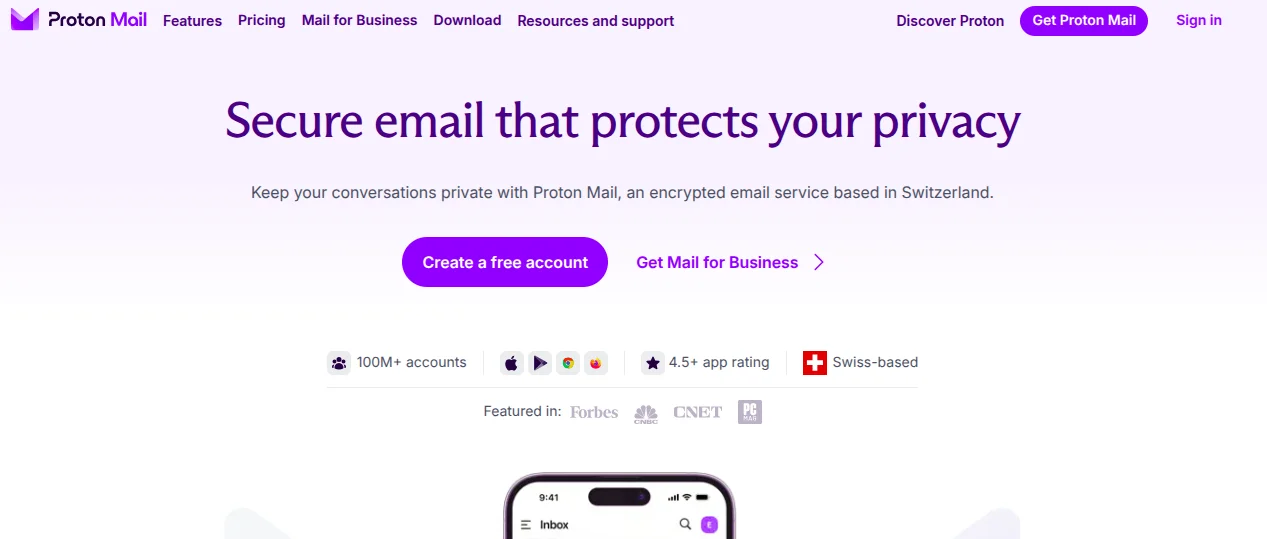
Key features:
- End-to-end encryption on all emails
- Zero-access encryption, meaning even Proton cannot read your inbox
- Swiss privacy protection under some of the world’s strongest data laws
- Free plan with 1 user, 1 email address, and 1 GB storage at no cost
- Proton Scribe AI writing assistant (available on paid plans)
- Custom domain support with catch-all addresses (paid plans)
- 15 GB to 1 TB storage on paid plans with a 99.95% uptime guarantee
Limitations:
- Free plan is limited to 1 user, which is more restrictive than Zoho’s 5-user allowance
- Storage on the free tier is just 1 GB, which fills up quickly for active business use
- Custom domain support is only available on paid plans
- POP/IMAP access via Proton Bridge requires a paid subscription
Best for freelancers, legal professionals, healthcare providers, and any business where data privacy and secure communication take priority over feature breadth.
Frequently Asked Questions
Is Zoho Mail’s free plan good enough for a small business?
It can be, especially in the very early stages. Zoho’s free plan gives you a clean, ad-free inbox with custom domain support for up to 5 users. But once your team grows, storage fills up, or you need features like POP/IMAP access and email forwarding, the free plan starts to show its limits.
Which free alternative to Zoho Mail offers the most storage?
Gmail and Outlook both offer 15 GB of free storage, which is three times more than Zoho’s 5 GB per user. Neo Mail goes even further with 100 GB per account during the trial period. If storage is your main concern, any of these are a significant step up.
Can I keep my existing email address when switching providers?
Yes, as long as you own your domain. When you switch providers, you update your MX records to point to the new email server, and your existing @yourbusiness.com addresses continue working.
The process typically takes a few hours to propagate fully.
What’s the easiest way to move from Zoho Mail to a new provider?
Start by exporting your emails from Zoho Mail through the Settings and Backup section. Then set up your new provider, verify your domain, and import your backed-up emails before updating your MX records.
Keep your Zoho account active for at least 48 hours after switching to make sure no incoming emails are lost during the transition
Want More Power in Your Inbox?
You can absolutely move from Zoho’s free plan to another free option. That works fine if your needs are still basic. But there comes a point where free email starts to hold your business back. Limited control, inconsistent delivery, and missing features begin to cost you time and opportunities.
That’s usually when it makes sense to consider a more reliable setup that’s built to support a growing business.
Truehost goes beyond just giving you an inbox. It connects your email to a properly managed hosting environment, which means your messages are more likely to land where they should, your service stays up, and help is available when you need it.If you are also running a website or planning to, having email and hosting under one provider makes things easier to manage. You won’t need to juggle multiple accounts or bills.
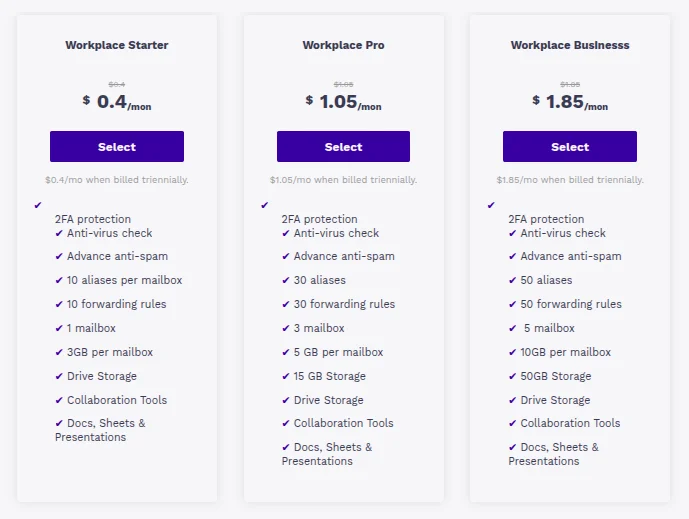
Here’s what stands out:
- Professional email addresses linked to your own domain
- Email and web hosting in one place
- Stable infrastructure with dependable uptime
- Flexible plans that grow with your team
- Responsive support when issues come up
Signs It’s Time to Upgrade
If any of these sound familiar, it may be time to move on from free email:
- Your team has outgrown free user limits
- Your emails are ending up in spam or not getting delivered reliably
- You need better control over users, billing, or settings
- You handle sensitive information and need stronger security
- You’re spending too much time fixing email issues
At some stage, the cost of sticking with free tools becomes higher than paying for something reliable. If you’re already feeling those limits, Truehost’s business email plans are worth considering.